 ProMapRanker
Best Patch Management Software in 2026

Key takeaways
- Action1 is the cheapest start for small fleets, with a free tier for up to 200 endpoints reported in October 2026 comparisons.
- NinjaOne and Atera suit teams that also need remote monitoring, but they price in opposite ways, per device versus per technician.
- ManageEngine and Automox suit mixed Windows, Mac and Linux fleets with wide third-party app coverage.
- Test patching on a small group first, with reboot rules agreed, since a bad patch rollout can disrupt more work than a delayed patch.
Quick comparison
| Pick | Great for | Pricing starts at | Free tier | |
|---|---|---|---|---|
 NinjaOne | Easy patching at scale | See website | Free trial | Visit |
 ManageEngine Endpoint Central | Mixed device fleets with strict compliance needs | See website | Yes | Visit |
 Action1 | Free patching for small fleets | Free | Yes | Visit |
 Automox | Cloud patching for remote and distributed teams | $1 per endpoint per month | No | Visit |
 PDQ Connect | Windows-focused patching and deployment | $12 per device per year | No | Visit |
 Atera | Per-technician pricing for growing MSPs | $129 per technician per month | Free trial | Visit |
 Microsoft Intune | Organisations already on Microsoft 365 | $8 per user per month | Free trial | Visit |
 Ivanti Neurons for Patch Management | Risk-based patching for larger enterprises | See website | No | Visit |
 Qualys Patch Management | Vulnerability-led patching at enterprise scale | See website | No | Visit |
The best patch management software
Patch management software finds missing operating system and application updates, tests them, deploys them on a schedule, and reports which devices are still behind. The tools below differ mainly in pricing model, operating system coverage and how much third-party app patching they include, so match those three points to your fleet before you look at extra features.
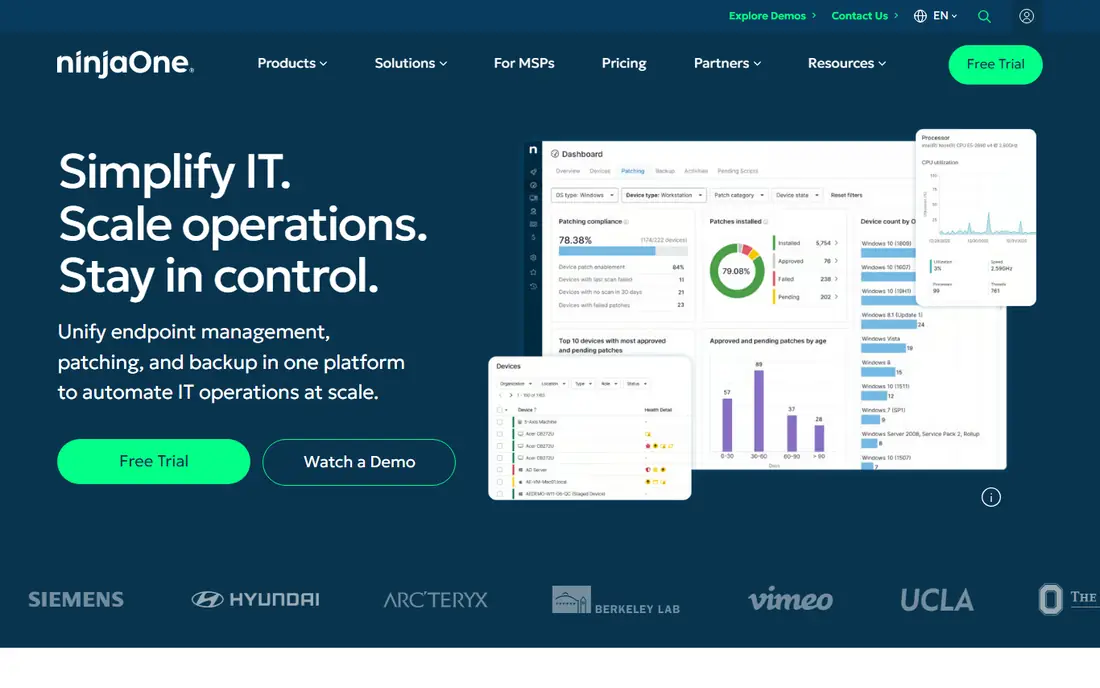
NinjaOne is a good first shortlist pick for IT teams that want patching to just work across office and remote devices. Its cloud console shows patch status, lets you schedule update rings, and covers Windows, Mac and Linux plus many third-party applications. Reporting is clear enough to show managers and auditors which devices are compliant without exporting data to another tool.
The main drawback is pricing transparency. NinjaOne quotes by endpoint count and product selection, so small teams cannot always budget from the website alone. Costs also rise steadily as devices are added, which favours teams with a stable fleet over fast-growing ones. If you only need patching and nothing else, compare the quote with a dedicated patching tool before you sign.
- Cloud-based console
- Wide operating system and third-party app coverage
- Strong reporting and automation
- Pricing is quote-based
- Costs rise with endpoint count
- Full platform may be more than a patch-only team needs
ManageEngine Endpoint Central
Great for: Mixed device fleets with strict compliance needs
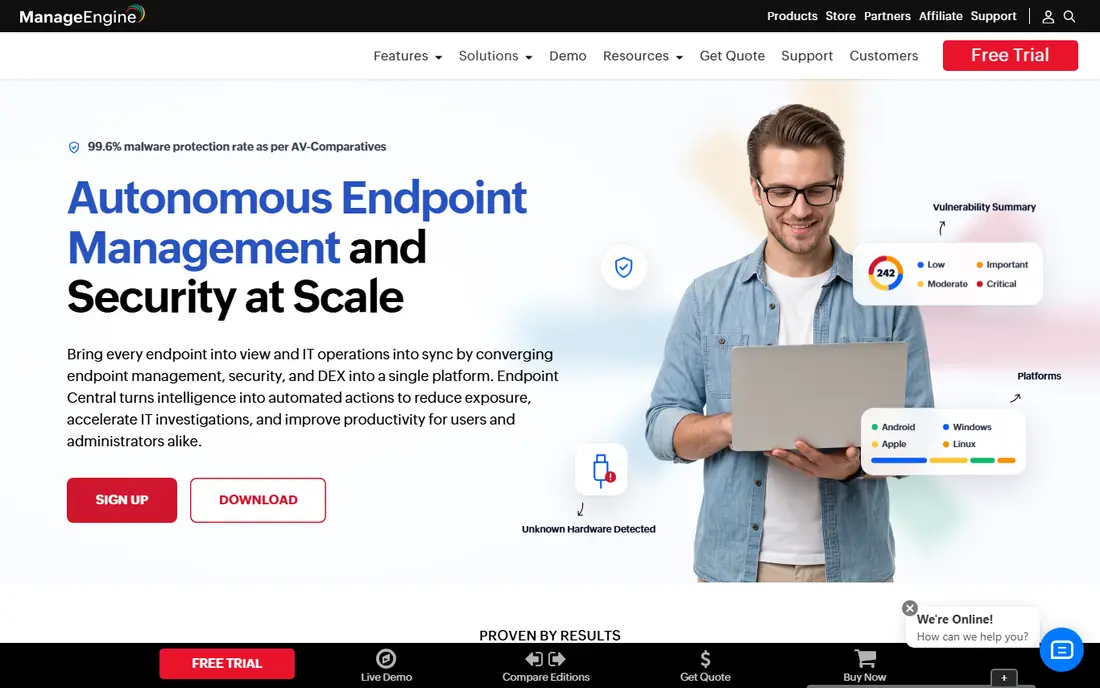
ManageEngine Endpoint Central suits organisations with a mixed fleet and a compliance checklist to satisfy. It patches Windows, Mac and Linux and a large catalogue of third-party applications, and it pairs patching with asset tracking and software deployment in one console. The free edition for small fleets also makes it easy to test on real devices before paying.
The console is the trade-off. New admins often find it crowded, with many menus and settings to learn before policies feel natural. Deployment choice adds complexity too, since you must pick cloud or on-premises and plan for that model. For a team with time to learn it and a mixed fleet to manage, the depth is worth it, but a small team may prefer a simpler tool.
- Wide third-party app coverage
- Free edition for small fleets
- On-premises and cloud options
- Interface can feel crowded
- Full setup takes time
- Pricing varies by edition and device count
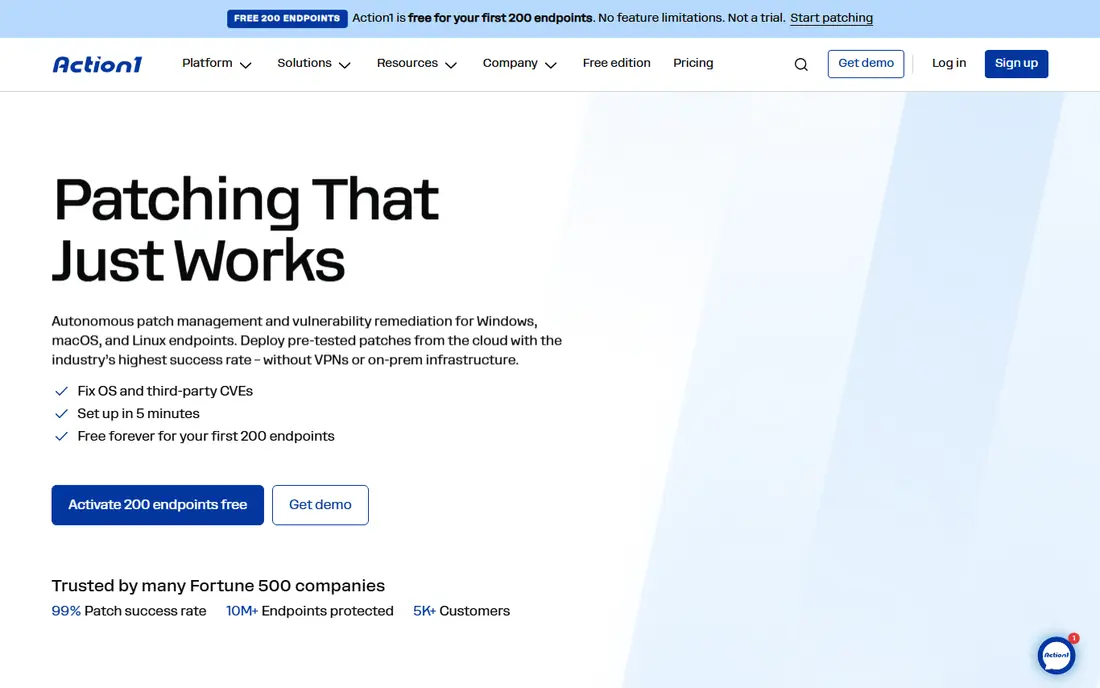
Action1 is the obvious trial pick for a small business or a team that has never had a patching tool. Its free tier, reported at up to 200 endpoints in October 2026 comparisons, covers patching and vulnerability visibility without a licence cost, and its cloud console manages remote devices without a VPN. That makes it easy to prove value before spending anything.
Check operating system coverage for your fleet before you rely on it. Action1 started as a Windows-focused tool, and while newer reports describe Mac and Linux support, you should test it on your exact devices and applications. Paid pricing beyond the free tier is also quote-based, so budget for growth. For a Windows-heavy small fleet, though, it is hard to beat on price.
- Free for up to 200 endpoints in current comparisons
- Cloud-based with no VPN needed
- Vulnerability reporting included
- Windows focus historically, so test Mac and Linux coverage
- Paid pricing beyond the free tier is quote-based
- Fewer RMM extras than larger platforms
Automox fits teams whose devices rarely sit on an office network. Its cloud console applies policies continuously, so a laptop at home gets patched without VPN or office hours, and it covers Windows, Mac and Linux. Scripted Worklets also let admins handle configuration tasks beyond simple patching, which helps small IT teams automate repeat jobs.
Read the tier details carefully. The entry price covers operating system patching, while broader third-party application patching requires a higher tier that is quote-based. That can change the total a lot if your fleet runs many third-party apps. Automox also has no free plan, so use the trial on a representative group before you commit.
- Cloud-native patching from $1 per endpoint per month for OS patching
- Covers Windows, Mac and Linux
- Scripted automation for configuration tasks
- Third-party patching sits on higher, quote-based tiers
- No free plan
- Remote support features need a separate add-on
PDQ Connect is a practical pick for Windows-heavy teams that want clear pricing and fast deployment. Its annual per-device pricing is easy to model, and its package library covers many common Windows applications alongside operating system updates. Admins who know PDQ Deploy will find the workflow familiar, with scheduling, approvals and reporting built in.
The limit is operating system mix. PDQ Connect is Windows-focused, so Mac and Linux fleets need another tool or a compromise. Published pricing also assumes a 100-device minimum, which may not suit a very small team. For a Windows shop of that size or larger, PDQ Connect offers a direct, predictable patching tool without enterprise complexity.
- Clear annual per-device pricing from $12 per device per year
- Strong Windows patch and deployment library
- Simple agent setup
- Windows-focused, with limited Linux coverage
- 100-device minimum on published pricing
- Fewer compliance tools than enterprise platforms
Atera suits managed service providers and small IT teams where a few technicians support many devices. Instead of paying per endpoint, you pay per technician, which keeps costs predictable as client device counts grow. Patching sits alongside remote access, monitoring and ticketing, so a small team can run most daily IT work from one console.
That model cuts the other way when your technician count grows. Each new admin adds a full monthly fee, even if they only patch occasionally. Patching depth is also good rather than best in class, so teams with strict vulnerability workflows may need a dedicated tool alongside it. For an MSP with a small team and many endpoints, the maths usually still favours Atera.
- Per-technician pricing with unlimited endpoints on paid plans
- Patching plus remote access and ticketing
- Easy onboarding for small MSPs
- Cost rises with each technician
- Patching depth is below dedicated enterprise tools
- Some features need higher tiers
Microsoft Intune is the natural pick if your organisation already lives in Microsoft 365. It manages Windows updates, mobile devices and compliance policies from the same admin centre as your users and groups, and Plan 1 is listed at $8 per user per month or included in eligible Microsoft subscriptions. For a Microsoft-centred team, that integration reduces extra logins and extra agents.
Intune is not the simplest patching tool to learn. Policy setup, update rings and app deployment take time to get right, and third-party application patching is less broad than in dedicated patching platforms. If you already pay for Microsoft 365, check what is included before buying another tool, since you may already own most of what you need.
- Included in some Microsoft 365 plans
- Strong Windows and mobile device management
- Update rings and compliance policies built in
- Learning curve for policy setup
- Third-party app patching is less broad than dedicated tools
- Pricing depends on existing licences
Ivanti Neurons for Patch Management
Great for: Risk-based patching for larger enterprises
Ivanti Neurons for Patch Management suits security-led teams that want to patch by risk, not just by schedule. It prioritises updates by vulnerability severity and exploitability, which helps a large fleet focus first on the patches that matter most. Coverage across Windows, Mac and Linux, plus detailed reporting, makes it a fit for enterprises with audit and compliance duties.
Smaller teams will find it heavy. Pricing is quote-based, setup involves policy design and testing, and the platform offers more than a small IT team will use. If your main need is simply keeping updates current on a few dozen devices, a simpler tool will be faster and cheaper. For a large, risk-focused organisation, Ivanti is a strong enterprise pick.
- Risk-based prioritisation by vulnerability severity
- Covers Windows, Mac and Linux
- Strong reporting for security teams
- Quote-based pricing
- Implementation and policy design take time
- More platform than a small team needs
Qualys Patch Management fits organisations that already think in terms of vulnerabilities rather than just updates. Because it sits on the Qualys platform, it can move from finding a weakness to deploying the patch that fixes it, with reporting that ties the two together. That link matters for security teams that must show auditors exactly which risks were closed and when.
The cost and complexity rule it out for most small businesses. Pricing is quote-based and enterprise in scale, and getting value from it requires familiarity with the wider Qualys platform. A small team that just needs updates deployed on time will do better with Action1, Automox or PDQ Connect. For a large security programme, Qualys offers a unified view that patch-only tools cannot match.
- Tight link between vulnerability detection and patching
- Broad asset visibility
- Strong compliance reporting
- Quote-based enterprise pricing
- Needs Qualys platform knowledge
- Overkill for small fleets
How we picked these
We compared vendor pages, pricing models, operating system coverage, third-party app catalogues and independent patching comparisons checked in October 2026. We included tools that are live now, that patch operating systems as a core job, and that cover different fleet sizes and pricing models. We marked prices as See website where the vendor quotes by endpoint count, edition or contract rather than publishing one fixed starting price.
How to buy patch management software without breaking devices
Start with a pilot group that mirrors your real fleet, including old laptops, remote workers and the applications staff actually use. Set update rings so a small group gets patches first, then a larger group, then everyone, with time to spot problems between rings. Agree reboot rules in advance, including maintenance windows and how users can defer a reboot, so patching does not close work mid-task.
Next, check third-party coverage for your specific apps, not just the headline count. A catalogue of hundreds of apps helps only if it includes the browsers, collaboration tools and line-of-business apps your team runs. Also confirm reporting: you need a clear list of devices that failed, devices that are offline, and devices that are still behind, not just a green dashboard. Finally, plan for exceptions, such as devices that cannot reboot or apps that must stay on an older version, and record why each exception exists.
Frequently asked questions
What is the best patch management software for a small business?
Action1 is the best starting point for many small businesses, because its free tier covers small fleets and its cloud console needs no VPN. Automox and PDQ Connect are good paid alternatives, depending on whether your fleet is mixed or Windows-focused. Test on a pilot group before rolling out to everyone.
What are the top 10 patch management software tools?
The leading tools in 2026 include NinjaOne, ManageEngine Endpoint Central, Action1, Automox, PDQ Connect, Atera, Microsoft Intune, Ivanti Neurons and Qualys Patch Management, plus Patch My PC for Windows app patching. The right pick depends on fleet size, operating systems, third-party apps and whether you price per device or per technician.
What are the top 5 patch management software tools?
For most teams, the top five to shortlist are NinjaOne, ManageEngine Endpoint Central, Action1, Automox and Atera. NinjaOne leads on ease of use, ManageEngine on mixed-fleet depth, Action1 on free small-fleet value, Automox on cloud patching, and Atera on per-technician pricing. Compare them on your exact fleet before you decide.
How much does patch management software cost?
Costs range from free for small fleets on Action1, to about $1 per endpoint per month for Automox OS patching, $12 per device per year for PDQ Connect, $8 per user per month for Intune Plan 1, and $129 per technician per month for Atera. Enterprise tools such as Ivanti and Qualys are quote-based and cost more, with implementation on top.
Do I need patch management if I already use an RMM tool?
Not always. If your RMM tool patches well and reports clearly, a separate tool adds cost without benefit. Buy a dedicated patching tool when your RMM patching is weak, when third-party app coverage is thin, or when per-endpoint patching is cheaper than upgrading your RMM tier. Test patch success rates on real devices before you decide.
Can patch management software patch remote laptops?
Yes, cloud-based tools such as NinjaOne, Action1, Automox and PDQ Connect manage remote devices without a VPN. On-premises tools can also patch remote devices, but they usually need a VPN or a cloud gateway. Confirm offline and off-network behaviour in a trial, since remote workers often miss office-based patch windows.
Sources
- https://www.ninjaone.com
- https://www.manageengine.com/endpoint-central/
- https://www.action1.com
- https://www.automox.com
- https://www.pdq.com
- https://www.atera.com
- https://www.microsoft.com/en-us/security/business/microsoft-intune
- https://www.ivanti.com
- https://www.qualys.com
- https://rankite.com/blog/best-patch-management-software
See where you really rank - block by block
ProMapRanker scans Google Maps across a grid of your service area. Simple monthly plans from $19, white-label on every plan.
Start freeKeep reading
 best tour operator software
Best Tour Operator Software in 2026
Compare the best tour operator software for bookings, channel management, waivers and payments, with pricing models for day tours and multi-day trips.
Read → best time clock app for small business
Best Time Clock App for Small Business in 2026
We compare the best time clock app for small business options, with free plans, GPS clock ins, scheduling and payroll links for hourly teams and payroll help.
Read → best test automation tools
Best Test Automation Tools in 2026
Compare the best test automation tools, from Playwright and Selenium to Cypress, Katalon and BrowserStack, with prices, languages and best uses explained.
Read →