 ProMapRanker
Best Paraphrasing Tool Online Free in 2026


Dedicated paraphrasing with modes · Pricing starts at: $19.95 per month
Key takeaways
- QuillBot is our pick for dedicated free paraphrasing, with modes and synonym control that general chat tools do not match in a single click.
- Wordtune suits whole paragraphs as you type, while Scribbr suits a quick rewrite with no account.
- Free tiers limit words per use, daily rewrites, or modes, so match the tool to the length of text you rewrite most often.
- Paraphrasing does not remove the need to cite sources, and school or work rules on AI use still apply.
Quick comparison
| Pick | Great for | Pricing starts at | Free tier | |
|---|---|---|---|---|
| QuillBot | Dedicated paraphrasing with modes | $19.95 per month | Yes | Visit |
 Wordtune | Rewrites as you type | See website | Yes | Visit |
 Grammarly | Grammar plus sentence rewrites | $12 per month | Yes | Visit |
 Spinbot | Simple free text spinning | Free | Yes | Visit |
 Scribbr | Quick rewrite with no signup | Free | Yes | Visit |
 Paraphrase Online | Free online paraphrasing | $9.99 per month | Yes | Visit |
 Paraphraser.io | Free paraphrasing in several modes | See website | Yes | Visit |
 Smodin | Paraphrasing plus writing tools | See website | Yes | Visit |
 DupliChecker | Free paraphrasing plus checks | See website | Yes | Visit |
The best paraphrasing tool online free
We compared tools by free word limits, rewrite quality, modes, ease of use, and whether paid plans are needed for everyday work. All of these are live in October 2026 and offer a free way to rewrite text online.
QuillBot remains the clearest dedicated paraphraser. You paste text, pick a mode such as standard or fluency, and adjust how much wording changes. That control helps when you need a formal version for work and a simpler version for a general reader.
The free tier is usable for short passages, with a word limit per use and fewer modes than premium. For a single awkward sentence or a short paragraph, that is often enough. For long reports, you will need to split text or upgrade, so test the free limit on your typical passage first.
- Multiple rewrite modes
- Synonym slider
- Grammar and summarizer tools in one account
- Free tier limits words per use and modes
- Longer documents need chunking
- Premium needed for full features
Wordtune fits writers who rewrite as they draft, rather than pasting a finished block into a separate tool. It suggests alternatives for a sentence or paragraph inside the app you are already using, which keeps the flow of writing intact. Tone options help when a draft sounds too casual or too stiff.
The free plan limits how many rewrites you get each day, so heavy users will hit the cap quickly. It is also less practical for rewriting a long document in one pass. Use Wordtune for daily drafting, and QuillBot for bulk paraphrasing.
- Inline rewrites in Docs and email
- Whole-paragraph suggestions
- Tone options
- Free daily rewrite limit
- Paid plans vary by source
- Less suited to bulk document rewriting
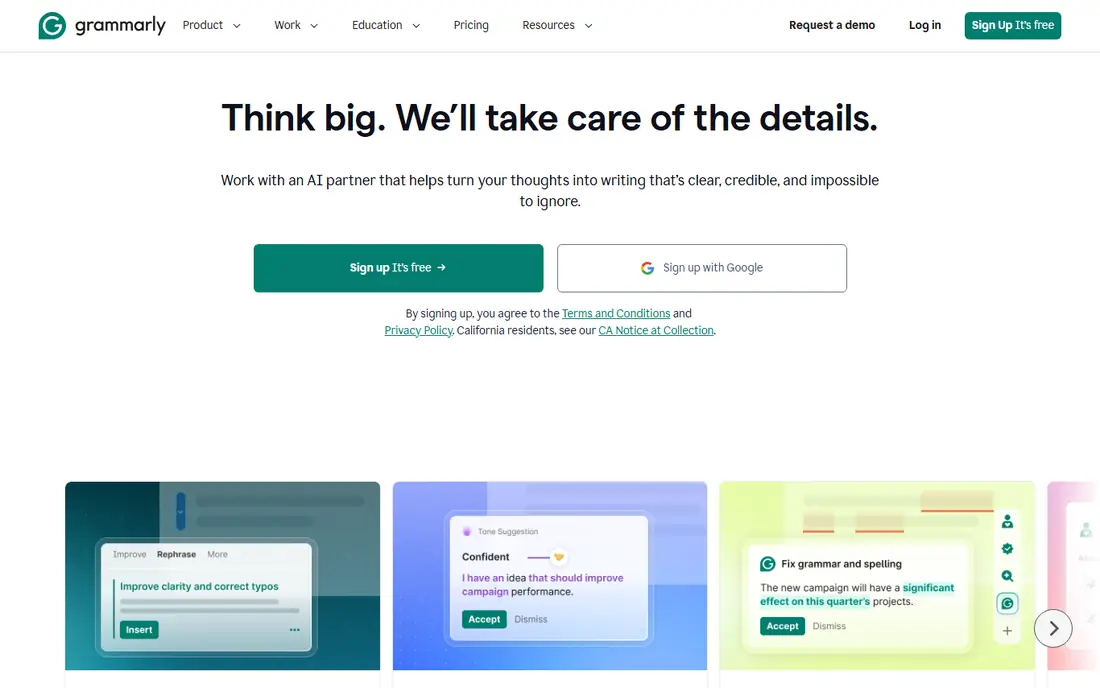
Grammarly is best when paraphrasing is part of wider editing, not the only job. It catches grammar, clarity, and tone issues across email, Docs, and browsers, and it can suggest sentence rewrites on paid plans. That breadth makes it useful for everyday professional writing.
If paraphrasing is your main need, the free plan will feel limited, because AI prompts are capped and sentence rewrites are not the core free feature. Students or writers who already use Grammarly for grammar may find the paid rewrite features a useful add-on, but a dedicated tool is better for bulk work.
- Works across apps and browsers
- Strong grammar checking
- Tone and clarity suggestions
- Free plan limits AI rewrite prompts
- Paraphrasing is secondary to grammar
- Premium needed for full rewrite features
Spinbot suits a quick, no-cost rewrite when polish matters less than speed. You paste text and get an alternative version without signing up or choosing modes. That simplicity is its main appeal for casual use.
The output often needs manual editing, because word swaps alone do not always preserve meaning or natural flow. It also lacks the tone control and grammar tools of paid rivals. Use Spinbot for a rough draft, then edit the result yourself before publishing or submitting it.
- Free to use
- No complex setup
- Fast for short text
- Output can sound awkward
- Limited control over tone
- No advanced editing tools
Scribbr is the easiest free option when you want one quick rewrite and no account. The free paraphrasing tool accepts a short passage and returns alternatives without asking you to sign up. That low friction makes it a good choice for a single sentence that will not read well.
The limit per input means longer passages need splitting, and mode choice is narrower than QuillBot. Scribbr also offers paid academic tools, but the free paraphraser itself is enough for occasional use. Cite sources as usual, even after paraphrasing.
- No account needed for the free tool
- Simple interface
- Useful for short academic text
- Word limit per input
- Fewer modes than QuillBot
- Premium academic tools cost extra
Paraphrase Online is a straightforward web tool for users who do not want an app or browser extension. You paste text, rewrite it, and copy the result. The free plan covers casual use, and the paid plan raises volume for regular users.
It does not offer the same depth of modes, tone control, or editing suite as QuillBot or Grammarly. Complex or technical text may need more editing after rewriting. For simple, everyday paraphrasing, it is a practical free starting point.
- Free plan for everyday use
- Simple web tool
- Paid plan adds higher volume
- Output quality varies by text type
- Interface is basic
- Fewer integrations than major rivals
Paraphraser.io gives casual users mode choices without paying up front, which is more flexible than a single-mode free spinner. You can try different styles and pick the version that reads best. Related checking tools on the same site can help with a quick review.
Free use has limits, and idioms or technical terms sometimes come out awkwardly. Read the output carefully and fix any change in meaning before use. It is a good free alternative when QuillBot limits are a problem, but it does not replace careful editing.
- Several rewrite modes
- Free access without a complex setup
- Plagiarism and grammar tools nearby
- Free limits apply
- Output can be uneven on idioms
- Ads and upsells on the free site
Smodin suits users who want paraphrasing alongside other writing help in one place. The paraphraser works on the web, and related tools cover summarizing and rewriting for different needs. Multilingual support is useful for writers working across languages.
The free tier will not suit heavy daily use, and the site offers many tools that can distract from a simple rewrite. Check current free limits and paid pricing on the official site before relying on it for a large project. For occasional mixed writing tasks, it is a handy option.
- Paraphraser plus summarizer and other writing tools
- Multilingual support
- Web-based
- Free tier is limited
- Paid pricing varies
- Interface can feel busy
DupliChecker is useful when you want to rewrite text and then run a quick check in the same place. The free paraphraser handles short passages, and nearby tools cover plagiarism and grammar checks. That combination suits students doing a first pass on a draft.
Quality is closer to a basic free tool than to QuillBot, so expect to edit the result. Free limits and ads are part of the trade for no-cost access. Use it for short, casual rewrites, and move to a dedicated tool for longer or more formal work.
- Free paraphrasing tool
- Plagiarism and grammar checks on the same site
- No app install needed
- Free use has limits
- Output needs editing
- Site includes ads and related tool promotions
How we picked these
We compared official product pages, free tier descriptions, and public pricing summaries for tools live in October 2026. We favored tools with a real free tier, not just a trial, and we noted limits where sources differed. We did not claim hands-on testing, and where paid pricing was unclear we wrote See website.
How to get a good rewrite from a free tool
Start with clean source text. Short, clear sentences rewrite better than long, tangled ones, and a tool is more likely to preserve meaning when the input is already well structured. Rewrite in small chunks, even if the tool allows longer input.
Check meaning, not just wording
Read the output aloud and compare it with the original idea by idea. A paraphrase that swaps words but changes the claim is worse than the original. Fix names, numbers, and technical terms by hand, because tools can alter them.
Cite and follow the rules
Paraphrasing a source still requires a citation in academic and professional work. Check your school, publisher, or employer rules on AI tools before submitting rewritten text, and do not use a paraphraser to hide copied work.
Pick by length and frequency
For one sentence a day, Scribbr or Spinbot may be enough. For daily paragraphs, Wordtune or QuillBot free tiers fit better. For long documents, plan to split text or pay for a higher limit.
Frequently asked questions
What is the best free paraphrasing tool online?
QuillBot is our pick for dedicated free paraphrasing because of its modes and control. Scribbr is best for a quick rewrite with no signup, and Wordtune is best for rewrites as you type.
Is there a completely free paraphrasing tool?
Spinbot and Scribbr offer free paraphrasing without a paid plan for basic use. Most other tools offer a free tier with limits on words, daily rewrites, or modes, and charge for higher volume.
Can I paraphrase a full essay for free?
You can, but free tiers usually limit words per use, so you will need to split a long essay into chunks. That takes time, and you must still check meaning and cite sources.
Does paraphrasing avoid plagiarism?
No, not by itself. Paraphrasing changes wording, but ideas from a source still need a citation, and copying structure or claims without credit can still be plagiarism. Follow your institution or publisher rules.
Is QuillBot free?
QuillBot offers a free plan with limited words per use and fewer modes. Premium plans add more modes, higher limits, and extra tools, with monthly pricing listed on its official site.
Sources
See where you really rank - block by block
ProMapRanker scans Google Maps across a grid of your service area. Simple monthly plans from $19, white-label on every plan.
Start freeKeep reading
 twitch alternatives
Twitch Alternatives in 2026
Explore the best Twitch alternatives in 2026 for live streaming, with free platforms, monetisation options, audiences, chat tools, and tips for new streamers.
Read → firebase alternatives
Best Firebase Alternatives in 2026
Looking for Firebase alternatives? We compare 9 backend platforms for auth, databases, realtime, storage, functions, self-hosting, and pricing for your app.
Read → companies with best work life balance
Companies With Best Work Life Balance in 2026
See companies with best work life balance in 2026, ranked by employee ratings, with flexible work options, benefits, and what to check before applying.
Read →