 ProMapRanker
Best Painting Contractor Software: 8 Compared


Production-rate estimating and painting sales · Pricing starts at: $119 per month
Key takeaways
- Painting sales turn on production-rate estimates, so the best tools build quotes from your own rates instead of flat guesses.
- PaintScout leads for production-rate estimating, with Sales from $119 a month billed monthly or $99 billed annually.
- DripJobs leads for follow-up, with 40-plus pre-built drip messages and a pipeline that moves deals on its own.
- Jobber and Housecall Pro are the cheapest general starting points, from $49 and $79 a month on monthly billing.
- Leap suits painting firms that close at the kitchen table, with in-home proposals and a one-year contract to weigh.
- Contractor Foreman is the cheapest full-featured option, from $49 a month billed annually.
- CompanyCam keeps a photo record of prep work and finished paint, which protects you when a claim comes in.
Quick comparison
| Pick | Great for | Pricing starts at | Free tier | |
|---|---|---|---|---|
| PaintScout | Production-rate estimating and painting sales | $119 per month | Free trial (14 days) | Visit |
 DripJobs | Follow-up automation and painting sales | $97 per month | No | Visit |
 Jobber | Small painting crews that want simple scheduling | $49 per month | Free trial (14 days) | Visit |
 Housecall Pro | Painting crews that want dispatch and online booking | $79 per month | Free trial (14 days) | Visit |
 Leap | In-home painting sales and proposals | $79 per month | Free trial (14 days) | Visit |
 Contractor Foreman | Budget-minded painting contractors | $49 per month (billed annually) | Free trial (30 days) | Visit |
 CompanyCam | Photo records of prep work and finished paint | $79 per month | Free trial (14 days) | Visit |
 Service Fusion | Larger painting firms that want flat pricing | $245 per month | No | Visit |
The best painting contractor software
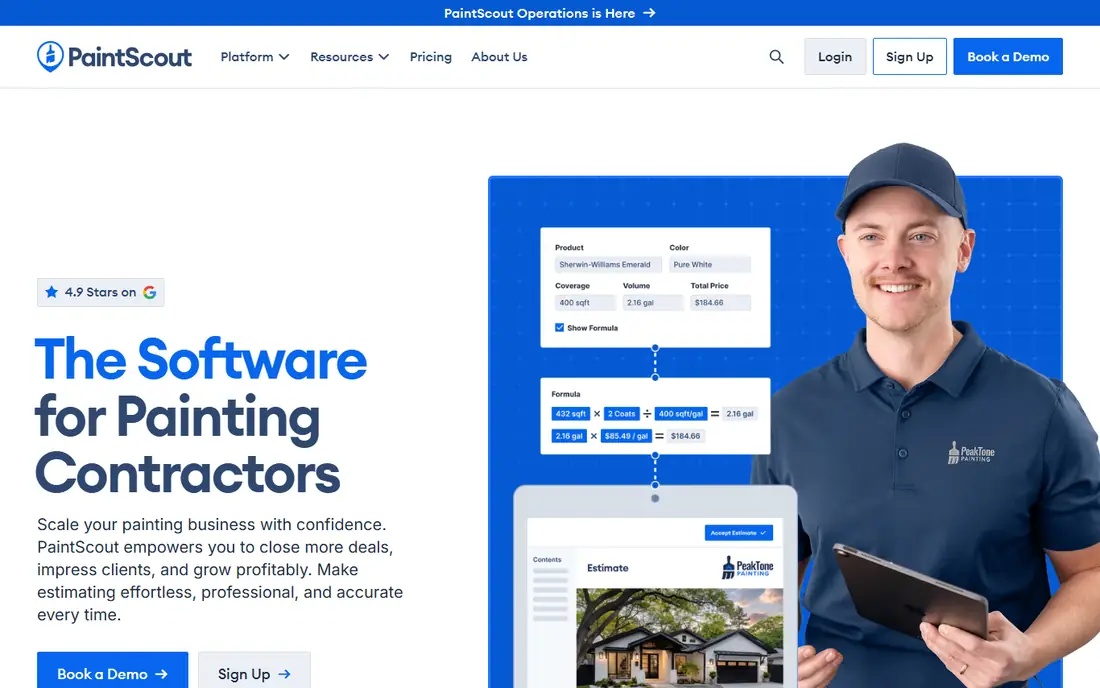
PaintScout is the painting-specific estimating tool in this guide, and it is built around production rates. You enter the areas, the coats, and your own production rates, and the estimate reflects the real labor and material cost of the job instead of a flat guess.
Sales costs $119 a month billed monthly, or $99 a month billed annually, for one user, with extra team seats at $20 a user a month. The Operations add-on costs $99 a month billed monthly, or $79 billed annually, and covers schedules, jobs, and team visibility, so running jobs as well as sales takes the monthly list price from $119 to $218. A 14-day free trial needs no credit card. The CRM pipeline is a separate add-on at $42 to $49 a month. PaintScout suits a painting company with a real sales process that wants estimates built from its own numbers.
- Production-rate estimating built for painters
- Interactive proposals with e-signature and payment collection
- Job management sits in the Operations add-on, so running jobs as well as sales costs $218 a month
- Setup packages start at $999
DripJobs is a CRM built by a painting contractor for home service pros that want to close more leads. It focuses on the sales pipeline, automated follow-up messaging, and proposal tools. The pipeline moves deals on its own as events happen, such as an estimate scheduled or a proposal sent, and 40-plus pre-built drip messages follow up by stage without manual work.
Pro costs $97 a month billed monthly for one admin user, and Advanced costs $147 a month and adds two-way texting, email blasts, and Zapier. Growth is custom priced for five or more users. There is no free trial and no annual billing discount. Two-way texting is a $25 a month add-on on Pro, and job costing is a $49 a month add-on. DripJobs suits a painting contractor that loses jobs to slow follow-up, since the drip system keeps every lead warm while the crew is on site.
- 40-plus pre-built drip messages by pipeline stage
- Automated pipeline moves deals without manual work
- No free trial and no annual billing discount
- Two-way texting and job costing are add-ons on Pro
Jobber is the simplest starting point for a small painting crew. It covers quoting, scheduling, invoicing, customer records, and card payments in one clean app, and the mobile app works well on a job site. A painter can build a quote from a walkthrough, schedule the job, and send the invoice from the same record, without a second system.
Core costs $49 a month billed monthly, or $29 a month billed annually, for one user. Connect costs $139 a month billed monthly, or $99 billed annually, and adds automated reminders, routing, GPS tracking, and QuickBooks Online sync. Grow costs $199 a month billed monthly, or $149 billed annually, and adds two-way texting, optional line items, and job costing. The limits matter for painting. Core has no QuickBooks sync and no automated follow-ups, and a second user forces a move to a bundled team tier. Jobber fits a small crew that values simple setup over deep estimating tools.
- Clear published pricing with a low entry price
- Scheduling, quoting, invoicing, and payments in one app
- Core is one user only and lacks QuickBooks sync and automated follow-ups
- Job costing and two-way texting need Grow
Housecall Pro is field service software that fits painting crews running multiple jobs across a service area. The dispatch board shows each crew, each job, and each truck, and customers can book online and get automated reminders. Job costing is included on the entry plan, which Jobber reserves for a higher tier.
Pricing is published in three tiers. Basic costs $79 a month billed monthly, or $59 billed annually, for one user. Essentials costs $189 a month billed monthly, or $149 billed annually, for up to five users. MAX costs $329 a month billed monthly, or $299 billed annually, for up to eight users, with extra users at $35 a month each. The jump from one user to two is steep, since Basic has no extra seats and the second login means moving to Essentials. Add-ons such as Sales Proposals, Vehicle GPS, and the Price Book carry separate fees, so check the full bill before you commit.
- Online booking and dispatch board suit crews running several jobs a day
- Job costing and a price book on the entry plan
- No extra seats on Basic, so a second login forces a jump to Essentials
- Several add-ons carry no published price
Leap, formerly JobProgress, is built for home improvement contractors that sell replacement work in the home, and painting is one of its core trades. The CRM holds the lead, the estimate, the schedule, and the customer record, so a painting rep can move from first call to signed contract without retyping the job into a second system.
The SalesPro module is the part that sets Leap apart for painting. A rep builds a dynamic proposal on a tablet at the kitchen table, shows good, better, and best paint packages side by side, and collects a signature on the spot. That matters for painting, where the choice between one coat and two, or standard and premium paint, changes the price by hundreds of dollars. The catch is the contract. Every Leap plan runs for one year, billed monthly, with a 60-day written cancellation notice, so a bad fit costs far more than one month to leave. Essential starts at $79 a month for one user, and Team starts at $298 a month plus $99 for each added user.
- Strong in-home proposal tools with good, better, best options
- CRM, estimating, scheduling, and invoicing in one system
- Every plan needs a one-year contract with a 60-day cancellation notice
- Essential is capped at one user
Contractor Foreman packs an unusually wide feature set into a low price. Every plan includes estimates, bids, change orders, invoices, online payments, scheduling, daily logs, time cards, and a client portal, plus a custom report builder and job costing reports. That breadth suits a painting contractor that wants one system for the office and the field without paying for an enterprise platform. The 30-day free trial gives you time to test it with real jobs.
Pricing is flat by user count, not per seat. Basic costs $49 a month billed annually for one user and is not sold month to month. Standard costs $105 a month billed annually, or $139 billed monthly, for up to three users. Plus costs $166 a month billed annually for up to eight users, Pro costs $221 for up to 15, and Unlimited costs $332 for unlimited users. The limits to note are that Basic has one user and no daily logs, change orders, purchase orders, time cards, or QuickBooks sync, and local material pricing is left out of Basic and Standard. For a small painting firm on a tight budget, it is the cheapest full-featured option in this guide.
- Low entry price with estimates, scheduling, daily logs, and a client portal on every plan
- Flat pricing by user count
- Basic is sold on yearly billing only and covers one user
- Local material pricing is left out of the two lower plans
CompanyCam is a photo documentation app that solves a real painting problem, which is proof of the prep work under the finished coat. Every photo is timestamped and stamped with the location, then organized by project, so a crew can show the sanding, priming, and final coat in one timeline.
Pricing is published in three tiers. Core costs $79 a month billed monthly, or $63 billed annually, for one user with a two-user limit. Crew costs $149 a month billed monthly, or $119 billed annually, for three users, and adds checklists, task assignment, and a live map of jobs. Scale costs $299 a month billed monthly, or $249 billed annually, for three users, and adds unlimited templates, reports, proposals, and document signing. Extra users cost $34 a month on monthly billing, or $29 billed annually. CompanyCam is not a full job management system, so most painting firms pair it with Jobber or Housecall Pro for scheduling and invoicing.
- Timestamped job site photos organized by project
- Checklists and reports on higher plans
- No free plan and Core stops at two users
- Checklists start on Crew and document signing is Scale-only
Service Fusion is field service software sold as one flat price per company, with unlimited users on every tier. That model suits a painting firm that is hiring, since adding a painter or an office staffer does not raise the base price. Scheduling, dispatch, estimates, jobs, invoicing, integrated payments, and QuickBooks sync are included, with job photos, inventory, and job costing on Plus and a customer portal, API access, and eSign on Pro.
Pricing is published in three tiers. Starter costs $245 a month billed monthly, or $208 billed annually, with the full year charged as one payment at sign-up. Plus costs $382 a month billed monthly, or $325 billed annually, and Pro costs $627 a month billed monthly, or $533 billed annually. Annual billing saves 15 percent. The limits are that there is no free trial and no free plan, so evaluation runs through a sales demo, and GPS fleet tracking and the ServiceCall.ai add-on carry no published price. For a growing painting firm, the flat price is the main reason to choose it over a per-seat platform.
- One flat price per company with unlimited users on every tier
- Scheduling, dispatch, estimates, and invoicing included
- No free trial, so evaluation runs through a sales demo
- GPS tracking and the AI add-on carry no published price
How we chose
We compared vendor pricing pages, feature pages, and help centers for tools that painting contractors actually shortlist, and we checked each price against recent third-party reads of the same vendor pages in October and November 2026. Where a vendor hides its price behind a sales call, we say quote only and note the reported range from third-party sources instead of printing it as a vendor price. We did not test the software hands-on, and we did not count review-site scores as facts. The picks favor tools with published prices, painting or trade features, and a clear fit for a crew size, not the tool with the longest feature list.
What to check before you buy
Start with how you estimate, since painting quotes turn on production rates, coats, and prep time. A crew that quotes from its own rates needs PaintScout or Leap, while a crew that sells on speed needs a simple quote tool and strong follow-up. Ask every vendor for the full first-year cost in writing, including texting, payment processing, onboarding, and any add-on your team needs. Check the contract term before you sign, since Leap needs a year and several quote-only platforms need a year or more. Test the estimate flow with a real painting job, including prep, primer, and two coats, and confirm the tool syncs with your accounting software before you move your customer list.
Decision table by crew size
| Crew size | Best pick | Why | Monthly cost to expect | | Solo owner-operator | Jobber Core or Contractor Foreman Basic | Low price, simple setup, covers quoting and invoicing | $29 to $49 | | 2 to 5 people | DripJobs Pro or Housecall Pro Essentials | Follow-up automation, or dispatch and booking | $97 to $149 | | 5 to 15 people | PaintScout Sales plus Operations, or Service Fusion Starter | Production-rate estimating, or flat pricing | $218 to $245 | | Sales-led painting firm | Leap Team | In-home proposals at the kitchen table | From $298 |
Frequently asked questions
What is the best painting contractor software for estimates?
PaintScout is the best pick for painting estimates, since it builds quotes from your own production rates, coats, and material lists, with Sales at $119 a month billed monthly or $99 billed annually. Leap is the best pick for in-home sales, with dynamic good, better, best proposals on a tablet. Both include a 14-day free trial, so test each with a real painting estimate before you commit.
How much does painting contractor software cost per month?
Published prices in this guide run from $49 a month for Jobber Core and Contractor Foreman Basic to $627 a month for Service Fusion Pro, with PaintScout from $119, DripJobs from $97, and Housecall Pro from $79 a month on monthly billing. Quote-only tools commonly land from about $300 a month for a small team once seats and add-ons are counted. Always get the full first-year cost in writing.
Does painting software handle follow-up with leads?
DripJobs is the strongest pick for follow-up, with 40-plus pre-built drip messages by pipeline stage and a pipeline that moves deals on its own. Jobber adds automated reminders on Connect, and Housecall Pro sends automated reminders and review requests. If slow follow-up loses you jobs, choose a tool that follows up without manual work, and check the price of texting before you buy.
Can painting software track prep work and job costs?
Yes, most tools in this guide track job costs, and CompanyCam adds a photo record of prep work per job. Housecall Pro includes job costing on its entry plan, while Jobber adds it on Grow and DripJobs sells it as a $49 a month add-on. Check that the tool records prep, primer, paint, and labor per job, since a painting job that underestimates prep time can erase the margin.
Is there free painting contractor software?
No full painting business system in this guide is free. PaintScout, Jobber, Housecall Pro, Leap, and Contractor Foreman offer free trials of 14 to 30 days instead of a free plan, while DripJobs and Service Fusion offer no free trial. A free trial is enough to test the estimate flow, but it is not a long-term free option, so budget for the monthly cost after the trial ends.
What should I check before signing a painting software contract?
Check the contract term, the per-seat cost, the price of texting and payment processing, and the onboarding fee before you sign. Leap needs a one-year commitment with a 60-day cancellation notice, and several quote-only platforms need a year or more. Confirm the tool syncs with your accounting software, test the estimate flow with a real painting job, and get the full first-year cost in writing.
Sources
See where you really rank - block by block
ProMapRanker scans Google Maps across a grid of your service area. Simple monthly plans from $19, white-label on every plan.
Start freeKeep reading
 best scheduling software for med spas
Best Scheduling Software for Med Spas in 2026
Compare the best scheduling software for med spas, with real prices and calendar features, so you can run staff schedules and waitlists without double bookings.
Read → best scheduling software for law firms
Best Scheduling Software for Law Firms
Compare the best scheduling software for law firms, with real 2026 prices, intake forms, and calendar sync, so clients can book easily without phone tag.
Read → best scheduling software for gyms
Best Scheduling Software for Gyms in 2026
Compare the best scheduling software for gyms, with real prices and timetable features, so you can run classes, coaches and waitlists without double bookings.
Read →