 ProMapRanker
Best Online Printing Services in 2026


All-around small business printing · Pricing starts at: See website
Key takeaways
- Vistaprint is our pick for most small businesses because it covers cards, flyers, signs and promo items in one order.
- MOO costs more than most rivals, but its paper quality and finishes make it a strong choice for cards you hand to clients in person.
- Canva Print suits people who already design in Canva, since the design and the print order stay in one place.
- Printful fits sellers who want print on demand with no stock, while GotPrint is a good budget check for larger runs.
- Always order a proof or a small test batch first, and check paper, size and shipping cost before a big run.
Quick comparison
| Pick | Great for | Pricing starts at | Free tier | |
|---|---|---|---|---|
| Vistaprint | All-around small business printing | See website | No | Visit |
 MOO | Premium business cards | See website | No | Visit |
 Canva Print | Design and print in one place | See website | Yes | Visit |
 GotPrint | Budget bulk printing | See website | No | Visit |
 Printful | Print on demand selling | See website | No | Visit |
 UPrinting | Custom packaging and marketing print | See website | No | Visit |
 PsPrint | Letterhead and business stationery | See website | No | Visit |
 SmartPress | Marketing materials on demand | See website | No | Visit |
 Sticker Mule | Stickers and labels | See website | No | Visit |
The best online printing services
We compared the best printing services online on range, paper quality, design tools, turnaround and total cost including shipping. Here are nine services that cover most needs.
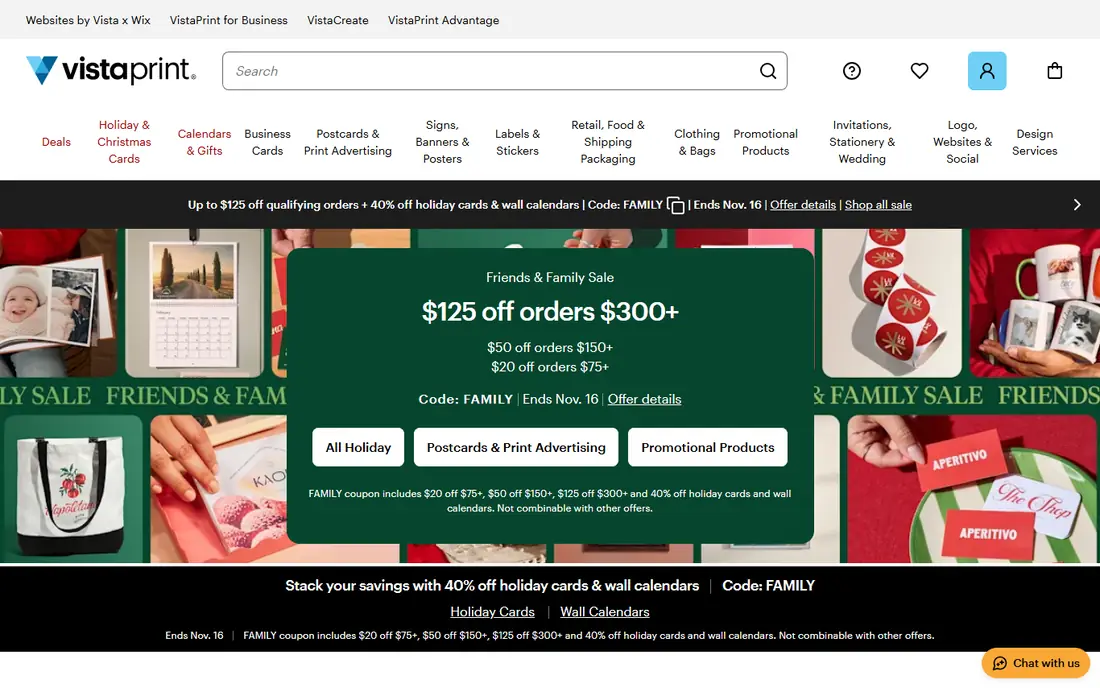
Vistaprint is the safe first stop for a small business that needs a bit of everything. Business cards, postcards, flyers, banners, stickers, apparel and promo items all sit in one catalogue, so you can keep branding consistent without juggling several printers. The online editor is simple enough for a first-time buyer, and you can also upload a finished design file if a designer made it for you.
The catch is the checkout total. The headline price for a small item can look low, then shipping and finish options push it up. Our advice is to price the exact quantity, paper and finish you need, then compare that delivered total with one or two rivals before you commit. For most everyday orders, Vistaprint still wins on convenience and range.
- Very wide product range
- Easy templates and upload tools
- Frequent discounts
- Shipping can add a large share to small orders
- Premium finishes raise the price fast
MOO is the printer to pick when the card itself has to make an impression. Its paper feels thicker and better finished than a standard budget card, and options such as foil, spot gloss and different card shapes help a small brand look considered rather than rushed. The site also makes it easy to print a different design on each card in a pack, which suits photographers, illustrators and freelancers.
You pay for that quality. For a large run of flyers or a banner, a budget printer will usually beat MOO on price. Use MOO for the items people keep and handle, such as business cards and postcards for events, and use a cheaper service for high-volume handouts.
- Strong paper quality and finishes
- Distinctive card options
- Polished design tools
- Higher prices than budget printers
- Smaller range for large signs and bulk print
Canva Print is the best online printing service for people who design in Canva already. You build a card, flyer or poster with templates and stock elements, then send it to print without exporting files or learning print settings. That direct path cuts out a common source of errors, such as wrong file sizes or missing bleed, for casual users.
Specialist printers still offer more paper stocks, sizes and finishes. If you need foil, thick cotton paper or an unusual fold, check a specialist first. For straightforward cards, flyers, posters and invitations, Canva Print is hard to beat for speed and simplicity, and the free design tier means you can test a layout before paying for print.
- Design and ordering in one workflow
- Many templates
- Free design tier
- Print range is narrower than specialist printers
- Paper and finish choices are limited
GotPrint earns its place as a budget option for standard marketing print. Its quantity pricing rewards larger orders, so a run of postcards, flyers or brochures for a campaign can come in well below a premium printer. The catalogue covers the core items most businesses need, and the ordering steps are plain and direct.
The trade-off is design help. GotPrint expects you to arrive with a print-ready file or to work with simpler templates, so it suits buyers who already have artwork. Check turnaround for your exact product before you promise a delivery date, and add shipping to the comparison, since that is where budget orders can lose their edge.
- Competitive prices on larger runs
- Wide standard product range
- Clear quantity pricing
- Design tools are more basic than rivals
- Shipping time varies by product
Printful is a different kind of printing service. Instead of ordering a batch for yourself, you connect it to an online store and it prints and ships each item only after a customer buys it. That model suits creators and small brands testing designs, since there is no upfront stock bill and no boxes of unsold shirts in a spare room.
The price per item reflects that convenience. A shirt printed on demand costs more than the same shirt printed in bulk, so you need to set retail prices that leave room for the product, shipping and platform fees. Printful works best for apparel, mugs, posters and accessories sold online, not for a one-off batch of business cards.
- No stock to hold
- Store integrations for online selling
- Wide apparel and product range
- Per-item cost is higher than bulk print
- Profit margins can be thin on cheap items
UPrinting is worth a look when packaging matters as much as the print itself. Boxes, bags and labels sit alongside standard items such as brochures, banners and postcards, which helps a product business keep its unboxing look consistent. The product pages give detailed choices for size, stock and finish, so experienced buyers can specify exactly what they want.
Beginners may find that detail a bit much on a first order. If you are unsure about paper weight or coating, start with a small quantity and a standard finish, then refine the next order. For packaging and custom-shaped print, UPrinting is one of the stronger all-around choices in this list.
- Good custom packaging options
- Broad marketing print range
- Detailed product options
- The number of options can feel complex for beginners
- Shipping costs need checking
PsPrint is a practical pick for the quieter side of business print: letterhead, envelopes, business cards, brochures and forms. Those items rarely get attention in roundups, yet they are the ones clients and suppliers actually see in formal correspondence. PsPrint treats them as core products, with sensible paper and finish options and repeat ordering for a settled brand.
It is not the first choice for T-shirts or branded merchandise, where other services in this list have deeper ranges. Use PsPrint when you want stationery done properly and consistently, and keep a separate supplier in mind for promo goods if you need them.
- Strong stationery range
- Clear paper and finish choices
- Good for repeat business orders
- Less well known for apparel and promo items
- Design support is limited
SmartPress positions itself on quality and on-demand ordering rather than rock-bottom bulk prices. That suits marketing teams that need a fresh batch of brochures or direct mail without ordering thousands at once. The site explains paper and print options in plain terms, which helps buyers who know their message but are less sure about print specs.
If your only goal is the lowest price for a very large run, a budget printer may win. SmartPress makes more sense when you want a reliable result for a campaign, a product launch or a set of sales materials, and you would rather pay a little more than reprint a job that looks wrong.
- Good for on-demand marketing print
- Quality-focused production
- Helpful ordering guidance
- Prices sit above the cheapest bulk printers
- Range is narrower than Vistaprint
Sticker Mule is the specialist in this list, and specialists often do one thing better than generalists. Its die-cut stickers, labels, magnets and related items are known for clean cuts, strong colours and durable finishes, and the proof step helps you catch a sizing or colour problem before printing. For packaging seals, laptop stickers, product labels and event giveaways, it is a strong default.
It will not replace a general printer for cards, banners and brochures. Think of Sticker Mule as the add-on supplier you use alongside a main printer: the main printer handles the stationery and marketing print, and Sticker Mule handles the stickers and labels that make a package or product feel finished.
- Excellent sticker and label quality
- Free proofs on many products
- Fast turnaround on standard items
- Focused range, so it cannot replace a general printer
- Custom shapes cost more
How we picked these
We compared official product catalogues, pricing pages, design tools and shipping information, plus public customer reviews, to build this list. We looked for services that are open to US buyers, cover a clear use case, and publish enough detail to judge paper, finish and turnaround before ordering. We left out services that only print one narrow item type with no broader use, and we did not include printers whose sites lacked clear product or pricing detail.
What to check before you order print
Paper, size and finish decide how a printed item feels in the hand, and they are easy to get wrong on a first order. A business card on thin stock feels cheap even with a good design, while a flyer on very thick stock can feel stiff and waste money. If a service offers samples or a small test quantity, use it for anything you plan to reorder.
Check the file and the proof
Upload the highest resolution file you have, keep text away from the edge of the design, and read the proof at full size rather than on a phone screen. Colour on screen rarely matches print exactly, so expect a small shift, especially with bright blues and greens. If a colour must match a brand exactly, ask the printer about colour matching options before you order.
Compare the delivered total, not the headline price
Shipping, finishes, proofs and rush production all change the final bill. Price two or three services for the same quantity, paper and finish, with shipping to your address, and compare those totals. For a recurring item, also check whether the service stores your artwork, since reordering from a saved file saves time and avoids a fresh setup mistake.
Match the printer to the job
Use a premium printer for cards and items people keep, a budget printer for high-volume handouts, a print on demand service for products you sell online, and a specialist for stickers and labels. One supplier rarely wins every job, and splitting orders by purpose usually gives better results than forcing every item through one catalogue.
Frequently asked questions
What is the best online printing service for a small business?
Vistaprint is our pick for most small businesses because it covers cards, flyers, signs and promo items in one place. MOO is better if premium cards matter most, and GotPrint is worth pricing for larger runs. Compare the delivered total, including shipping, before you decide.
What is the best printing software for designing print files?
Canva is the easiest option for most non-designers, since it offers templates and a direct path to Canva Print. Professional designers often use dedicated layout software and upload finished files to a printer. The best print software depends on your skill level and on how much control you need over colour and layout.
What is the best photo printing software for prints at home or online?
For online photo prints, a dedicated photo printing service usually beats general design software, since it handles colour and paper for photos. Canva Print works for posters and photo gifts, while Sticker Mule and specialist photo printers suit specific formats. Check paper type and size options before ordering a large photo print.
How much does online printing cost?
It depends on the item, quantity, paper and finish, plus shipping. A small card order can cost far less per item than a single poster, and bulk runs bring the unit price down. Because prices and discounts change often, we list starting prices as See website where we could not confirm a stable figure, and we suggest pricing your exact job.
Should I order a proof before a large print run?
Yes, for any job you plan to repeat or hand out widely. A proof or small test batch catches spelling errors, low-resolution images, wrong sizes and colour shifts before you pay for hundreds of copies. It adds a few days, but it is cheaper than reprinting a full run.
How long does online printing take?
Standard orders often take several business days for production plus shipping time, and rush options cost more. Turnaround varies by product, quantity and finish, so check the delivery estimate at checkout for your address. Order early for events, and avoid relying on the fastest quoted time for a deadline that cannot move.
Sources
See where you really rank - block by block
ProMapRanker scans Google Maps across a grid of your service area. Simple monthly plans from $19, white-label on every plan.
Start freeKeep reading
 top custom software development company
Top Custom Software Development Company in 2026
Looking for a top custom software development company? We compare 9 firms for web, mobile, and enterprise software, covering strengths and fit for 2026.
Read → tableau alternatives
Tableau Alternatives in 2026
Compare the best Tableau alternatives for 2026, from Power BI to Metabase, with prices, hosting options, and picks for small teams and enterprises today.
Read → microsoft teams alternatives
Best Microsoft Teams Alternatives in 2026
Looking for microsoft teams alternatives? We compare 9 chat and video tools for 2026, covering free plans, pricing, meetings, and integrations for teams.
Read →