 ProMapRanker
Best Offboarding Software in 2026


HR and IT offboarding in one workflow · Pricing starts at: $8 per user per month
Key takeaways
- Rippling is our pick for most companies because one offboarding workflow can close HR, payroll, IT access, and devices together.
- BambooHR suits HR-led teams that want simple exit checklists and documents without buying a full IT platform.
- Okta and BetterCloud suit IT-led teams where fast, reliable access removal matters more than HR paperwork.
- Deel is the strongest pick for global teams and contractors, since it handles offboarding across countries and worker types.
Quick comparison
| Pick | Great for | Pricing starts at | Free tier | |
|---|---|---|---|---|
| Rippling | HR and IT offboarding in one workflow | $8 per user per month | No | Visit |
 BambooHR | Simple HR-led offboarding | $10 per employee per month | Free trial | Visit |
 Gusto | Payroll-first small businesses | $49 per month | No | Visit |
 Deel | Global teams and contractors | $14 per worker per month | Free trial | Visit |
 Okta | Identity-led access removal | $6 per user per month | Yes | Visit |
 Workday | Large enterprises with complex HR | See website | No | Visit |
 ADP Workforce Now | Payroll-heavy mid-market companies | See website | Free trial | Visit |
 Personio | Compliance documentation for SMEs | See website | No | Visit |
 BetterCloud | SaaS-heavy IT teams | See website | Free trial | Visit |
The best offboarding software
Offboarding is the moment when missed steps cost money and create risk: an account stays active, a device never comes back, or a final paycheck is wrong. The tools below handle that exit in different ways, from HR checklists to automated access removal, so the right pick depends on whether HR, IT, or payroll owns the process in your company.
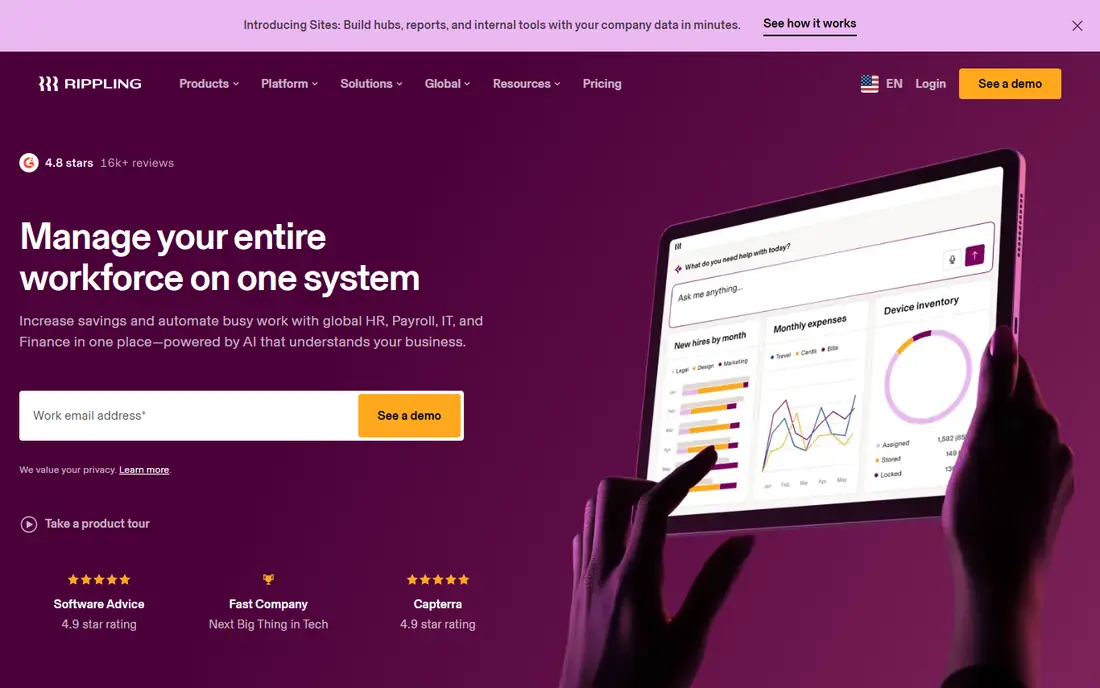
Rippling is our pick because offboarding rarely belongs to one department, and Rippling treats it that way. A single exit workflow can end payroll, revoke app access, remove devices, and trigger HR tasks, rather than leaving each team to run a separate checklist. The platform starts at $8 per user per month, with HR, IT, and finance modules priced on top, so the real cost depends on the bundle you choose.
The catch is that the full value requires adopting the wider platform, and module costs add up for larger teams. Implementation also benefits from planning, especially around app access and device rules. For a scaling company that wants exits to be consistent and auditable, Rippling offers the most complete single workflow on this list.
- One workflow closes HR, payroll, IT access, and devices
- Strong automation and integrations
- Global worker support
- Platform price rises as modules are added
- Implementation can take planning
- No free plan, demo only
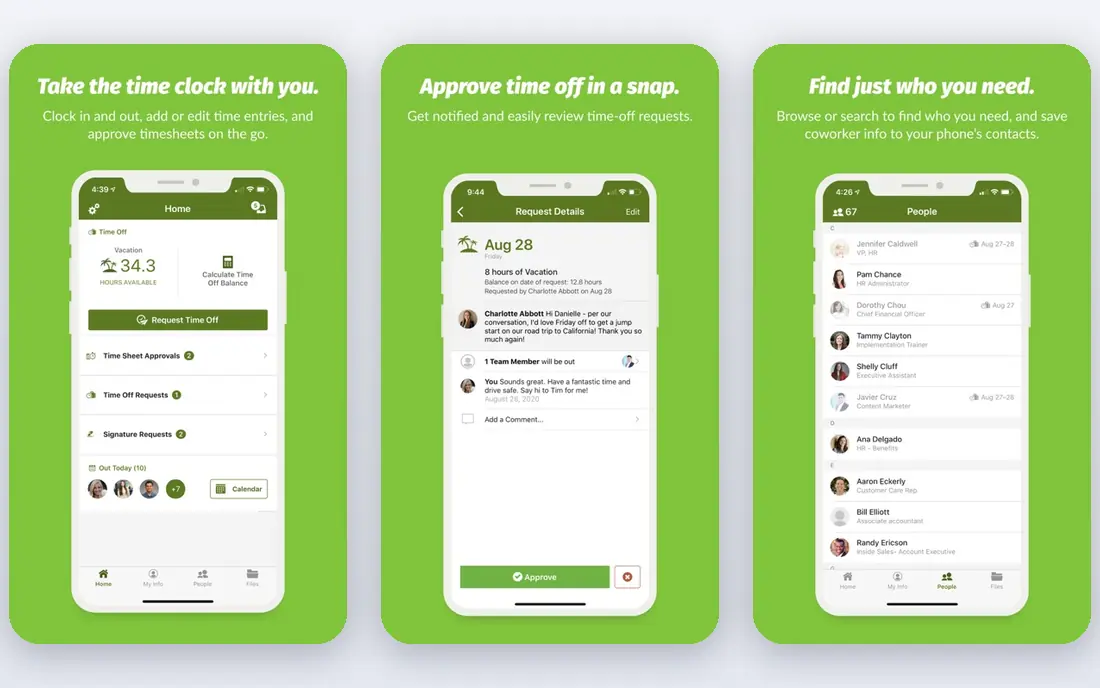
BambooHR suits HR teams that own offboarding and want a clear, repeatable process. Exit checklists, final documents, and employee records sit in one HR system, and managers can see which tasks are done and which are still open. The Core plan starts at $10 per employee per month, with Pro at $17 and Elite at $25 per month adding features and support.
The limit is IT depth. BambooHR tracks tasks such as disabling an account, but it does not itself disable access in every connected app, so IT still needs its own process or a tool such as Okta or BetterCloud. For an HR-led team with modest IT complexity, BambooHR is a clean and well-liked choice.
- Clear exit checklists and employee records
- Easy for HR teams to run
- Good reporting for small and mid-size firms
- IT offboarding is checklist-based rather than automated access removal
- Payroll needs a separate system or add-on
- Add-on fees add up
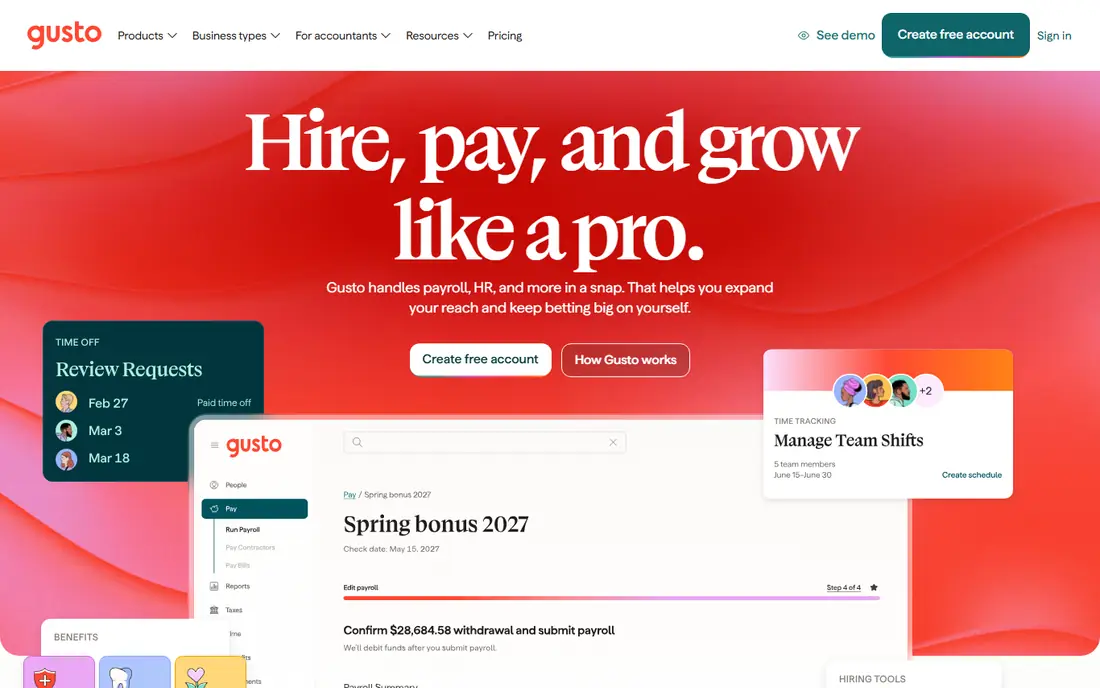
Gusto is the best pick for a small business where the hardest part of an exit is getting final pay right. The platform handles final paychecks, tax filings, and benefits closeout, with simple HR records and checklists alongside. Pricing starts at $49 per month plus $6 per person per month on the Core tier, which is easy to budget for a small team.
IT access removal is not the focus, so a company with many SaaS apps will still need identity or IT tooling. For a business with under a few dozen staff, where payroll accuracy and compliance matter most, Gusto keeps exits simple and reduces the risk of a payroll error at a sensitive moment.
- Payroll closeout, final pay, and tax filings handled cleanly
- Simple HR tools for small teams
- Easy setup
- Base fee plus per-person pricing
- Offboarding is payroll-led rather than IT-led
- Larger firms may outgrow it
Deel suits companies with staff or contractors in more than one country, where offboarding rules differ by location. The platform handles final pay, local compliance documents, and contractor closeout, with pricing from $14 per worker per month for some contractor plans and higher rates for full employment services. That global coverage is hard to replicate with a US-only HR tool.
A US-only team with no contractors abroad will pay for breadth it does not use, and pricing varies enough that a quote for your exact mix matters. For a distributed team, though, Deel reduces the risk of missing a local step, and it keeps employee and contractor exits in one system rather than in separate country processes.
- Offboarding for employees and contractors across countries
- Payroll and compliance handled locally
- Contractor tools included
- Pricing varies by worker type and country
- Enterprise features need higher plans
- US-only teams may not need the depth
Okta is the pick when access removal is the top risk. As an identity platform, it controls single sign-on across many apps, so disabling a user can cut access broadly and quickly. Lifecycle management adds automated provisioning and deprovisioning, with pricing from $6 per user per month for basic workforce identity and higher costs for full lifecycle features.
The catch is coverage. Apps that are not federated through Okta may still hold active sessions or tokens that need separate removal, and device return is not part of the core product. Pair Okta with an HR checklist or an IT asset process for a complete exit. For security-led teams, though, identity-first offboarding is the fastest way to close the riskiest gap.
- Fast single sign-on and access removal across apps
- Lifecycle management for joiners, movers, and leavers
- Strong security controls
- Full lifecycle features need higher plans and add-ons
- Non-federated app access may still need manual removal
- Setup needs IT skill
Workday suits large enterprises that need offboarding inside a single HR and finance system with strict controls. Terminations flow through HR, payroll, benefits, and reporting with audit trails that satisfy internal and external reviewers. That integration matters when a company has thousands of staff, complex approvals, and regulated reporting needs.
The cost and timeline place it far above small-business tools. Pricing is quote-based, implementation often takes months, and the platform rewards firms with dedicated HR and IT administration. For a large, regulated employer, Workday is a strong long-term choice. For a company under a few hundred staff, a lighter tool will deliver faster value.
- Deep HR, payroll, and finance integration
- Strong audit trails and compliance controls
- Global enterprise scale
- Quote-based enterprise pricing
- Implementation takes months
- More platform than small firms need
ADP Workforce Now fits mid-market companies where payroll and compliance dominate offboarding. Final pay, tax handling, benefits end dates, and HR records sit in one system backed by ADP payroll expertise. That depth helps firms with hourly staff, multiple locations, or complex pay rules, where a payroll mistake carries real cost.
Pricing is quote-based, and the setup feels heavier than Rippling or BambooHR for a small team. A demo with your pay rules and worker types is worth the time, since module choices shape the final price. For a payroll-heavy mid-market firm, ADP remains a dependable and widely used choice.
- Strong payroll, tax, and benefits closeout
- HR workflows for mid-market teams
- Compliance support at scale
- Quote-based pricing
- Interface and setup feel heavier than newer HR tools
- Module costs vary
Personio suits small and mid-size firms that need clean HR documentation through an exit, including records, approvals, and final documents. The platform covers core HR, time, payroll links, and reporting, with workflows that help HR teams prove each step was completed. That documentation value matters in firms with works councils, audits, or strict record rules.
Pricing is quote-based, and terms may include a minimum period and a setup fee, so a small firm should confirm total cost before signing. IT access removal is lighter than identity-first tools, so larger SaaS estates still need IT help. For an HR-led European or US SME that values compliance records, Personio is a strong fit.
- Strong HR records and compliance documentation
- Absence, payroll links, and reporting for European and US SMEs
- Clear workflows
- Pricing is quote-based with a minimum term
- Setup fees may apply
- IT access automation is lighter than Okta or Rippling
BetterCloud is built for IT teams whose biggest offboarding risk is SaaS sprawl. It automates access removal across many cloud apps, runs IT workflows for exits, and shows which apps a departing employee actually used. That visibility helps IT teams close accounts that a manual checklist would miss, especially in companies with dozens of SaaS tools.
It is not an HR or payroll system, so final pay, benefits, and HR documents still need a separate tool. Pricing is quote-based, which makes direct comparison harder. For an IT-led team with heavy SaaS use, BetterCloud closes a gap that HR checklists alone cannot, and it pairs well with BambooHR, Rippling, or an identity platform.
- Automated SaaS access removal across many apps
- Workflow automation for IT tasks
- Visibility into app usage
- Quote-based pricing
- HR and payroll closeout need separate tools
- Value depends on SaaS sprawl
How we picked these
We compared official pricing pages, feature documentation, and public reviews, and we kept only tools that are live in October 2026 and truly support offboarding work. We favored tools that cover at least one part of an exit completely, whether HR checklists, payroll closeout, or automated access removal, rather than tools that only mention offboarding in passing. Where pricing was quote-based, we marked it as See website rather than repeating unverified figures.
What to check before you buy
Start with ownership. If HR owns exits, a tool such as BambooHR or Personio may be enough, with IT handling access separately. If IT owns exits, Okta or BetterCloud should lead, with HR handling documents. If one team must own the whole exit, Rippling offers the closest single workflow. Naming the owner before buying prevents the common failure where every team assumes another team closed the account.
Next, list every system an employee touches: email, chat, CRM, code tools, finance apps, devices, keys, and physical access. A tool that covers only half that list leaves manual work that gets skipped under time pressure. Test an exit with a real test account, and time how long access takes to disappear in each system. Finally, confirm data retention and audit needs, since some records must be kept for legal or tax reasons even after access ends.
Access, devices, and payroll
Access removal should happen on the last working day, or earlier for sensitive roles, and it should include shared accounts, API keys, and mobile devices, not just the main login. Device return needs a tracked process with shipping, wiping, and confirmation, or devices will sit in drawers and remain a risk. Payroll closeout needs final pay dates, unused leave, benefits end dates, and tax documents confirmed in the same workflow, so the employee is not left chasing corrections.
Checklists, timing, and audits
A good exit runs on a timed checklist with owners and deadlines, not on memory. Pre-boarding the exit, such as preparing documents before the last day, reduces errors when the departure is sudden. After the exit, keep an audit record of who removed access, when devices were returned, and when final pay was issued. That record protects the company and gives the departing employee a clear and fair close.
Frequently asked questions
What is the best offboarding software overall?
Rippling is our overall pick because one workflow can close HR, payroll, IT access, and devices together. BambooHR suits HR-led teams that want simpler checklists, while Okta and BetterCloud suit IT-led teams focused on access removal. The best tool depends on which team owns exits in your company.
How fast should access be removed when someone leaves?
Access to sensitive systems should be removed on the last working day, or sooner when the role involves finance, customer data, or production systems. Identity tools such as Okta can cut access broadly at once, while manual checklists take longer and risk missing an app. Test removal timing with a test account before you rely on any tool.
Does offboarding software handle final pay?
Payroll-led tools such as Gusto and ADP Workforce Now handle final pay, tax filings, and benefits closeout directly. HR tools such as BambooHR and Personio track the exit and documents but may need a payroll system or add-on for final pay. Rippling and Workday combine HR and payroll in one platform, which reduces handoffs.
What about devices and company equipment?
Device return needs tracking for laptops, phones, keys, and badges, plus wiping and confirmation once items arrive. Rippling includes device workflows, while Okta and BetterCloud focus on app access and need a separate asset process. Build device return into the same checklist as access removal, so neither step is forgotten.
Is offboarding software worth it for a small business?
For a very small team with rare exits, a written checklist may be enough. Once exits happen several times a year, or staff use many SaaS apps, software reduces missed steps and saves manager time. Start with a payroll or HR tool you already use, add identity controls when access risk grows, and keep the checklist simple enough that managers actually follow it.
What should an offboarding checklist include?
A complete checklist covers access removal, device return, final pay, benefits end dates, document handover, client and project transfers, and physical access. It should name an owner and a deadline for each item, and keep an audit record when each step is done. Review the checklist after every exit and fix any step that was skipped or delayed.
Sources
- https://www.rippling.com
- https://www.bamboohr.com
- https://gusto.com
- https://www.deel.com
- https://www.okta.com
- https://www.workday.com
- https://www.adp.com/what-we-offer/products/adp-workforce-now.aspx
- https://www.personio.com
- https://www.bettercloud.com
- https://www.zimyo.us/blog/best-offboarding-software
- https://rankite.com/blog/best-people-management-software
See where you really rank - block by block
ProMapRanker scans Google Maps across a grid of your service area. Simple monthly plans from $19, white-label on every plan.
Start freeKeep reading
 who has best internet service
Who Has the Best Internet Service in 2026
Who has best internet service for US homes? We compare fiber, cable, fixed wireless and satellite providers on speed, price, availability and terms today.
Read → which survey tool has the best analytics
Which Survey Tool Has the Best Analytics in 2026
Find which survey tool has the best analytics in 2026, comparing Qualtrics, SurveyMonkey, Typeform, Alchemer, and more on reports, text, and stats today.
Read → which streaming service has the best movies
Which Streaming Service Has the Best Movies in 2026
Answering which streaming service has the best movies, with Netflix, Max, Criterion and more compared on libraries, prices and free options in this guide.
Read →