 ProMapRanker
Best Noise Suppression Software in 2026

Key takeaways
- Krisp is the best all-round pick for live calls across any app, with a free tier and paid plans from $8 per month.
- NVIDIA Broadcast is the best free option if you own a compatible RTX graphics card and use Windows.
- Adobe Podcast Enhance Speech rescues recorded audio that real-time tools cannot fix after the fact.
- Audacity remains the best completely free manual option for recordings, while iZotope RX is the professional repair standard.
- Noise gates and noise suppression do different jobs, and OBS Studio covers both for streamers at no cost.
Quick comparison
| Pick | Great for | Pricing starts at | Free tier | |
|---|---|---|---|---|
 Krisp | Live calls across any app | $8 per month | Yes | Visit |
 NVIDIA Broadcast | Free real-time cleanup for RTX owners | Free | Yes | Visit |
 Adobe Podcast | Cleaning up recorded speech | Free | Yes | Visit |
 Audacity | Free manual noise reduction | Free | Yes | Visit |
 iZotope RX | Professional audio repair | $99 one-time | Free trial | Visit |
 Descript | Podcast editing with cleanup included | See website | Yes | Visit |
 Audo Studio | One-click online audio cleanup | $12 per month | Yes | Visit |
 Cleanvoice AI | Automated podcast post-production | $11 per month | Free trial | Visit |
 OBS Studio | Streamers needing live filters and a gate | Free | Yes | Visit |
 SteelSeries Sonar | Gamers and streamers on Windows | Free | Yes | Visit |
The best noise suppression software
Noise problems split into two camps. Real-time tools sit between your microphone and your meeting app, stripping out barking dogs and keyboard clatter as you speak. Post-production tools clean up recordings after the fact, from a quick podcast polish to frame-by-frame repair. We compared official feature pages, pricing pages and public reviews across both camps, plus noise gate options for streamers who need a different kind of control.
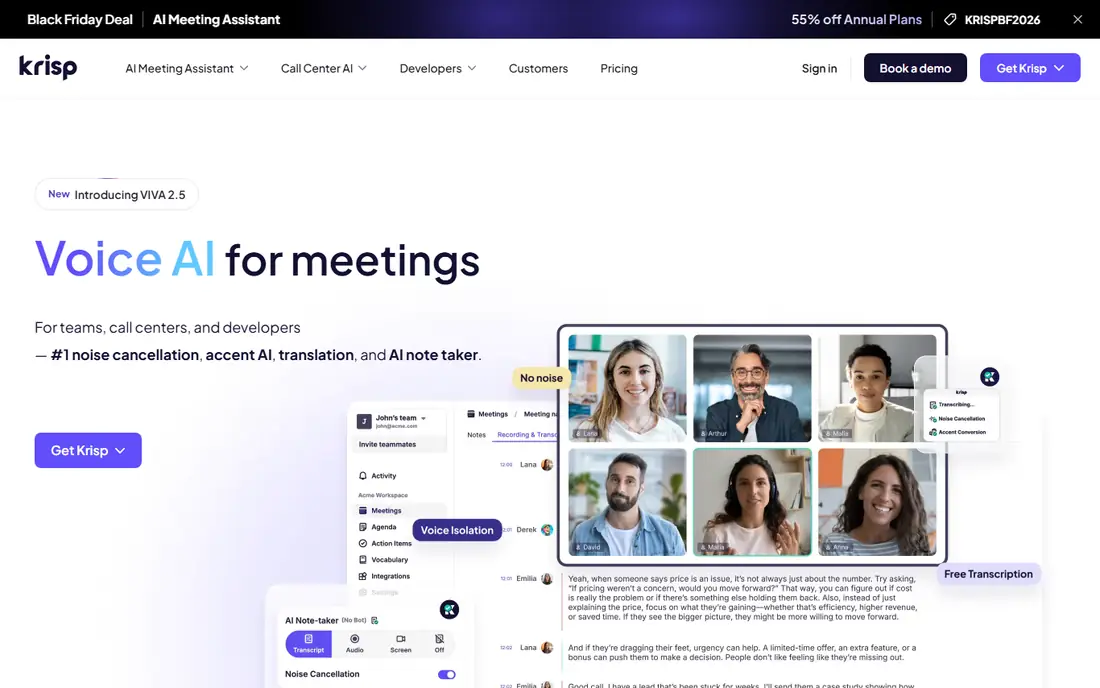
Krisp is the tool we recommend first for most remote workers, because it works as a virtual microphone and speaker layer across almost any communication app. It removes background noise, echo and other voices in real time, on both your outgoing audio and what you hear, and it runs on your CPU with no special graphics card needed.
The free plan covers limited noise cancellation minutes per day, with paid Pro plans from $8 per user per month billed annually removing the cap and adding transcription and meeting features. Some users will find the meeting assistant features more than they need if they only want clean audio. For anyone who takes calls in several apps from a noisy room, Krisp is still the most practical paid choice.
- Works with Zoom, Teams, Meet and other apps
- Removes noise from both directions
- Noise cancellation runs on device
- Free tier caps daily noise cancellation minutes
- Paid features focus heavily on meeting notes as well as audio
NVIDIA Broadcast gives RTX graphics card owners excellent AI noise removal at no cost, and it is hard to argue with free when the quality is this strong. It offloads processing to the GPU, so calls stay clean without taxing the CPU, and it works across apps as a virtual microphone. The bundle adds virtual background and webcam auto-framing, which makes it a solid all-round streaming and meeting tool for desktop users.
The hard requirement is the catch. You need an RTX GPU and Windows, which rules out most laptops, Macs and mixed-hardware teams. If your machine already has one, there is little reason to pay for another real-time tool. If it does not, Krisp or a built-in app feature is the better route.
- Completely free
- GPU powered processing with no CPU load
- Bundles virtual background and camera framing
- Requires an NVIDIA RTX graphics card and Windows
- Not available on Mac
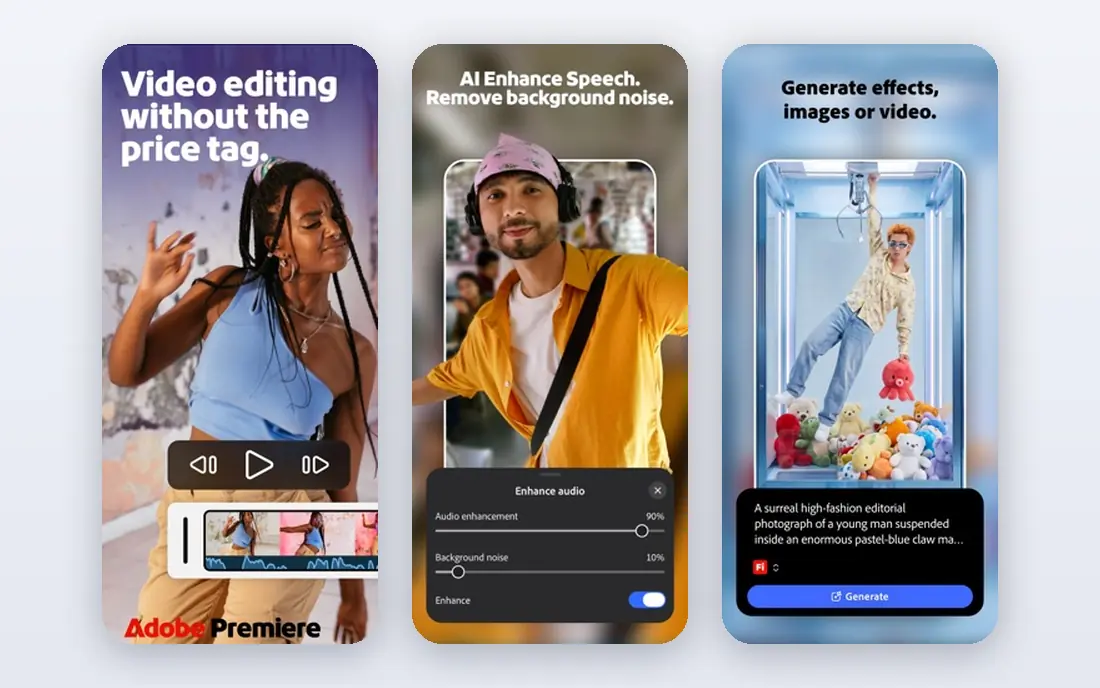
Adobe Podcast Enhance Speech solves a different problem from Krisp, and it solves it remarkably well. Upload a noisy, echoey voice recording and it returns speech that sounds far closer to a studio capture, removing background noise and reverb while making the voice fuller. For podcasters, interviewers and video creators polishing recorded material, it can rescue audio that would otherwise be unusable.
The limits are clear. It cleans recordings after the fact, so it will not help a live meeting, and aggressive processing can sometimes make a voice sound slightly synthetic. The basic version is free to use online, with fuller access tied to Adobe plans. As a rescue tool for recorded speech, it earns a place in almost any creator workflow.
- Enhance Speech turns noisy recordings into studio-like speech
- Basic version is free online
- Very easy to use
- Works on recordings, not live calls
- Heavy processing can occasionally sound artificial
Audacity has been the free audio editor of choice for years, and its noise reduction effect still earns that spot. You capture a noise profile from a quiet section of a recording, then apply reduction to the rest, with control over sensitivity and frequency smoothing. For steady hiss, hum and fan noise, the results are genuinely good, and the price is zero on every major desktop platform.
Manual control is both the strength and the weakness. Irregular noise such as dogs, traffic or overlapping voices defeats a simple noise profile, and over-applied reduction can make voices sound thin or watery. AI tools handle those cases better, but they cost money or upload your audio. For a creator on a zero budget who can spend a few minutes learning the workflow, Audacity remains the best free starting point.
- Completely free and open source
- Runs on Windows, Mac and Linux
- Manual noise reduction gives full control
- Manual process takes learning
- Weak on irregular noise compared with AI tools
iZotope RX is the professional standard for audio repair, used in film, television, music and podcast post-production. Its Elements edition starts at $99 one-time, with Standard at $399 and Advanced at $1,399 on the vendor's own pages, and the toolkit covers dialogue isolation, spectral repair, de-click, de-hum and many other targeted fixes. When a recording has a problem that no one-click tool can solve, RX gives an engineer the means to fix it sample by sample.
That depth is also the barrier. Beginners can feel lost in the module list, and the full editions are a serious investment for occasional use. A podcaster with one noisy interview should try Adobe Podcast or Audo Studio first. An audio professional who repairs problem recordings every week will find RX pays for itself quickly.
- Deepest repair toolkit available
- Spectral editing for precise fixes
- Elements edition is affordable for serious users
- Standard and Advanced editions cost far more
- Learning curve is steep for beginners
Descript takes a different approach to cleanup by folding it into editing. Its Studio Sound feature removes background noise and improves voice clarity, and because Descript lets you edit audio by editing a transcript, cutting filler words and fixing mistakes feels like editing a document. For podcasters and video creators who already edit in Descript, noise cleanup becomes one step in a familiar workflow rather than a separate tool.
The catch is that Descript is an editor first and a noise tool second. If you only need cleanup and never edit by transcript, a cheaper single-purpose tool may serve you better, and pricing should be confirmed on the vendor's current page since plans have shifted. For creators who want transcription, editing and cleanup in one place, Descript is a strong, practical bundle.
- Edit audio by editing text
- Studio Sound cleans speech in one pass
- Free plan for trying the workflow
- Pricing varies by plan and has changed over time
- Full value needs the wider editing workflow
Audo Studio is built for people who want clean audio without learning an editor. Upload a file, let its AI remove background noise and balance levels, and download the result, all in a browser with no install. Its Creator plan is listed at $12 per month, and a free Starter tier offers a small monthly allowance, which is enough to test it on real recordings before paying.
The limits are minutes and control. Paid plans cap monthly processing time, and a recording with complex, overlapping noise may still need manual work in Audacity or RX. For podcasters, course creators and interviewers who need fast, reliable cleanup of decent recordings, Audo Studio hits a useful middle ground between free manual tools and professional suites.
- Simple one-click cleanup online
- Free Starter allowance each month
- No software install needed
- Monthly minute limits on paid plans
- Less control than Audacity or RX for hard cases
Cleanvoice AI goes beyond noise removal by handling the tedious parts of podcast post-production in one pass. It cleans background noise, removes filler words, stutters and mouth sounds, and can produce a timeline for review, which saves editors real time on interview shows. Pricing starts at $11 per month, with a free trial offering 30 minutes of processing.
The trade-offs are allowances and upload. Processing hours are capped by plan, so high volume shows need a higher tier, and audio must be uploaded to Cleanvoice servers rather than processed locally. For podcast teams that publish regularly and want consistent cleanup without manual editing, Cleanvoice is a time saving worth pricing against your episode count.
- Removes noise plus filler words and mouth sounds
- Automated multi-step post-production
- Free trial with 30 minutes
- Hour allowances vary by plan
- Cloud upload required, so files leave your machine
OBS Studio is free streaming and recording software, and its audio filters make it a genuine noise suppression tool for streamers. Its RNNoise filter suppresses background noise live, and its noise gate filter mutes the microphone when volume drops below a threshold, silencing keyboard clicks and room noise between words. Used together, the two filters cover both continuous noise under your voice and noise in pauses, which is exactly what a noise gate keyword search is usually after.
OBS is not a simple install-and-forget call tool, and its full studio interface can overwhelm someone who only wants cleaner Zoom audio. For streamers and creators who already broadcast with OBS, though, these filters cost nothing extra and integrate with the rest of the production setup. It is the best free answer for live streaming audio control.
- Free and open source
- Built-in RNNoise suppression plus a noise gate filter
- Full streaming and recording studio
- Setup takes more effort than a single-purpose app
- Interface can overwhelm first-time users
SteelSeries Sonar is the free audio tool inside the SteelSeries GG suite, aimed at gamers and streamers who want control over game, chat and microphone audio. It includes AI noise cancellation for the microphone, plus per-app volume routing and EQ, so a streamer can balance game sound, voice chat and music without extra software. For a Windows gamer who already uses SteelSeries gear or software, it adds real value at no cost.
The limits are platform and focus. Sonar is Windows only, and its feature set is tuned for gaming and streaming rather than office meetings. A remote worker on a Mac or a mixed-app caller will get more from Krisp.
- Free for Windows gamers
- AI noise cancellation plus per-app audio routing
- Part of the SteelSeries GG suite
- Windows only
- Best value tied to the SteelSeries ecosystem and gaming use
How we picked these
We compared official feature pages, pricing pages, app store listings and public reviews, and we checked vendor pricing where published. We included real-time tools for live calls, post-production tools for recordings, and gate-capable tools for streamers, since the search terms behind this topic cover noise suppression, noise cancelling and noise gates. Where pricing could not be verified on the vendor's own page, we wrote See website instead of guessing.
How to choose the right noise suppression tool
Start with when your noise happens. If the problem is live, during calls or streams, you need a real-time tool such as Krisp, NVIDIA Broadcast, OBS or Sonar. If the problem is already recorded, a post-production tool such as Adobe Podcast, Audacity, Audo Studio or iZotope RX is the right category, and a live tool will not help.
Next, understand the gate distinction. Noise suppression removes noise continuously, even while you speak, while a noise gate simply mutes the microphone below a volume threshold, silencing noise between words but doing nothing about noise under your voice. Many streamers use both, with suppression for continuous noise and a gate for pauses.
Finally, check privacy and hardware. Krisp processes noise cancellation on device, while cloud tools upload your audio, so read the privacy policy if you handle sensitive calls. NVIDIA Broadcast needs an RTX card, and Windows Voice Focus needs supported hardware, so confirm your machine qualifies before committing to a hardware-dependent free option.
Frequently asked questions
What is the best noise cancelling software?
For most people, Krisp is the best all-round noise cancelling software because it works across any communication app and runs on standard hardware. NVIDIA Broadcast is the best free option if you own a compatible RTX graphics card, and Audacity is the best free option for cleaning recordings rather than live calls.
What is the best noise suppression software for live calls?
Krisp and NVIDIA Broadcast lead for live calls, since both clean audio in real time as a virtual microphone layer. Krisp works on Windows and Mac with any app, while NVIDIA Broadcast is free but requires an RTX GPU and Windows. Built-in suppression in Zoom, Teams and Meet is a solid free fallback inside those apps.
What is a noise gate, and how is it different from noise suppression?
A noise gate mutes your microphone when your volume drops below a set threshold, so background noise disappears in pauses but remains audible while you speak. Noise suppression uses AI or signal processing to remove noise continuously, including noise under your voice. OBS Studio offers both, which is why streamers often combine them.
What is the best noise gate software?
OBS Studio is the best free noise gate software for most users, since its noise gate filter is built into a free streaming studio alongside RNNoise suppression. Streamers who want a simpler setup can also use SteelSeries Sonar on Windows, while audio professionals can build gates inside a DAW with plugins.
Can software remove background noise from an existing recording?
Yes. Adobe Podcast Enhance Speech, Audacity's noise reduction effect, Audo Studio, Cleanvoice AI and iZotope RX all clean recorded audio. AI tools handle this automatically, while Audacity and RX give manual control for harder cases. Results depend on how bad the original noise is.
Is Krisp really free?
Krisp offers a free tier with a daily cap on noise cancellation minutes, plus paid plans from $8 per user per month billed annually that remove the cap. Light users can stay on the free tier, while heavy callers will need a paid plan. Check the current free tier limits on Krisp's pricing page before relying on them.
Sources
See where you really rank - block by block
ProMapRanker scans Google Maps across a grid of your service area. Simple monthly plans from $19, white-label on every plan.
Start freeKeep reading
 who has best internet service
Who Has the Best Internet Service in 2026
Who has best internet service for US homes? We compare fiber, cable, fixed wireless and satellite providers on speed, price, availability and terms today.
Read → which survey tool has the best analytics
Which Survey Tool Has the Best Analytics in 2026
Find which survey tool has the best analytics in 2026, comparing Qualtrics, SurveyMonkey, Typeform, Alchemer, and more on reports, text, and stats today.
Read → which streaming service has the best movies
Which Streaming Service Has the Best Movies in 2026
Answering which streaming service has the best movies, with Netflix, Max, Criterion and more compared on libraries, prices and free options in this guide.
Read →