 ProMapRanker
Best Network Management Software in 2026


All in one monitoring for SMBs · Pricing starts at: $2,149 per year
Key takeaways
- PRTG and OpManager are the most practical paid starting points for small and mid sized teams that need a clear map and alerts.
- Zabbix and LibreNMS cost nothing in license fees, but they need setup time and someone who can maintain them.
- Auvik suits managed service providers and multi site teams that want automatic mapping and configuration backups.
- Sensor based pricing, device based pricing, and node based pricing give very different bills, so count what you actually monitor before buying.
- For a home network, a free tool with 100 sensors or a small open source install is usually enough, and a paid enterprise suite is overkill.
Quick comparison
| Pick | Great for | Pricing starts at | Free tier | |
|---|---|---|---|---|
| Paessler PRTG Network Monitor | All in one monitoring for SMBs | $2,149 per year | Yes | Visit |
 ManageEngine OpManager | Device based monitoring | See website | Yes | Visit |
 SolarWinds Network Performance Monitor | Large enterprise networks | See website | Free trial | Visit |
 Zabbix | Free open source monitoring | Free | Yes | Visit |
 Nagios XI | Customisable infrastructure monitoring | See website | Free trial | Visit |
 Auvik | Cloud network management for MSPs | See website | Free trial | Visit |
 LibreNMS | Free auto discovery monitoring | Free | Yes | Visit |
 Datadog Network Monitoring | Cloud native observability | See website | Free trial | Visit |
 Site24x7 | All in one IT monitoring | See website | Free trial | Visit |
The best network management software
Network management software watches routers, switches, servers, and links, maps how they connect, and alerts a team when something slows down or fails. The tools on this list differ in pricing model, deployment, and depth, and the right choice depends more on team size and network size than on a single feature list. We compared official product pages, pricing pages, and documentation, and we kept only tools that are live in October 2026.
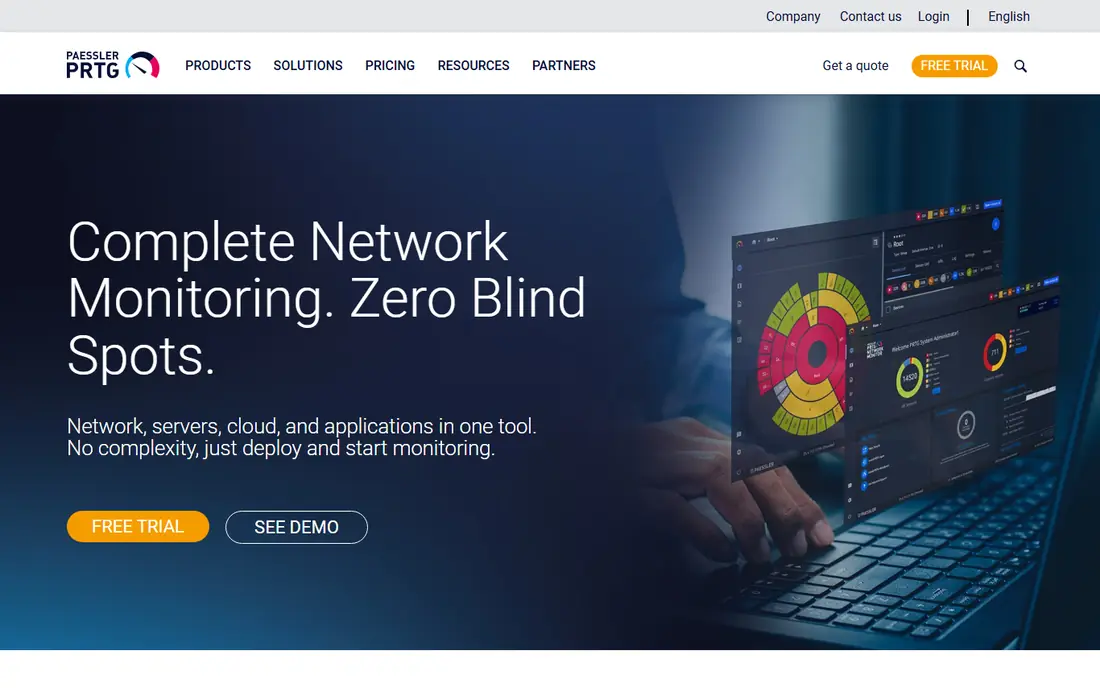
PRTG is the easiest paid tool on this list for a team that wants monitoring running quickly. You install it, let it discover devices, and add sensors for bandwidth, CPU, disk, uptime, and other metrics, with dashboards and alerts built in.
The catch is the sensor model. A sensor is one metric on one device, so a single switch with many ports can use many sensors, and the bill grows as you add detail. Teams that monitor every port on every switch need to count sensors carefully before choosing a tier. For a small or mid sized network where one tool must cover network, server, and application basics, PRTG remains a solid first paid choice.
- Sensors for many device types in one install
- Clear dashboards and maps
- Free tier for small networks
- Sensor based pricing can grow fast
- Windows focused deployment in many setups

OpManager prices by device, not by sensor, which makes the bill easier to predict for a network with many ports per switch. All interfaces, ports, and metrics on a device are included in that device count, so a 48 port switch costs one device license in the model described on the vendor comparison page.
The tool also bundles configuration backup and change tracking, which helps teams that need to prove what changed on a device and when. A free edition covers a small number of devices, and paid editions start at a low published figure for 10 devices in older comparisons, but current pricing should be confirmed on the vendor site, so we list it as See website. OpManager suits mid sized IT teams and managed service providers who want one console for monitoring and configuration.
- Device based pricing is easier to predict
- Built in configuration management
- Free edition for small device counts
- Interface feels dense for beginners
- Some advanced features sit in add on modules
SolarWinds Network Performance Monitor, often called NPM, is built for large, multi vendor networks where a team needs to trace a fault across many devices and links. It polls devices, maps paths, and stacks performance data so an engineer can see whether a slowdown sits on a link, a device, or an application. That depth is why it still appears in large enterprise shortlists, despite a crowded market.
Pricing is the barrier for smaller teams. NPM licenses by element, where an element can be a node, an interface, or a volume, so a network with many ports needs many element licenses. Published starting figures vary by edition and by year, and a quote is the only reliable number for a large network, so we list it as See website. Choose SolarWinds NPM when the network is large and complex, and choose a simpler tool when a small team just needs uptime and bandwidth alerts.
- Deep multi vendor network insight
- NetPath and PerfStack for troubleshooting
- Mature alerting and reporting
- Element based licensing can be costly
- Deployment and tuning take real time
Zabbix is a free, open source monitoring platform that covers networks, servers, applications, and cloud resources from one system. Templates let a team start monitoring common devices quickly, and the automation framework helps larger teams build exactly the checks they need. There are no per device license fees, and paid support is available separately for teams that want vendor help.
The trade-off is effort. Zabbix rewards teams that can install, tune, and maintain it, and it can feel heavy for a team that wants a guided setup in an afternoon. Alert design, template choice, and dashboard layout all need decisions, and a half configured install will miss problems. For a technical team with a large network and a tight license budget, Zabbix is the strongest free option on this list.
- No license fees
- Templates for many devices
- Scales to large networks
- Setup and tuning need technical skill
- Interface takes time to learn
Nagios XI builds on Nagios Core, the free open source monitor, and adds a web interface, dashboards, wizards, and reporting for teams that want a supported product. Its plugin ecosystem is a real strength, since thousands of checks cover devices, services, and applications that a standard tool might miss. That flexibility is why Nagios still appears in many infrastructure teams, even as newer cloud tools grow.
The interface and setup feel less modern than PRTG or Auvik, and building a polished dashboard takes more manual work. Pricing is also less transparent for larger installs, with published starting figures for 100 nodes varying by source, so we list it as See website and recommend a quote. Nagios XI suits teams that already know Nagios, or that need a highly custom check that a simpler tool cannot provide.
- Huge plugin ecosystem
- Flexible alerting and reporting
- Long track record in IT teams
- Configuration can feel old fashioned
- Pricing is quote led for larger installs
Auvik is a cloud hosted network management tool built for managed service providers and multi site IT teams. It discovers devices automatically, draws a topology map, backs up configurations, and alerts on changes, which cuts the manual documentation work that slows down MSP onboarding. The cloud console means a team can manage many client networks from one place, without maintaining a monitoring server per site.
Pricing is quote based and asset based, so a small team cannot see a simple price list before talking to sales. That is a drawback for a buyer who wants a fast budget answer, and it makes Auvik a harder sell for a single office. For an MSP or a mid sized team with several sites, the automatic mapping and configuration history often justify the sales process, and Auvik is our pick in that lane.
- Automatic discovery and topology mapping
- Configuration backup and comparison
- Cloud hosted console
- Quote based pricing hides the cost
- Less suited to a single small office that needs only basic alerts
LibreNMS is a free, open source network monitoring system that automatically discovers routers, switches, servers, and firewalls through SNMP and related protocols. Once discovered, it polls performance metrics such as interface traffic, CPU load, memory use, and port status, and it shows them in graphs and dashboards with maps and alerting. Distributed polling helps larger or multi site installs scale without a single overloaded server.
Setup is Linux focused, and support comes from the community and documentation rather than a paid vendor desk, although third parties offer help. That is fine for a network admin who is comfortable with Linux, and less ideal for a team that wants a vendor to own every problem.
- Automatic discovery through SNMP
- No license cost
- Flexible alerting to email and chat tools
- Linux focused setup
- Community support rather than a vendor help desk
Datadog Network Monitoring sits inside a wider observability platform, so network metrics, flow data, and DNS data appear next to application performance and infrastructure data. Flow, SNMP, and cloud flow log support cover a broad set of sources, and the platform scales to large, distributed environments.
The cost model is usage based, with data ingest and host counts shaping the bill, so a team that turns on broad network collection without limits can face a larger invoice than expected. Datadog suits teams already using Datadog for applications, and it is less compelling as a standalone network monitor for a small, on premises network.
- Network data alongside application and infrastructure data
- Flow and DNS insight
- Strong cloud coverage
- Usage based pricing can surprise teams
- Network monitoring alone is not the cheapest route
Site24x7, from ManageEngine, bundles network monitoring with server, website, and application monitoring in a cloud account. That breadth helps a small IT team that wants one vendor and one bill for most monitoring jobs, rather than a separate tool for each layer. Setup is cloud based, so there is no monitoring server to maintain, and alerts and reports are built in.
Pure network depth is the trade-off. A specialist such as SolarWinds NPM or Auvik will go deeper on network paths, configuration, and multi vendor detail. Site24x7 entry pricing has been listed near 9 dollars per month in some comparisons, but tiers and included monitors vary, so we list it as See website and recommend checking the current plan page. For a small business that needs broad coverage first and network depth second, Site24x7 is a practical choice.
- Network, server, website, and application monitoring in one account
- Simple cloud setup
- 30 day trial in published descriptions
- Depth on pure network features is less than specialist tools
- Pricing tiers need careful comparison
How we picked these
We compared official product pages, pricing pages, and documentation for tools that monitor and manage networks, not just tools that check a single website. We included free open source tools, paid all in one tools, and cloud platforms, because the other keywords cover free network monitors, free server monitoring, and home network monitoring as well as enterprise software. Where pricing was quote led or varied between sources, we wrote See website rather than publishing a figure we could not verify.
What to check before you buy
Count the billing unit first. PRTG counts sensors, OpManager counts devices, SolarWinds counts elements, and Datadog counts usage, so the same network can cost very different amounts on each tool. List your switches, routers, servers, and key interfaces, then ask each vendor for a price on that exact inventory. That step alone prevents most budget surprises.
Next, test discovery on your real network. A demo with a clean lab network will look good on almost any tool, while your network has old firmware, odd SNMP settings, and devices that do not respond cleanly. Run a trial, check that maps match reality, and confirm that alerts reach the right people through email or chat. Finally, check who will maintain the tool. An open source tool saves license money but needs staff time, while a cloud tool costs more but needs less server care.
Best free network monitor software: a short guide
For a free start, try PRTG free for up to 100 sensors, Zabbix for a larger technical install, or LibreNMS for SNMP auto discovery. All three are live and useful, but they serve different users. PRTG free is best for a quick, guided setup. Zabbix is best for a team that wants full control. LibreNMS is best for a network admin who wants discovery without a license.
Best free home network monitoring tools
A home network rarely needs an enterprise suite. Start with PRTG free, LibreNMS on a small Linux machine, or the monitoring built into a good router, and add alerts for the router, the main switch, and any server you run. Keep the sensor count low, focus on uptime and bandwidth on key links, and only pay when you need more devices, longer history, or a cloud console.
Frequently asked questions
What is the best network management tool for a small business?
PRTG and OpManager are the strongest small business picks, because both give discovery, maps, and alerts without a large enterprise rollout. PRTG is simpler to start, while OpManager can be cheaper for port heavy networks thanks to device based pricing. Try both free editions on your real network before paying.
What is the best free server monitoring software in this list?
Zabbix and LibreNMS both monitor servers as well as network devices, and both are free and open source. Zabbix gives deeper templates and automation for mixed server and network estates, while LibreNMS is simpler for SNMP based server checks. For a single server, a lightweight agent tool may be simpler than either full platform.
Do I need an agent on every device?
No. SNMP, ICMP, and flow monitoring are agentless for most network devices, because the devices report their own counters. Agents help for servers, for cloud hosts, and for testing from a specific site, such as a branch office with no public address. Most teams use a mix, with agentless polling for switches and routers, and agents where deeper server data is needed.
How is network management software different from a network monitor?
Monitoring watches and alerts, while management also covers configuration, mapping, change tracking, and sometimes remediation. Auvik and OpManager lean toward management, with configuration backup and change history. PRTG, Zabbix, and LibreNMS lean toward monitoring, with strong polling, graphs, and alerts. Many teams need both, so check which side a tool covers best.
Can I monitor a home network for free?
Yes. PRTG free covers 100 sensors, LibreNMS is free and open source, and Zabbix is free for a technical install. Those options cover a router, a switch, and a few servers with room to spare. Paid tools make sense only when you need more sensors, cloud access, vendor support, or monitoring across several sites.
What should I budget for a paid network tool?
Budget by billing unit, not by headline price. A 500 sensor PRTG tier, a device based OpManager quote, and a usage based Datadog bill can differ by thousands of dollars a year for the same network. Get a quote on your exact device and sensor count, add support or maintenance if it is separate, and allow staff time for setup and tuning in the first month.
Sources
See where you really rank - block by block
ProMapRanker scans Google Maps across a grid of your service area. Simple monthly plans from $19, white-label on every plan.
Start freeKeep reading
 whats the best ai app to use
Whats the Best AI App to Use in 2026
Wondering whats the best ai app to use in 2026? We compare ChatGPT, Claude, Gemini, Copilot, and more on price, free plans, and best everyday uses today.
Read → life360 alternatives
Life360 Alternatives in 2026
Life360 alternatives compared: 9 family location apps with live maps, arrival alerts and privacy controls to help your family stay in touch every day.
Read → captcha alternatives
CAPTCHA Alternatives in 2026
CAPTCHA alternatives compared: 9 reCAPTCHA alternatives that block bots with less friction, from free Turnstile to privacy-first proof-of-work tools included.
Read →