 ProMapRanker
Best Multi Carrier Shipping Software in 2026

Key takeaways
- ShipStation and Shippo suit most sellers, while Pirate Ship is the cheapest start for USPS and UPS only.
- The top multi carrier shipping software saves money through discounted rates, batch labels, and automation rules.
- Postage is always extra, so compare subscription cost, label limits, and carrier coverage together.
- Developer teams should shortlist ShipEngine and EasyPost, while store owners should start with a dashboard tool.
Quick comparison
| Pick | Great for | Pricing starts at | Free tier | |
|---|---|---|---|---|
 ShipStation | Multichannel sellers | $14.99 per month | Free trial | Visit |
 Shippo | Simple labels with discounts | Free | Yes | Visit |
 Pirate Ship | Free USPS and UPS labels | Free | Yes | Visit |
 ShippingEasy | Small stores with marketing tools | Free | Yes | Visit |
 ShipEngine | API-first shipping | Free | Yes | Visit |
 EasyPost | Developer shipping APIs | See website | Free trial | Visit |
 Ordoro | Shipping plus inventory | Free | Yes | Visit |
 Easyship | International shipping | Free | Yes | Visit |
 ShipWorks | Desktop shipping for high volume | See website | Free trial | Visit |
The best multi carrier shipping software
Multi-carrier software lets you compare rates, print labels, and track orders from one place instead of logging into each carrier site. We compared official pricing pages, carrier lists, and feature documentation, and we kept only tools that support more than one carrier or a broad carrier network.
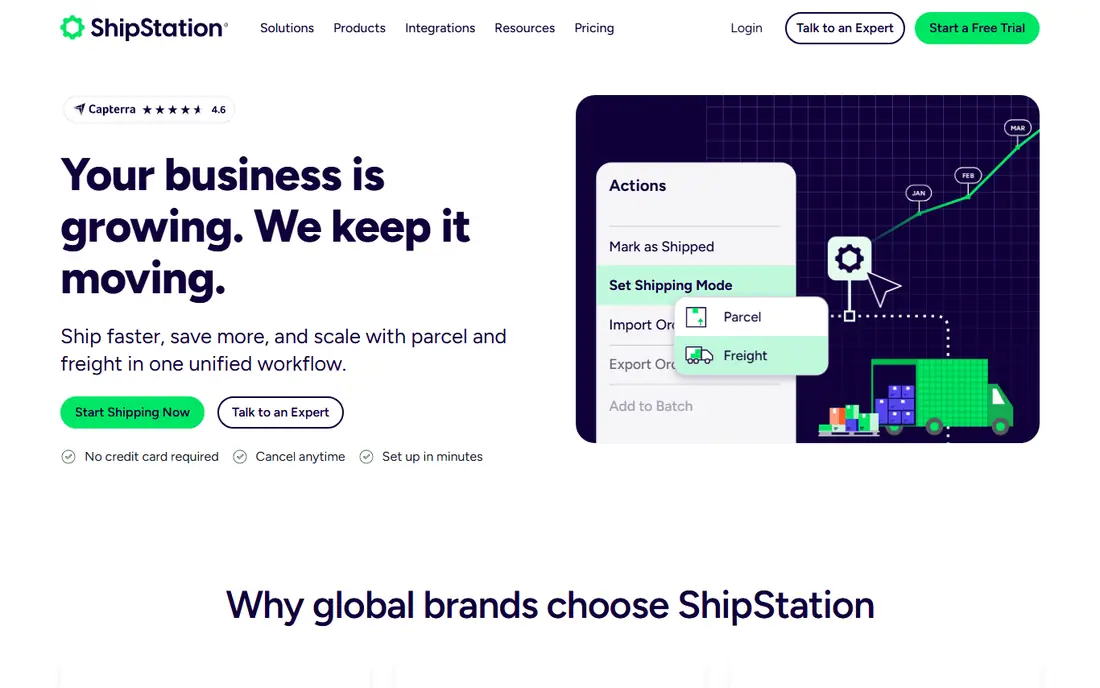
ShipStation pulls orders from Shopify, Etsy, Amazon, WooCommerce, and many other channels into one queue. From there you can compare carrier rates, print labels in batches, and set automation rules that pick a service based on weight, destination, or order value. That central queue is the main reason larger sellers stay with it, because staff no longer chase orders across separate dashboards.
The entry plan covers a limited number of shipments per month, and the price rises as volume grows. Some advanced features, such as API access and deeper inventory tools, sit on higher plans. If you ship from several channels and need automation, ShipStation is a strong default, but low-volume sellers should compare it with a free tool first.
- Wide carrier and store integrations
- Batch labels and automation rules
- Branded tracking on higher plans
- No permanent free plan
- Price rises with monthly shipment volume
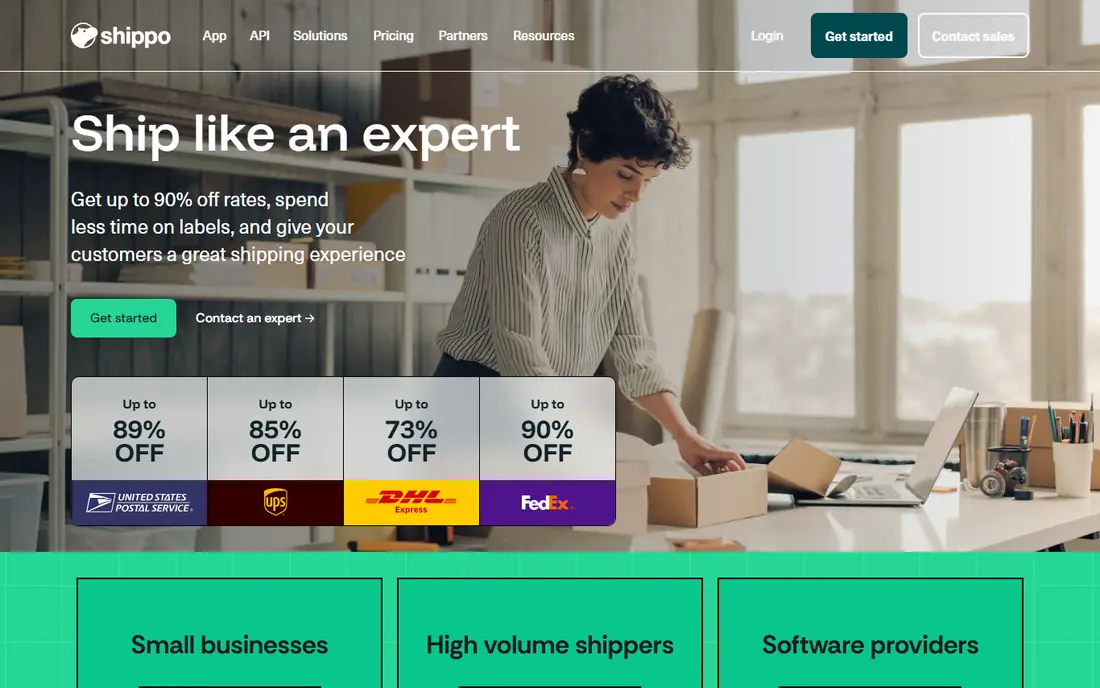
Shippo is one of the easiest ways to start shipping with discounts. The free Starter plan covers a limited number of labels per month and includes discounted USPS, UPS, and DHL rates, plus tracking and return labels. Store connections are unlimited, so a seller with several small shops can still manage orders in one place without paying a subscription.
Paid plans raise the label limit, add users, and add branded tracking and packing slips. If you bring your own carrier account, a small per-label fee may apply on the free plan. Shippo suits small and growing stores that want a simple dashboard and the option to use its API later.
- Free starter plan with discounted rates
- Unlimited store connections
- Clean API for developers
- Label limits set the plan tier
- Branded tracking and extra users need paid plans
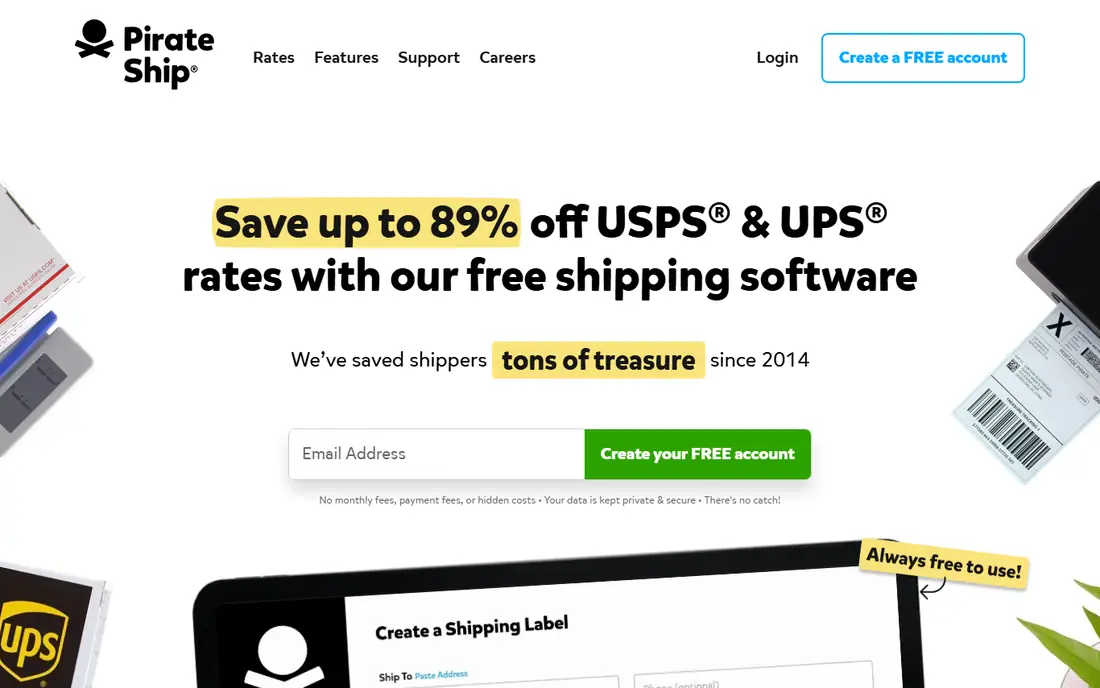
Pirate Ship charges no monthly fee. You pay only for postage and any optional add-ons such as insurance. It offers discounted USPS and UPS rates, including USPS Priority Mail Cubic rates for small, heavy parcels, and it supports store imports and bulk label printing. For a small US seller, that combination is hard to beat on cost.
The limits are clear: it supports USPS and UPS, not FedEx or DHL, and it has no public API. Reporting is basic, and automation is lighter than ShipStation or Shippo. If your shipments are domestic and use those two carriers, start here. If you need FedEx, DHL, or deep automation, look further down this list.
- No monthly fee
- Discounted USPS and UPS rates
- Simple bulk label tools
- Only USPS and UPS
- No public API
- Limited automation for complex operations
ShippingEasy combines shipping with simple customer marketing, which suits small stores that want repeat orders. You can print discounted labels, manage orders, and send follow-up emails or review requests from the same account. The free tier covers a limited number of shipments per month, which is enough to test the workflow with a real store.
Paid plans raise shipment limits and add more automation and support. ShippingEasy does not cover as many carriers as ShipStation or Easyship, so check that your main carriers are supported before switching. For a small US store that values marketing alongside shipping, it is a practical pick.
- Free starter tier
- Discounted USPS and UPS rates
- Built-in email marketing and customer tools
- Carrier range is narrower than some rivals
- Higher plans needed for larger volume
ShipEngine, now closely tied to ShipStation API, is built for developers and platforms that need shipping inside their own software. One API can return rates, create labels, track parcels, validate addresses, and handle LTL freight. That breadth makes it a good fit for marketplaces, order systems, and apps that ship on behalf of many sellers.
It is not a friendly dashboard for a solo store owner. You or your developer must build the workflow, and connecting your own carrier accounts sits behind a paid tier. If you have developers and need to embed shipping, ShipEngine is a strong choice. If you need to print labels by hand, pick a dashboard tool instead.
- One API for rates, labels, tracking, and address checks
- Broad carrier support
- Sandbox for testing
- Developer tool, not a store dashboard
- Own carrier accounts need a paid tier
EasyPost gives developers a single API for rates, labels, tracking, address verification, and insurance across many carriers. It is used by platforms and larger sellers that need to build shipping into checkout, warehouse, or marketplace flows. The documentation and carrier breadth are the main draws, and it handles both domestic and international parcels.
The trade-off is that EasyPost is not a point-and-click shipping desk. A non-technical seller will need developer help, and pricing depends on volume and services used. If your team can build and maintain an integration, EasyPost offers flexibility. If not, a dashboard tool will save time.
- Wide carrier API coverage
- Tracking, insurance, and address tools in one API
- Good documentation
- Pricing is usage based and needs a quote for larger use
- No simple dashboard for non-developers
Ordoro suits sellers who need shipping and inventory in one system. It can track stock, manage dropship suppliers, print multi-carrier labels, and automate routine steps such as bundling or barcode scans. That combination helps a growing store avoid juggling a separate inventory tool and a separate shipping tool, which often causes stock errors.
The free tier is limited, and the plans that add inventory and dropshipping features cost more than a labels-only tool. Setup also takes longer, because inventory data must be clean before automation helps. Ordoro is worth it when inventory mistakes or manual stock work are already costing you time.
- Combines shipping, inventory, and dropshipping tools
- Barcode scanning and automation
- Multi-carrier labels
- Full feature plans are costly
- Interface takes time to learn
Easyship is the pick in this list for sellers who ship abroad. It connects with a wide courier network, shows live rates at checkout, and helps with taxes, duties, and customs paperwork. That matters because international orders often fail on surprise fees or missing forms, not on label printing. The free tier covers a limited number of shipments per month for testing.
Paid plans add volume and features, and the monthly cost should be weighed against the time saved on customs work. Public reviews also flag support delays, so test the tool with a small set of international orders first. For a store with a growing overseas customer base, Easyship fills a gap that US-focused tools do not.
- Broad courier network for global shipping
- Taxes, duties, and customs help
- Checkout rates for stores
- Paid plans start at a monthly fee
- Support quality is a common complaint in public reviews
ShipWorks is desktop shipping software for sellers who print many labels and want fast batch work. It connects stores and marketplaces, pulls orders into one queue, and applies rules for carriers, services, and packing. Keyboard-driven batch processing and local control appeal to warehouse teams that ship the same kinds of orders every day.
Because it is desktop software, setup and updates differ from a cloud dashboard, and it is mainly a Windows product. Pricing is not as simple to compare at a glance, so check the current plan page or speak with sales before budgeting. For high-volume desktop shipping, ShipWorks remains a practical option.
- Desktop software with batch processing
- Broad carrier and store connections
- Strong automation for repeat orders
- Windows-focused desktop setup
- Pricing and plan details need a sales check
How we picked these
We compared official pricing pages, carrier lists, and feature documentation, and we kept tools that support multiple carriers or a broad carrier API. We weighed label limits, subscription cost, store integrations, automation, and whether a tool suits a dashboard user or a developer. We left out single-carrier tools and pure fulfillment warehouses, since the topic is software for managing carriers yourself.
What to check before you pay
Count your monthly labels first, because most plans are priced by shipment volume, not by features alone. A free plan that covers 30 labels is enough for a new store, but it will fail fast at 300 labels. Next, list your carriers: USPS and UPS cover many US sellers, while FedEx, DHL, and regional carriers matter for others.
Test a real order end to end, from import to label to tracking email, and check how returns work. Also confirm whether you can bring your own negotiated carrier rates, since that changes the true cost. Finally, add postage to your budget: subscription fees are separate, and carrier adjustments for weight, size, or address errors can appear after delivery.
Frequently asked questions
What is the best multi carrier shipping software for a small store?
Shippo and Pirate Ship are strong starting points for a small store. Pirate Ship costs nothing per month for USPS and UPS, while Shippo adds more carriers and a simple API. Move to ShipStation when order volume or automation needs grow beyond a free plan.
What is the top multi carrier shipping software for international orders?
Easyship is the strongest pick here for international orders, because it covers many couriers and helps with taxes, duties, and customs forms. ShipStation and Shippo also support international carriers, but Easyship is more focused on cross-border checkout and paperwork.
Is the best multi-carrier shipping software free?
Some tools are free to use, with postage paid separately. Pirate Ship has no monthly fee, and Shippo, ShippingEasy, Ordoro, Easyship, and ShipEngine offer free tiers with limits. Free plans suit low volume, while paid plans add label volume, users, and automation.
Do I still pay postage on top of the subscription?
Yes. Subscription fees cover the software, while postage is charged by the carrier for each label. Some tools offer discounted carrier rates, which can offset the subscription, but you should still budget postage as the larger cost.
Should I choose a dashboard tool or a shipping API?
Choose a dashboard tool if staff will print labels by hand, and choose an API such as ShipEngine or EasyPost if shipping must live inside your own checkout, warehouse, or marketplace system. A dashboard is faster to start, while an API gives more control at the cost of developer time.
Can I use my own carrier account with these tools?
Many tools allow it, but the terms differ. Some charge a small per-label fee on free plans, while others require a paid plan to connect your own account. Check the pricing page for the tool you shortlist, and test with your own rates before switching fully.
Sources
See where you really rank - block by block
ProMapRanker scans Google Maps across a grid of your service area. Simple monthly plans from $19, white-label on every plan.
Start freeKeep reading
 who has best internet service
Who Has the Best Internet Service in 2026
Who has best internet service for US homes? We compare fiber, cable, fixed wireless and satellite providers on speed, price, availability and terms today.
Read → which survey tool has the best analytics
Which Survey Tool Has the Best Analytics in 2026
Find which survey tool has the best analytics in 2026, comparing Qualtrics, SurveyMonkey, Typeform, Alchemer, and more on reports, text, and stats today.
Read → which streaming service has the best movies
Which Streaming Service Has the Best Movies in 2026
Answering which streaming service has the best movies, with Netflix, Max, Criterion and more compared on libraries, prices and free options in this guide.
Read →