 ProMapRanker
Best Mind Mapping Software in 2026


Polished personal maps and study notes · Pricing starts at: $4.92 per month
Key takeaways
- XMind is our pick for most people, with polished maps, many layouts, and a free tier for trying it out.
- MindMeister suits teams that collaborate on maps in a browser, while Miro suits teams that want maps next to whiteboards and project work.
- MindNode is the best choice for Apple users who want a clean, native app, and Coggle suits simple shared maps at a low price.
- SimpleMind and Freeplane suit users who want offline, one-time, or free tools without a subscription.
- Check export formats before you commit, since moving a large map to another tool can be painful if your format is locked in.
Quick comparison
| Pick | Great for | Pricing starts at | Free tier | |
|---|---|---|---|---|
| XMind | Polished personal maps and study notes | $4.92 per month | Yes | Visit |
 MindMeister | Teams mapping together in a browser | $3.50 per user per month | Yes | Visit |
 Miro | Teams that map inside larger whiteboard work | $8 per user per month | Yes | Visit |
 MindNode | Apple users who want a native map app | See website | Yes | Visit |
 Coggle | Simple, shared maps at a low price | $5 per month | Yes | Visit |
 SimpleMind | Offline mapping with a one-time purchase | $29.99 one-time | Yes | Visit |
 Ayoa | Maps linked to tasks and whiteboards | See website | Yes | Visit |
 EdrawMind | Desktop mapping with many layouts and AI help | $4.90 per month | Yes | Visit |
 Mindomo | Rich maps that export to documents | See website | Yes | Visit |
The best mind mapping software
Mind mapping turns a messy idea into a visible structure: a central topic, branches for themes, and sub-branches for details. The nine tools below cover personal study, team brainstorming, and visual project planning, so you can pick the style that matches how you think and work.

XMind is the most polished dedicated mind mapping app on this list. It offers mind maps, logic charts, org charts, timelines, and fishbone diagrams, with themes and styles that make a map look presentable without design effort. Pitch Mode turns a map into a slide presentation, which suits students and professionals who present their thinking. The free tier allows up to ten online maps, with paid Pro starting at $4.92 per month on annual billing.
Paid plans add broader exports, longer version history, and more AI credits, so a heavy user will need to pay. Collaboration is also lighter than on MindMeister or Miro, since XMind is mainly a personal tool. For an individual who maps study notes, project plans, or book outlines and wants a beautiful result, XMind is our first pick. Teams that edit together should look at MindMeister or Miro.
- Many map layouts and themes
- Pitch Mode turns maps into slides
- Works on desktop, web, and mobile
- Full export and collaboration features need a paid plan
- AI credits are limited on lower tiers
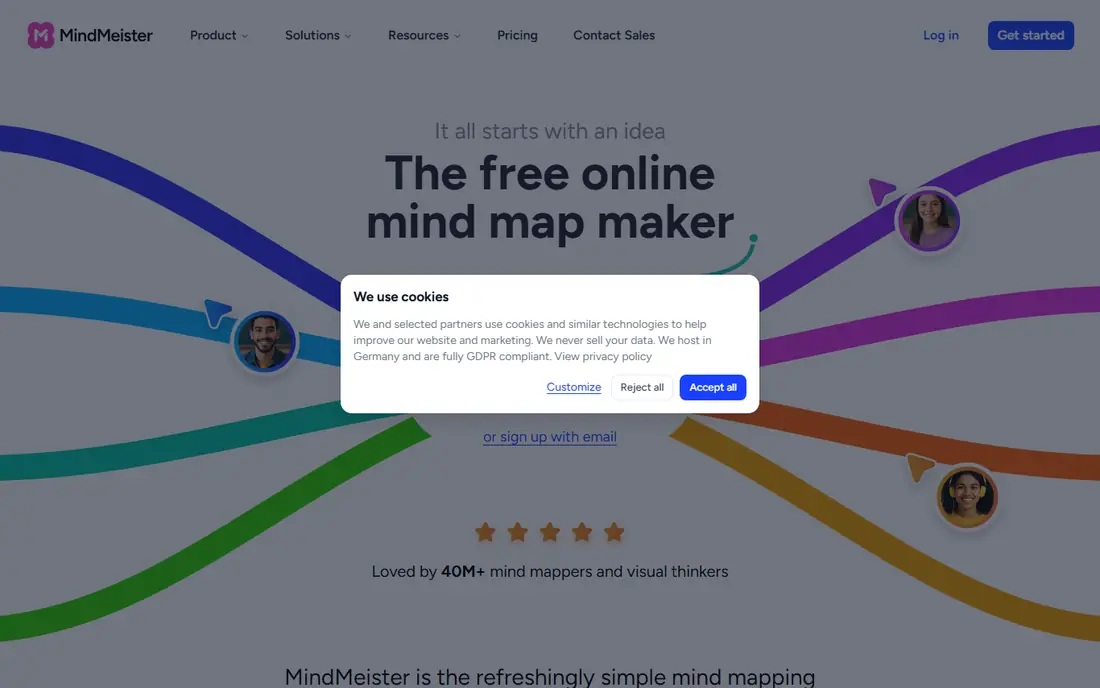
MindMeister runs in a browser, so a team can open a shared map, edit together in real time, and comment without installing software. The free plan allows three mind maps with unlimited collaborators, which suits a small team trying the tool on a real project. Personal plans start at $3.50 per user per month on annual billing, with Pro and Business tiers adding exports, version history, and branding.
The free limit of three maps means an active user will hit the ceiling fast, and some export formats sit on higher plans. MindMeister also focuses on maps alone, unlike Miro, which adds whiteboards and project tools. Pick MindMeister when your team wants a simple, shared map tool that anyone can open in a browser. Pick Miro when the map is one part of a larger workshop.
- Real-time collaboration in a browser
- Unlimited collaborators on free maps
- Clean, simple interface
- Free plan limits you to three maps
- Advanced exports and branding need higher plans

Miro is a visual workspace where mind maps sit next to sticky notes, diagrams, flowcharts, and project boards on one large canvas. That breadth suits a workshop, a product team, or a class that starts with a map and then turns branches into tasks, timelines, or designs. Templates cover brainstorming, planning, and retrospectives, and integrations connect to common project and file tools. The free plan covers basic boards, with Starter at $8 per user per month.
For a user who only wants a mind map, Miro can feel large and complex, and the price reflects a team workspace, not a single-purpose app. If your work already lives on whiteboards, Miro is a natural home for maps too. If you want a focused, cheap map tool, XMind or Coggle will feel faster and simpler.
- Huge canvas for maps, diagrams, and sticky notes
- Strong templates and integrations
- Good for workshops
- More tool than a simple map needs
- Paid plans needed for unlimited boards and full features
MindNode is built for Apple devices, with a clean design that feels at home on Mac, iPhone, and iPad. Smart layouts keep branches tidy as a map grows, folding lets you hide detail to see the big picture, and the outline view turns a map into a text list for writing or planning. It syncs across Apple devices, so a map started on a Mac can be edited on an iPad.
The limit is platform. MindNode does not run on Windows or Android, so a mixed-device team cannot share it easily. Full features also require a paid subscription, though a free tier lets you try the core mapping. For an Apple user who maps daily and values a calm, native app, MindNode is excellent. For a cross-platform team, XMind or MindMeister fits better.
- Clean, native design on Mac and iOS
- Smart layouts and folding branches
- Good outline and export options
- Apple-only, so Windows and Android teams cannot use it
- Full features need a paid plan
Coggle keeps mind mapping deliberately simple: start with a central idea, add branches with a click, and share the map for real-time collaboration. That simplicity makes it a good fit for lessons, quick outlines, and lightweight team maps, especially when the people involved have never used a mapping tool. The free plan offers unlimited public diagrams and three private diagrams, with the Awesome plan at $5 per month for more private maps and features.
Power users will miss the layout variety, themes, and task features of XMind, Ayoa, or Miro. Coggle is not a project tool, and it does not try to be one. Pick Coggle when the map itself is the deliverable and you want the shortest path from idea to shared diagram. Pick a deeper tool when you need many layouts, task tracking, or rich exports.
- Very easy to learn
- Real-time collaboration
- Free plan with unlimited public diagrams
- Fewer layouts and styling options
- No size limit claim applies mainly to the free tier structure
SimpleMind suits users who dislike subscriptions and want their maps on their own device. The desktop Pro version costs $29.99 as a one-time purchase per platform, with a free mobile edition for basic mapping. It works offline, syncs through your own cloud storage, and keeps the interface fast and uncluttered. For a student, writer, or professional who maps privately, that model is appealing.
Collaboration is the weak point. SimpleMind is mainly a personal tool, without the real-time shared editing of MindMeister or Miro, and it lacks the AI map generation found in newer rivals. If you map alone, value privacy and offline access, and want to pay once, SimpleMind is a strong choice. If your team edits maps together, choose a cloud tool instead.
- One-time purchase, no subscription
- Works offline on desktop and mobile
- Clean, fast interface
- Collaboration is limited
- Fewer AI and cloud features than subscription rivals
Ayoa combines mind maps, whiteboards, and task management, so a branch on a map can become a tracked task with a due date and owner. That link suits teams that brainstorm a plan and then need to act on it without copying the map into another tool. The design includes options aimed at neurodiverse users, such as visual layouts and focus tools, which some teams value highly.
Pricing sits above simple map tools, and the breadth of features means new users need time to learn the app. Check the vendor pricing page for current plans, since tiers and features change. Ayoa fits a team that wants mapping plus task follow-through in one place. A solo mapper who only needs a clean map will find XMind or Coggle simpler and cheaper.
- Mind maps, whiteboards, and task boards in one app
- Neuroinclusive design options
- Good for team planning
- Higher price than simple map tools
- Interface takes time to learn
EdrawMind, formerly MindMaster, offers a deep desktop mapping tool with many layouts, templates, and diagram types beyond classic mind maps, including org charts, timelines, and fishbone diagrams. AI features can generate a map from a prompt, and the free plan includes templates, limited storage, and trial AI tokens, with paid plans from $4.90 per month on annual billing. Desktop apps cover Windows, Mac, and Linux, plus web and mobile.
The interface carries more options than XMind or MindNode, which can feel busy to a new user, and some export formats and watermark-free output require a paid plan. For a user who wants a powerful desktop tool with AI help and many diagram types at a modest price, EdrawMind is a strong alternative to XMind. For the simplest, calmest mapping experience, XMind or MindNode still leads.
- Many layouts, templates, and diagram types
- AI map generation
- Desktop apps for major platforms
- Interface feels busy next to XMind
- Full export features need a paid plan
Mindomo offers a full-featured mapping tool with rich topic notes, multimedia attachments, and task features, plus exports to document and presentation formats that suit teachers and students turning a map into an essay or lesson. The free plan allows a limited number of diagrams, with paid plans for unlimited maps and fuller exports. It works on web, desktop, and mobile, so a map can move between classroom and home.
The interface is denser than Coggle or MindMeister, and new users may need a short learning period. Pricing varies by plan and currency, so check the vendor page for the current rate. Mindomo suits a student, teacher, or researcher who needs detailed notes attached to map topics and a clean export to a document. For a quick shared brainstorm, Coggle is faster.
- Rich formatting and notes on map topics
- Exports to documents and presentations
- Good for study and teaching
- Free plan limits diagrams
- Interface is denser than Coggle
How we picked these
We compared official pricing pages, free tiers, platform coverage, and public reviews for tools that build real, editable mind maps today. We favored tools with a clear free tier or published pricing, and we mixed personal, team, offline, and whiteboard options so different users can find a fit. Where pricing varies by billing period or currency, we wrote See website rather than stating a figure that may not match your checkout.
What to check before you choose
Start with how you will use the map. A student needs good notes and document export, a team needs real-time collaboration, and a workshop needs a large shared canvas. Next, test export: create a small map, export it in the format you need, and open it in the tool you would switch to later. Then check device coverage, since an Apple-only or desktop-only tool can block part of a team. Finally, try the free tier on a real project, not a sample map. A week of real use shows whether the layout, speed, and sharing fit your thinking better than any feature list.
Frequently asked questions
What is the best mind mapping software for students?
XMind and Mindomo suit students well, with strong layouts, notes, and document exports for essays and revision. Coggle suits group study, thanks to simple sharing and real-time collaboration. SimpleMind suits students who want an offline, one-time purchase tool without a subscription.
What is the best mind map software for teams?
MindMeister suits teams that want simple shared maps in a browser, while Miro suits teams that want maps inside larger whiteboard workshops. Ayoa suits teams that want map branches to become tracked tasks. The right pick depends on whether the map is the whole job or one step in a bigger workflow.
What is the best free mind mapping tool?
Coggle, XMind, MindMeister, and SimpleMind all offer useful free tiers, each with limits. Coggle offers unlimited public diagrams, XMind allows up to ten online maps, MindMeister allows three maps, and SimpleMind offers a free mobile edition. Try two free tiers with a real map before paying.
What is the best mind mapping app for Mac and iPhone?
MindNode is the best mind mapping app for Apple users, with a native design, smart layouts, and sync across Mac, iPhone, and iPad. XMind is the best cross-platform alternative if your team also uses Windows or Android. Both offer free tiers for testing.
Can mind mapping software export to other formats?
Most tools on this list export to PDF, image, and text formats, with richer exports like Word, PowerPoint, and OPML on paid plans. Export options vary by tool and plan, so test the exact format you need before committing. A map that cannot export cleanly can be hard to move later.
Sources
See where you really rank - block by block
ProMapRanker scans Google Maps across a grid of your service area. Simple monthly plans from $19, white-label on every plan.
Start freeKeep reading
 top custom software development company
Top Custom Software Development Company in 2026
Looking for a top custom software development company? We compare 9 firms for web, mobile, and enterprise software, covering strengths and fit for 2026.
Read → tableau alternatives
Tableau Alternatives in 2026
Compare the best Tableau alternatives for 2026, from Power BI to Metabase, with prices, hosting options, and picks for small teams and enterprises today.
Read → microsoft teams alternatives
Best Microsoft Teams Alternatives in 2026
Looking for microsoft teams alternatives? We compare 9 chat and video tools for 2026, covering free plans, pricing, meetings, and integrations for teams.
Read →