 ProMapRanker
Best Marketing Analytics Tools in 2026


Free web and app measurement · Pricing starts at: Free
Key takeaways
- Google Analytics is the free baseline most sites should run first, even if a second tool is added later for product or privacy reasons.
- Mixpanel and Amplitude suit product teams that need funnels and retention by user behaviour, while HubSpot suits teams that need results tied to contacts and revenue.
- Privacy-first tools such as Plausible and Matomo give simpler reports and less tracking baggage, but they do not replace Google Ads integration.
- Event-based pricing can grow fast, so check monthly event and contact limits before committing to a paid plan.
- Microsoft Clarity is a useful free add-on for heatmaps and session replay, not a full replacement for web analytics.
Quick comparison
| Pick | Great for | Pricing starts at | Free tier | |
|---|---|---|---|---|
| Google Analytics | Free web and app measurement | Free | Yes | Visit |
 HubSpot | CRM-linked marketing reporting | Free | Yes | Visit |
 Mixpanel | Product funnels and retention | See website | Yes | Visit |
 Amplitude | Deep product and user analytics | See website | Yes | Visit |
 Adobe Analytics | Enterprise measurement | See website | No | Visit |
 Matomo | Privacy-first web analytics | See website | Free trial | Visit |
 Plausible Analytics | Simple privacy-friendly reports | $9 per month | Free trial | Visit |
 Databox | Marketing dashboards | See website | Free trial | Visit |
 Supermetrics | Pulling data into sheets and dashboards | See website | Free trial | Visit |
 Microsoft Clarity | Free heatmaps and session replay | Free | Yes | Visit |
The best marketing analytics tools
This list covers the best marketing analytics software, the best marketing analytics platforms and the best tools for marketing analytics in one place. We compared official feature pages, pricing pages, app and platform documentation and public reviews, and we favoured tools that are actively sold and supported in October 2026.
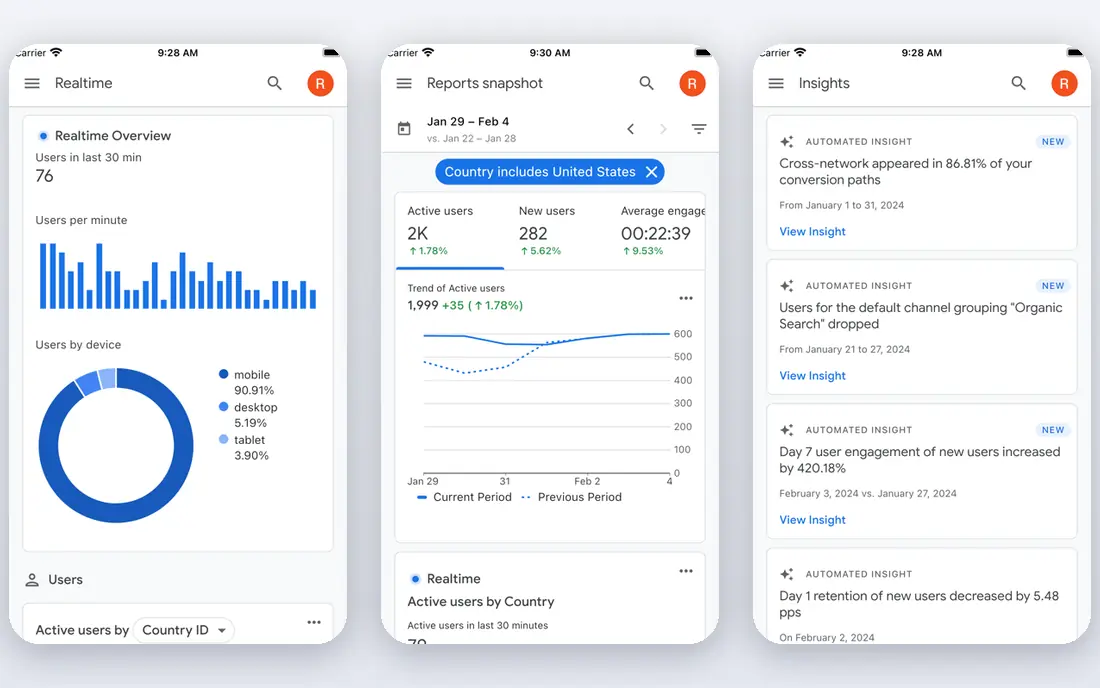
Google Analytics 4 is the default starting point for most websites and apps, and that status is earned by price and reach rather than by beauty. It tracks traffic sources, conversions, events and audience behaviour across web and app, and it feeds conversion signals back into Google Ads. For a small business that wants to know which channel brings buyers, it answers the question at no direct cost.
The trade-offs are complexity and control. Reports take time to learn, data retention on standard properties is limited, and consent rules in the European Union and the United Kingdom need care. Larger teams often buy Analytics 360 through Google sales for higher limits and support. Keep Google Analytics as the baseline, and add a specialist tool only when a clear gap appears.
- Free for standard properties
- Native Google Ads and Search Console links
- Huge help and tutorial base
- Steep learning curve
- Sampled or limited reports on large properties
- Privacy and consent rules vary by region
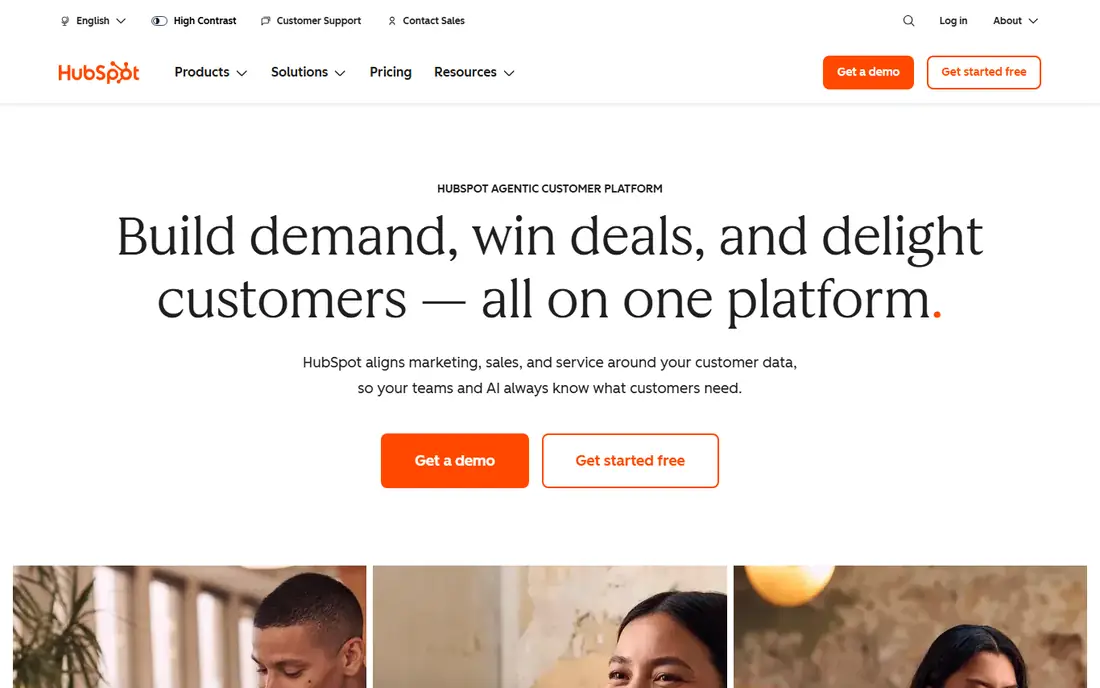
HubSpot makes sense when the question is not just how many people visited, but which campaigns produced customers. Marketing Hub reports sit beside contact records, deals and email performance, so a team can follow a lead from first click to closed deal without stitching spreadsheets together. Free tools cover basic CRM, forms and email, which lets a small team test the system before paying.
Paid pricing needs a careful read. Starter is priced per seat with a marketing contact allowance, while Professional and Enterprise add much higher monthly fees and, on those tiers, mandatory onboarding fees. A team with a large contact list can see the bill climb quickly. HubSpot is our pick for most small marketing teams that already live in a CRM, and a costly one for teams that only need web traffic reports.
- Reports tie campaigns to contacts, deals and revenue
- Free CRM tools to start
- Strong email and automation links
- Costs rise with contacts and seats
- Professional onboarding fee is large
- Analytics depth depends on tier
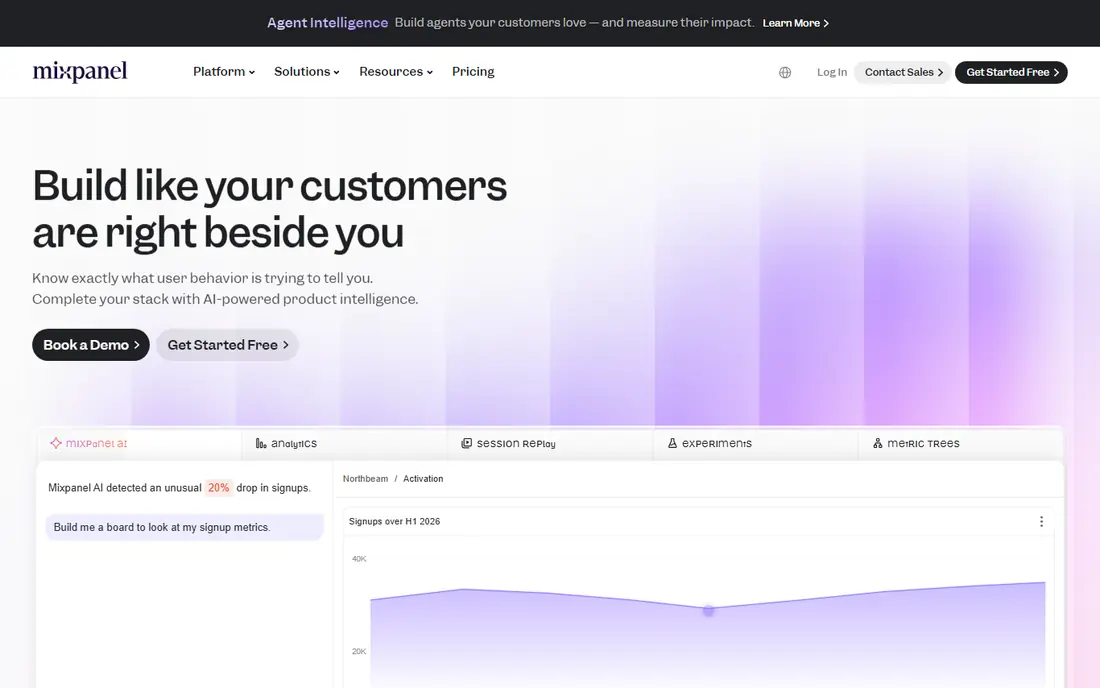
Mixpanel is built around what users do inside a product, not just which page they landed on. Teams define events such as sign-up, purchase or feature use, then build funnels to see where people drop off and cohorts to see who returns. That focus makes it a strong pick for apps and software products that live or die by activation and retention.
The work starts before the first report, since a messy event plan produces messy funnels. Pricing scales with event volume, so a fast-growing product should model its monthly events against the current pricing page. Mixpanel also offers a free tier, which makes it easy to test with a small product before committing. Pair it with a web tool if campaign and search reporting matter as much as product use.
- Strong funnels, retention and cohort reports
- Free tier for smaller products
- Clear event-based model
- Event volume pricing can grow quickly
- Needs a planned event taxonomy
- Web marketing reports are thinner than product reports
Amplitude competes directly with Mixpanel, and the choice often comes down to how a team likes to explore data. Its charts, funnels, retention views and user journeys suit product and growth teams that ask detailed questions, such as which onboarding step predicts long-term use. A free tier lets small teams start without a sales call, which is a real advantage over enterprise-only tools.
The downside is scale and complexity. Higher tiers move to sales-led pricing, and a team that has not planned events will still face the same taxonomy work as with any product tool. Amplitude is our pick for product teams that want depth and are willing to invest time in setup. Smaller marketing-only teams will likely find Google Analytics plus a dashboard tool enough.
- Deep behavioural analysis
- Generous free tier in past public pricing
- Strong charting and experimentation links
- Pricing is quote-led on higher tiers
- Setup needs care
- Can be more tool than a small team needs
Adobe Analytics is the enterprise end of this list, and it shows in both power and price. Large organisations use it for custom variables, detailed segmentation and reporting across many properties, with governance controls that smaller tools do not offer. It also sits inside a wider Adobe stack, which helps teams that already use Adobe marketing products.
For a small business it is usually the wrong pick. There is no public starter price, implementation needs experienced staff, and simpler tools answer everyday questions faster. Choose Adobe Analytics when reporting needs are complex, data volumes are large, and the team has analysts to run it. Otherwise the cost and setup time will outweigh the extra depth.
- Deep custom reporting and segmentation
- Strong enterprise governance
- Wide Adobe ecosystem links
- Enterprise quote pricing
- Needs skilled analysts
- Implementation is heavier than simpler tools
Matomo appeals to teams that want web analytics without sending visitor data to a large advertising platform. The cloud version offers a trial, while the self-hosted version gives full control over data storage and retention. Reports cover traffic sources, pages, goals and campaigns in a layout that feels familiar to anyone who has used a traditional web analytics tool.
Self-hosting is not free in time, since updates, backups and security fall on the team running it. Cloud pricing scales with traffic, so a high-traffic site should check the current rate card. Matomo is our pick for privacy-conscious organisations, public bodies and European teams that need a clear data story. It is less useful as a Google Ads optimisation tool.
- Strong privacy controls
- Self-hosted option with full data ownership
- Familiar web reports
- Cloud pricing varies by traffic
- Self-hosting needs maintenance
- Fewer advertising integrations than Google
Plausible strips web analytics back to the questions most site owners actually ask: where did visitors come from, which pages did they view, and did they complete a goal. The script is lightweight, the dashboard is easy to read, and the privacy approach avoids cookies by default. For a small site, a blog or a marketing landing page, that simplicity is a feature, not a gap.
The limit is depth. Teams that need detailed product funnels, complex segmentation or advertising bidding signals will still need a second tool. Paid plans start at 9 dollars per month in recent public pricing, with higher tiers by pageviews, and a trial lets a team test the dashboard first. Plausible is our pick for owners who want clean numbers without a steep learning curve.
- Lightweight script
- Simple reports without cookies by default
- Easy to read at a glance
- No free plan beyond a trial
- Fewer deep product features
- Goal and funnel options are simpler
Databox does a different job from the tools above: it pulls numbers from analytics, advertising, email and social tools into one dashboard. Agencies and marketing teams use it to show clients a single view of performance without opening ten tabs. Templates for common sources speed up setup, and scheduled reports keep stakeholders informed without manual exports.
That strength is also its limit. Databox needs source tools such as Google Analytics or HubSpot to collect the data in the first place, so it adds cost on top of those tools. Pricing depends on the plan and data sources, so check the current page against the sources you actually use. Choose Databox when reporting time is the bottleneck, not data collection.
- Connects many marketing sources into one dashboard
- Good templates
- Shareable reports for clients
- It reports data rather than collecting it
- Pricing depends on data sources
- Free options are limited
Supermetrics is a connector tool for teams that already live in spreadsheets or a business intelligence dashboard. It pulls advertising, analytics and social data into Google Sheets, Excel, Looker Studio or similar destinations, with scheduled refreshes so reports stay current. Analysts who prefer to build their own tables and charts will like the control it gives.
It is not a standalone analytics product, so a team that wants ready-made reports may prefer Databox or HubSpot. Pricing varies by data sources and plan, and a trial helps test whether the connectors a team needs are included. Supermetrics is our pick for reporting teams that want marketing data in a spreadsheet they control, rather than in yet another dashboard.
- Moves marketing data into Sheets, Excel and dashboard tools
- Wide connector list
- Scheduled refreshes
- Needs a destination tool to view reports
- Pricing varies by connectors and volume
- Setup takes thought
Microsoft Clarity answers a question that numbers alone cannot: what did visitors actually do on the page. Heatmaps show where people click and how far they scroll, while session recordings show real journeys, including rage clicks and dead clicks that signal a broken layout. It is free, and it sits neatly beside Google Analytics or Plausible.
Clarity does not replace a full analytics tool, since its funnels and attribution are thinner than product platforms. Recordings also need privacy care, including masking sensitive fields and respecting consent rules. Use Clarity as a free second lens on user experience, especially when a landing page converts poorly and the traffic numbers give no clear reason.
- Free heatmaps and session recordings
- Easy to add beside another analytics tool
- No traffic limits in the free offer
- Not a full web analytics replacement
- Recordings need privacy care
- Fewer funnel features than product tools
How we picked these
We compared official feature pages, pricing pages, platform documentation and public reviews for tools sold and supported in October 2026. We kept tools that measure marketing or product performance in a direct way, and we set aside pure customer data platforms, pure email tools and pure social schedulers. Where pricing was quote-led or varied by volume, we wrote See website rather than guessing a number.
How to choose the right tool
Name the question first
Traffic questions point to Google Analytics, Plausible or Matomo. Product questions point to Mixpanel or Amplitude. Revenue questions point to HubSpot. Dashboard questions point to Databox or Supermetrics. A tool that answers the wrong question well is still the wrong tool.
Check the pricing unit
Some tools charge by events, some by contacts, some by pageviews and some by data sources. Estimate your monthly volume before you buy, and test the free tier or trial with real data. A plan that looks cheap at 10,000 events can look very different at 500,000.
Plan the setup work
Product tools need an event plan, CRM tools need clean contact data, and privacy tools need consent and retention settings. Allow time for tagging, testing and a short period of parallel running with the old tool, so the new reports can be checked against known numbers.
Keep privacy and consent in view
Check where data is stored, how long it is kept, and what consent your region requires. Privacy-first tools help, but they do not remove the need for a clear privacy notice and, where required, a consent banner.
Frequently asked questions
What are the best marketing analytics tools for a small business?
Google Analytics for free web measurement, Plausible for simple privacy-friendly reports, and HubSpot free tools for CRM-linked basics cover most small business needs. Add Microsoft Clarity for heatmaps when a page needs user experience insight.
What is the best marketing analytics software for product teams?
Mixpanel and Amplitude lead for product teams, since both offer funnels, retention and cohort analysis by user behaviour. The best marketing analytics tool for a given product often depends on which interface the team prefers, so trial both with the same event plan.
Which tool is best for marketing analytics companies and agencies?
HubSpot suits agencies that report on leads and revenue, while Databox and Supermetrics suit agencies that build client dashboards from many sources. The best marketing analytics companies tend to use a collector tool plus a dashboard tool, rather than one tool for everything.
Is Google Analytics enough on its own?
For many small sites, yes, especially when paired with Search Console and Clarity. Larger product teams, privacy-focused organisations and revenue-reporting teams usually add a second tool, because Google Analytics is weaker on product behaviour, data ownership and CRM revenue links.
What is the best digital marketing analytics tool for privacy?
Matomo and Plausible lead on privacy, with cookieless options, clearer data ownership and simpler tracking. Matomo suits teams that want self-hosting, while Plausible suits teams that want a hosted, simple dashboard with less setup.
Sources
- https://kurums.com/best-marketing-analytics-software-2026-comparison/?v=653f5ac96a69
- https://cpoclub.com/tools/best-free-product-analysis-tools/
- https://www.itechguides.com/best/website-analytics-software/
- https://dev.to/2gelbuy/hubspot-pricing-2026-plans-and-hidden-costs-a8k
- https://www.clarify.ai/blog/hubspot-crm-pricing
- https://analytics.google.com
- https://www.hubspot.com
- https://www.mixpanel.com
- https://www.amplitude.com
- https://www.adobe.com/analytics.html
- https://matomo.org
- https://plausible.io
- https://databox.com
- https://supermetrics.com
- https://clarity.microsoft.com
See where you really rank - block by block
ProMapRanker scans Google Maps across a grid of your service area. Simple monthly plans from $19, white-label on every plan.
Start freeKeep reading
 best saas ecommerce platforms
Best SaaS Ecommerce Platforms in 2026
Compare the best SaaS ecommerce platforms for 2026, from Shopify and BigCommerce to Wix and Squarespace, with pricing, features and honest limits today.
Read → best rated seo platform for b2b
Best Rated SEO Platform for B2B in 2026
Compare the best rated SEO platforms for B2B teams, including Semrush, Ahrefs, Moz Pro, SE Ranking, Surfer, and Screaming Frog tools for B2B teams in 2026.
Read → best penetration testing tools
Best Penetration Testing Tools in 2026
Compare the best penetration testing tools for authorised testing in 2026, from network mapping and web testing to scanning, with free and paid options.
Read →