 ProMapRanker
Best Local Rank Tracking Tools for Granite Countertop Companies (2026)

Local pack tracking across many towns · Pricing starts at: See website
Direct answer
SE Ranking is my first pick for granite countertop companies because it tracks local pack positions by location and pairs that with rank history you can show a shop owner. It has no free plan stated, so check its pricing page. Localo fits businesses that want map grid views tied to Google Business Profile work, and Advice Local suits companies managing listings across several showroom or service areas.
I put this list together from vendor documentation and public sources, not from hands-on tests. I looked at how each tool reports positions for a business that sells and installs granite countertops, where a customer usually searches a town name plus "countertops" or "granite fabricator". The order reflects how well each one fits that job.
Key takeaways
- Granite countertop buyers search by town and neighborhood, so rank tracking has to report positions per location, not one national number.
- Map grid tools show how visibility fades as you move away from a showroom, which matters when your service radius covers several suburbs.
- Google Business Profile data feeds most local rankings, so a tracker that reads your profile categories and photos saves duplicate work.
- Review signals appear in local results, so review tools belong in the same stack as rank tracking for this trade.
- None of these tools fix a weak profile on their own; they measure what your profile, site and reviews are already doing.
Quick comparison
| Pick | Great for | Pricing starts at | Free tier | |
|---|---|---|---|---|
| SE Ranking | Local pack tracking across many towns | See website | Not stated | Visit |
 Localo | GBP tasks with map grid views | See website | Free trial | Visit |
 Advice Local | Listings across several service areas | See website | Not stated | Visit |
 Local Dominator | Map grid rank tracking at scale | See website | Free trial | Visit |
 GatherUp | Review requests after an install | See website | Free trial | Visit |
 Signpost | Review and customer messaging | See website | Not stated | Visit |
 CallTrackingMetrics | Tracking calls from map listings | See website | Free trial | Visit |
The best local rank tracking tools compared
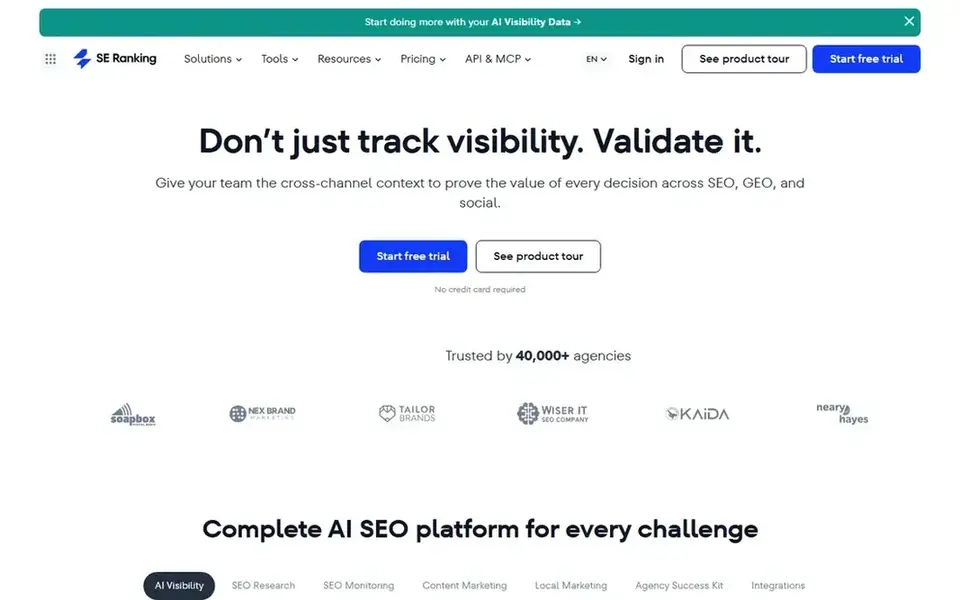
SE Ranking is a general SEO platform with a local rank tracking module. For a granite countertop company it works because you can set up separate tracking for each town you serve, such as the city where your showroom sits and the suburbs where you install. You see whether you appear in the local pack for "granite countertops [town]" and how that changes week to week.
The workflow suits a small shop with one person handling marketing. You add your main keywords, pick the locations, and check the report before quoting a customer or planning a photo upload to your Google Business Profile. Competitor tracking lets you see which fabricators hold the top map spots in each town, which is useful when you decide where to focus.
The limits are practical. The local tracking features are not in the cheapest tier, and the platform covers far more than local search, so you pay for tools you may not use. Skip it if you only want a simple map grid picture and nothing else.
- Position tracking by city and device
- local pack and map results included
- competitor visibility views
- Local features sit in higher plans
- interface takes time to learn
Localo is built around Google Business Profile management, with rank tracking attached. A countertop company can use it to see a grid of positions around a showroom or a zip code where you install often. That grid view is closer to how a homeowner searches than a single keyword position.
For this trade the useful part is the task list tied to your profile. If your profile is missing photos of finished kitchens or the services list does not mention fabrication, the tool flags it. You fix the profile, then watch the grid change over the following weeks. That loop is easy to explain to a shop owner who does not follow SEO.
The trade-off is size. Localo is a smaller product than the big SEO suites, so integrations with CRMs or call tracking are limited. Skip it if you need deep reporting across a large multi-location operation.
- Map grid heatmaps
- GBP task suggestions
- simple layout for non-specialists
- Smaller vendor
- fewer third-party integrations
Advice Local focuses on listing management and local visibility. A granite company that serves a wide radius, with a showroom in one town and installs across several counties, often has messy directory data. This tool pushes consistent name, address and phone details to directories and builds location pages for the towns you serve.
Rank tracking here is a supporting feature rather than the main event. You use it to confirm that the location pages and listings you built are showing up for town-level searches. For a fabricator with two showrooms and a service-area business setup in Google Business Profile, that combination covers the basics.
The downside is the buying process. Pricing is quote-based and setup usually involves a call, so it suits a company ready to commit rather than someone testing the water.
- Listing distribution to many directories
- location pages for service areas
- local visibility reporting
- Quote-based pricing
- setup takes an onboarding call
Local Dominator is a rank tracking tool built around map grids. You drop a pin on a showroom or a target neighborhood and the tool checks positions across a grid of points around it. For a countertop business, that shows whether you appear for homeowners two miles away versus ten miles away.
This matters because granite buyers often start with a broad search and pick a fabricator within a comfortable drive. A grid view tells you which parts of your service area you actually cover in the map results, and where a competitor owns the nearby streets. You can then decide whether to add a location page or adjust your service area.
The limit is credits. Each grid scan costs, so heavy tracking across many towns gets expensive. It also does little beyond rank data, so you still need a separate tool for profile work.
- Grid-based rank views
- competitor grid comparison
- reporting for clients
- Grid scans use credits
- narrow focus outside rank tracking
GatherUp handles reviews rather than rankings, and I include it because reviews shape local results for this trade. A homeowner choosing between two granite fabricators reads reviews about install quality, templating accuracy and cleanup. GatherUp sends a request after a job closes and collects responses in one place.
The workflow fits a countertop company well. You finish an install, the office marks the job complete, and a request goes out. Over months you build a steady flow of reviews that support the map positions your rank tracker reports. The two tools tell different halves of the same story.
Its limit is obvious: it does not track rankings. If your only goal is position data, skip it. It also depends on accurate customer contact details from your job system.
- Automated review requests
- review monitoring across sites
- simple customer follow-up
- Not a rank tracker
- needs clean customer contact data
Signpost is a customer messaging and review tool aimed at local service businesses. For a granite company, the practical use is following up after a quote or an install with a review request, and keeping customer conversations in one thread. That supports the review signals that appear in local results.
It is not a rank tracker in the usual sense. You would pair it with one of the tools above if you want position data. The value here is the customer contact side, which many small fabricators handle by hand and then forget.
Skip it if you already have a CRM that sends review requests, or if you want keyword-level tracking in the same product. Pricing needs a conversation with sales, so budget time for that.
- Review requests by text and email
- customer communication in one place
- works for service businesses
- Keyword tracking is limited
- pricing needs a sales conversation
CallTrackingMetrics tracks phone calls and shows where they came from. A countertop company gets a lot of business by phone, and knowing whether a call started from your Google Business Profile, a directory listing or a paid ad helps you judge which local work pays off.
The tool does not track rankings. Its role is to connect the positions you see in a rank tracker to real inquiries. If your map position improves in a town and calls from that town rise, you have a clearer picture than either number alone.
The limit is scope and setup. You need to plan tracking numbers and route them correctly, and the tool adds cost on top of a rank tracker. Skip it if calls are rare and most inquiries arrive through a quote form.
- Call tracking with source data
- records which listing drove a call
- works with Google Business Profile calls
- No rank tracking
- setup needs number planning
How I chose
I compared these tools from vendor documentation and public sources. I did not run hands-on tests, so I am not claiming measured results for any of them. My filter was fit for a granite countertop business: a company with one or two showrooms, a service area that covers several towns, and a customer who searches locally before calling. Tools that only report a single national position dropped down the list.
I also weighed limits. A rank tracker that charges per grid scan behaves differently from one with a flat subscription, and that matters for a small shop tracking a dozen towns. I kept review and call tracking tools in the list because local results for this trade depend on reviews and phone inquiries, not just map position. Where pricing was not public, I said so rather than guess.
What to check before you buy
- Confirm the tool tracks the local pack and Google Maps results, not just organic blue links.
- Check that you can set tracking per town, since a granite company sells across a radius, not one city.
- Ask whether map grid scans are included or charged as credits, and estimate how many towns you need.
- Make sure the tool reads your Google Business Profile so categories, services and photos are part of the picture.
- Check review monitoring, because review signals affect the map positions you are tracking.
- Confirm the reporting is simple enough to share with a shop owner who does not work in SEO.
Frequently asked questions
Do I need a rank tracker if I already check Google manually?
Manual checks show one position from one place at one moment, and Google personalizes results. A tracker records positions over time across several towns and devices, so you can see whether a change helped. For a countertop company serving many suburbs, that history is more useful than a single search from the showroom.
How many locations should a granite company track?
Start with the town where your showroom sits and the main towns you install in. Add towns where you get regular quote requests. Tracking too many places spreads your attention thin, and grid-based tools charge per scan, so begin with the areas that produce real jobs.
Do reviews affect local rankings for countertop companies?
Reviews are one of many signals in local results, and homeowners read them closely for install quality. A steady flow of honest review requests after each job supports your profile. Never offer incentives for reviews or filter out unhappy customers, since Google's guidelines prohibit those practices.
Can these tools track competitors?
Several of them can. SE Ranking and Local Dominator both show competitor positions in local results and map grids. That helps you see which fabricators hold the top spots in each town and where your own profile or location pages need work.
What should I fix first if my map position is low?
Check your Google Business Profile categories, services and photos first, then your location pages and directory listings. Rank tracking shows the problem; it does not fix it. Reviews and consistent business details across directories usually move the needle more than switching tools.
Sources
See where you really rank - block by block
ProMapRanker scans Google Maps across a grid of your service area. Simple monthly plans from $19, white-label on every plan.
Start freeBrowse all guides
← Best Local Rank Tracking Tools for Christmas Tree Farms in 2026Best Local Rank Tracking Tools for Spin Studios in 2026 →
 best listing management software for orchards
Best Listing Management Software for Orchards in 2026
A practical guide to the best listing management software for orchards in 2026, covering Google Business Profile, seasonal hours, reviews and local rankings.
Read → best listing management software for kitchen cabinet stores
Best Listing Management Software for Kitchen Cabinet Stores (2026)
A practical guide to the best listing management software for kitchen cabinet stores in 2026, with real tools, fit notes and buying checks.
Read → best listing management software for cpr training centers
Best Listing Management Software for CPR Training Centers in 2026
A practical guide to the best listing management software for CPR training centers in 2026, covering Google Business Profile, citations and reviews.
Read → local seo for hvac
Local SEO for HVAC Companies: Dominate Your Service Area
An HVAC local SEO guide covering seasonal demand, service-area GBP, reviews, and geo-grid tracking.
Read → geo grid scan cost
How Much Should a Geo-Grid Scan Actually Cost? The Real Math
A no-fluff breakdown of geo-grid scan cost: what drives the price per scan, how to calculate it, and what you should actually be paying.
Read → local seo for massage therapists
Local SEO for Massage Therapists
A local SEO guide for massage therapists: Google Business Profile setup, reviews, and solo-practitioner local SEO and review building.
Read →More in Local SEO & Google Maps · All guides A to Z by date · Latest guides