 ProMapRanker
7 Best Link in Bio Tools for Ecommerce Brands in 2026

Shoppable grid tied to scheduled posts · Pricing starts at: $25 a month (billed yearly $18.75 per month)
Direct answer
Our first pick is Later, best for shoppable grid tied to scheduled posts. Listed starting prices: Later from $25 a month, Stan Store from $29 per month and Beacons from $10 a month. Look at Stan Store for selling digital products and bookings, and at Beacons for all-in-one bio page, store, and email. The other 4 tools in the list cover narrower or pricier cases.
Choosing link in bio tools for ecommerce brands usually comes down to price, fit and limits. This ProMapRanker guide sets 7 tools side by side on those three points, with the facts kept short and checkable.
Key takeaways
- Later takes the first slot, best suited to shoppable grid tied to scheduled posts.
- Milkshake is the lowest-priced starter here at $2.99 per month.
- For mobile-first card pages for small brands, Milkshake is worth a look.
- Only 4 of the 7 tools have a free plan (Beacons, Linktree, Taplink, Milkshake), so check the caps.
Quick comparison
| Pick | Great for | Pricing starts at | Free tier | |
|---|---|---|---|---|
| Later | Shoppable grid tied to scheduled posts | $25 a month (billed yearly $18.75 per month) | Free trial (14 days) | Visit |
 Stan Store | Selling digital products and bookings | $29 per month (billed annually $25 a month) | Free trial (14 days) | Visit |
 Beacons | All-in-one bio page, store, and email | $10 a month (billed yearly $8.33 a month) | Yes | Visit |
 Linktree | Straightforward bio page with product links | $9 per month (billed yearly $7 a month) | Yes | Visit |
 Shorby | Pixel tracking and messenger buttons | $15 a month (billed yearly $12 a month) | Free trial (5 days) | Visit |
 Taplink | Messenger links and mini landing pages | $4 a month (billed annually) | Yes | Visit |
 Milkshake | Mobile-first card pages for small brands | $2.99 a month | Yes | Visit |
Every option for link in bio tools for ecommerce brands explained
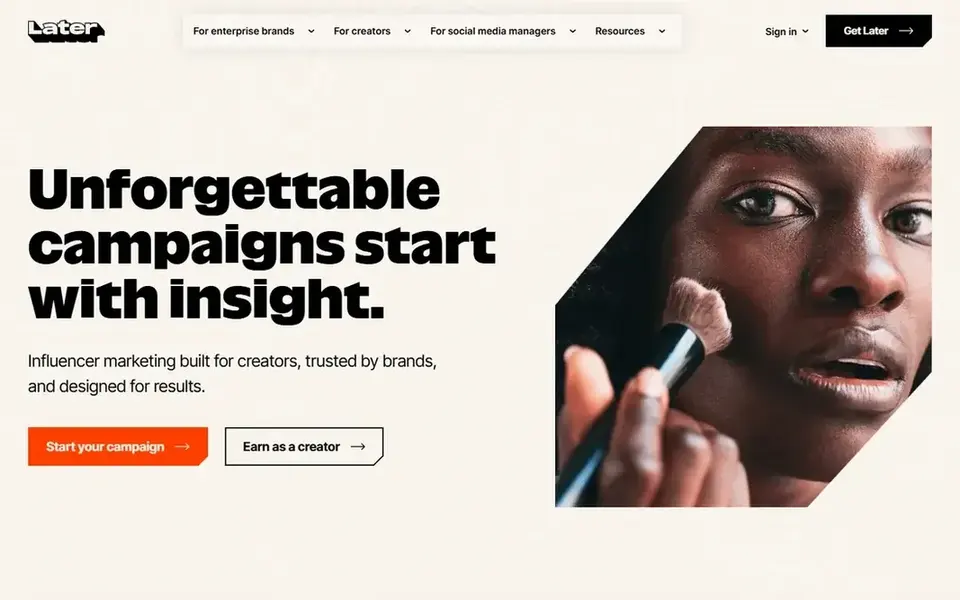
For shoppable grid tied to scheduled posts, Later is a natural candidate. The Link in Bio page then presents a grid that mirrors your feed. It includes one social set, one user, and 30 posts per profile a month.
More specifically, growth costs 37.50 dollars per month billed yearly, with monthly billing at 50 dollars per month. It includes two social sets, two users, and 180 posts per profile a month. For everyday use, pick this if you already plan social content in Later. Beyond that, Later is a social scheduling tool first, and its Link in Bio page is part of that system. Later starts at: $25 per month. On free options: Free trial (14 days).
Where it is weaker: Starter limits posts to 30 per profile a month.
- Visual planning and scheduling in the same account
- Link in Bio turns Instagram and TikTok posts into a shoppable grid
- Link in Bio is bundled with scheduling
Where Stan Store fits: selling digital products and bookings. Creator costs 29 dollars per month, or 300 dollars per year, which works out at 25 dollars per month. Creator Pro costs 99 dollars per month, or 948 dollars per year, which works out at 79 dollars per month.
Both plans take a 0 percent product fee, whereas Stripe or PayPal processing still applies. Beyond that, a shopper can buy a digital product, book a call, or join a community without leaving the page. Pick this if you sell digital products or bookings and want no product fee on top of processing. On top of that, Stan Store is designed for creators who sell from social traffic. The starting price for Stan Store: $29 per month. Free plan details: Free trial (14 days).
Limits to weigh: payouts follow Stan rules for its managed Stripe account.
- Calendar booking, courses, memberships
- 0 percent system fee on sales
- Only a 14-day trial
Think of Beacons for all-in-one bio page, store, and email. Creator Plus costs 30 dollars per month, or 25 dollars per month billed yearly. It removes branding, brings unlimited courses, unlimited memberships, and your own tracking pixels.
Beyond that, pick this if you want one login for your bio page and your digital store. Free and Creator take 9 percent of sales, whereas Creator Plus takes 0 percent. From a buyer's view, creator costs 10 dollars per month, or 8.33 dollars per month billed yearly. Beacons cost at the entry level: $10 per month. You can start on Beacons without paying.
- Free custom domain on Creator
- Bio page, store, email
- Free and Creator plans take a 9 percent seller fee, which can pass the cost of a higher plan
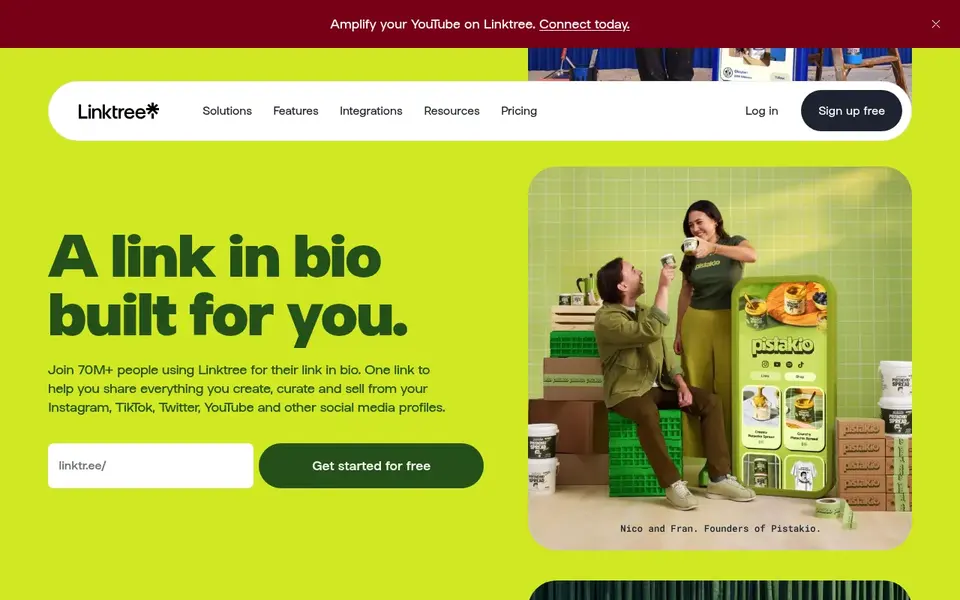
Linktree serves straightforward bio page with product links. Linktree is the most familiar link in bio tool for shoppers. On top of that, a visitor who taps a bio link already knows how the page works.
It layers on link scheduling and 90 days of analytics. On top of that, Pro costs 17 dollars per month, or 14 dollars per month billed yearly. As for the details, pick this for the simplest trusted page. Linktree pricing: $9 per month. A free plan is available with Linktree.
Where it falls short: selling still layers on Stripe processing.
- Free plan with unlimited links
- Product blocks link to checkout
- Free plan keeps branding and limits analytics
Shorby is a good fit for pixel tracking and messenger buttons. Shorby, now branded Shor on the shor.by domain, is a link in bio and smart page tool designed for marketers who track bio traffic closely. In practice, there is no free plan, only a 5-day trial on Rocket, and payment is by card through Stripe only.
From a buyer's view, pick this if you need ad pixels and dynamic feeds on your bio page. The page supports messenger buttons, so shoppers can reach you on chat. Pro costs 29 dollars per month, or 24 dollars a month billed yearly. It includes 50 smart pages, 50 links per page, dynamic feeds, Google Analytics, ad pixels, and a custom domain. Shorby starts at: $15 per month. Trial and free access: Free trial (5 days).
Drawbacks to consider: no free plan.
- Messenger buttons and dynamic feeds from YouTube, Shopify, WordPress, RSS
- Ad pixels on Pro
- Only a 5-day trial
Taplink is aimed squarely at messenger links and mini landing pages. The vendor blog checked on 16 Nov 2026 lists Pro at 4 dollars per month and Business at 8 dollars per month with annual billing. An older vendor blog lists Pro at 3 dollars per month and Business at 6 dollars per month on a 12-month plan.
In daily use, the Basic plan is free. Pick this if you sell through WhatsApp or Telegram, or you want a low-cost mini landing page and you can prepay for three months or more. Taplink builds a mini landing page from blocks, and it is a decent pick for brands that sell through chat. Price to start with Taplink: $4 per month. Taplink offers a free plan.
- Capable messenger blocks for WhatsApp and Telegram
- A custom domain
- Subscription plans are sold in blocks of three, six, or twelve months, so you prepay ahead
Milkshake works best for mobile-first card pages for small brands. As for the details, Pro costs 6.99 dollars per month billed monthly, or 59.99 dollars per year, which works out at 5 dollars per month. Pro+ costs 99.99 dollars per year, which works out at 8.33 dollars per month, and layers on a custom domain and Google Analytics.
Limits to weigh: selling fee is 12 percent on Free and Lite.
Pro brings 365 days of analytics with export, a contact form card, a mailing list link, and a Meta pixel. Beyond that, Milkshake takes 12 percent of each sale on Free and Lite, 9 percent on Pro, and 7 percent on Pro+, plus Stripe processing. Lite costs 2.99 dollars per month and removes Milkshake branding. Milkshake pricing: $2.99 per month. Milkshake includes a free tier.
- Simple to build on a phone
- Selling digital files through Stripe
- Mobile-only editing with no desktop builder
More on link in bio tools for ecommerce brands
Check the seller fee first, since it frequently costs more than the monthly subscription. As for the details, a free plan with a 12 percent fee takes 12 dollars from every 100 dollars in sales. Also, check whether the page supports UTM parameters, tracking pixels, and Google Analytics.
In daily use, check the checkout path on a phone. As for the details, pick the tool that passes these checks for your sales level and your checkout path.
How the list was put together
ProMapRanker used vendor pricing pages and product documentation as the base, then compared plans, free access and documented limits for 7 tools. Treat prices as a snapshot: vendors change plans often, so check the vendor site for the figure that applies today. Position on the page reflects fit for a typical buyer first, with price clarity and free access breaking ties. Treat it as a guide, not a ruling.
Things to verify first
- Confirm the entry price on the vendor page: Milkshake starts at $2.99 per month, but seat counts and billing terms change the total.
- Read the fine print on the free plans from Beacons, Linktree, Taplink and Milkshake; seat, project and feature caps differ.
- Run a trial of Later, Stan Store and Shorby with real work before paying for a year; your own workflow is the best test.
- Read the limits listed for Later first: link in Bio is bundled with scheduling, and Starter limits posts to 30 per profile a month.
- Find out whether the entry plan of Linktree covers your must-haves or only a trimmed-down version.
- Ask Milkshake how an export works before you move any records in; an easy exit lowers the risk.
Frequently asked questions
Should I choose a tool with a store, or send shoppers to my own store?
Choose a tool with a store if you sell digital products, courses, or bookings. You want a short checkout path from a social post.
Which options for link in bio tools for ecommerce brands have a free plan?
Beacons, Linktree, Taplink and Milkshake offer a free plan in this list. Free plans usually cap users, projects or features, so check the limits on the vendor page. Several others offer a trial instead.
How do I track sales from a bio page?
Use UTM parameters on each link, add a tracking pixel or Google Analytics where the plan permits it, and compare bio clicks with orders in your store analytics. Later displays Link in Bio clicks and sales in its own reports.
How are the tools for link in bio tools for ecommerce brands ordered?
Later sits first and Milkshake last because the order follows typical fit for link in bio tools for ecommerce brands, then price clarity and free access. It is a judgement call, so read each profile for fit and limits.
Do I need a subscription plan to sell from a bio page?
No, multiple tools let you sell from a free plan, but the seller fee is commonly higher there. Beyond that, work out the fee on your monthly sales first.
Do these tools publish their prices?
Yes. Every tool from Later to Milkshake shows a starting price, though seats, add-ons and billing terms still change the final cost.
Sources
See where you really rank - block by block
ProMapRanker scans Google Maps across a grid of your service area. Simple monthly plans from $19, white-label on every plan.
Start freeBrowse all guides
← 2026 Guide to the Best Landing Page BuildersBest Parcel Audit Software for Ecommerce Brands in 2026 →
 best inventory management software for candle brands
Best Inventory Management Software for Candle Brands (2026)
7 best inventory management software for candle brands, with entry costs, free tiers and the buyer each one serves. Real limits included. See the full list.
Read → best ai tools for marketing content creation
AI Tools for Marketing Content Creation: Best Picks of 2026
6 products for the best AI tools for marketing content creation, ranked by fit, with starting costs and free tiers. Read the caveats before you buy. No filler.
Read → top rated cookieless tracking marketing software
Best Rated Cookieless Tracking Marketing Software in 2026
Top rated cookieless tracking marketing software in 2026: 7 contenders with entry costs and free tiers. Every pick includes one clear drawback. No filler.
Read → best ecommerce marketing tools
Best Ecommerce Marketing Tools in 2026
Compare the best ecommerce marketing tools for email, SMS, and retention, with pricing, free plans, store integrations, and honest trade-offs for stores.
Read → best law firm marketing companies
Best Law Firm Marketing Companies in 2026
Compare the best law firm marketing companies for SEO, websites, paid ads and intake, with scope, fit and questions to ask before you commit today now.
Read → best personal branding tools for executives
Best Personal Branding Tools for Executives in 2026
Compare the best personal branding tools for executives, covering LinkedIn content, visuals, scheduling, newsletters, and a clean personal site for leaders.
Read →More in Marketing Software · All guides A to Z by date · Latest guides