 ProMapRanker
Best Legal Software in 2026: 8 Tools Compared


Firms of all sizes that want one connected system · Pricing starts at: See website
Key takeaways
- Clio suits most firms that want one connected system, while MyCase suits solos and small firms that want value and simplicity.
- Trust accounting, deadline tracking, and document control matter more than a long feature list, because errors in those areas carry real professional risk.
- Filevine suits litigation-heavy firms, CosmoLex suits firms that want legal accounting built in, and Smokeball suits firms losing billable time.
- Check bar compliance, data migration, and client portal access before you sign, because switching practice systems later is costly.
- This article is general buying information, not legal advice, and firms should confirm compliance requirements for their own jurisdiction.
Quick comparison
| Pick | Great for | Pricing starts at | Free tier | |
|---|---|---|---|---|
| Clio | Firms of all sizes that want one connected system | See website | Free trial | Visit |
 MyCase | Solos and small firms that want simplicity and value | See website | Free trial | Visit |
 PracticePanther | Growing firms that want automation without complexity | See website | Free trial | Visit |
 Smokeball | Firms losing billable time to untracked work | See website | Free trial | Visit |
 Filevine | Litigation-heavy and high-volume firms | See website | No | Visit |
 CosmoLex | Firms that want legal accounting built in | See website | Free trial | Visit |
 LEAP Legal Software | Firms that want deep document automation | See website | Free trial | Visit |
 Rocket Matter | Firms that want simple project-style billing | See website | Free trial | Visit |
The best legal software
Legal software is the system a firm runs on: matters, documents, deadlines, time, billing, trust accounts, and client communication in one place. A good system reduces missed deadlines and unbilled time, while a poor fit creates duplicate work and compliance risk. We compared official pricing and feature pages for practice management tools used by US firms, and we note where pricing is per user per month.

Clio is our pick for most firms, because it covers intake, matters, documents, time, billing, and payments in one cloud system, with Clio Grow handling intake and Clio Manage handling active matters. That continuity matters: a lead captured in intake can move into a matter without re-entry, and a document, a deadline, and a bill can all sit on the same matter record. Its integration range also helps a firm connect email, accounting, and document tools it already uses.
The catch is tiering. The entry plan covers core practice management, but client portal depth, advanced accounting, and intake features sit on higher tiers or add-ons, so the full Clio experience costs more than the entry price suggests. New users also need time to learn the system well. For a firm that wants one platform that can grow with it, Clio remains the safest all-round choice.
- Broad matter, billing, and client intake tools
- Large integration range
- Scales from solo to large firms
- Full feature set needs higher tiers or add-ons
- Learning curve for new users
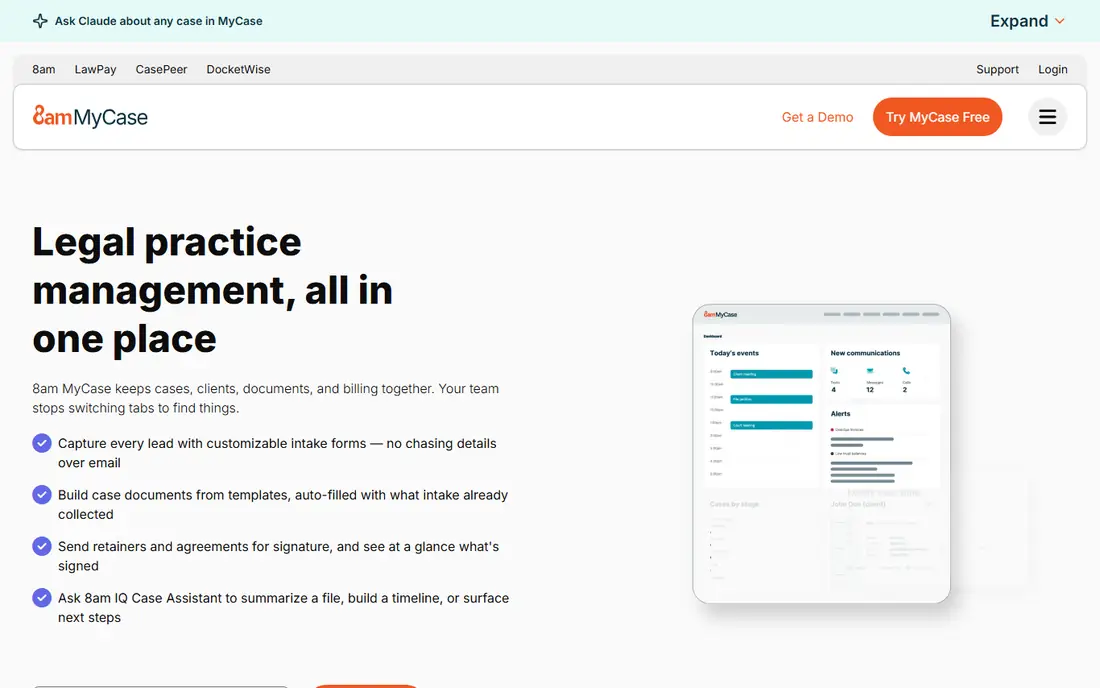
MyCase, now part of the 8am family, suits a solo attorney or a small firm that wants an all-in-one system without a long setup project. Its client portal, built-in texting and messaging, intake, billing, and payment tools come together in a clean interface, so a small team can run matters, communicate with clients, and get paid without stitching several tools together. That simplicity is why many small firms choose MyCase over a larger, more complex platform.
The trade-off is depth. MyCase customisation and advanced reporting are lighter than Clio or Filevine, so a larger firm with complex workflows may outgrow it. Its integration range is also narrower than the largest platforms. For a solo or small firm that values fast setup, clear billing, and a good client portal at a fair price, MyCase is a strong pick.
- Client portal and built-in communication included
- Straightforward billing and payments
- Easy setup for small teams
- Customisation depth is lighter than larger platforms
- Advanced reporting needs higher tiers
PracticePanther
Great for: Growing firms that want automation without complexity
PracticePanther suits a growing firm that wants automation but does not want to hire a consultant to build it. Its code-free workflows can create tasks, send reminders, and move a matter through stages without manual tracking, which helps a firm that is adding staff and cases at the same time. Matters, calendars, documents, time, and billing sit in one system, so a new hire can learn one workflow rather than several disconnected tools.
The limits are accounting and customisation depth. Firms that need full legal accounting built in may prefer CosmoLex, and firms with highly specific workflows may need a more configurable platform such as Filevine. For a small to midsize firm that wants reliable automation and a clean setup, PracticePanther is a balanced choice.
- Code-free automation for tasks and workflows
- Matters, calendaring, and billing in one place
- Straightforward setup
- Trust accounting depth is lighter than CosmoLex
- Advanced customisation needs higher tiers
Smokeball is built around a problem many firms recognise: work done in Word, Outlook, and browsers never makes it onto a timesheet. Its automatic time capture records activity on documents and emails and turns it into billable entries for review, which helps a firm recover hours that would otherwise go unbilled. Its built-in form library and matter tools also suit firms that produce many standard documents each week.
The catch is adoption. Automatic capture only helps if the firm reviews and approves entries regularly, and setup plus training take time before the benefit shows in billing. Pricing also varies by firm size and plan, so a small firm should get a clear quote. For a firm that suspects it leaks billable time, Smokeball focus on capture is a genuine differentiator.
- Automatic time capture from documents and emails
- Large built-in legal form library
- Matter and billing tools included
- Pricing by plan and often by quote for larger firms
- Setup and training take time to get full value
Filevine suits a firm where cases are complex, high-volume, or document-heavy, especially plaintiff litigation. Its workflows can be configured to match a firm own stages, tasks, and deadlines, rather than forcing every case into a generic template, and its document and timeline tools help a team track medical records, discovery, and case facts in one place. That configurability is why litigation firms choose Filevine over a simpler practice tool.
The trade-off is effort and price. Filevine pricing is by quote, and a firm should expect a configuration and training period before the system fits its workflows well. A solo general practice may find Filevine more than it needs, while a litigation team with many active cases will value the control. For complex casework, Filevine is a specialist pick worth the setup time.
- Highly configurable workflows for complex cases
- Medical timeline and document tools for plaintiff work
- Strong case tracking
- Pricing by quote
- Setup and configuration take more time than simpler tools
CosmoLex solves a specific pain: trust accounting that lives apart from matter billing. Its built-in legal accounting handles trust, operating accounts, and compliance reports in the same system as matters and billing, so a firm does not need to reconcile a separate accounting tool with its practice system. That single-system accounting reduces reconciliation errors and makes trust reporting easier at audit time.
The catch is price and breadth. CosmoLex per-user price sits above simpler tools, and its general practice features are narrower than Clio. A firm that already has a trusted accounting setup may not need built-in accounting, while a firm that struggles with trust reconciliation will value it highly. For firms where accounting compliance is the main worry, CosmoLex is the pick to trial first.
- Native trust accounting without a separate accounting tool
- Billing, matter, and accounting in one system
- Compliance reports included
- Higher per-user price than simpler tools
- Interface and feature breadth are narrower than Clio
LEAP Legal Software suits firms where document production is a large share of daily work. Its document automation, built-in forms, and matter tools let a firm generate standard documents from matter data without retyping client details, which saves time and reduces errors in routine filings and letters. Legal accounting is also included, so billing and trust work can sit beside matter work in one system.
The limits are setup and pricing variation. Document automation needs an initial investment to build templates well, and pricing varies by plan and market, so a firm should get a local quote. LEAP is also stronger in some practice areas and jurisdictions than others, so check form and accounting coverage for your own work before committing. For document-heavy firms, LEAP depth is a real advantage.
- Deep document automation and form library
- Legal accounting included
- Matter and billing tools in one platform
- Pricing varies by plan and jurisdiction
- Learning curve for document automation setup
Rocket Matter suits a firm that thinks in projects and wants billing to feel fast rather than formal. Its kanban boards give a visual view of matters by stage, invoicing is straightforward, and payments can be collected without a separate billing workflow. That simplicity helps a small firm that wants to see work move and get paid, without learning a large enterprise system.
The trade-off is depth. Rocket Matter practice features are lighter than Clio or Filevine, and trust accounting and advanced reporting vary by plan, so a firm with strict compliance needs should check those features carefully on a trial. For a small firm that values a visual workflow and quick billing, Rocket Matter is a friendly and affordable option.
- Kanban-style matter boards
- Fast invoicing and payments
- Simple setup for small teams
- Feature depth is lighter than larger platforms
- Trust accounting and reporting need careful checking by plan
How we picked these
We compared official pricing and feature pages for legal practice management tools, and we favoured tools with matter management, deadline tracking, document handling, time and billing, client communication, and trust accounting controls. We did not claim hands-on testing, and prices change, so check the vendor page and confirm bar compliance for your jurisdiction before you buy.
How to choose the best law firm software
Start with your biggest pain, not with a feature list. A firm losing billable time should trial Smokeball, a firm struggling with trust accounting should trial CosmoLex, a litigation firm should trial Filevine, and a firm that wants one system for everything should trial Clio and MyCase. Then run a real trial: enter real matters, create test invoices, test the client portal, and check trust reports, because a demo alone will not reveal a workflow gap.
Check compliance, migration, and support
Confirm trust accounting compliance for your state, including IOLTA reporting, and ask how the vendor handles data migration from your current system. Ask about support hours, training, and whether migration help is included, because switching practice systems touches every active matter. Also check security, access controls, and backup, since client data protection is a professional duty, not just an IT preference.
Match the system to firm size
A solo attorney needs fast setup and low cost, a growing firm needs automation and user management, and a large firm needs configurability and reporting depth. Buying a large-firm system too early wastes money and training time, while buying a simple system too late creates workarounds that grow each month. Choose the system that fits the next two years of growth, not just this month caseload.
Frequently asked questions
What is the best legal software?
Clio suits most firms as an all-in-one system, MyCase suits solos and small firms on value, and specialist tools suit specific pains: Filevine for litigation, CosmoLex for built-in accounting, and Smokeball for time capture. The best choice depends on firm size, practice area, and whether accounting or workflow depth matters most.
What is the best software for law firms starting out?
MyCase and Clio entry plans suit most new firms, with MyCase offering a simpler setup and Clio offering more room to grow. A new firm should trial both with real matters, check trust accounting needs, and choose the system whose billing and client portal feel easiest for its first clients.
What is the best law office management software for billing?
Clio, MyCase, PracticePanther, and Rocket Matter all offer time tracking, invoicing, and online payments, with Rocket Matter offering a particularly fast billing flow and CosmoLex offering billing tied to built-in accounting. The best billing system is the one your team actually uses daily, so test invoicing and payment collection on a trial.
What is the best practice management software for legal trust accounting?
CosmoLex suits firms that want trust accounting built into the practice system, while Clio offers advanced trust accounting on relevant plans. Confirm IOLTA compliance and reporting for your state, and ask the vendor to show a trust report on a trial matter before you rely on it for live client funds.
How much does legal software cost?
Most practice management tools charge per user per month, with entry prices commonly in the range shown on vendor pricing pages and higher tiers adding intake, accounting, and reporting features. Filevine and some enterprise tools price by quote, so request a written quote that includes users, add-ons, and migration costs.
Can legal software replace a separate accounting tool?
In some cases, yes. CosmoLex and LEAP include legal accounting, so a firm may not need a separate accounting system for trust and operating accounts. Clio and other tools often integrate with accounting software instead, so check whether your firm prefers built-in accounting or a best-of-breed integration before you choose.
Sources
See where you really rank - block by block
ProMapRanker scans Google Maps across a grid of your service area. Simple monthly plans from $19, white-label on every plan.
Start freeKeep reading
 best seo management software
Best SEO Management Software in 2026
We compared the best seo management software for audits, rank tracking and keyword research, so you can choose a tool that fits your budget and team today.
Read → best pos software
Best POS Software in 2026: 8 Systems Compared
Compare the best POS software in 2026 for retail and restaurants, with starting prices, processing rates, hardware notes and honest trade-offs for each pick.
Read → best podcast hosting platform
Best Podcast Hosting Platform in 2026
Compare the best podcast hosting platforms for 2026, with pricing, free plans, upload limits, analytics, and distribution, to pick a host for your show.
Read →