 ProMapRanker
Best Legal AI Tools in 2026: 8 Tools Compared

Key takeaways
- Harvey and CoCounsel lead for large firms, while Spellbook and Clio Duo are more reachable for smaller practices.
- Lexis+ AI suits firms already inside the LexisNexis research world, since its citation checking ties directly to that content.
- Most legal AI pricing is quote-based, so budget for a sales conversation and ask for per-user pricing against your real seat count.
- No tool on this list replaces lawyer judgment, and every output still needs human review before it reaches a client or a court.
Quick comparison
| Pick | Great for | Pricing starts at | Free tier | |
|---|---|---|---|---|
 Harvey | Large firms and corporate legal teams | See website | No | Visit |
 CoCounsel | Research grounded in Westlaw | See website | No | Visit |
 Lexis+ AI | Firms in the LexisNexis world | See website | No | Visit |
 Spellbook | Contract drafting inside Word | See website | Free trial | Visit |
 Luminance | Contract review and due diligence at scale | See website | No | Visit |
 Robin AI | Contract review with human support | See website | No | Visit |
 Legora | Collaborative agentic legal workflows | See website | No | Visit |
 Clio Duo | Firms already running on Clio | See website | No | Visit |
The best legal ai tools
We compared official product pages and recent legal technology roundups to find tools that are actually built for legal work, not general chatbots with a legal label. A short note first: this is not legal advice, and AI outputs need lawyer review before use, since models can misstate law, miss a key clause, or cite a case incorrectly.
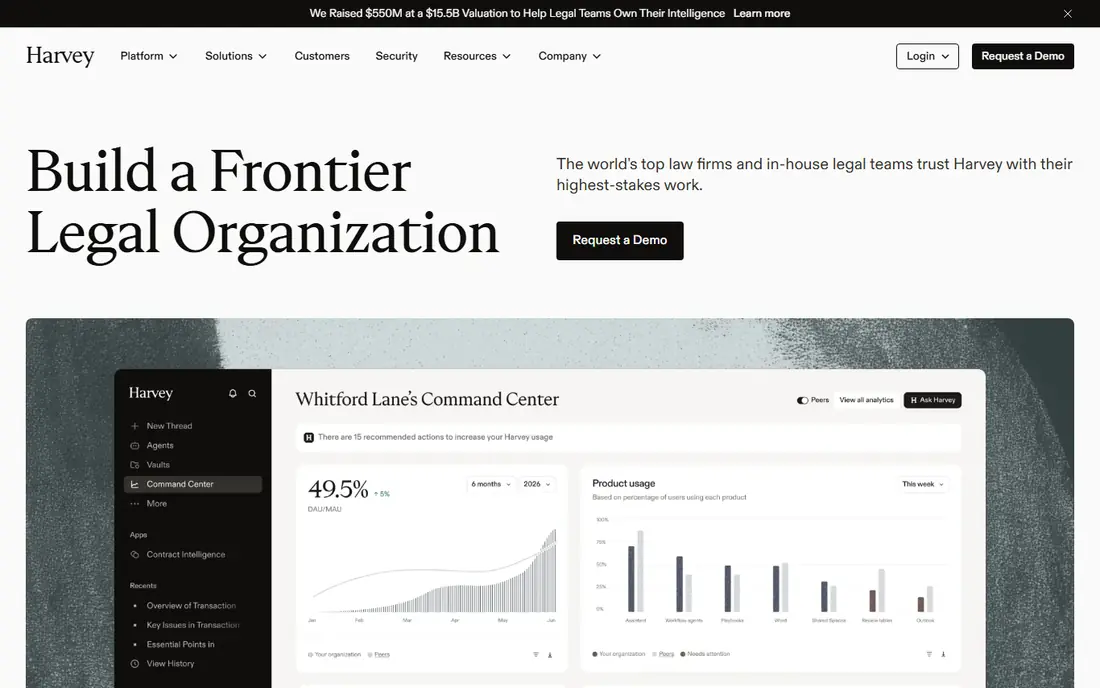
Harvey is the benchmark most large firms compare everything else against, and its range explains why. Assistant handles research and drafting, Vault reviews large sets of documents at once, and Workflows turn repeatable legal tasks into steps a team can run again. For due diligence, litigation support, and high-volume review, that combination covers more ground than a single-purpose tool.
The cost is the main barrier. Harvey does not publish prices, and reported figures vary widely by firm size and seat count, so small firms should expect a serious enterprise conversation. It is also overkill for a solo practice that mainly needs contract drafting in Word. Large teams with heavy document volume will get the most from it, and they should plan for training time before judging the return.
- Broad research, drafting, and document review in one platform
- Vault handles large document sets
- Workflow tools repeat common tasks
- Enterprise pricing puts it out of reach for small firms
- Deployment takes time and internal training
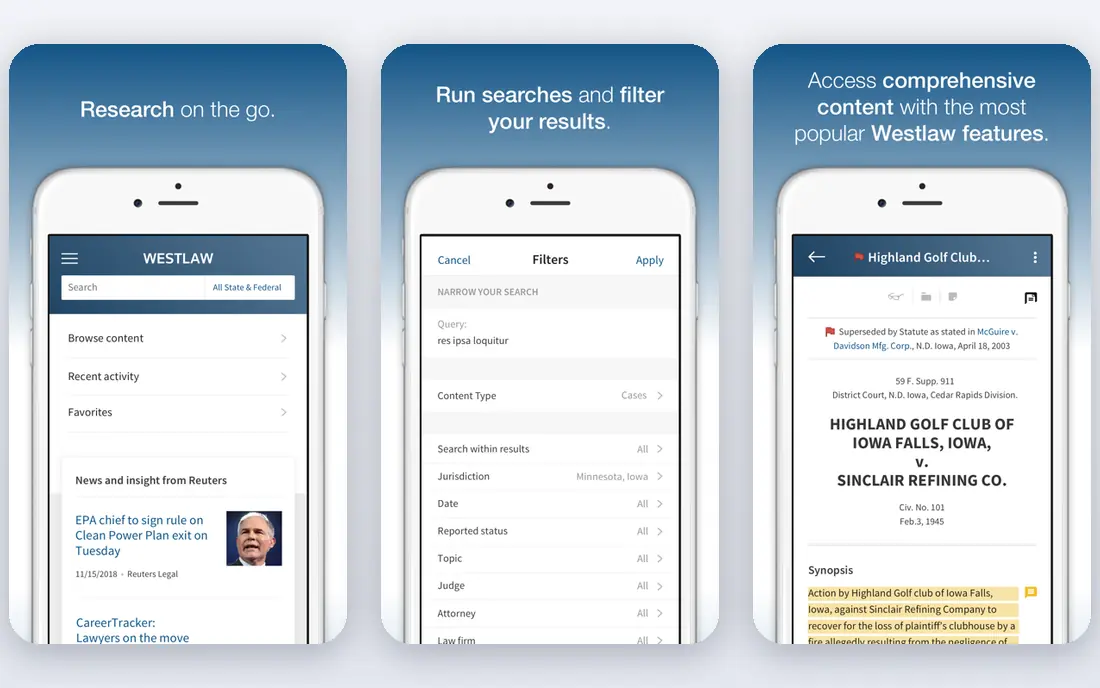
CoCounsel, from Thomson Reuters, is built around the research library many litigators already trust. Its answers draw on Westlaw and Practical Law, which helps with citation grounding, and it handles research, drafting, and multi-document review in shared matter workspaces. For a firm that already pays for Westlaw, CoCounsel feels like a natural extension rather than a separate system to learn.
Firms outside that ecosystem get less of the advantage, and pricing is quote-based, so budgeting requires a conversation with sales. CoCounsel also needs the same supervision as every tool here, since grounded research still needs a lawyer to check each citation. If your practice lives in Westlaw, this is the first tool to evaluate.
- Grounded in Westlaw and Practical Law content
- Strong for research, drafting, and document review
- Deep research mode for complex questions
- Best value sits inside the Thomson Reuters ecosystem
- Pricing is quote-based and varies by firm
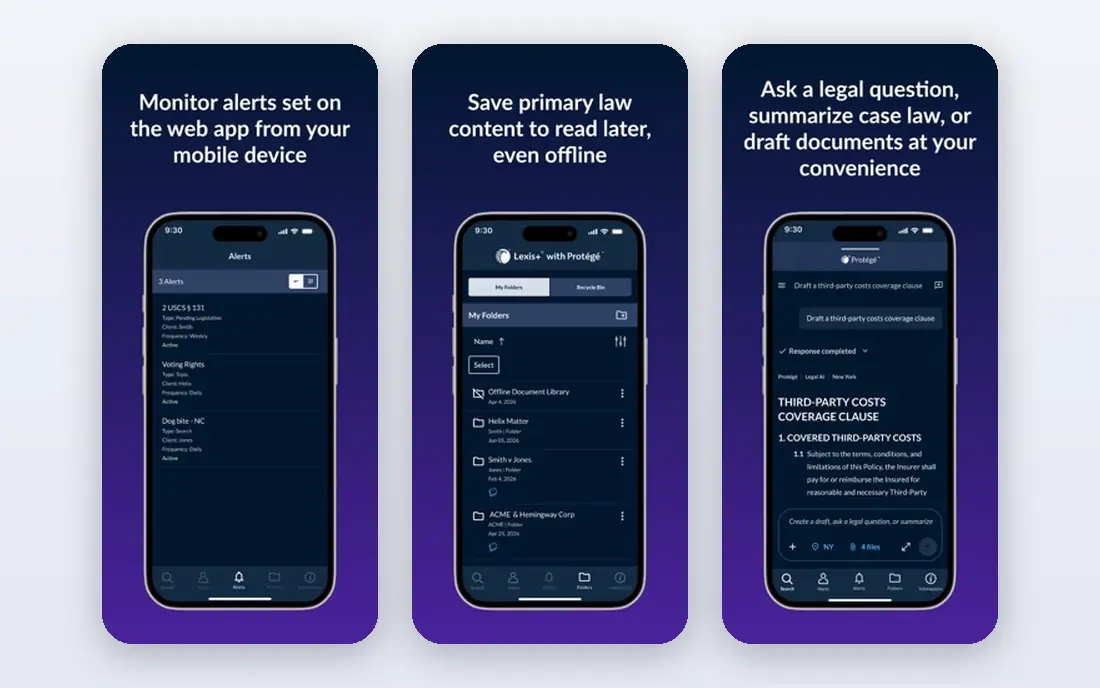
Lexis+ AI, including its Protege assistant, brings generative answers into the Lexis research workflow, with Shepard's citation checking as a clear selling point. Lawyers can research, draft, summarize, and analyze documents without leaving the content library they already use for primary law. That grounding matters in a field where a confident but wrong citation can damage a filing.
The catch is the same as with CoCounsel, in mirror image. Firms that do not already subscribe to Lexis will pay for both the library and the AI layer, and pricing is not published as a simple rate card. For Lexis shops, though, the fit is strong, and the citation tools give reviewers a head start on verification, even though final checking still belongs to a human.
- Shepard's citation validation
- Strong research corpus and Practical Guidance
- Drafting and summarization tied to Lexis content
- Requires a Lexis subscription for full value
- Enterprise pricing with no simple public rate
Spellbook meets transactional lawyers where they already work, which is inside Microsoft Word. Its add-in drafts clauses, suggests redlines based on a firm's playbook, compares language against market norms, and answers questions about the document open on screen. That Word-native design removes the copy-and-paste step that makes other tools feel like extra work, and it suits solos and small firms that draft contracts daily.
Spellbook is not a research tool, and it will not replace Westlaw or Lexis for litigation work. Pricing is per user and varies by plan, so firms should confirm the current rate before budgeting. For contract-heavy practices, though, the daily time saved on drafting and first-pass review is easy to see, and the free trial lets a lawyer test it on real agreements.
- Works directly inside Microsoft Word
- Clause drafting, redlines, and playbooks
- Market comparison against similar clauses
- Focused on contracts rather than research or litigation
- Per-user pricing adds up for larger teams
Luminance uses its own legal models to read contracts at a scale that manual review cannot match, which is why it shows up most often in mergers and acquisitions work. It drafts, negotiates, analyzes, and tracks obligations across a portfolio, so a deal team can spot risky clauses and missing terms across hundreds of documents in a first pass. For due diligence, that speed changes what a team can attempt in a fixed timetable.
Small firms will find Luminance heavy in both price and setup, and its value only appears when document volume is high. It also needs careful governance, since bulk review outputs still require lawyer sign-off before they shape a deal. Large firms and corporate teams with steady contract volume are the natural buyers here.
- Pattern recognition across large document sets
- Contract generation, negotiation, and portfolio intelligence
- Built for enterprise deal volume
- Enterprise pricing and deployment
- More than a small firm needs for occasional review
Robin AI pairs its review software with managed legal support, which appeals to in-house teams that want capacity without hiring. Its playbook redlining flags terms that fall outside a company's positions, and its reporting tracks what changed across deals. Teams that face a surge of contracts, such as after a funding round or a vendor refresh, can clear the backlog faster than with software alone.
The managed element also means pricing depends on volume and service level, so buyers should get a written quote for their actual contract count. Robin AI is less attractive to a firm that only wants a self-serve drafting add-in, since part of what you pay for is the human layer. For in-house teams short on headcount, that layer is the point.
- Playbook-based review and negotiation help
- Combines software with managed legal support
- Reports and clause benchmarking
- Service element means pricing varies by volume
- Less suited to firms that only need self-serve drafting
Legora, formerly known as Leya, focuses on collaborative workflows where lawyers and AI agents work through research, review, and drafting together. Its tabular review view helps teams compare clauses across many documents at once, and its Word and Outlook add-ins keep the work inside tools lawyers already open daily. Jurisdiction-aware research and firm-wide search add to the appeal for firms with cross-border work.
The main friction is maturity of the brand in some markets, since the rename is still fresh for buyers who knew it as Leya. Pricing is enterprise and quote-based, and onboarding takes effort for a firm that wants firm-wide adoption. Teams that want agent-style workflows, rather than a single chat box, should put Legora on the shortlist.
- Agentic workflows across research and review
- Tabular review for large sets
- Word and Outlook add-ins
- Newer brand identity may confuse buyers
- Enterprise pricing and onboarding effort
Clio Duo is an add-on for Clio Manage, which means it starts from a firm's existing matters, calendars, and documents rather than from a blank chat window. It extracts deadlines, summarizes matter activity, drafts client updates, and surfaces risk signals inside the workflows a firm already uses. For a small or mid-sized firm on Clio, that low-friction design matters more than raw model power, since adoption happens inside a tool the team already opens.
The limit is scope. Clio Duo does not match Harvey or CoCounsel for deep legal research, and it makes little sense for a firm that does not use Clio. Pricing is an add-on charge on top of Clio, so buyers should confirm the current per-user add-on rate. If your practice already runs on Clio, Duo is the easiest AI upgrade to deploy.
- Lives inside Clio matter data
- Deadline extraction, summaries, and client updates
- Low friction for existing Clio users
- Only makes sense for Clio customers
- Narrower legal research depth than Harvey or CoCounsel
How we picked these
We compared official product pages and recent legal AI roundups, and we kept only tools built for legal work with real law firm or corporate customers. We favored a mix of research assistants, contract tools, and practice management AI, so firms of different sizes can find a fit. Prices are mostly quote-based in this market, so we wrote See website where a vendor does not publish a rate, rather than repeating a reported figure as if it were a list price. This is not legal advice, and outputs from any of these tools need lawyer review.
What to check before you buy
Start with the work you do most, not the tool with the longest feature list. A litigation firm needs research grounding and citation checking, a transactional firm needs Word drafting and playbook review, and an in-house team needs volume capacity and reporting. Buying a research tool for a drafting problem, or the reverse, wastes the first year of a contract.
Test on your own documents
Ask for a trial or a guided demo using your own redacted documents, not the vendor's polished examples. Check how the tool handles your clause style, your jurisdiction, and your most common document types. Watch for hallucinations, missed exceptions, and citations that do not hold up, and count how long human review actually takes, since that review time is part of the real cost.
Set rules for confidentiality and review
Before rollout, decide what client data the tool may see, who approves its outputs, and how long data is retained. Put those rules in writing, train the team on them, and require a lawyer to sign off on anything that reaches a client, a counterparty, or a court. A tool that speeds up drafting but creates a confidentiality problem is not a bargain.
Frequently asked questions
What is the best legal ai software for law firms?
For large firms, Harvey and CoCounsel lead, with Harvey covering broad firm work and CoCounsel tying closely to Westlaw research. Smaller firms often do better with Spellbook for contracts and Clio Duo if they already use Clio. The best choice follows your practice area, your existing research subscription, and your seat count.
What is the best legal ai app for small firms?
Spellbook is a strong pick for small firms that draft contracts in Word, since it works inside a tool lawyers already use and offers a trial. Clio Duo suits small firms already on Clio, and Paxton AI is another self-serve option worth checking for solos. Keep the seat count small at first, and expand only after the team trusts the outputs.
What is the best ai legal software for contract review?
Luminance leads for review at scale, especially in due diligence, while Robin AI adds a managed service layer for teams that need capacity. Spellbook is better for drafting and redlining inside Word than for bulk review. Match the tool to volume: occasional review needs a drafting tool, while deal volume needs a review platform.
Is legal AI allowed for client work?
Rules vary by jurisdiction and by bar guidance, and they keep changing, so check your local rules before using any tool on client matters. Common requirements include protecting client confidentiality, verifying outputs, and keeping a lawyer responsible for the final work. Treat AI as a drafting and research assistant, never as the lawyer of record.
Can AI tools replace a lawyer?
No. These tools speed up research, drafting, and first-pass review, but they can misstate law, miss context, and produce confident errors. A licensed lawyer must review outputs, check citations, and make judgment calls about strategy and risk. Firms that skip that review step trade a short-term speed gain for a serious professional risk.
Sources
- https://www.harvey.ai
- https://www.thomsonreuters.com/en/products-services/legal/cocounsel.html
- https://www.lexisnexis.com/en/products/lexis-plus-ai.page
- https://www.spellbook.legal
- https://www.luminance.com
- https://www.robinai.com
- https://www.legora.com
- https://www.clio.com
- https://www.unite.ai/best-ai-legal-assistants/
See where you really rank - block by block
ProMapRanker scans Google Maps across a grid of your service area. Simple monthly plans from $19, white-label on every plan.
Start freeKeep reading
 best saas ecommerce platforms
Best SaaS Ecommerce Platforms in 2026
Compare the best SaaS ecommerce platforms for 2026, from Shopify and BigCommerce to Wix and Squarespace, with pricing, features and honest limits today.
Read → best rated seo platform for b2b
Best Rated SEO Platform for B2B in 2026
Compare the best rated SEO platforms for B2B teams, including Semrush, Ahrefs, Moz Pro, SE Ranking, Surfer, and Screaming Frog tools for B2B teams in 2026.
Read → best penetration testing tools
Best Penetration Testing Tools in 2026
Compare the best penetration testing tools for authorised testing in 2026, from network mapping and web testing to scanning, with free and paid options.
Read →