 ProMapRanker
Best Landscaping Software in 2026

Key takeaways
- Yardbook is the low-cost starting point, with a free core plan for solo operators, while LMN and Aspire suit larger firms that need cost-based estimating.
- Jobber sits in the middle for many small crews, pairing quotes, scheduling, invoicing, and client messages in one place.
- Design and operations are different jobs, so iScape and PRO Landscape work best alongside a scheduling and billing tool rather than instead of one.
- Prices rise fast with crew size and add-ons, so get the total for your actual team in writing before you sign.
Quick comparison
| Pick | Great for | Pricing starts at | Free tier | |
|---|---|---|---|---|
 LMN LMN | Cost-based estimating for larger crews | $297 per month | No | Visit |
 Jobber Jobber | Small crews that want one simple system | $29 per month | Free trial | Visit |
 Aspire Aspire | Large firms that need deep job costing | See website | No | Visit |
 Service Autopilot Service Autopilot | Recurring routes and repeat work | $49 per month | No | Visit |
 Yardbook Yardbook | Solo operators on a tight budget | Free | Yes | Visit |
 SingleOps SingleOps | Tree care and yard firms with complex proposals | $220 per month | No | Visit |
 iScape iScape | Quick photo-based yard designs on a phone | $29.99 per month | Yes | Visit |
 PRO Landscape PRO Landscape | Detailed design presentations for clients | $1,495 one-time | No | Visit |
The best yard and garden software
We compared tools that run yard and garden businesses day to day, plus two design tools that help sell the work. The list mixes operations platforms with design apps because most firms need both sides, but not always in one purchase.
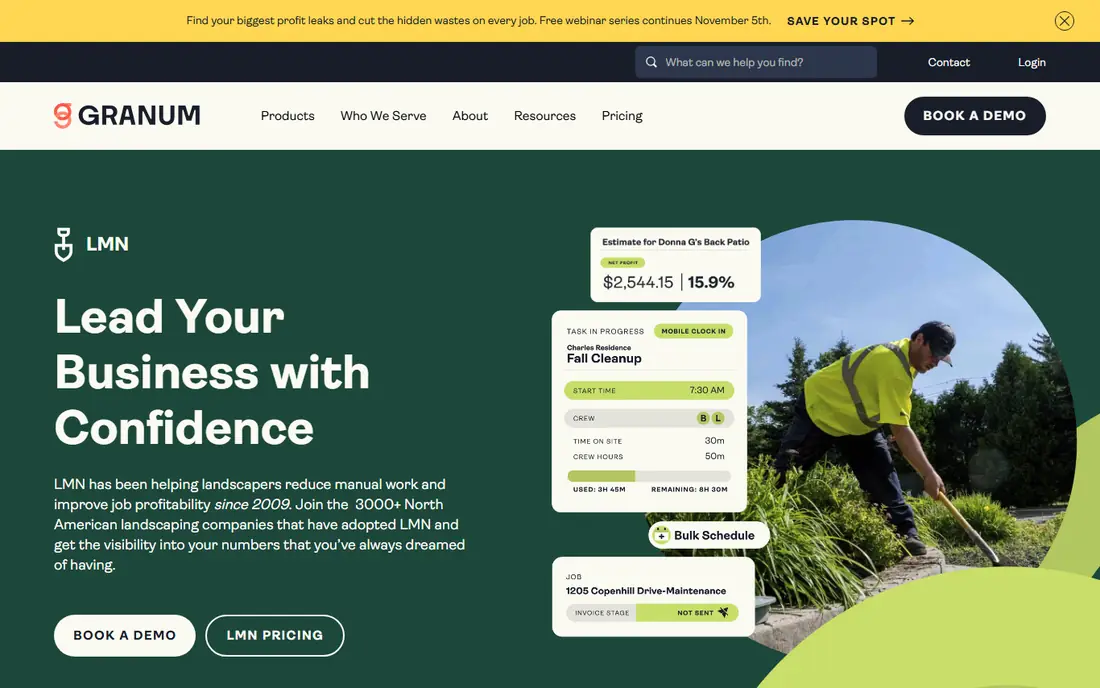
LMN is built around a simple idea: a quote should come from your real labor, equipment, material, and overhead costs, not from a guess. That focus makes it a strong pick for firms that bid larger projects and need to protect margins. Budgeting, scheduling, time tracking, and invoicing sit in the same system, so job costs can be checked against the original estimate as work moves along.
The trade-off is size and price. At $297 per month for the Starter plan, LMN is hard to justify for a one-truck crew with simple weekly routes. It also asks more of the owner during setup, since cost rates and budgets have to be entered with care. For a growing firm with several crews, that upfront work is the point, and the payoff is clearer bids and steadier margins.
- Built only for green industry firms
- Deep estimating, budgeting, and job costing
- Crew app works offline in the field
- High starting price for small crews
- Setup takes time and training
Jobber is our pick for most small yard and garden firms that want to stop juggling spreadsheets and paper notes. Quotes can be sent from a phone, clients can approve them online, and the same record carries scheduling, invoicing, and payment. That flow matters on a busy day, when a quote approved in the morning can turn into a scheduled job by lunch.
Jobber is less deep on job costing than the estimating-first tools on this list. If you bid complex installs with many cost lines, you may outgrow its quoting depth. For mowing, cleanups, planting, and repeat care work, though, its balance of price, ease of use, and client-facing polish is hard to beat.
- Clean quotes, scheduling, invoicing, and payments in one place
- Client hub for approvals and messages
- Easy to learn
- Estimating is lighter than LMN or Aspire
- Costs rise as users and features are added

Aspire is aimed at larger yard care and install firms, the kind with multiple crews, a sales pipeline, and a need to track profit job by job. Estimating ties to purchasing and inventory, and reporting shows where a job made or lost money. That depth helps managers spot weak bids before they repeat across a season.
The catch is commitment. Pricing is quote-based, and implementation is a project in itself, not an afternoon signup. Small firms will find it heavy and costly. For a firm already past the point where spreadsheets work, Aspire gives the control that simpler tools cannot.
- Strong estimating, job costing, purchasing, and reporting
- Built for larger operations
- Supports multi-crew planning
- Quote-based pricing
- Too much system for a small crew
Service Autopilot suits firms built on repeat visits: weekly mowing, seasonal treatments, and regular cleanups. Routes, recurring jobs, and client history live together, which cuts the back-and-forth that eats up office time. It also tracks service details that matter for care work, such as past treatments and property notes.
It is not the prettiest tool on this list, and new users should plan time to learn its workflow. But for a firm whose week is a set of routes rather than one-off projects, that route-first design is a real advantage. Check the total price including any signup fee before you commit.
- Strong recurring scheduling and routing
- Client portal and payments
- Handles chemicals and service history
- Older interface in places
- Setup and learning curve for new users
Yardbook is the best place to start if money is tight and the crew is just you, or you plus one helper. Its free core plan covers the basics that keep a small business tidy: customer records, scheduling, routing, invoicing, and expense tracking. Paid tiers add more for firms that grow into them.
Yardbook will not match LMN on estimating or Aspire on reporting, and larger firms will likely outgrow it. That is fine. The goal here is to get off paper without a monthly bill, then move up when the workload demands it. For a new solo operator, free and usable beats powerful and unused.
- Free core plan covers scheduling, routing, invoicing, and expenses
- Simple to start
- Good for solo operators
- Limited depth for larger firms
- Fewer advanced reporting and estimating tools
SingleOps is built for firms that sell work in options, such as a basic tree job plus added pruning or cleanup, and want the client to pick a tier. Proposals look professional, crews get clear work orders, and job costing follows the work. That mix suits tree care firms and yard firms that do varied install and care work.
Price is the barrier. Starting around $220 per month puts it out of reach for many solo operators, and setup is not instant. Firms that send many proposals each week and lose sales to slow or unclear quotes are the ones most likely to earn that cost back.
- Options-based proposals with upsells
- Crew scheduling, work orders, and job costing
- Built for tree and yard firms
- Higher price point
- Onboarding takes time
iScape takes a different approach to design: start with a photo of the client's yard, then add plants, mulch, pavers, and other elements on top. That makes it easy to show a homeowner what a change could look like during the first visit, without opening desktop design software. A limited free version covers basic markup, while Pro adds the full product database.
iScape does not run your business. It has no crew scheduling, routing, or invoicing depth, so pair it with one of the operations tools above. It also works best on iOS for full features, so Android users should check what their device supports. As a sales aid, though, it is quick, visual, and easy to explain.
- Design over a photo of the actual property
- Easy to use on site
- Limited free version for basic markup
- Full design features vary by device
- Not a scheduling or billing system
PRO Landscape is a desktop design package for firms that sell installs with detailed plans and images. It combines photo-based imaging with CAD-style drawing and proposal tools, so a design can move from concept to a client-ready presentation without switching apps. For design-led firms, that polish helps close larger jobs.
The $1,495 one-time price and Windows-only setup narrow its audience. Casual users and homeowners will find iScape or a free web planner easier. Professional designers who present plans every week, though, get a tool built for that exact job, with depth that phone apps cannot match.
- Photo imaging, CAD design, and proposals in one package
- Polished client presentations
- Long history in the trade
- Windows only
- One-time price is steep for casual users
- Learning curve for CAD features
How we picked these
We compared official feature pages, pricing pages, and app listings, plus public reviews, and kept only tools that are live and fit yard and garden work in October 2026. We favored tools built for outdoor service crews or for yard design, and we left out generic CRMs that need heavy setup to handle routes and job costing. Where pricing was quote-based or unclear, we wrote See website rather than guessing.
What to check before you buy
Start with the job you do most. A mowing firm needs routes, recurring billing, and fast quotes. An install firm needs estimating, design, and job costing. A design-led firm needs presentation quality first. Buying the wrong strength leaves you paying for features you rarely open.
Next, count the real cost. Add seats, onboarding fees, payment processing, and any add-on for routing or marketing. Ask what happens to the bill when you add crew members in peak season, and whether you can drop back in winter. A tool that fits in April can sting in January if the price is fixed.
Finally, run a real week on a trial where one is offered. Enter real clients, build a real quote, schedule a real route, and send a real invoice. Check the mobile app in the field, not just on a desktop. If the crew will not use it with dirty hands and weak signal, it is the wrong tool no matter how good the sales demo looks.
Frequently asked questions
What is the best yard business software for a small business?
Jobber is a strong default for many small crews because it covers quotes, scheduling, invoicing, and payments in one easy system. Yardbook is better if the budget is near zero and the crew is solo. Larger firms that bid complex work should look at LMN or Aspire instead.
Is there a free yard design app?
Yes. iScape offers a limited free version for basic photo markup, and web tools such as SketchUp Free and Planner 5D offer free plans for simple layouts. Free plans usually limit the plant catalog, output quality, or export options, so check those limits before planning a full project around them.
What is the best software for yard design?
For quick on-site ideas, iScape works well because it designs over a photo of the actual property. For detailed professional plans, PRO Landscape offers deeper CAD and presentation tools. The best pick depends on whether you need a fast sales visual or a full construction-style plan.
How much does yard business software cost?
It ranges from free with Yardbook to $29 to $49 per month for entry plans from Jobber and Service Autopilot, and $220 to $297 per month for SingleOps and LMN. Large platforms such as Aspire use quote-based pricing. Always add seats and fees to the headline price.
Can one tool handle design, scheduling, and billing?
Partly. Operations platforms handle scheduling and billing well but offer little design depth. Design tools handle visuals well but do not run routes or invoices. Most firms pair one operations tool with one design tool, which is simpler than forcing one app to do both jobs badly.
Do I need estimating software or just scheduling software?
If most work is repeat care at set prices, scheduling software is enough. If you bid installs, cleanups, or tree work with varied labor and materials, estimating software protects your margins. Firms that guess at install bids often find that a costing tool pays for itself in a single season.
Sources
See where you really rank - block by block
ProMapRanker scans Google Maps across a grid of your service area. Simple monthly plans from $19, white-label on every plan.
Start freeKeep reading
 best video editing apps for affiliate marketing
Best Video Editing Apps for Affiliate Marketing in 2026
Compare the best video editing apps for affiliate marketing, from fast short-form editors to full desktop suites, with current pricing and honest trade-offs.
Read → best shift scheduling software
Best Shift Scheduling Software in 2026
Compare the best shift scheduling software, from Homebase and Deputy to When I Work and 7shifts, with free plans and per-user pricing explained for teams.
Read → best salon booking software
Best Salon Booking Software in 2026
Compare the best salon booking software for 2026, from free solo tools to premium multi-chair platforms, with current pricing, trials and honest limits.
Read →