 ProMapRanker
Best Landlord App in 2026: 9 Apps Compared


Free leasing and rent collection for DIY landlords · Pricing starts at: Free
Key takeaways
- TurboTenant and Avail are the best free starting points for small landlords, because core listings, screening, and rent collection cost the landlord nothing to start.
- Innago and Landlord Studio suit landlords who want free core tools with a focus on rent tracking or bookkeeping.
- TenantCloud, DoorLoop, Buildium, and Rentec Direct suit landlords who are ready to pay for more automation, accounting, or portfolio tools.
- Screening fees are often paid by the applicant, while card rent payments can carry a fee, so check who pays each fee before you choose.
- This is general information, not legal advice, and tenancy rules vary by state and city, so check local rules for leases, screening, and deposits.
Quick comparison
| Pick | Great for | Pricing starts at | Free tier | |
|---|---|---|---|---|
| TurboTenant | Free leasing and rent collection for DIY landlords | Free | Yes | Visit |
 Avail | Free leases and maintenance tracking | Free | Yes | Visit |
 Innago | Free core management for cost-conscious landlords | Free | Yes | Visit |
 Landlord Studio | Income, expense, and tax tracking | Free | Yes | Visit |
 TenantCloud | Modular management you can scale | $15 per month | No | Visit |
 DoorLoop | Growing landlords who want full automation | $69 per month | No | Visit |
 Buildium | Larger portfolios and professional managers | $62 per month | No | Visit |
 Rentec Direct | Affordable paid management for small portfolios | $45 per month | No | Visit |
 Hemlane | Landlords who want help with leasing and coordination | See website | No | Visit |
The best landlord apps
We compared apps that help a landlord run rentals, such as listings, applications, screening, leases, rent collection, maintenance, and basic accounting, rather than tools for buying property or short-term rental pricing alone.
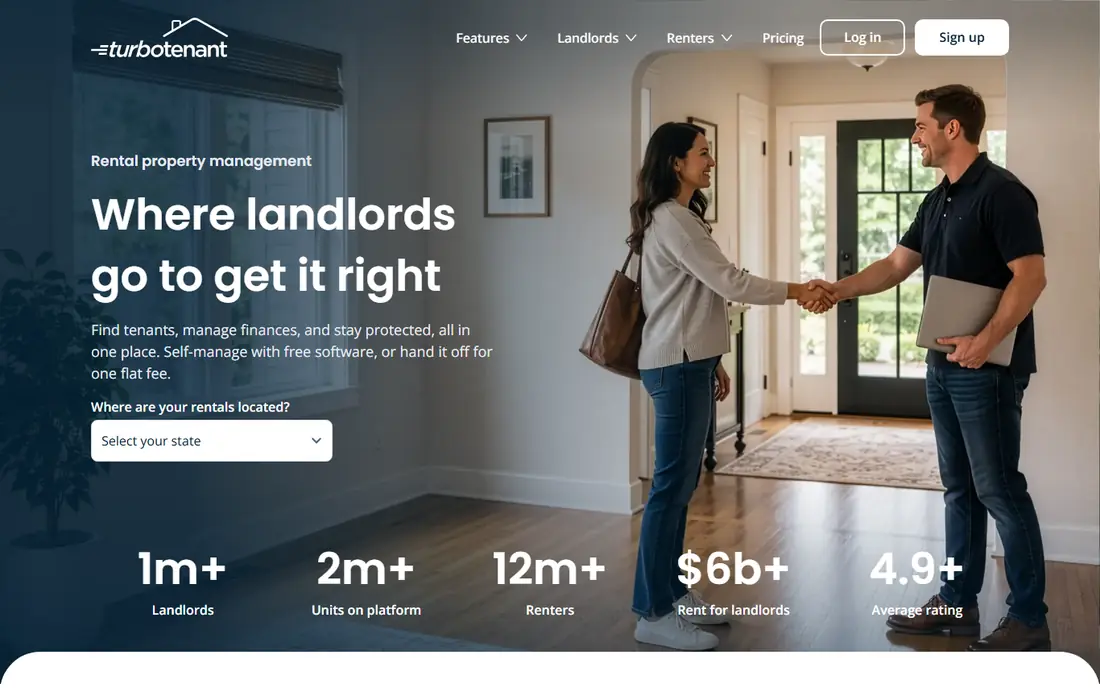
TurboTenant is where many first-time landlords should start, because the free plan covers the whole leasing cycle. You can list a vacancy, collect applications, run TransUnion credit, criminal, and eviction checks, and collect rent online without a monthly fee. That makes it easy to test a system on one unit before paying anything.
Paid plans add convenience rather than basics. Essentials adds online lease creation and faster rent collection, while Pro adds accounting and income verification. If you manage a small number of units and want to spend nothing at first, TurboTenant is a strong default.
- Free plan covers listings, applications, screening, and rent collection
- No unit cap on the free plan
- State-specific lease tools on paid plans
- Full accounting and income verification need the Pro plan
- Phone support is limited on the free plan
Avail, now Avail by Realtor.com, suits a landlord who wants lease help without paying first. Its free plan includes state-specific, lawyer-reviewed lease templates with e-signing, which is a clear advantage over tools that lock leases behind a paid tier. Listings, applications, screening, and maintenance tracking round out the core workflow.
The paid Plus plan is priced per unit per month, so a landlord with many doors should work out the total before upgrading. For one or two units, the free plan may be all you ever need, especially if leases are your main concern.
- State-specific leases with e-signing on the free plan
- Clean maintenance tracking
- Listings through the Realtor.com network
- Paid Plus plan is priced per unit, so costs rise with portfolio size
- Tenants may pay a small ACH fee on the free plan
Innago is a free option for landlords who want the basics without a monthly bill. It covers listings, applications, leases, rent collection, and maintenance requests, with tenants covering some payment fees. That model keeps landlord costs at zero while still giving tenants a portal for payments and messages.
It is less of a full accounting suite than DoorLoop or Buildium, so a landlord with complex books may need a separate tool or a paid upgrade path. For a small portfolio where the main jobs are collecting rent and handling repairs, Innago is a practical free choice.
- Free for landlords for core management
- Rent collection and tenant communication included
- Simple setup for small portfolios
- Some fees fall on tenants for certain payment types
- Advanced accounting features are limited compared with paid suites
Landlord Studio fights a different problem from most landlord apps, which is bookkeeping. It tracks income and expenses per property, sends rent reminders, and produces reports that help at tax time. That focus makes it a good companion for a landlord who already has a leasing workflow but dreads the year-end scramble.
If you need listings, screening, and leases as the main job, TurboTenant or Avail may fit better. Landlord Studio shines when your portfolio is stable and your main pain is knowing exactly what each property earned and spent.
- Strong income and expense tracking
- Rent reminders and reports for tax time
- Free tier for basic bookkeeping
- Leasing and screening depth trails TurboTenant and Avail
- Paid Pro plan needed for the full feature set
TenantCloud suits a landlord who wants to build a system piece by piece. Starter, Growth, and Pro tiers add features in stages, so you can start with rent and maintenance and add accounting or more units later. Tenants get a portal for payments and requests, which reduces message chasing.
The lack of a free plan means you pay from day one, so it fits better once you have steady rent coming in. Work out the cost for your unit count and modules before signing, since the modular price can grow past a flat-rate rival.
- Modular plans so you can pay for needed features
- Rent collection, maintenance, and accounting tools
- Online payments for tenants
- No free plan in 2026
- Costs rise as you add modules and units
DoorLoop is a step up for a landlord who is outgrowing free tools. It combines listings, screening, leases, rent collection, maintenance, and accounting in one dashboard, with automation for reminders and late fees. That saves time when you manage several units and cannot track every deadline by hand.
The price reflects that scope. A landlord with one unit may not need the full suite, but a landlord with a growing portfolio will value the single workflow and clear owner reports. Demo the accounting and maintenance flows with your own properties before committing.
- Full leasing, rent, maintenance, and accounting workflow
- Automation for reminders and late fees
- Clean reports for owners
- No free tier, so cost starts at once
- May be more than a one-unit landlord needs
Buildium suits a landlord or small property manager with a larger portfolio. It handles multiple properties, owners, and residents in one system, with accounting, maintenance, and reporting that free tools do not match. Owner statements and resident portals help when other people need clear, regular updates.
New users should plan training time, because the system covers a lot of ground. For a single rental, it is likely more than needed. For a portfolio that is growing toward professional management, it is a solid foundation.
- Strong portfolio and owner reporting
- Accounting and maintenance tools for larger teams
- Resident portal for payments and requests
- No free tier
- Learning curve for new managers
- Price rises with higher tiers
Rentec Direct is a practical paid option for a landlord who wants a full suite without a large monthly bill. It covers online rent collection, accounting, tenant screening, and a tenant portal, with pricing that stays manageable for a small portfolio. That balance makes it a good bridge between free tools and enterprise platforms.
The interface is less polished than DoorLoop or Buildium, so a user who values a modern design may prefer a newer app. If function and price matter more than looks, Rentec Direct delivers the core work at a fair entry price.
- Affordable entry price for a paid suite
- Rent, accounting, and tenant portal tools
- No per-unit pricing shock for small portfolios
- Interface feels dated compared with newer rivals
- Some advanced features need a higher tier or add-on
Hemlane combines software with human help for leasing and coordination, which suits an out-of-state landlord or a busy owner who cannot handle every showing and repair call. The platform tracks listings, applications, rent, and maintenance, while its team can help coordinate parts of the process that software alone cannot finish.
That service model means pricing is quoted rather than a simple public plan, so get a written quote for your unit count and service level. For a hands-on landlord with one local unit, a free app is likely enough. For a remote owner, Hemlane help can be worth the cost.
- Leasing and tenant coordination help beside software
- Maintenance coordination for busy landlords
- Useful for out-of-state owners
- Pricing is quoted and varies by service level
- Less suited to a landlord who only wants a simple free app
How we picked these
We compared official feature pages, pricing pages, and public documentation for landlord apps that are live in October 2026 and that cover core rental work for US landlords. We kept free tools beside paid tools, so small landlords can see what is possible at zero cost before paying. Where pricing was quoted or varied by unit count, we wrote See website or gave the published entry figure and noted the variation.
How to choose a landlord app
Start with your unit count and your biggest weekly chore. If leasing is the chore, pick TurboTenant or Avail. If bookkeeping is the chore, pick Landlord Studio or a paid suite with accounting. If coordination is the chore, consider Hemlane or DoorLoop.
Check who pays each fee
Screening is often paid by the applicant, while card rent payments can carry a fee that falls on the tenant unless you absorb it. ACH fees also vary by plan. Read the fee page for each app and work out the cost for one month of rent before you invite tenants to pay through it.
Test the tenant experience
Create a test tenant view if the app allows it, or walk through the payment and maintenance steps as a tenant would. A confusing payment page leads to late rent and extra messages, which defeats the purpose of the app. Clear portals save time for both sides.
Keep leases and records in order
Use the app for leases, messages, maintenance photos, and payment records, so you have one timeline for each tenancy. That record helps if a deposit dispute or repair question arises later. Check local rules for screening, deposits, and notices, since those rules vary by state and city.
Frequently asked questions
What is the best free landlord app?
TurboTenant and Avail are the best free options for most small landlords, because both cover listings, applications, screening, and rent collection at no monthly cost to the landlord. Avail adds free state-specific leases, while TurboTenant adds a free plan with no unit cap.
What is the best landlord software for small landlords?
TurboTenant, Avail, and Innago suit small landlords who want free core tools, while Landlord Studio suits landlords who mainly need bookkeeping. Paid tools such as DoorLoop or Rentec Direct fit once a portfolio grows.
What is the best rental app for landlords to collect rent?
TurboTenant, Avail, Innago, and TenantCloud all offer online rent collection with a tenant portal. Check ACH and card fees for each plan, since who pays those fees varies.
Do landlords need an app or is a spreadsheet enough?
A spreadsheet can work for one unit, but an app adds listings, screening, leases, payment tracking, and maintenance records in one place. That structure saves time and reduces errors as units are added.
Is tenant screening included in free landlord apps?
Most free apps let you run screening, but the applicant usually pays the screening fee. Check the current fee on the vendor site, since screening costs and report types can change.
Sources
See where you really rank - block by block
ProMapRanker scans Google Maps across a grid of your service area. Simple monthly plans from $19, white-label on every plan.
Start freeKeep reading
 twitch alternatives
Twitch Alternatives in 2026
Explore the best Twitch alternatives in 2026 for live streaming, with free platforms, monetisation options, audiences, chat tools, and tips for new streamers.
Read → firebase alternatives
Best Firebase Alternatives in 2026
Looking for Firebase alternatives? We compare 9 backend platforms for auth, databases, realtime, storage, functions, self-hosting, and pricing for your app.
Read → companies with best work life balance
Companies With Best Work Life Balance in 2026
See companies with best work life balance in 2026, ranked by employee ratings, with flexible work options, benefits, and what to check before applying.
Read →