 ProMapRanker
Best iPhone Cleaner App in 2026


Full photo, contact and email cleanup · Pricing starts at: See website
Key takeaways
- iPhone cleaner apps work inside Apple limits, so they focus on photos, videos, contacts and calendar clutter rather than system files.
- Cleaner Kit and Cleanup offer the widest mix of photo, contact and email cleanup in one app.
- Clever Cleaner is a strong free-first choice for a one-off photo cleanup.
- Always review deletions before confirming, because a scan suggestion is not a promise that a photo is unneeded.
- Built-in iPhone tools for duplicates and offloading apps still help, and they cost nothing.
Quick comparison
| Pick | Great for | Pricing starts at | Free tier | |
|---|---|---|---|---|
| Cleaner Kit | Full photo, contact and email cleanup | See website | Yes | Visit |
 Smart Cleaner | Simple photo and contact cleanup | See website | Yes | Visit |
 Cleanup | Fast duplicate and similar photo cleanup | See website | Yes | Visit |
 Clever Cleaner | Free-first photo cleanup | Free | Yes | Visit |
 CleanMy Phone | Polished AI photo sorting | See website | Yes | Visit |
 Cleanfox | Email and newsletter cleanup | See website | Yes | Visit |
 Easy Cleaner | Contact cleanup | See website | Yes | Visit |
 Cleaner for iPhone | Basic duplicate photo cleanup | See website | Yes | Visit |
The best iPhone cleaner apps
We compared official feature pages, App Store listings and privacy labels for apps that are still available for iPhone in October 2026. The list below covers photo cleanup first, because that is where most iPhone storage goes, plus contacts, calendar and email where an app offers them.
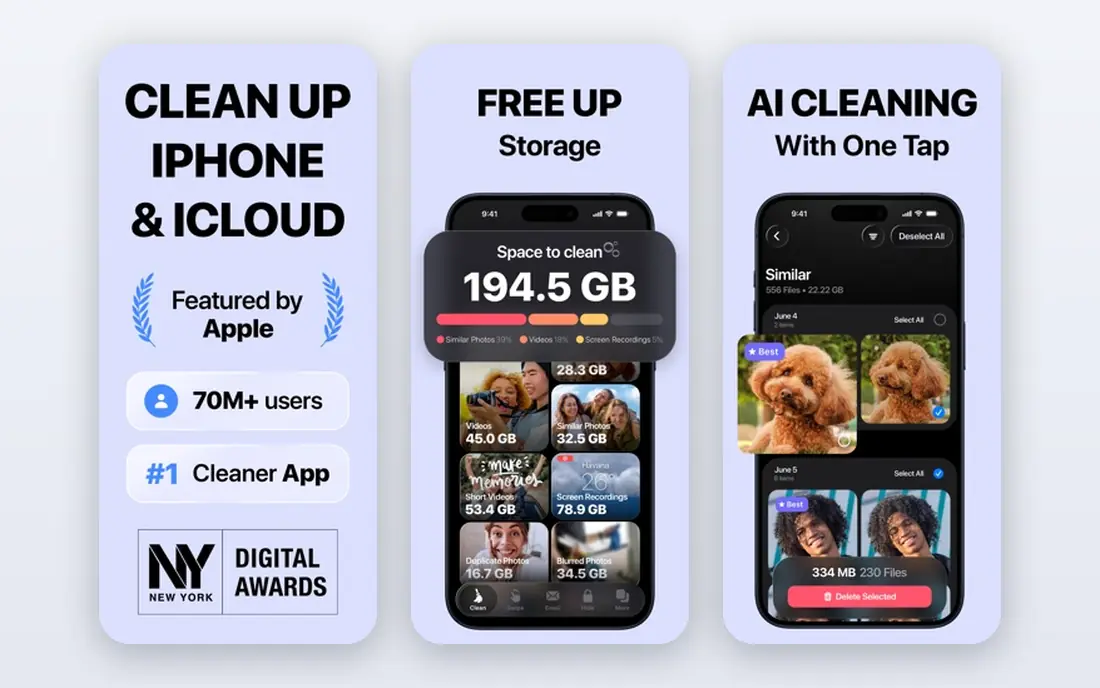
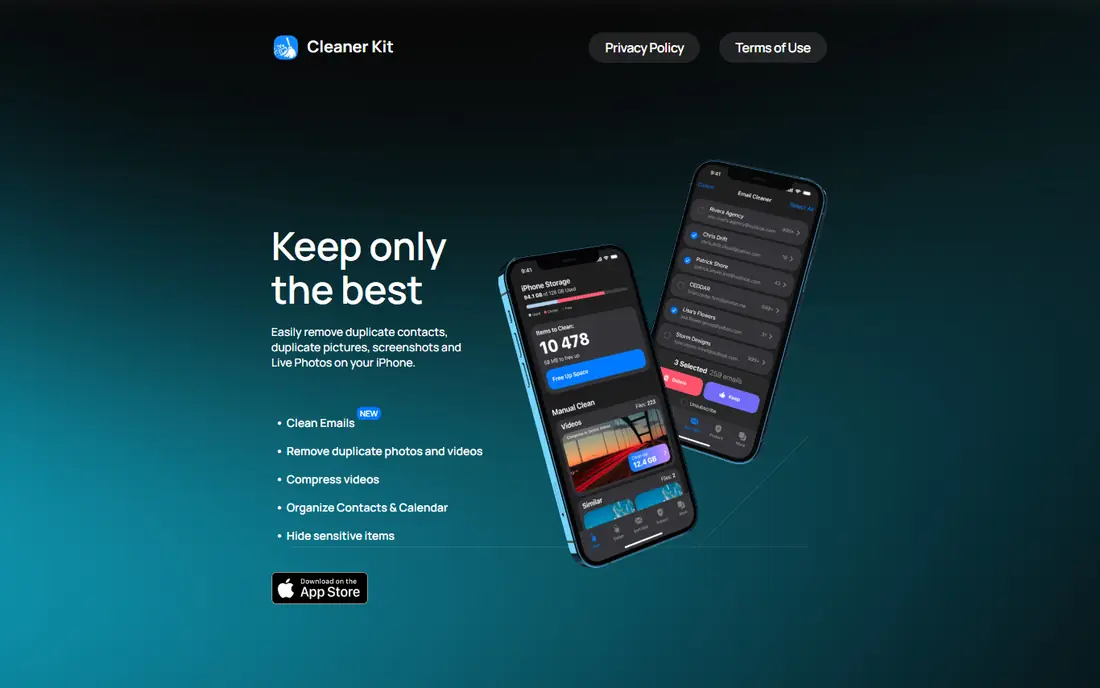
Cleaner Kit is our pick for most people who want one app to handle the main kinds of clutter. It scans for duplicate and similar photos, blurry shots, screenshots, bursts and large videos, and it groups results so decisions feel quicker. The app also merges duplicate contacts, clears old calendar events and helps sort Gmail by sender, which makes it more complete than a photo-only cleaner.
The extra tools are where it earns its place. Video compression can free space without deleting a clip, and converting Live Photos to stills can help when a library is full of motion versions you never watch. A private vault adds a place for photos and contacts you want kept out of the main library. The catch is price and scope. The free version is limited, and no iPhone cleaner can delete system cache or files inside other apps, so set expectations before you pay.
- Wide mix of cleanup tools
- Video compression and Live Photo conversion
- Private vault for sensitive files
- Full features sit behind a subscription
- Scanning can feel busy at first
Smart Cleaner suits people who want a calm, guided cleanup rather than a long list of extra tools. It finds duplicate and similar photos, screenshots, Live Photos and burst shots, and it flags blurry images and photos with closed eyes. Contacts get grouped by name, phone or email for merging, and incomplete contacts are easy to spot.
The swipe review is a practical touch. You can move through photos one by one and keep or delete each shot, which helps when automatic groups feel uncertain. Its privacy label is also a plus for careful users, since the developer states that it does not collect data from the app. The main limit is the same as for most rivals. Paid plans open most of the value, and the app cannot clean mail or system files directly.
- Clear interface
- Contact and calendar cleanup included
- Swipe review for photos
- Most features need a paid plan
- Email cleanup is limited to guidance
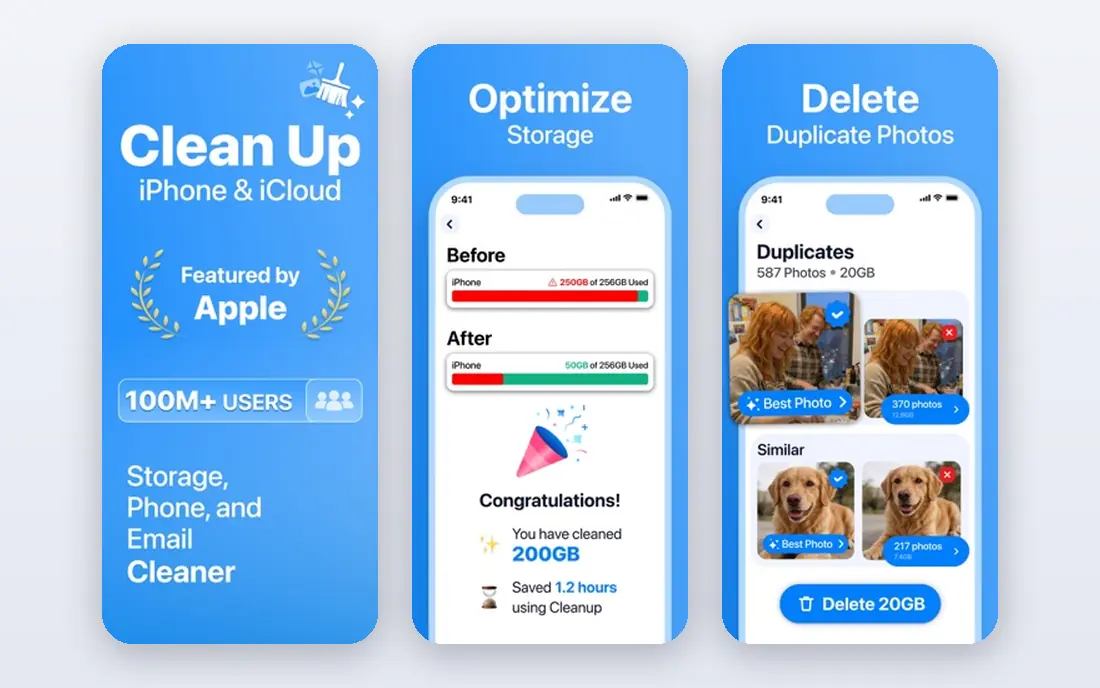
Cleanup is built for speed. It groups duplicates and similar photos, highlights screenshots and large videos, and shows a confirmation step so a mistaken tap is less likely to cost you a keeper. That confirmation step matters more than it sounds, because photo cleanup is one place where haste causes regret.
The app also offers email cleanup, which sets it apart from photo-only tools. The downside is cost structure. Weekly plans can become expensive if you forget to cancel after a single cleanup session, so this is best as a focused, one-week job rather than a standing subscription. Check the current App Store listing before buying, since weekly prices vary by offer.
- Strong duplicate grouping
- Confirmation screen before deletion
- Email cleanup tools
- Weekly pricing can add up
- Privacy terms deserve a close read
Clever Cleaner is the first app we suggest trying if you do not want to pay. It handles the core jobs well: duplicate photos, large videos, old screenshots and Live Photo conversion. The interface stays focused, and you can finish a meaningful cleanup without entering payment details.
The trade is pace. Free use comes with daily limits, so a very large library may take more than one session. It also lacks the email and contact depth of Cleaner Kit, so pair it with built-in iPhone contact tools if contacts are your main problem. For a single photo cleanup, though, it is hard to beat on value.
- Usable free tier
- Covers duplicates, large videos and screenshots
- Live Photo conversion
- Daily limits on the free tier
- Fewer extra tools than paid rivals
CleanMy Phone comes from MacPaw, a developer with a long record in Mac cleanup tools, and the iPhone app carries over that polish. It sorts photos into groups, flags duplicates and low-quality shots, and helps you work through a library without endless manual scrolling. Processing on the device is a privacy plus for people who do not want photos uploaded for analysis.
The app is less of an all-in-one than Cleaner Kit. Contact and email tools are not its strength, so judge it on photo cleanup alone. Pricing also sits at the premium end, which makes sense only if you clean photos often or you value the design and sorting quality. For occasional use, a free-first app may do the same core job.
- Clean design
- Smart sorting of similar and low-quality shots
- Offline processing
- Higher subscription cost
- Photo focused, with less contact depth
Cleanfox solves a different storage and clutter problem: the inbox. It shows senders, lets you unsubscribe from newsletters and delete old promotional mail in bulk, and gives a clearer view of who fills your mailbox. That matters because mail attachments and years of promos can add up, and manual unsubscribing takes far too long.
It is not a phone storage cleaner in the photo sense, and we include it here because many "full phone" searches are really about clutter in general. You must grant mailbox access for it to work, so read the privacy policy first and use it only with an account you are comfortable connecting. Paired with a photo cleaner, it covers the two messiest areas on most phones.
- Fast newsletter and promo unsubscribing
- Clear sender view
- Helps inbox size
- Email only, not a photo cleaner
- Needs mailbox access to work
Easy Cleaner does one job and does it plainly: it tidies contacts. It groups duplicates, flags contacts with no name or number, and helps you merge entries that arrived from several accounts. If your contacts list has three versions of the same person, this app is faster than fixing each entry by hand.
The narrow scope is both its strength and its limit. Do not buy it expecting a full photo cleanup, because that is not what it is for. As a companion to a photo cleaner, though, it is useful, and the focused design means fewer confusing options. Back up contacts before merging, just in case a merge joins two people who share a name.
- Focused contact merging
- Finds incomplete contacts
- Simple to use
- Narrow scope
- Photo tools are limited
Cleaner for iPhone is a straightforward option for people who feel overwhelmed by feature-heavy apps. It focuses on duplicates, similar shots and screenshots, with a simple review flow. If you only need to clear a few hundred duplicate photos and screenshots, it gets the job done without a long learning curve.
The honest catch is depth. It does not match the contact, email and video tools of the top picks, and full use needs a paid plan. Treat it as a basic cleaner rather than a complete phone manager. For a small, simple cleanup, that simplicity is a benefit, not a flaw.
- Simple duplicate and screenshot cleanup
- Quick to learn
- Low friction start
- Fewer advanced tools
- Paid plan needed for full use
How we picked these
We compared official feature pages, App Store listings and privacy labels for iPhone cleaner apps available in October 2026. We kept only apps that clearly describe photo, contact, calendar or email cleanup, and we left out apps that promised system-level cleaning that iOS does not allow. Prices were checked against vendor pages and App Store listings, and where a price could not be verified we wrote See website rather than guessing.
What to check before you pay
Start with the free scan and read what it actually found. A good cleaner shows counts by category, such as duplicates, screenshots and large videos, and lets you review groups before anything is deleted. If an app pushes you to pay before showing any results, walk away.
Next, check the subscription terms in the App Store listing. Weekly plans are easy to forget, so note the renewal date and set a reminder if you only need one cleanup. Also check the privacy label and policy, especially for email cleaners that need mailbox access and for any app that uploads photos. On-device processing is preferable when it is offered.
Finally, use the free tools Apple already gives you. The Photos app has a Duplicates album, Settings shows storage by app, and offloading unused apps frees space without deleting data. A cleaner app should add speed and grouping to that baseline, not replace basic checks. Back up photos and contacts before a large deletion session, and use the Recently Deleted album as a safety net.
Frequently asked questions
Can an iPhone cleaner app delete system cache?
No. Apple does not allow third-party apps to delete system files or cache inside other apps. Cleaner apps work on photos, videos, contacts, calendar events and, in some cases, email. For app cache, delete and reinstall the app or use its own storage settings.
Are iPhone cleaner apps safe?
Reputable apps from the App Store are generally safe when they process photos on the device and ask only for the permissions they need. Read the privacy label, avoid apps that demand unrelated access, and review deletions before confirming. Back up first for any large cleanup.
Will a cleaner app make my iPhone faster?
It can help when storage is nearly full, because iOS needs free space to work well. It will not upgrade the processor or fix a slow network connection. Freeing several gigabytes is the realistic benefit, plus a tidier library.
Do I need a paid cleaner app?
Not always. Free tiers and built-in Photos tools handle many cleanups. Paid plans make sense for large libraries, video compression and contact or email tools, or when you clean often. Try the free version first and pay only if the results justify it.
What happens to deleted photos?
Deleted photos move to the Recently Deleted album in Photos, where they stay for 30 days before permanent removal. That gives you time to recover a mistake. Contacts deleted by a cleaner app may not have the same safety net, so back up contacts first.
How often should I clean my iPhone?
Once a month is enough for most people. A quick pass after a trip or event, when bursts and screenshots pile up, keeps the job small. Daily cleaning is unnecessary and can lead to rushed deletions.
Sources
- https://www.techloy.com/5-apps-to-finally-deal-with-your-iphone-storage-problem/
- https://clean.email/blog/productivity/best-ai-cleaner-app-for-iphone
- https://iosapplists.com/cleanup-app-review-2026/
- https://www.tech2geek.net/the-best-free-iphone-cleaner-apps-in-2026-tested-ranked/
- https://www.cleverfiles.com/howto/best-iphone-storage-cleaner.html
See where you really rank - block by block
ProMapRanker scans Google Maps across a grid of your service area. Simple monthly plans from $19, white-label on every plan.
Start freeKeep reading
 bitly alternatives
Bitly Alternatives in 2026: 8 Tools Compared
Compare the best Bitly alternatives for branded short links, with free tiers, custom domains, analytics, and pricing that suits creators and small teams.
Read → bill.com alternatives
Best Bill.com Alternatives in 2026
Looking for bill.com alternatives? We compared 9 bill pay and AP automation tools on price, approvals, and accounting sync to help you switch with confidence.
Read → betterhelp alternatives
BetterHelp Alternatives in 2026
We compared BetterHelp alternatives for online therapy, covering Talkspace, Grow Therapy, Rula, Brightside and more on price, insurance and format in 2026.
Read →