 ProMapRanker
Best Home Workout App in 2026

Key takeaways
- Nike Training Club and FitOn offer the strongest free guided workouts, with no payment needed for their core libraries.
- Apple Fitness+ and Peloton suit people who want studio-style classes, while Fitbod and Sweat suit structured strength programmes.
- Beginners do best with short sessions, clear coaching cues and programmes that progress slowly rather than pushing hard on day one.
- Stop and seek advice if exercise causes pain, and check with a clinician before starting a new programme if you have a health condition.
Quick comparison
| Pick | Great for | Pricing starts at | Free tier | |
|---|---|---|---|---|
 Nike Training Club | Free guided workouts | Free | Yes | Visit |
 FitOn | Free classes and community | Free | Yes | Visit |
 Peloton App | Live and on-demand classes | $12.99 per month | No | Visit |
 Apple Fitness+ | Apple device owners | $9.99 per month | No | Visit |
 Down Dog | Yoga and home fitness variety | See website | No | Visit |
 Freeletics | Bodyweight training with coaching | See website | Yes | Visit |
 Sweat | Trainer-led programmes | $24.99 per month | No | Visit |
 Fitbod | Personalised strength plans | See website | No | Visit |
The best home workout apps
We compared home workout apps on class range, programme structure, equipment needs and price, with a focus on training that works in a small space. Stop and seek advice if exercise causes pain, and check with a clinician before starting a new programme if you have a health condition. The best free home workout app for most people is Nike Training Club, but the right pick depends on how you like to train.
Nike Training Club remains the simplest starting point for home training, because the full guided library is free. Workouts cover strength, cardio, yoga and mobility, with filters for time, equipment and level. That range helps a beginner find a 15 minute session and helps a regular trainer pick a harder 45 minute session on the same day. Coaching cues are clear, and most sessions need little more than a mat and some floor space.
The limit is structure. Nike Training Club offers plans, but it does not adapt a strength programme session by session in the way Fitbod does. People who want exact weights, sets and progression tracking may outgrow it after a few months. For free guided workouts at home, though, it is hard to beat, and it pairs well with walking or running outside.
- Large library of guided workouts at no cost
- Sessions for all levels
- No equipment options clearly labelled
- No personalised progression tracking as deep as paid strength apps
- No live classes
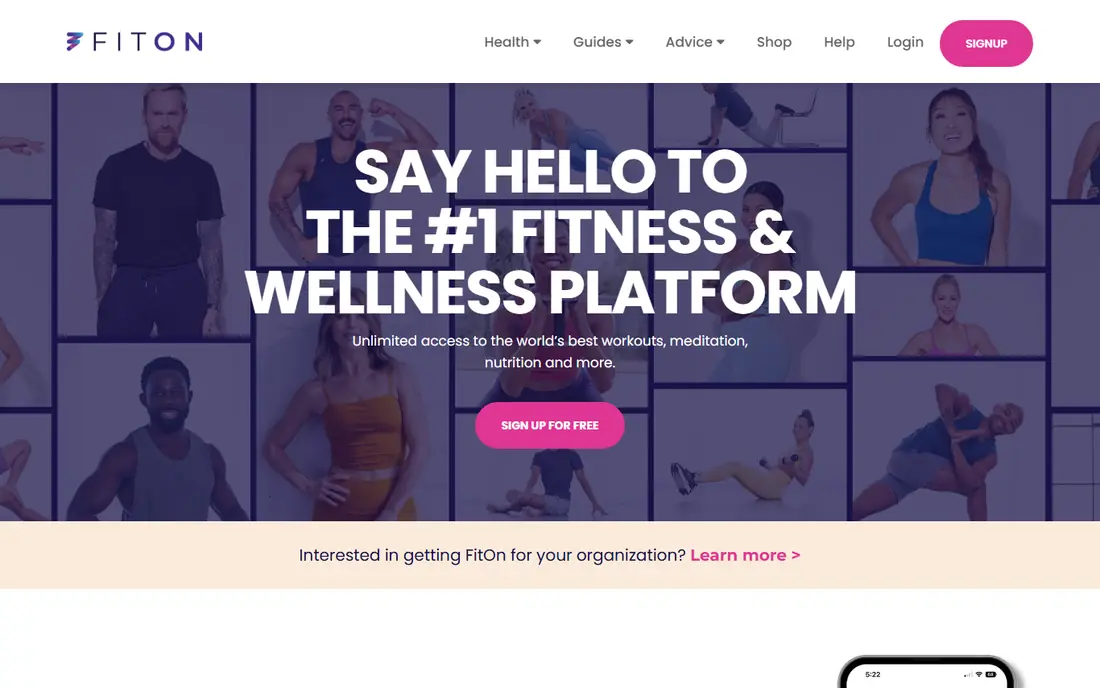
FitOn gives home trainers a free class library that feels closer to a paid studio app than most free options. Sessions range from short cardio bursts to full strength and Pilates classes, and many are led by trainers with large followings. The app also adds challenges and friend features, which help people who train better with a bit of social pressure. Filters for time and intensity make it easy to fit a session around work or childcare.
Tracking is the weak point. FitOn records completed classes, but it does not offer the detailed strength progression or heart rate analysis found in paid apps. Some classes and features also require the Pro upgrade, though the free library is large enough for most beginners. For the best free workout apps for beginners at home, FitOn sits right beside Nike Training Club, with a warmer community feel.
- Free class library with well-known trainers
- Short sessions for busy days
- Social features and challenges
- Limited performance tracking
- Some premium content sits behind an upgrade
Peloton App works without Peloton hardware, and that point matters for home trainers. The app offers thousands of classes across strength, yoga, Pilates, running, cycling and meditation, with live sessions and on-demand options. Class lengths start at five minutes, which suits a short lunch break, and filters for instructor, music and difficulty make it easy to repeat favourite styles. The leaderboard and class streaks add motivation for people who like a bit of competition.
The subscription is the catch. App One starts at 12.99 dollars per month, and some features and class types need a higher tier. Without hardware, cycling classes rely on any stationary bike or a regular bike setup, which is less tidy than the full Peloton setup. For class variety at home, Peloton is still one of the strongest paid picks, especially for people who like instructor-led sessions.
- Huge live and on-demand class library
- Strength, yoga, running and cycling classes
- Strong class filtering
- Full value needs a subscription
- No Peloton bike or treadmill is needed, but classes feel built around that hardware
Apple Fitness+ brings a polished studio feel to a living room, with classes in strength, HIIT, yoga, Pilates, dance, cycling and more. An Apple Watch shows heart rate and calories on screen during sessions, which helps people pace themselves without checking a separate device. New workouts arrive each week, and trainers give clear form cues for beginners. The app also includes guided meditations and walking audio sessions for rest days.
Device lock-in is the main drawback. Apple Fitness+ needs an iPhone, iPad or Apple TV, and the full metric experience needs an Apple Watch. Android users cannot use it at all. For households already using Apple devices, it is a clean and simple pick, but it is not a good choice for mixed-device homes.
- Studio-quality classes across many types
- Apple Watch metrics on screen
- New sessions added weekly
- Needs Apple devices and works best with an Apple Watch
- No Android version
Down Dog takes a different path from fixed class libraries. Each session is generated fresh, so no two yoga flows feel identical, and users can set the level, length, focus and music style. The same company offers related apps for HIIT, barre, Pilates and prenatal yoga, which suits people who want variety without juggling several subscriptions. Voice guidance is calm and clear, and sessions work well in a small room with a mat.
The generated format will not suit everyone. People who want a favourite instructor and a fixed class to repeat may miss the studio feel of Peloton or Apple Fitness+. Down Dog also has no live class schedule, so motivation must come from the user. For yoga lovers who get bored repeating the same videos, it is a strong and flexible home option.
- Fresh sessions generated for each workout
- Yoga, HIIT, barre and Pilates apps in one family
- Adjustable level and length
- No live classes
- Pricing and trial terms should be checked on the site before subscribing
Freeletics is built around bodyweight training, which makes it a natural home workout app. The Coach feature builds a plan from the user's level, goals and available time, then adjusts future sessions based on feedback after each workout. That feedback loop helps people progress without guessing at the next session. Running workouts and single exercises sit beside the main plans, so users can add cardio without a second app.
Intensity is the honest warning. Freeletics sessions are known for tough intervals, and beginners should start at the lowest level and build up slowly. The free tier covers single workouts, but the adaptive Coach needs a subscription, so the price should be checked on the site. For people who want structured bodyweight training at home, Freeletics offers more progression than a simple class library.
- Coach plans adapt to feedback and level
- Bodyweight sessions need no gym
- Running options included
- Full Coach features need a paid plan
- Sessions can feel intense for complete beginners
Sweat organises training into full programmes rather than single classes, which helps people who want a clear plan for eight or twelve weeks. Programmes come from trainers with distinct styles, covering strength, Pilates, yoga and post-pregnancy training. Home options need minimal equipment, and the app tracks progress across the programme. That structure suits people who stick with a plan better than they stick with random classes.
Price is the main barrier. Sweat starts at 24.99 dollars per month, which is higher than Peloton App or Apple Fitness+, and there is no free tier. A short trial can help test the style, but the cost adds up over a year. Sweat fits best for trainers who want a guided programme and will follow it week after week.
- Structured programmes from named trainers
- Home and gym options
- Progress tracking and community features
- Higher monthly price than most rivals
- No free plan, only a trial
Fitbod is the pick for home trainers who want a proper strength plan without a coach. Users list the equipment they own, from dumbbells to a full home gym, and Fitbod builds sessions that balance muscle groups and recovery. It tracks weights, reps and personal records, so progression is visible week to week. That data focus suits people who train with weights at home and want to know they are getting stronger.
The trade-off is class feel. Fitbod does not offer live studio classes or instructor-led cardio sessions, so people who train for fun and variety may find it dry. The free option is limited, and the full plan needs a subscription, with the price listed on the site. For strength at home, though, Fitbod gives more structure than any class app in this list.
- Builds strength sessions from available equipment and muscle recovery
- Tracks weights and progression
- Works at home or in a gym
- Focused on strength rather than classes
- Full features need a subscription
How we picked these
We compared official feature pages, pricing pages, app store listings and public reviews for home workout apps available in October 2026. We kept apps that offer guided home sessions today, work on iOS or Android, and state their price or free tier clearly. We left out apps that had closed, apps that only track steps, and gym-only tools with no home programme. Where a price could not be confirmed on the vendor site, we wrote See website rather than guessing.
How to choose a home workout app
Start with the type of training you enjoy, not the app with the most features. Class lovers should try Peloton, Apple Fitness+ or FitOn first, while strength trainers should look at Fitbod or Sweat. Beginners should pick a free option such as Nike Training Club or FitOn and train three times a week for a month before paying for anything. That trial period shows which style actually gets used, rather than which style sounds good.
Next, check space and equipment. Most apps in this list work with a mat and a small clear floor area, but strength plans improve with dumbbells or resistance bands. Check the session lengths too, since a 20 minute plan fits real life better than a 60 minute plan that gets skipped. Finally, read the subscription terms before paying, including the trial length, the renewal price and how to cancel. A good app is the one that is still open in month three, not the one with the longest feature list.
Frequently asked questions
What is the best free home workout app?
Nike Training Club is our pick for the best free home workout app, because its guided library is free and covers strength, cardio, yoga and mobility. FitOn is a close second, with a free class library and social features that help with motivation. Both work for beginners at home with little or no equipment. Try both for a week each, then keep the one whose trainers and session lengths fit your routine.
What are the best free workout apps for beginners at home?
Nike Training Club, FitOn and the free tier of Freeletics are the strongest free starting points for beginners at home. Nike Training Club offers clear coaching and sessions for all levels, FitOn adds short classes and challenges, and Freeletics offers single bodyweight workouts without payment. Start with short sessions, rest between hard days, and build length slowly. Stop and seek advice if exercise causes pain.
Do I need equipment for home workouts?
Most home workout apps work with no equipment, using bodyweight sessions for strength and cardio. A mat helps for floor work, and dumbbells or resistance bands add options for strength plans in Fitbod and Sweat. Check each session filter for equipment needs before starting, so a workout does not stall halfway through. A small clear space is more important than a large kit list.
Is Apple Fitness+ worth it without an Apple Watch?
Apple Fitness+ still offers full classes without an Apple Watch, but the on-screen heart rate and calorie metrics need a watch. People without a watch can still follow the coaching and enjoy the class range, yet they lose one of the main benefits. If the household uses Android devices, Peloton or FitOn are better picks, since Apple Fitness+ has no Android version.
How often should beginners train at home?
Three sessions a week is a sensible start for most beginners, with rest or light walking on other days. Short sessions of 20 to 30 minutes build a habit faster than long sessions that feel hard to fit in. Increase length or difficulty slowly, and check with a clinician before starting a new programme if you have a health condition. Consistency over months matters more than intensity in week one.
Sources
See where you really rank - block by block
ProMapRanker scans Google Maps across a grid of your service area. Simple monthly plans from $19, white-label on every plan.
Start freeKeep reading
 best subscription manager app
Best Subscription Manager App in 2026
Find the best subscription manager app for your budget with our 2026 comparison of 8 apps, covering automatic detection, renewal alerts and free plans.
Read → best stock picking service
Best Stock Picking Service in 2026
Compare the best stock picking service options for 2026, with 8 stock recommendation services for long-term, dividend, quant, growth and income investors.
Read → best software wallet
Best Software Wallet in 2026
Compare the best software wallet options for 2026, with 8 crypto wallets for desktop and mobile, covering self-custody, supported chains, fees and security.
Read →