 ProMapRanker
Best Home Inspection Software in 2026


Growth-focused inspectors and teams · Pricing starts at: $109 per month
Key takeaways
- The best report is one clients and agents can read fast, with clear photos, summaries and next steps.
- Mobile speed on site matters as much as report design, since most writing happens during the walkthrough.
- Flat monthly pricing suits busy inspectors, while per-inspection pricing can suit a new inspector with few jobs.
- Check template quality, offline work, scheduling and payment tools before you commit, not only the monthly price.
Quick comparison
| Pick | Great for | Pricing starts at | Free tier | |
|---|---|---|---|---|
| Spectora | Growth-focused inspectors and teams | $109 per month | Free trial | Visit |
 HomeGauge | Established inspectors and multi-inspector firms | $89 per month | Free trial | Visit |
 Home Inspector Pro | Desktop report finishing and language options | $89 per month | Free trial | Visit |
 Palm-Tech | Long-running, simple report writing | $50 per month | Free trial | Visit |
 Inspector Nexus | Solo inspectors who want speed | $65 per month | Free trial | Visit |
 Hive Inspect | AI-assisted comments at a flat price | $99 per month | Free trial | Visit |
 Inspection Support Network | Large firms that need business automation | $120 per month | Free trial | Visit |
 AEYES | Fast on-site reports with photo-based drafting | $69 per month | Free trial | Visit |
 Tap Inspect | Simple mobile inspections and reports | See website | Free trial | Visit |
The best home inspection software
We compared tools that cover the full inspection job, from scheduling and on-site notes to a client-ready report, and favored tools with strong mobile apps and clear pricing.
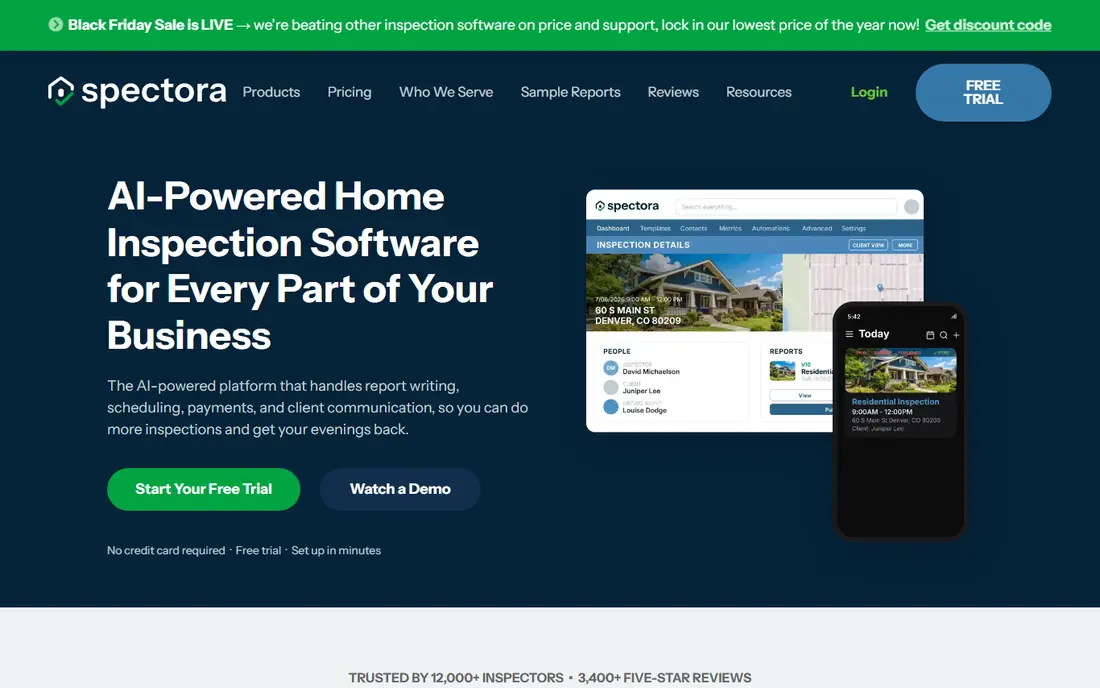
Spectora is our pick for most inspectors who want reports that help win agent referrals. Its web reports are easy to read on a phone, with photos, summaries and filters that help a buyer find the important issues without scrolling through pages of text. The mobile app is also built for speed on site, so notes and photos flow into the report without a long desktop session later.
The price is higher than some simpler tools, and each extra inspector adds cost, while advanced CRM features sit on a higher tier. For a busy solo inspector or a growing team, that cost is often justified by time saved and by reports that look professional to agents. For a part-time inspector, a cheaper flat tool may be a better first step.
- Clean, agent-friendly web reports
- Strong mobile app
- Flat price with no inspection limit
- Higher monthly price than some rivals
- Extra inspectors and advanced tools add cost
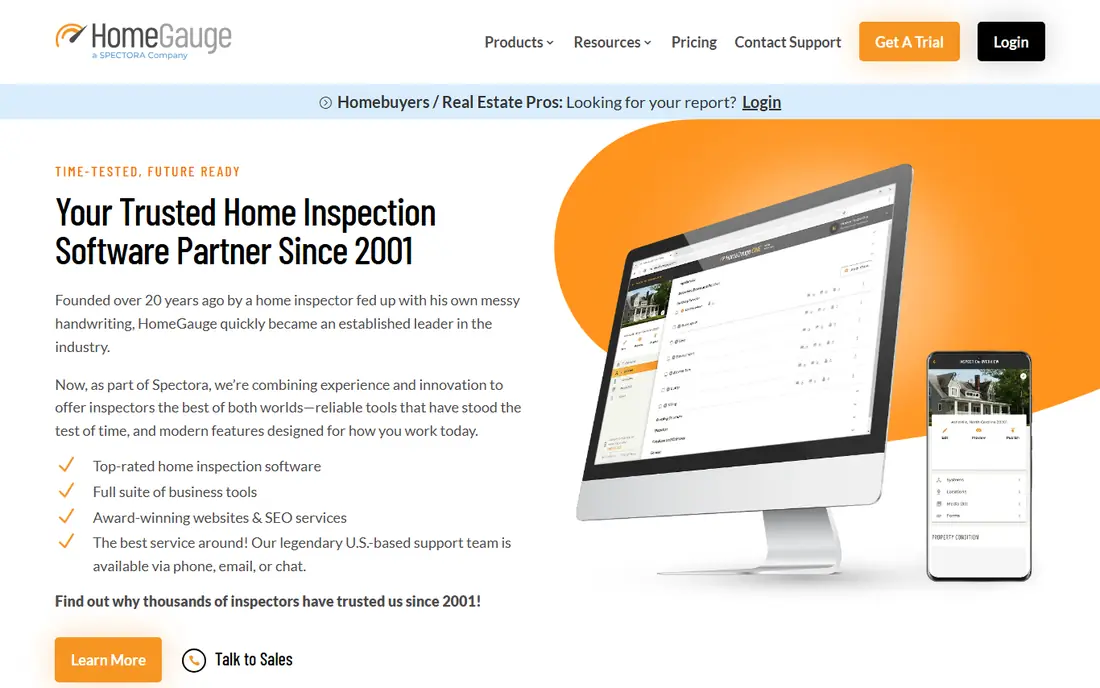
HomeGauge has served home inspectors for many years, and its strength is depth: templates, report styles and business tools that suit an established firm. It works well for multi-inspector companies that need consistent reports across staff, and its name is familiar to many agents. Since Spectora acquired HomeGauge in 2025, the two brands still run as separate products with their own pricing.
The main drawback is feel. Newer tools such as Spectora and Hive Inspect can feel faster and cleaner on a phone, and HomeGauge pricing should be confirmed on its current page before you budget. If you already use HomeGauge templates and your team knows the workflow, staying put may beat switching for a small design gain.
- Long track record in the trade
- Strong template and report options
- Now part of the Spectora group
- Interface can feel older than newer rivals
- Pricing has moved up in recent years
Home Inspector Pro
Great for: Desktop report finishing and language options
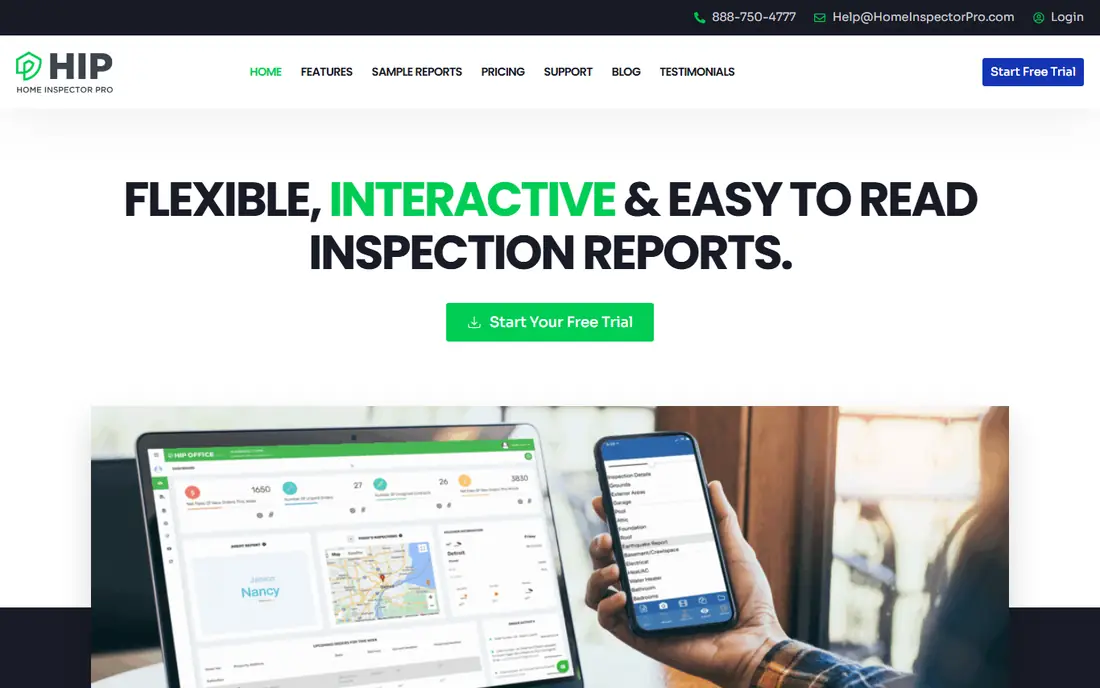
Home Inspector Pro suits inspectors who like to finish reports at a desk and who serve clients in more than one language. Its translation option is a real difference for some markets, and its support hours help when a report deadline is tight. Template conversion also lowers the switching cost for inspectors moving from another tool.
The trade-off is mobile workflow. If you want a report fully finished on site from your phone, a mobile-first tool such as Spectora or Inspector Nexus will feel faster. Home Inspector Pro is a better fit if you are comfortable with a desktop finish and value language support and live help.
- Reports can be translated into other languages
- Phone support seven days a week
- Free template conversion
- Mobile reports are finished on desktop
- Photo-based AI drafting is not a headline feature
Palm-Tech is a good value choice for an inspector who wants solid report writing without paying for a full growth platform. Its monthly price is lower than Spectora and HomeGauge, and its workflow has been refined over many years in the trade. For a solo inspector with steady referrals, that simplicity is enough.
The catch is presentation. Palm-Tech reports are functional, but they may not impress an agent as much as a modern web report from Spectora. If referrals depend heavily on report design, test both side by side. If your work comes mainly from direct clients and repeat business, Palm-Tech saves money without losing core function.
- Lower monthly price
- Long history in home inspection
- Simple, proven report workflow
- Report design is less modern than newer tools
- Fewer growth and marketing extras
Inspector Nexus is built for a solo inspector who wants to get in, inspect, write and send without extra steps. Its mobile app is praised for speed and ease, and its price sits below the premium tier. That combination suits a new inspector or a solo operator who does not need a large CRM or marketing suite.
The limit is scale. A multi-inspector firm that needs deep scheduling, automation and team reporting may outgrow it faster than Spectora or Inspection Support Network. For one inspector, though, speed on site often matters more than extra features, and Inspector Nexus delivers that well.
- Fast and simple mobile app
- Lower price than premium tools
- Easy to learn
- Fewer advanced business tools than larger platforms
- Smaller template community
Hive Inspect is a newer option that uses AI to help draft comments from typed or dictated notes, then adds plain-language context about how common a defect is and how involved a repair may be. That context helps buyers understand a report without calling the inspector for every line. Its flat price and free data migration also make switching easier.
Because it launched more recently, it has less history than Spectora or HomeGauge, and its AI does not draft from photos alone. Inspectors should still review every AI draft carefully, since report accuracy is a professional duty, not a software shortcut. For an inspector who writes many similar comments, the time saving is real.
- AI help drafting comments from notes
- Plain-language context for clients
- Flat monthly price
- Newer tool with a smaller track record
- AI drafts from notes, not from photos
Inspection Support Network
Great for: Large firms that need business automation
Inspection Support Network, often called ISN, is less a report writer and more a business system for inspection firms. It handles scheduling, client and agent communication, payments and automation at a scale that solo tools do not match. Large firms use it to keep many inspectors, jobs and follow-ups in order.
The trade-off is report writing. Many firms pair ISN with a separate report tool, which adds cost and complexity. A solo inspector will likely find it too much. A firm with several inspectors and a high job volume, though, may gain more from ISN automation than from a slightly prettier report alone.
- Strong scheduling, automation and business management
- Suits large multi-inspector firms
- Per-report fees vary by plan
- Report writer is not its main strength
- Higher base cost plus possible per-report fees
AEYES aims to cut report time by turning each photo into a drafted finding while you are still on site. That approach suits inspectors who take many photos and want the report largely done before they leave. It also includes CRM and scheduling, plus built-in forms for Texas and Florida inspections, which helps inspectors in those states.
The cost model needs care: the solo plan adds a per-inspection fee, so a busy inspector should calculate the monthly total at their real job count. It is also newer than the big names, so template depth and community help are still growing. For speed on site, though, it is one of the most interesting new tools in this list.
- Findings drafted from photos as you inspect
- CRM and scheduling included
- State forms for Texas and Florida
- Per-inspection fee on top of the monthly price
- Newer brand with a smaller community
Tap Inspect suits an inspector who wants a light, mobile-first tool without a large platform around it. Its workflow is direct: inspect on a phone or tablet, add photos and notes, then send a report. That simplicity helps part-time inspectors and small firms that already handle scheduling elsewhere.
The main gap is transparency. Pricing is not clearly published on its main pages, so you should request a current quote and confirm what is included. It also lacks the deep scheduling and marketing tools of Spectora or ISN. If you only need clean mobile reporting, that may not matter.
- Simple mobile workflow
- Good for inspectors who want a light tool
- Report templates included
- Pricing is not clearly published
- Fewer business features than larger platforms
How we picked these
We compared official pricing and feature pages, plus public comparisons of home inspection tools, and kept only tools still sold for residential home inspection work. We favored mobile report writing, template quality, scheduling and clear pricing, and we avoided tools built only for commercial property or only for general field inspections. Where pricing was unclear, we wrote See website.
What to check before you buy
Start with a real inspection, not a demo report. Take your top two tools on a typical house, write the report on site, and send a test report to a trusted agent or colleague. Ask them which report they would rather receive as a buyer, and time how long each tool takes from arrival to delivery. That test reveals mobile speed, photo handling and report clarity in a way a feature list cannot.
Next, check templates and state needs. If you work in Texas or Florida, or you do radon, sewer, mold or commercial work, confirm that templates and forms for those jobs are included, not promised later. Also check offline work, since some homes have weak signal, and confirm how photos, videos and large reports are stored and delivered.
Finally, check the full cost at your job volume. A flat monthly price suits a busy inspector, while a per-inspection fee can suit a new inspector, but a low monthly price with a per-job fee can cost more once you are busy. Ask about extra inspector seats, storage limits, payment processing fees and what happens to your templates and past reports if you cancel.
Frequently asked questions
What is the best home inspection software for solo inspectors?
Spectora is our pick for most solo inspectors who want strong reports and growth tools, while Inspector Nexus and Palm-Tech are good lower-cost options. Inspector Nexus suits speed, Palm-Tech suits value, and Spectora suits report design and agent appeal. Test each one on a real house before choosing.
What is the best free home inspection software?
There is no strong free home inspection tool with full mobile reporting, templates and client delivery in this group. Some tools offer free trials, and a few general form tools can be adapted, but they lack inspection templates and report design. Start with a trial, and budget for a paid plan once you are doing regular jobs.
What is the best home inspection report software for agents?
Spectora is widely chosen for agent-friendly reports because its web reports are clear on a phone and easy to share. HomeGauge also has a long record with agents, and Hive Inspect adds plain-language context that helps buyers. Ask agents in your market which report format they prefer, since local habits matter.
How much does home inspection software cost per month?
Most tools in this list start between $50 and $120 per month for a solo inspector, with extra costs for additional inspectors, per-inspection fees or advanced features. Always calculate the total at your real job count, including payment fees and add-ons. A trial and a written quote will give you the most accurate total.
Can I use home inspection software offline?
Many tools let you work on site with limited signal, but offline depth varies, so check whether you can download the day's jobs in advance and sync later. Some tools need signal for AI drafting or photo upload, even if basic notes work offline. Test this on a real job in a weak-signal area before you rely on it.
What is the top rated home inspection software for teams?
Spectora and HomeGauge suit multi-inspector teams because of their templates, user seats and report consistency. Inspection Support Network suits larger firms that need scheduling and automation across many inspectors. Compare seat pricing and team reporting, not only the solo price.
Sources
See where you really rank - block by block
ProMapRanker scans Google Maps across a grid of your service area. Simple monthly plans from $19, white-label on every plan.
Start freeKeep reading
 vimeo alternatives
Best Vimeo Alternatives in 2026
Looking for Vimeo alternatives? We compare 9 video hosting platforms for reach, branded embeds, marketing, sales, live events, and pricing for your team.
Read → sendgrid alternatives
SendGrid Alternatives in 2026
Compare SendGrid alternatives for transactional email, from Resend and Postmark to Mailgun, Amazon SES, Brevo, Mailjet and other email APIs for developers.
Read → midjourney alternatives
Best Midjourney Alternatives in 2026
Looking for Midjourney alternatives? We compare 9 AI image tools for art, photos, text in images, game assets, and commercial use for projects in 2026.
Read →