 ProMapRanker
Best Google Business Profile Software for Food Trucks in 2026

Directory consistency for a moving business · Pricing starts at: See website
Direct answer
Moz Local is my first pick for food trucks because it keeps your name, address and phone details consistent across directories while you move between pitches, and it fits a small operator's budget. It has no free plan stated, so check its pricing page. If your main problem is the moving pin and daily service area, look at Local Viking; if reviews after each stop matter most, look at GatherUp.
I put this list together from vendor documentation and public sources, and I did not run hands-on tests on any of these tools. My focus was the way a food truck actually operates: a location that moves, hours that change with events, and customers who find you on a phone while standing on a street corner.
Key takeaways
- A food truck's Google Business Profile changes more often than a shop's, so pick software that handles frequent location and hours edits without breaking your listing.
- Directory consistency matters because your truck address is often a commissary or a parked spot, and mixed details confuse both customers and Google.
- Review requests work best when they go out right after a service window, so look for tools that can send a request from a phone at the truck.
- Call tracking helps you see which pitch or neighborhood actually produces orders, not just profile views.
- No tool replaces following Google's guidelines on names, addresses and review requests, so read the rules before you automate anything.
Quick comparison
| Pick | Great for | Pricing starts at | Free tier | |
|---|---|---|---|---|
| Moz Local | Directory consistency for a moving business | See website | Not stated | Visit |
 Local Viking | Managing a pin that changes with your pitch | See website | Not stated | Visit |
 Yext | Large multi-truck operators with many listings | See website | Not stated | Visit |
 GatherUp | Collecting reviews after each service window | See website | Not stated | Visit |
 BrightLocal | Checking citations and local rankings on a budget | See website | Not stated | Visit |
 CallTrackingMetrics | Knowing which pitch produces phone orders | See website | Not stated | Visit |
 Reputation.com | Handling reviews across several trucks | See website | Not stated | Visit |
The best Google Business Profile software for food trucks compared
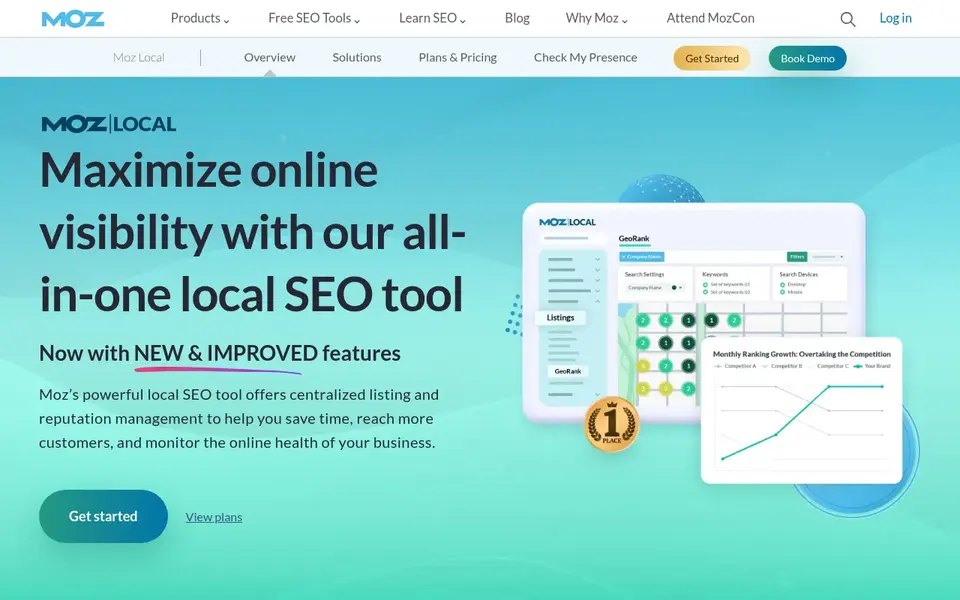
Moz Local is a listing management tool that pushes your business details to major directories and data aggregators. For a food truck, the value is that your commissary address, phone number and website stay the same everywhere even when your serving spots change. Customers who check Yelp or Apple Maps before driving out should see the same contact details as your Google profile.
The workflow suits a truck owner who updates the profile from a phone between shifts. You fix your core details once, then check for inconsistencies that creep in when a directory picks up an old address. It also gives you a simple view of how your listing looks across the web, which is useful when you are deciding whether a new pitch is worth the drive.
The limits show up if you want review requests or daily pin changes handled in the same place. Moz Local is a listing tool first, so a truck that moves several times a week will still need something else for location edits. Skip it if you already have a clean, stable address and your only problem is reviews.
- Strong citation and directory coverage
- clear listing accuracy checks
- simple dashboard for a small operator
- Review features are basic
- not built for daily location changes
Local Viking is a Google Maps focused tool that tracks where your profile shows up across a grid of points around a location. For a food truck, that is a practical way to see whether people a few blocks away can find you when you park at a regular spot. It also helps you compare one pitch against another over time.
The workflow is about checking and adjusting. You set a location, look at the grid, and see which directions are weak. If a regular lunch spot only shows up well within a short radius, that tells you something about how your category and name are being read. It is a diagnostic tool, not a listing manager, so pair it with something that handles your core business details.
The main limit is scope. Local Viking will not send review requests or fix your citations, and a truck with no fixed base will find the grid less useful than a truck with a few regular pitches. Skip it if you only want a single dashboard for reviews and listings.
- Built around Google Maps location data
- geo-grid rank tracking
- useful for spotting weak areas
- Not a full review or listing suite
- needs a clear idea of your service area
Yext is an enterprise-style listings platform that manages business information across a large network of directories, maps and apps. It fits an operator running several trucks or a truck plus a brick-and-mortar kitchen, where keeping every location's details aligned is a real job. A single truck owner will usually find it more than they need.
For food trucks, the useful part is control over structured details: hours, service options, phone numbers and the pages that feed your listings. If you run a rotating schedule across several pitches, having one source of truth for each location reduces the chance that an old address lingers on a directory. The trade-off is that setup takes planning before you see any benefit.
The limits are cost and complexity. Pricing is quote-based, and the platform assumes you have someone who can manage the data properly. Skip it if you are a one-truck operation with a simple schedule and no plans to expand.
- Wide network of directories and apps
- structured data control
- works well for multiple locations
- Setup is heavier than a single truck needs
- pricing is quote-based
GatherUp is a review management and customer feedback tool. For a food truck, the timing matters more than the software: a request sent while the customer is still nearby, or right after they eat, gets far more responses than one sent a week later. GatherUp supports that kind of quick request by email or text.
The workflow is straightforward. You add a customer, send a request, and the tool routes unhappy feedback to you privately before it becomes a public review. That last part is useful for a truck because a bad experience at a pitch can sit on your profile for a long time. You can also see which requests turn into reviews, so you learn what wording works.
The limit is that GatherUp does not manage your Google Business Profile details or your citations. It also depends on you collecting contact details at the window, which is easy to forget during a rush. Skip it if reviews are not your bottleneck.
- Simple review request flow
- feedback before a public review
- works from a phone
- Not a listing manager
- needs a customer contact method
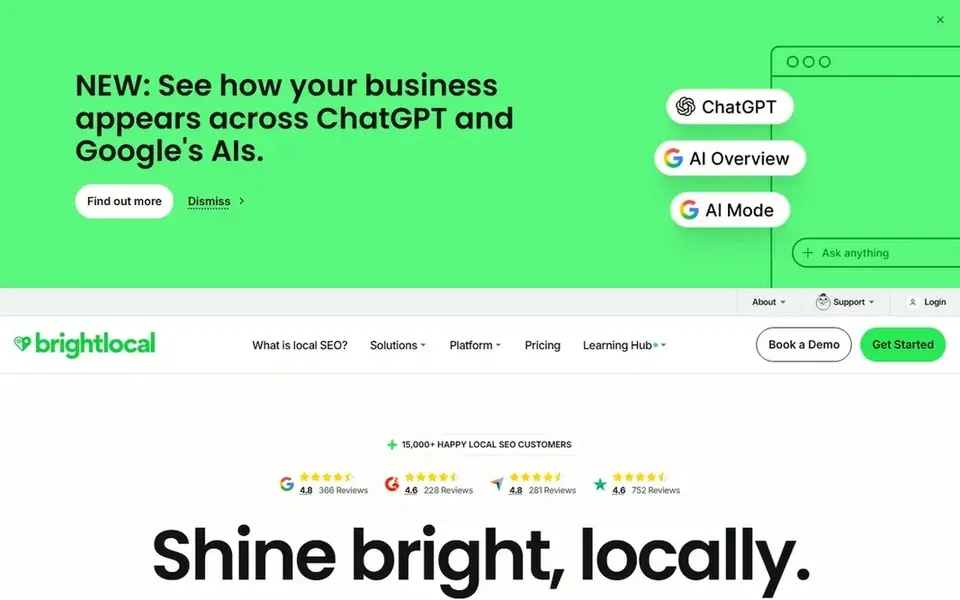
BrightLocal is a local SEO toolkit with citation checking, citation building, rank tracking and review features. For a food truck, the citation audit is the most useful piece: it shows where your business details are wrong or missing, which happens often when a truck changes its commissary address or phone number.
The workflow is periodic rather than daily. You run an audit, fix the worst problems, and check again later. Rank tracking lets you see whether your profile shows up for searches like "tacos near me" in the areas you serve. It is a good fit for an owner who wants to understand the local search side without hiring an agency.
The limits are that it is a reporting and audit tool, not something you open during service. Some features overlap with Moz Local and Local Viking, so buying all three is usually wasteful. Skip it if you already have an agency handling citations and reporting.
- Citation audit and building tools
- local rank tracking
- reports you can read without training
- Not a daily operations tool
- some features overlap with other tools on this list
CallTrackingMetrics
Great for: Knowing which pitch produces phone orders
CallTrackingMetrics is a call tracking platform that gives you different phone numbers for different sources and records where each call came from. For a food truck, that answers a question profile views cannot: which pitch, flyer or social post actually produces orders. You can put one number on your Google profile and another on a printed menu.
The workflow needs a little planning. You choose numbers, assign them to sources, and check the call log after a few weeks. Over time you learn which neighborhoods and events are worth the fuel. Call routing and recording options help if someone else answers the phone while you cook.
The limit is that call tracking only covers phone orders. If most of your customers order at the window or through a delivery app, the data will be thin. Skip it if your call volume is low and you already know which pitches work.
- Tracks calls back to the source
- supports multiple tracking numbers
- call recording and routing options
- Number setup takes planning
- overkill if you get few calls
Reputation.com is a reputation management platform aimed at businesses with many locations. It fits a food truck business that has grown into several trucks or a truck plus a permanent kitchen, where reviews arrive on different profiles and someone has to keep track of them. A single truck owner will usually find it heavy.
For food trucks, the useful part is seeing all review activity in one place and responding without logging into each site. If a truck serves several neighborhoods, you can compare how each one is received and spot a recurring complaint before it spreads. The reporting also helps if you are pitching a landlord or event organizer.
The limits are cost and fit. Pricing is quote-based and the platform assumes a team. Skip it if you are one truck with one profile and you can answer reviews yourself in a few minutes a day.
- Review monitoring across many sites
- response tools
- reporting for multiple locations
- Built for larger organizations
- more than a single truck needs
How I chose
I compared these tools using vendor documentation and public sources, not hands-on tests. I started with the jobs a food truck actually has to do on Google: keep the address and phone correct, handle a location that moves, collect reviews after service, and understand which pitch produces orders. Then I checked which tools cover those jobs without forcing a small operator into an enterprise contract.
I also weighed limits honestly. A tool that is excellent for a restaurant with a fixed address can be awkward for a truck that parks in three places a week. Where a product is built for multi-location businesses, I said so. Where a product only does one job well, I said that too, because buying three overlapping tools is a common and expensive mistake for a small food business.
What to check before you buy
- Confirm how the tool handles a service-area business or a moving location, since a food truck often has no storefront address to verify.
- Check whether you can update hours and special hours from a phone, because event schedules change at short notice.
- Ask whether the tool sends review requests by text as well as email, since customers at a window rarely check email.
- Look at how citations are built and whether the tool lets you correct a commissary address without creating a duplicate listing.
- Confirm the contract length and cancellation terms before you commit, especially for quote-based platforms.
- Read Google's guidelines on business names, addresses and review requests, and avoid any tool that encourages keyword-stuffed names or review gating.
Frequently asked questions
Can a food truck have a Google Business Profile?
Yes. Google allows food trucks, and many operate as service-area businesses without showing a street address. You set your service area, keep your hours accurate, and update your profile when your regular spots change. Avoid putting keywords in your business name, and do not list a home address unless you are set up to receive customers there.
How often should I update my food truck's profile?
Update it whenever your schedule, hours or contact number changes, and review it weekly during event season. If you move between pitches, keep the profile's service area and hours current rather than changing the address every day. Consistency across directories matters as much as the profile itself.
Do I need listing software if I only have one truck?
Not always. If your details are simple and stable, you can manage the profile yourself and run a free citation check now and then. Software earns its cost when you have several pitches, a changing phone number, or no time to chase inconsistent listings across directories.
How do I get more reviews for a food truck?
Ask at the window while the customer is still there, and make it easy with a short link or QR code. Send a follow-up request the same day if you have contact details. Never offer incentives for reviews or filter out unhappy customers, since both break Google's rules and can hurt your profile.
What should I skip when choosing this software?
Skip anything that pushes review gating, keyword-stuffed business names or fake reviews, even if it promises quick results. Also skip enterprise platforms if you run one truck, and avoid buying three tools that overlap. Start with the one job that is actually costing you customers, then add tools as you grow.
Sources
See where you really rank - block by block
ProMapRanker scans Google Maps across a grid of your service area. Simple monthly plans from $19, white-label on every plan.
Start freeBrowse all guides
← Best Call Tracking Software for Travel Agencies (2026)Best Google Business Profile Software for Toy Stores in 2026 →
 best call tracking software for trampoline parks
Best Call Tracking Software for Trampoline Parks (2026)
A practical guide to the best call tracking software for trampoline parks in 2026, covering call attribution, bookings, staff routing and reporting.
Read → best call tracking software for staffing agencies
Best Call Tracking Software for Staffing Agencies in 2026
A practical guide to the best call tracking software for staffing agencies in 2026, compared from vendor documentation and public sources.
Read → best call tracking software for speech therapists
Best Call Tracking Software for Speech Therapists in 2026
A practical guide to the best call tracking software for speech therapists, comparing call attribution, intake routing and reporting tools.
Read → moz pro alternatives
Moz Pro Alternatives in 2026
Searching for Moz Pro alternatives? We compare 8 SEO tools on keyword research, backlinks, rank tracking, and local SEO, with current prices inside now.
Read → local seo for car wash businesses
Local SEO for Car Wash Businesses
A local SEO guide for car wash businesses: Google Business Profile setup, reviews, and membership and location-based car wash SEO.
Read → local seo for self storage
Local SEO for Self Storage Facilities
How self storage facilities rank higher in local search and compete against national storage brands.
Read →More in Local SEO & Google Maps · All guides A to Z by date · Latest guides