 ProMapRanker
Best Call Tracking Software for Speech Therapists in 2026
Direct answer
CallRail is my top pick for speech therapy practices because it ties every inbound call to the Google Ads campaign, keyword or directory listing that produced it, and it routes new-patient calls to the right clinician. It has a free trial, so you can test call flows before you commit. If you mainly want a full local marketing platform, look at Semrush Local; if you need call tracking plus reputation and messaging in one place, look at Weave.
I compared these tools from vendor documentation and public sources, not from hands-on testing. I looked at how each one handles call attribution, intake routing, recording consent and reporting for a small clinic that depends on phone enquiries.
Key takeaways
- Speech therapy practices get most new patients by phone, so knowing which listing, ad or keyword produced each call matters more than raw call volume.
- Call tracking numbers can be swapped dynamically on your website and on Google Business Profile so you can separate calls from Maps, organic search and paid campaigns.
- Intake calls are sensitive, so pick a tool that lets you route by time of day, service type and location, and that lets you mark calls as new patient, existing patient or spam.
- Call recordings and transcripts help you review how intake staff explain evaluations, insurance and waitlists, but you must follow consent rules for recording calls.
- Reporting should connect calls to outcomes, not just count them, so check whether the tool can tag qualified intake calls and export that data.
Quick comparison
| Pick | Great for | Pricing starts at | Free tier | |
|---|---|---|---|---|
 CallRail | Call attribution and intake routing | See website | Free trial | Visit |
 Semrush Local | Listings, reviews and call data together | See website | No free plan | Visit |
 CallTrackingMetrics | Detailed routing for multi-site clinics | See website | Free trial | Visit |
 WhatConverts | Proving which leads became patients | See website | Free trial | Visit |
 Weave | Phone, messaging and reminders in one system | See website | No free plan | Visit |
 GatherUp | Turning happy families into reviews | See website | Free trial | Visit |
 Yext | Consistent listings and call buttons | See website | No free plan | Visit |
The best call tracking software for speech therapists compared
CallRail is a call tracking platform built around marketing attribution. For a speech therapy practice, that means a parent who finds you through a Google Maps listing, clicks the call button and reaches your front desk can be traced back to that listing. It fits solo therapists and small group practices that run Google Ads or depend on local search visibility.
In practice you would put a tracking number on your website, in your Google Business Profile and in directory listings, then route calls by time of day or to a specific clinician. You can tag calls as new patient enquiry, existing patient or spam, and review recordings to see how intake staff handle questions about evaluations, insurance and waitlists.
The limits are mostly operational. You need to decide how many numbers you want, keep them consistent across listings, and train staff on the whisper message so they know which source a call came from. Practices that only want a phone system should skip it.
- Clear source-level call attribution
- Dynamic number insertion for website and ads
- Call routing with tags and whisper messages
- Setup takes planning across numbers and sources
- Advanced features sit on higher tiers

Semrush Local brings listing management, review monitoring and local visibility reporting into one dashboard. For a speech therapy clinic, the appeal is seeing how your Google Business Profile performs alongside the calls and website visits it produces, rather than juggling separate tools for listings and call data.
The call side is less specialised than a dedicated tracker. You would use it to watch how calls and profile actions move together after you update hours, services or photos. It suits practices that already pay for Semrush and want local work in the same place.
Skip it if call routing, IVR and detailed intake tagging are your main requirements. A dedicated call tracking tool will go deeper on those.
- Combines listing management with local marketing data
- Useful for tracking Maps visibility
- Fits teams already using Semrush
CallTrackingMetrics is aimed at teams that need control over how calls flow. A speech therapy group with several locations, different service lines and separate intake teams can build menus that send calls to the right office, then route after hours to an answering service.
The reporting lets you see call volume by source, campaign and location, which helps when you are deciding whether to put more budget behind one clinic's local ads. You can also score calls and review transcripts for intake quality.
The trade-off is complexity. A single-location practice with one receptionist will spend more time configuring it than using it. Start with a simple flow and add routing only when you need it.
- Flexible IVR and routing rules
- Agent and queue management
- Detailed call reports
- Configuration is heavy for a small clinic
- Pricing scales with usage
WhatConverts treats calls, form fills and chats as leads in one stream. That suits a speech therapy practice that wants to know not just how many calls came in, but which ones turned into booked evaluations. You can label leads by type, such as new patient enquiry or school referral, and follow them through to a booked appointment.
It is useful when you run several marketing channels and need to compare them fairly. You can see which keyword or listing produced a call that became a patient, rather than counting every ring as a win.
The setup asks you to define your lead stages up front. If nobody on your team can own that mapping, the reports will stay noisy and you will not get the value.
- Lead-level reporting across calls, forms and chats
- Keyword and campaign attribution
- Custom lead types
- Setup requires mapping your intake stages
- Reporting can overwhelm new users

Weave is a communications platform for clinics. It puts the phone system, text messaging, reminders and review requests in one place, which fits a speech therapy office where the front desk is juggling intake calls, scheduling and parent questions.
For call tracking, the value is context. Incoming calls can be matched to patient records, and missed calls can trigger a text back so a parent can rebook. That reduces the number of enquiries lost to a busy phone line.
It is not built to show you which Google Ads keyword produced a call. If marketing attribution is your goal, pair it with a dedicated tracker or choose a different tool.
- Combines phone, texting and appointment reminders
- Built for practice front desks
- Call tracking with patient context
- Not a marketing attribution tool first
- Requires staff adoption
GatherUp focuses on reviews and customer feedback. For a speech therapy practice, reviews matter because parents often choose a clinic after reading about other families' experiences. GatherUp lets you ask for feedback after a session or at discharge and route happy families to leave a review on your Google Business Profile.
It does not track calls in the way CallRail or CallTrackingMetrics do. Use it alongside a call tracker if reviews are a priority, and follow Google's review policies by asking all patients, not just the ones you expect to be positive.
Skip it if you need call routing, recordings or source attribution. It solves a different problem.
- Review requests by email and text
- Review monitoring in one inbox
- Simple feedback flows
- Not a call tracking platform
- Limited call analytics
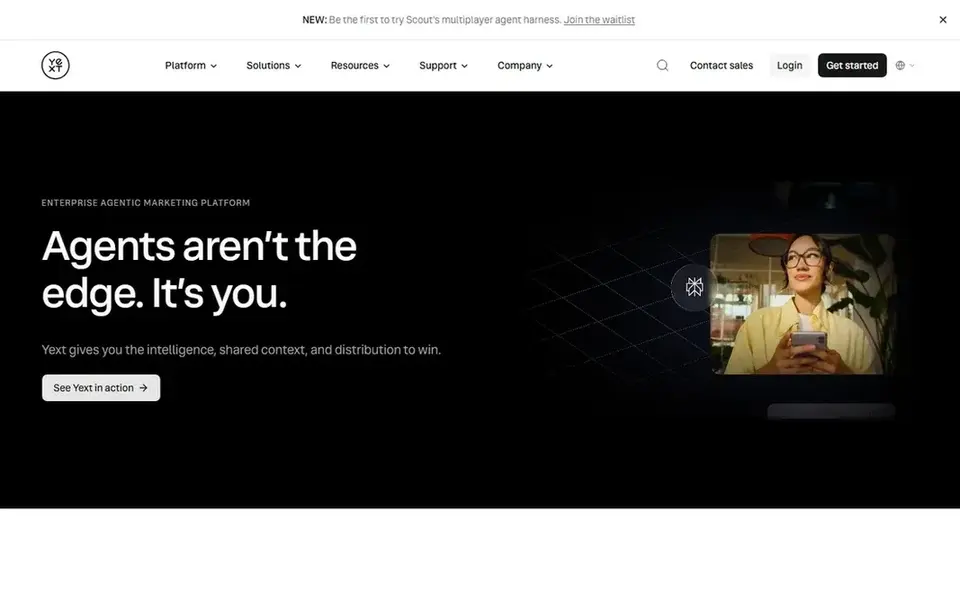
Yext keeps your business information consistent across directories and maps. For a speech therapy clinic with multiple locations, that means the same address, hours, phone number and service description everywhere, which reduces confused parents and wrong-number calls.
The call angle is indirect. When your listings are accurate and your call buttons work, more enquiries reach the right office. Yext reports on listing activity, but it is not a call routing or recording tool.
Choose it if listings accuracy is your main headache. If you want to know which keyword produced a call, you need a dedicated call tracker.
- Central control of business listings
- Consistent hours and phone numbers
- Call buttons on listings
- Call analytics are secondary
- Ongoing subscription for listings
How I chose
I started from vendor documentation and public sources, then checked each tool against how a speech therapy practice actually gets new patients. That means phone-first intake, parents calling about evaluations and insurance, multiple clinicians or locations, and a front desk that cannot always pick up. I looked for call attribution, routing, recording and reporting features that map to those workflows.
I also weighed limits. A tool that needs a marketing analyst to run it is a poor fit for a two-person clinic, and a listings platform is not a substitute for call tracking. Where a product is strong in one area and weak in another, I said so. I did not run hands-on tests, so treat the notes as a starting point and confirm current features and terms with each vendor.
What to check before you buy
- Confirm the tool supports dynamic number insertion on your website and a separate tracking number for your Google Business Profile.
- Check routing options: can calls go to a specific clinician, an intake queue or an after-hours service by time of day?
- Ask how call recordings and transcripts handle consent, and whether you can turn recording off for sensitive calls.
- Make sure you can tag calls as new patient, existing patient, school referral or spam, and export that data.
- Check whether the tool can send a text back after a missed call, since parents often call during sessions.
- Review contract terms, number porting and what happens to your data if you leave.
Frequently asked questions
Do speech therapy practices really need call tracking?
Yes, if the phone is a main source of new patients. Call tracking shows which listing, ad or keyword produced each call, so you can stop guessing where to spend marketing time. It also helps you see missed calls and follow up before a parent books with another clinic.
Will a tracking number hurt my Google Business Profile ranking?
Using a tracking number as your primary profile number can create inconsistency with other listings. A common approach is to keep your main number on the profile and use tracking numbers on your website and ads, or use dynamic insertion carefully. Check Google's guidelines and keep your name, address and phone consistent.
Can call tracking record intake calls with parents?
Many tools can record and transcribe calls, but consent rules vary by location. You should tell callers that calls may be recorded and follow the rules that apply to you. Review recordings to improve intake, and limit access to staff who need it.
How does call tracking help with Google Ads for a clinic?
It connects a click to a call. You can see which campaign, ad group or keyword produced a call that became a booked evaluation, then move budget toward the terms that bring in patients. Without it, you only see clicks, not conversations.
Should I pick a call tracker or a practice phone system?
Pick based on your main gap. If you need marketing attribution and source-level reporting, choose a call tracker like CallRail. If your front desk needs texting, reminders and a modern phone system, a practice platform like Weave may fit better. Some clinics use both.
Sources
See where you really rank - block by block
ProMapRanker scans Google Maps across a grid of your service area. Simple monthly plans from $19, white-label on every plan.
Start freeBrowse all guides
← Best Call Tracking Software for Print Shops in 2026Best Call Tracking Software for Staffing Agencies in 2026 →
 best call tracking software for paving companies
Best Call Tracking Software for Paving Companies in 2026
A guide to the best call tracking software for paving companies in 2026, covering call attribution, recordings, and quote follow-up for asphalt and concrete crews.
Read → best review request software for orthodontists
Best Review Request Software for Orthodontists in 2026
A practical guide to the best review request software for orthodontists in 2026, comparing patient messaging, review invites and reputation tools.
Read → best review request software for handymen
Best Review Request Software for Handymen in 2026
A handyman's guide to review request software in 2026: how each tool sends review asks after a job, what it costs to start, and what to check first.
Read → promapranker vs synup
ProMapRanker vs Synup: Local Rank Tracking Compared
How ProMapRanker compares to Synup for local rank tracking, reporting, and pricing.
Read → how to add photos to google business profile
How To Add Photos To Google Business Profile?
Everything you need to know about how to add photos to google business profile: what it is, why it matters for local SEO, and exactly how to act on it.
Read → local seo for salons
Local SEO for Salons and Barbershops: Booking More Appointments
A salon and barbershop local SEO guide: GBP, photos, reviews, and geo-grid tracking for more bookings.
Read →More in Local SEO & Google Maps · All guides A to Z by date · Latest guides