 ProMapRanker
Best Free Tool to Convert PDF to PNG in 2026

Key takeaways
- PDF24 Tools is our pick for most free conversions, because its web tool is free with strong format and quality options.
- ILovePDF, Smallpdf and Sejda suit users who also need other PDF jobs, but free use has task or file limits.
- PDF Candy, Convertio and CloudConvert cover both directions, including PNG to PDF, with different free allowances.
- Zamzar and HiPDF suit occasional conversions, especially when a simple upload and download workflow is enough.
- For sensitive documents, prefer a desktop or offline tool, and avoid uploading private files to a web converter you do not need.
Quick comparison
| Pick | Great for | Pricing starts at | Free tier | |
|---|---|---|---|---|
 PDF24 Tools | Free PDF to PNG conversion | Free | Yes | Visit |
 ILovePDF | All-round free PDF tools | Free | Yes | Visit |
 Smallpdf | Simple PDF conversion | Free | Yes | Visit |
 Sejda | Free PDF tools with limits | Free | Yes | Visit |
 PDF Candy | Free conversion plus desktop | Free | Yes | Visit |
 Convertio | Many formats including PNG | Free | Yes | Visit |
 CloudConvert | Flexible conversion credits | Free | Yes | Visit |
 Zamzar | Simple file conversion | Free | Yes | Visit |
 HiPDF | Free PDF conversion and chat | Free | Yes | Visit |
The best free tool to convert pdf to png
We compared official product pages, pricing pages and public documentation for tools that offer a genuine free tier for PDF to PNG conversion, not just a trial. Most tools here also convert PNG to PDF, so the reverse job is covered in the guide below. Check free limits before a large batch, since daily tasks and file sizes vary.
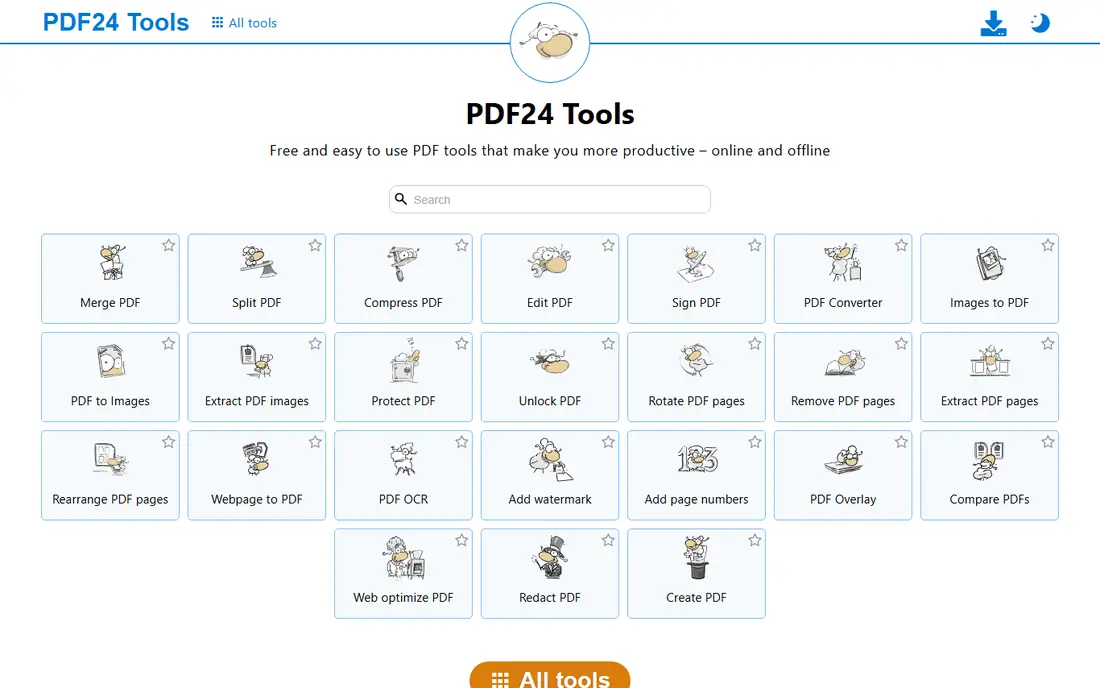
PDF24 Tools is our pick for most people because its PDF to PNG tool is free on the web and offers useful control over output. You can choose color modes and image settings, download PNG pages, and handle a document without installing software. That combination of price and control is hard to beat. The main downside is choice overload. The site offers many PDF tools, so a first-time user may need a moment to find the right one. For sensitive files, the desktop Creator version is worth considering, since it keeps conversion on your own computer rather than uploading to a web service.
- Web conversion listed as free
- Color, grayscale and resolution options
- Desktop Creator for offline work
- Interface offers many tools, which can feel busy
- Some advanced features sit in paid or desktop options
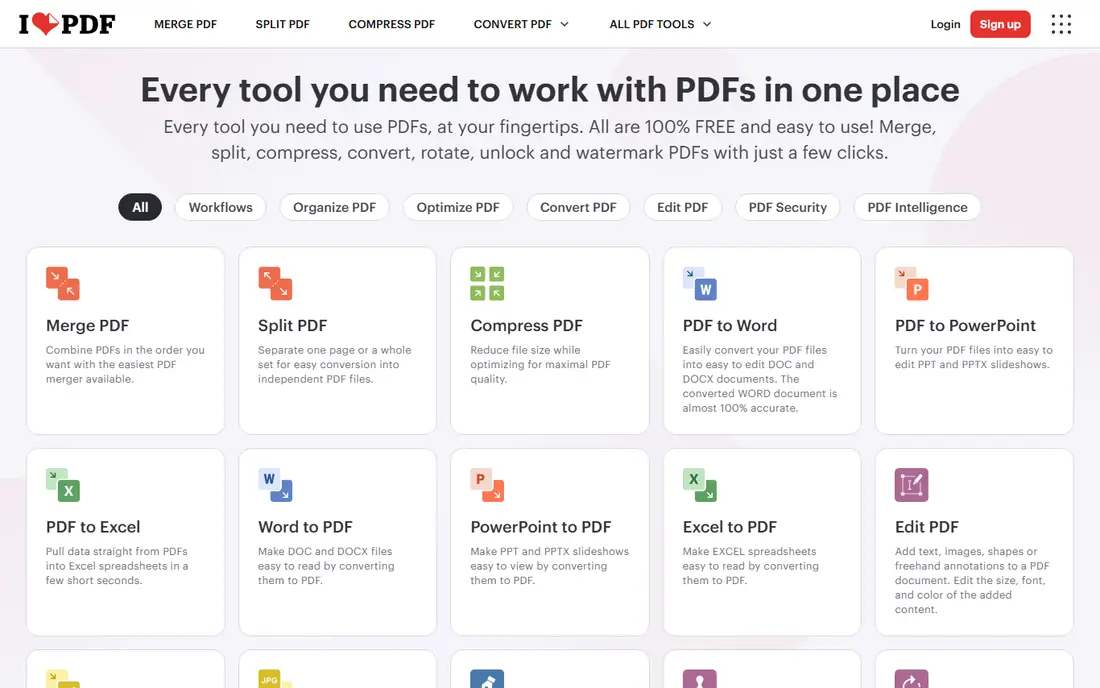
ILovePDF is a practical all-round choice when PDF to PNG is one job among many. The site covers merging, splitting, compressing and converting PDFs, so a user who also edits PDFs can stay in one place. The conversion flow is simple: upload, choose image output, and download the PNG files. The limit is free-tier capacity. Heavy or frequent use may hit task limits, and larger files may need a paid plan. For occasional conversions, however, the free tier is usually enough, and the clean interface makes it easy for a new user to get a result quickly.
- Clear PDF to image workflow
- Many related PDF tools in one account
- Free tier for everyday tasks
- Free use has limits on tasks and file handling
- Some features require a paid plan
Smallpdf suits users who want the simplest possible conversion. Upload a PDF, convert it to PNG or JPG, and download the images, with optional cloud storage connections. The design is clean, and the tool works well on desktop and mobile browsers. The free plan is the constraint. Regular or high-volume use will need a paid plan, and the monthly price is higher than some rivals for casual users. Smallpdf is best for occasional, simple conversions where ease matters more than bulk capacity.
- Very simple upload and download flow
- Cloud integrations with Drive and Dropbox
- Many PDF tools beyond conversion
- Free plan limits use
- Paid plans start at a higher monthly price for heavy users
Sejda is a solid free option for users who convert a few documents at a time. Its PDF to image tool is straightforward, and the wider site covers editing, merging and other common PDF jobs. The free tier is transparent about limits, which helps avoid surprise blocks mid-task. The downside is scale. Daily task limits and file-size caps mean a large batch or a very large PDF may need splitting or a paid plan. For everyday single-document conversions, Sejda is reliable, and its desktop option can help with privacy for sensitive files.
- Free PDF to image conversion
- Useful editing and conversion tools in one site
- Clear task limits so users know the boundary
- Free tier limits tasks per day and file size
- Some tools need a paid plan for larger work
PDF Candy stands out for users who want both a web tool and a desktop option. The web converter handles PDF to PNG and many other jobs, while the desktop app keeps work offline when privacy matters. That flexibility suits users who switch between quick web jobs and sensitive documents. The catch is account and feature boundaries. Some functions require an account, and the full desktop plus web bundle is a paid purchase. For basic free conversion, however, the web tool is easy to use, and output quality is suitable for slides, documents and web use.
- Free web conversion with no hourly limits described
- Desktop app for offline work
- Clear interface for PDF to image jobs
- Some functions require an account
- Paid desktop bundle is a one-time purchase for full features
Convertio is the format-flexible choice in this list. It converts PDF to PNG and PNG to PDF, plus hundreds of other format pairs, which helps when a project involves images, documents and media together. Advanced options for resolution and compression give more control than a one-click converter. The free tier has clear limits on file size and daily conversion minutes, so a large batch can stall. For occasional mixed-format work, those limits are manageable, and the paid Light plan is relatively affordable for users who need more capacity each month.
- Supports hundreds of formats
- Resolution and compression options for images
- Works for PNG to PDF as well as PDF to PNG
- Free tier limits file size and daily conversion time
- Larger files need a paid plan
CloudConvert suits users who want flexible, pay-as-you-go conversion rather than a monthly subscription. The free tier allows a limited number of conversions per day, and paid options use conversion minutes or credits. That model fits occasional users and developers who need an API. The downside is complexity. Casual users may find credits and minutes harder to follow than a simple free task limit. For a single PDF to PNG job, however, the web workflow is clear, and the tool supports a wide range of output settings for image quality.
- Free daily conversion allowance
- Supports PDF to PNG and PNG to PDF
- API and integration options for developers
- Credit system can confuse casual users
- Heavy use needs a paid package or credits
Zamzar is a good pick for users who want a no-fuss converter without learning a PDF suite. Upload a file, choose PNG or PDF output, and download the result. The site covers many formats beyond PDFs, so it can handle a mixed batch of document and image jobs. The free tier limits file size and number of conversions, so large documents may need splitting or a paid plan. Users should also choose direct download rather than email delivery for a faster result, and avoid uploading sensitive documents to any web converter when a desktop tool would do.
- Simple upload, convert and download flow
- Supports PDF to PNG and PNG to PDF
- No software install needed
- Free tier limits file size and conversions
- Email delivery option can slow a quick job
HiPDF rounds out the list for users who want batch conversion with a simple interface. It converts PDF pages to PNG images, supports batch jobs, and sits alongside other PDF tools for editing and chatting with documents. That breadth helps when a conversion is part of a larger document task. The limit is free-tier capacity, with page and size caps that affect very large PDFs. For typical documents, however, HiPDF is easy to use, and its free tier covers the occasional conversion without requiring a subscription or a trial sign-up.
- Free PDF to PNG conversion
- Batch conversion for multiple pages
- Additional AI and PDF tools in the same site
- Free version has page and size limits
- Some features require a paid plan
How we picked these
We compared official product and pricing pages for PDF conversion tools that offer a genuine free tier in October 2026, not only a time-limited trial. We kept tools that convert PDF pages to PNG images and, where relevant, PNG images back to PDF. We favored tools with clear free limits, a working web or desktop product, and a simple download workflow, and we excluded trial-only tools from this free-angled list.
What to check before you buy
First, match the tool to the document. For a single page or a short PDF, almost any tool here will work. For a long document, check page limits, file-size caps and whether the tool downloads one PNG per page or a single combined image. Splitting a large PDF first can save time and avoid a failed conversion. Next, check image quality settings. If the PNG will go into a slide or print document, choose a higher resolution or quality option where offered, and check the result at full size before using it. For web use, a smaller PNG may load faster and still look sharp, so test both and pick the smaller file that still looks clean. Finally, think about privacy. Web converters upload your file to a server, so avoid them for contracts, IDs, medical records or other sensitive documents unless you trust the provider and its retention policy. For those files, use a desktop tool such as PDF24 Creator or PDF Candy Desktop, or a built-in operating system print-to-image workflow, and delete web copies after download.
Frequently asked questions
What is the best free tool to convert png to pdf?
Most tools here work in both directions. PDF24 Tools, ILovePDF, Convertio, CloudConvert and Zamzar all convert PNG images to PDF, usually by uploading images and choosing PDF output. For a multi-page PDF, upload images in page order and check the preview before downloading.
Is PDF to PNG conversion really free?
Yes, for everyday use on the tools in this list, but free tiers have limits on tasks, file size or daily conversions. PDF24 Tools is the most generous free option for this job, while other tools may ask you to wait or upgrade after heavy use.
How do I convert a PDF to PNG without losing quality?
Choose the highest resolution or quality setting offered, and download PNG files rather than JPG when you need sharp text and lines. Check the output at full size, and avoid re-compressing the PNG many times, since each save can soften edges.
Can I convert only selected PDF pages to PNG?
Yes, many tools let you choose a page range before conversion, and desktop tools often give the most control. If a web tool only converts the whole document, split the PDF first with a free splitter, then convert the pages you need.
Is it safe to upload a PDF to a free converter?
For public or low-sensitivity documents, reputable converters are generally safe, but they still receive a copy of your file. For sensitive documents, use a desktop or offline tool, check the provider retention policy, and delete the file from the service after download if that option exists.
What if my PDF is very large?
Split it into smaller parts, convert in batches, or use a desktop tool that handles large files offline. Web free tiers often limit file size and daily tasks, so a desktop converter avoids those caps and keeps the work on your own computer.
Sources
- https://tools.pdf24.org/en/pdf-to-png
- https://www.ilovepdf.com/pdf_to_png
- https://smallpdf.com/pdf-to-png
- https://www.sejda.com/pdf-to-png
- https://pdfcandy.com/pdf-to-png.html
- https://convertio.co/pdf-png/
- https://cloudconvert.com/pdf-to-png
- https://www.zamzar.com/convert/pdf-to-png/
- https://www.hipdf.com/pdf-to-png
See where you really rank - block by block
ProMapRanker scans Google Maps across a grid of your service area. Simple monthly plans from $19, white-label on every plan.
Start freeKeep reading
 who has best internet service
Who Has the Best Internet Service in 2026
Who has best internet service for US homes? We compare fiber, cable, fixed wireless and satellite providers on speed, price, availability and terms today.
Read → which survey tool has the best analytics
Which Survey Tool Has the Best Analytics in 2026
Find which survey tool has the best analytics in 2026, comparing Qualtrics, SurveyMonkey, Typeform, Alchemer, and more on reports, text, and stats today.
Read → which streaming service has the best movies
Which Streaming Service Has the Best Movies in 2026
Answering which streaming service has the best movies, with Netflix, Max, Criterion and more compared on libraries, prices and free options in this guide.
Read →