 ProMapRanker
Best Free Calorie Counting Apps in 2026

Key takeaways
- Cronometer has the strongest free tier on this list, since barcode scanning and detailed nutrient data stay free.
- MyFitnessPal and Lose It still let you log for free, but barcode scanning now sits behind a paid plan for new accounts.
- MyNetDiary is a strong free pick for people who want verified food entries and gram based targets without paying.
- FatSecret and Carb Manager are worth trying if you want a simple free tracker with less upgrade pressure.
- No app here can set a safe calorie target for you on its own, so treat any target as general information only.
Quick comparison
| Pick | Great for | Pricing starts at | Free tier | |
|---|---|---|---|---|
 Cronometer | Detailed free nutrient tracking | Free | Yes | Visit |
 MyFitnessPal | Largest food database | Free | Yes | Visit |
 Lose It | Simple beginner logging | Free | Yes | Visit |
 MyNetDiary | Verified entries and gram targets | Free | Yes | Visit |
 FatSecret | Simple no fuss tracking | Free | Yes | Visit |
 Yazio | Meal plans and fasting tools | Free | Yes | Visit |
 Lifesum | Guided meal plans | Free | Yes | Visit |
 Carb Manager | Low carb and keto tracking | Free | Yes | Visit |
The best free calorie counting apps
A good free calorie app should let you log food fast, see your totals clearly, and keep the core job free. These eight do that in different ways, and the right one depends on how much detail you want.
This is general information only and not medical advice. Calorie needs vary with age, health, activity, and medical history, so check with a clinician or registered dietitian before you follow a low target, start a new diet, or use an app to manage a medical condition.
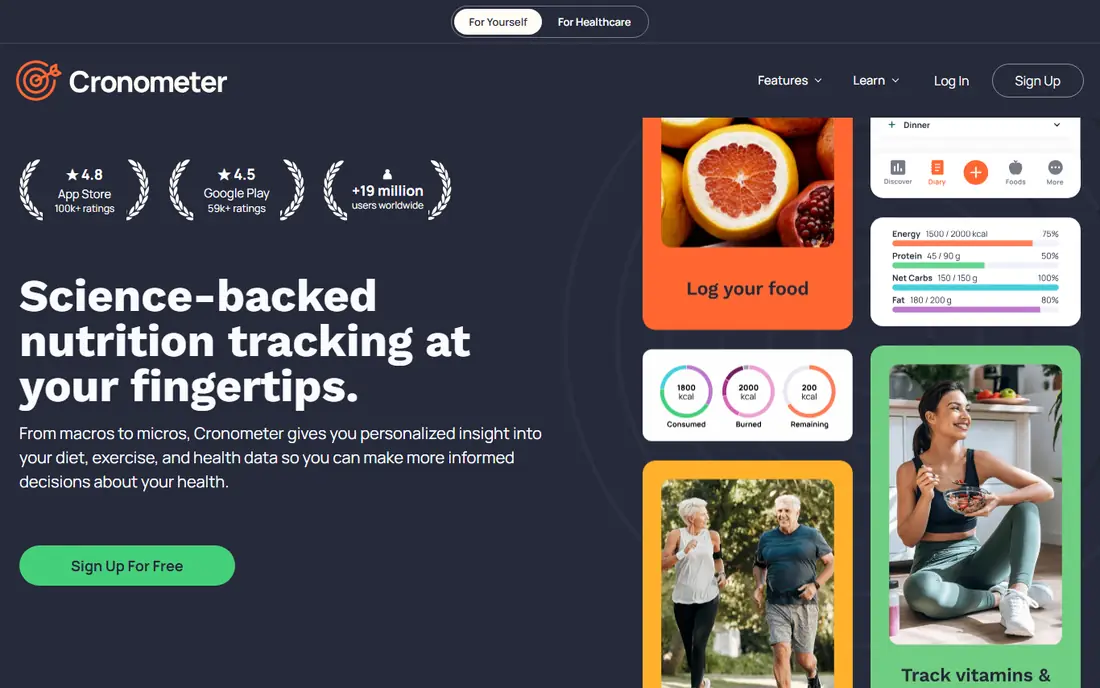
Cronometer is our pick for most free users, because it keeps the useful parts free. You can scan barcodes, search foods, set macro targets, and see a wide nutrient breakdown without paying, which is a clear gap over MyFitnessPal and Lose It on their current free tiers. The data feels careful and well labeled, and that matters when you are trying to compare similar foods rather than just hit a calorie number.
The trade off is speed. Manual search and portion entry can take longer than a photo based app, and some conveniences, such as photo logging, sit in the paid Gold plan. If you log home cooked meals often, save your frequent foods and recipes early. That small setup step makes daily logging much faster, and it keeps the free tier genuinely usable.
- Barcode scanning stays free
- Detailed vitamin and mineral data
- Macro targets free
- Food logging can feel slower than rivals
- Photo and voice logging need the paid plan
MyFitnessPal remains the easiest app to find an obscure branded food in, thanks to its huge database and long history. Logging is familiar, recipes and frequent foods are easy to reuse, and it connects with many fitness apps and wearables. For a new user who mainly eats packaged or restaurant foods, that database depth can make the first week far less frustrating.
The free tier is weaker than it once was. Barcode scanning and some target options now need Premium, which is listed at 79.99 dollars per year, and the free version shows ads. If you scan most meals, Cronometer will save you money. If you search by name and value the database, MyFitnessPal still earns its place.
- Very large food database
- Familiar logging flow
- Wide device support
- Barcode scanning needs Premium for new accounts
- Free tier shows ads
- Gram targets need Premium
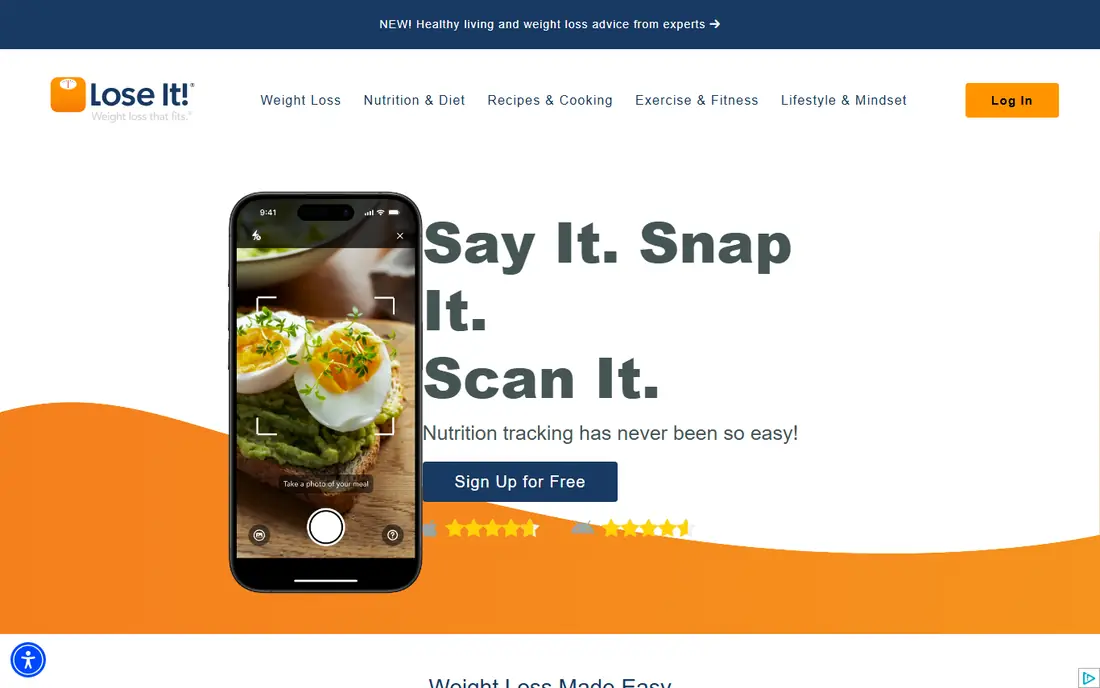
Lose It is a good first app for someone who has never counted calories before. Setup asks a short set of questions, the daily budget is shown in plain numbers, and logging a meal takes only a few taps once your frequent foods are saved. The design avoids clutter, which helps when you are trying to build a daily habit rather than study nutrition data.
The limits mirror MyFitnessPal. New accounts need Premium for barcode scanning and photo logging, so manual search becomes the main free path. That is workable for repeat meals, but it can slow down logging for varied packaged foods. Try the free tier for a week with your usual meals before you decide whether the paid extras are worth it.
- Clear daily budget view
- Simple logging
- Friendly goal setup
- Barcode scanning needs Premium for new accounts
- Photo logging is paid
- Some targets need Premium
MyNetDiary stands out for accuracy minded free users. Its verified entries help you avoid the duplicate and mislabeled foods that fill larger databases, and you can set macro targets by grams without paying. The free tier also avoids ads, which makes daily logging calmer and less interrupted than in several rivals here.
The community and recipe library are smaller than MyFitnessPal, so an unusual branded item may take longer to find. That matters less if you cook at home or eat a stable set of foods. For people who want clean data and fixed gram targets at no cost, MyNetDiary is one of the strongest free choices on this list.
- Verified food entries free
- Gram based macro targets free
- No ads on the free tier
- Smaller community than MyFitnessPal
- Some coaching features need Premium
FatSecret is a plain, practical tracker that does the core job without pushing upgrades hard. You get a food diary, exercise log, weight tracking, and a large database, plus community journals if you like seeing how other people structure meals. The layout is simple, and that simplicity is the point for users who find newer apps too busy.
The design does feel older than MyFitnessPal or Lose It, and some detailed reports sit behind a paid plan. If polish matters a lot to you, that may grate over time. If you want a free diary that stays out of your way, FatSecret is easy to recommend and easy to stick with.
- Free tracking with a large food database
- Simple diary view
- Community journals
- Design feels dated
- Some reports and extras need the paid plan
Yazio pairs calorie logging with meal ideas and a fasting tracker, which suits people who want structure beyond a blank diary. The interface is clean, food search is straightforward, and the meal plan section gives starting points when you are unsure what to cook. That guidance can help in the first weeks, when a blank calorie budget often leads to repetitive meals.
The free tier has clear limits. Barcode scanning and photo logging sit in the Pro plan, and Pro pricing varies by region, so check the app store price in your country before you judge value. If you log by search and want meal ideas, the free tier works well. If you scan everything, Cronometer is the better free pick.
- Clean design
- Meal plan ideas
- Fasting tracker included
- Barcode scanning and photo logging need Pro
- Pro price varies by region
Lifesum is the most guided app on this list. It offers meal plans, recipes, and weekly summaries in a polished design, and it suits people who want the app to suggest what to eat rather than only record what they ate. The onboarding is smooth, and the visual summaries make it easy to see patterns across a week.
The free tier is the weakest here for core logging, since many helpful features, including barcode scanning, sit behind Premium. That makes Lifesum a better choice for people who already plan to pay than for people who want a fully free tracker. Try the free version first, and only upgrade if the plans and recipes genuinely change how you eat.
- Polished design
- Guided plans and recipes
- Clear weekly summaries
- Free tier is limited
- Many useful features need Premium
- Barcode scanning is paid
Carb Manager is built for low carb and keto eating, and it shows in the free tier. Net carb counts, keto friendly food entries, and macro tracking are front and center, so you do not need to work around a general tracker to see the numbers that matter for that style of eating. The free version also avoids third party ads, which keeps daily use pleasant.
If you eat a general balanced diet, much of that focus is wasted, and a general app such as Cronometer or MyNetDiary will fit better. For low carb users, though, Carb Manager is the clearest free pick here, with Premium listed at 39.99 dollars per year for users who want the full feature set.
- Net carb tracking free
- Keto friendly food data
- No third party ads on free tier
- Less useful if you do not follow low carb eating
- Full features need Premium
How we picked these
We compared official feature pages, app store listings, and current pricing reports, and we kept only apps with a usable free tier for calorie logging in October 2026. We checked what stays free, not just what the app claims, with special attention to barcode scanning, macro targets, and ads, since those three items decide whether a free app is practical day to day. We did not claim hands-on testing, and we favored apps with a clear food database, weight tracking, and a plain way to see daily totals.
How to pick the right free app for you
Start with how you log
If you scan packaged foods, pick Cronometer first, since scanning stays free. If you cook at home and eat repeat meals, MyNetDiary or Lose It will feel fast once your frequent foods are saved. Photo logging fans should check paid plans carefully, since that feature is rarely free in full.
Check the target, not just the app
Every app here will suggest a calorie target, but those targets are estimates from a formula, not medical advice. Be cautious with very low targets, with targets set for fast weight loss, and with any plan tied to a medical condition. If you are pregnant, under 18, managing diabetes or an eating disorder history, or taking medication that affects weight, talk to a clinician before you follow an app target.
Give it two weeks before you pay
Log honestly for two weeks, including weekends, before you upgrade. That test shows whether the database fits your foods, whether scanning limits slow you down, and whether you actually open the app daily. Paying for a tracker you stop using helps no one, and the free tiers here are strong enough to run that test properly.
Frequently asked questions
What is the best free calorie counting app?
Cronometer is our pick for most free users, because barcode scanning and detailed nutrient data stay free. MyNetDiary is close behind for verified entries and gram targets, while MyFitnessPal wins on database size if you do not mind paying for scanning.
What is the best calorie counting app free for beginners?
Lose It is the simplest starting point, with a clear daily budget and a short setup. Cronometer is also beginner friendly if you want more nutrient detail, and FatSecret suits people who want a plain diary without many extras.
Is MyFitnessPal still free?
Yes, basic logging is free, with ads. Barcode scanning, gram based macro targets, and some other features now need Premium, listed at 79.99 dollars per year. If scanning matters to you, compare Cronometer before you pay.
What is the best free app for calorie counting without a subscription?
Cronometer, MyNetDiary, and FatSecret all offer a usable free tier without a subscription. Cronometer is best for nutrient detail, MyNetDiary is best for verified entries, and FatSecret is best for a simple diary with less upgrade pressure.
Can a free calorie app help with keto or low carb eating?
Yes. Carb Manager is built for low carb and keto tracking, with net carb counts in the free tier. General apps can also work if you set carb targets manually, but Carb Manager shows the right numbers without extra setup.
Sources
See where you really rank - block by block
ProMapRanker scans Google Maps across a grid of your service area. Simple monthly plans from $19, white-label on every plan.
Start freeKeep reading
 best user research tools
Best User Research Tools in 2026
Best user research tools compared for 2026: eight live platforms for testing, interviews, recruiting, and research synthesis to help your team choose wisely.
Read → best spa booking software
Best Spa Booking Software in 2026
Looking for the best spa booking software? We compare eight spa and salon booking tools on price, marketplace fees, and features for spas in 2026 today.
Read → best software for editing video podcasts
Best Software for Editing Video Podcasts in 2026
Best software for editing video podcasts compared for 2026: eight live editors for recording, transcript edits, and polished episodes for creators today.
Read →