 ProMapRanker
Best User Research Tools in 2026

Key takeaways
- Maze is the fastest pick for prototype testing, while UserTesting is the strongest for video evidence.
- No single tool covers testing, recruiting, and synthesis well, so most teams need two tools.
- Hotjar and Lyssna offer the lowest-cost entry points for small teams.
- Dovetail pays off only when a team tags research consistently and reuses past findings.
Quick comparison
| Pick | Great for | Pricing starts at | Free tier | |
|---|---|---|---|---|
 Maze | Fast unmoderated prototype testing | $99 per month | Yes | Visit |
 UserTesting | Large-panel video usability studies | See website | No | Visit |
 Dovetail | Research repositories and synthesis | See website | Free trial | Visit |
 Lookback | Live moderated interviews | See website | Free trial | Visit |
 User Interviews | Participant recruitment | See website | No | Visit |
 Hotjar | Behavioral signals at scale | $32 per month | Yes | Visit |
 Optimal Workshop | Card sorting and tree testing | See website | Free trial | Visit |
 Lyssna | Quick five-second and preference tests | $75 per month | Yes | Visit |
The best user research tools
The best user research tools in this guide cover different jobs, from quick prototype tests to live interviews and participant recruiting, so start from the question you need answered.

Maze is the fastest way to get usable numbers from a prototype without booking a week of interviews. You import a Figma design, set tasks, and run an unmoderated test that returns success rates, misclicks, and navigation paths, often within hours. For design teams that iterate weekly, that speed changes how often testing happens, because testing stops being a special event and becomes part of the design loop.
The limit is the method itself: you cannot ask a participant why they did something in the moment, so Maze pairs best with occasional moderated sessions for the reasons behind the numbers. Panel recruitment is also a separate cost, so budget for it if you lack your own users. Our pick for most design-led teams is Maze when prototype validation is the main job.
- Figma prototype imports
- Automated usability metrics
- Built-in participant panel
- Unmoderated by design
- Panel recruitment costs extra
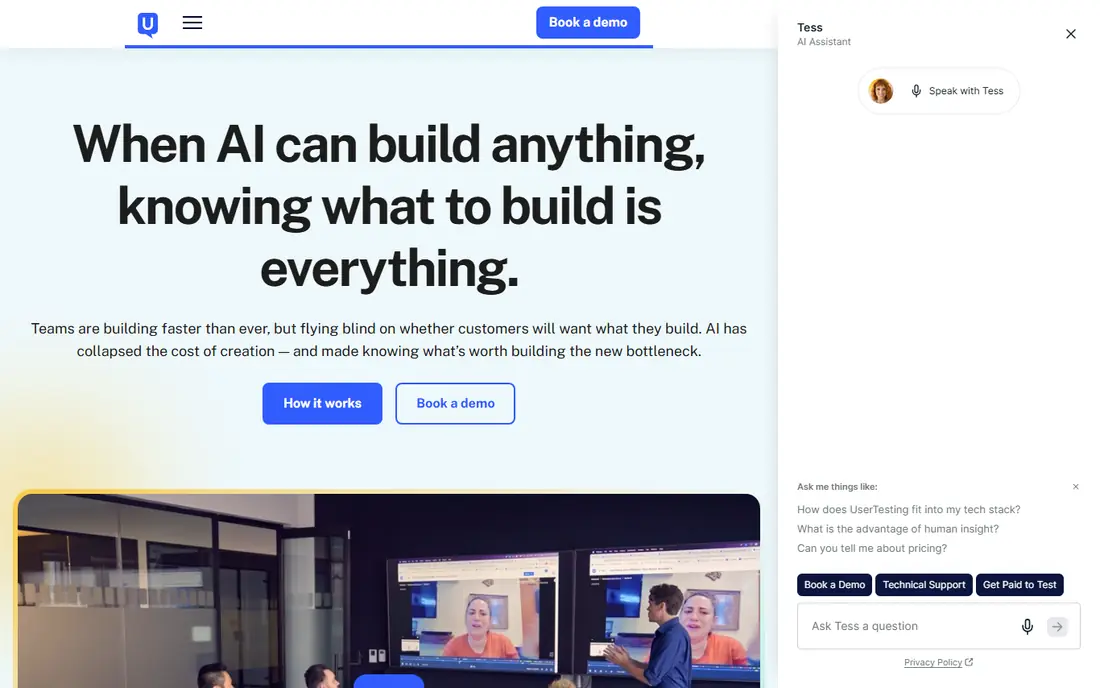
UserTesting lets teams watch real people try a product, a website, or a prototype, and hear their thinking as they go. That video evidence is hard to argue with in a stakeholder meeting, because a clip of a user struggling with a checkout step says more than a chart alone. Moderated sessions add follow-up questions, while unmoderated tests scale to larger groups when speed matters more than depth.
Pricing is enterprise oriented and typically requires a sales conversation, so it suits organizations with a steady research program rather than a one-off test. Results also depend on good task design, so teams need someone who can write clear tasks and avoid leading questions. For evidence that convinces a whole company, UserTesting remains a leading choice.
- Moderated and unmoderated video tests
- Large participant panel
- Highlight clips for stakeholders
- Enterprise pricing
- Needs planning for larger programs
Dovetail solves a different problem from testing tools: it gives past research a home where new team members can find it, search it, and reuse it. Interviews, notes, and clips can be tagged, grouped into themes, and turned into findings that survive staff changes. Teams that run research every week gain the most, because the repository stops the same question being researched three times.
The catch is discipline. A repository with sloppy tags is just a bigger pile of files, so someone must own the taxonomy and keep it clean. Pricing is also higher than it once was, so smaller teams should check the plan that covers their seat count and transcription needs. When reuse and synthesis matter, Dovetail is a strong pick.
- Central research repository
- Tagging and thematic analysis
- Transcription
- Pricing has risen over time
- Repository value depends on consistent tagging
Lookback is built for live research: a researcher talks with a participant while observers watch, take notes, and discuss in a separate room. That setup keeps the participant conversation natural while the team captures observations in real time. It works well for interviews, usability sessions, and diary-style follow-ups where tone and hesitation matter as much as clicks.
Lookback does not replace a recruiting service, so teams must bring their own participants or pair it with a panel tool. It also rewards a skilled moderator, because a live session is only as good as its questions. For teams that value live conversation and observation, Lookback is a focused, reliable choice.
- Live observation rooms
- Moderated and unmoderated sessions
- Session notes and clips
- No built-in panel emphasis
- Smaller teams may need recruiting help
User Interviews fixes the hardest part of research for many teams: finding the right people. You define screener questions, target criteria, and session details, and the platform handles recruitment, scheduling, and incentives. That is a major time saver for teams chasing hard-to-reach users, such as clinicians, finance staff, or parents of young children, where a general panel will not do.
Costs are per participant, so a large study can get expensive, and careful screening is still essential to avoid participants who do not match the brief. It is a recruitment tool first, not a testing or analysis platform, so pair it with Maze, Lookback, or Dovetail for the study itself. When recruiting is the bottleneck, it is the tool we would try first.
- Large participant pool
- Screening and scheduling
- Incentive handling
- Pay-per-participant costs add up
- Quality depends on screening
Hotjar shows how visitors actually move through a live site, through heatmaps, session recordings, and short on-page surveys. That behavioral view is useful when analytics show a drop-off but not the cause: a recording can reveal a confusing form field or a button that users keep missing. For small teams starting with research, it is one of the easiest tools to set up and learn from.
It answers what, not why, so it should sit beside interviews or usability tests rather than replace them. Free and lower plans also have limits on sessions and responses, so check the plan against your traffic. As a low-cost way to spot problems worth testing properly, Hotjar is hard to beat.
- Heatmaps
- Session recordings
- On-page surveys and feedback
- Shows what users do, not why
- Heavier analysis needs a testing tool
Optimal Workshop is the specialist for information architecture: card sorting shows how users group content, tree testing shows whether they can find things in a proposed structure, and first-click testing shows where they look first. Those methods answer questions that a general usability test often misses, and they prevent expensive navigation mistakes before a redesign ships.
The scope is deliberately narrow, so it will not run interviews or build a research repository, and results need someone who understands information architecture to interpret well. For teams redesigning navigation, menus, or a large content site, it is the most focused tool in this guide and well worth the plan cost.
- Card sorting
- Tree testing
- First-click testing
- Information architecture focus
- Narrower scope than all-in-one platforms
- Needs IA knowledge
Lyssna, formerly known as UsabilityHub, is built for fast, small tests: five-second tests for first impressions, preference tests for design choices, and prototype tests for early flows. A solo researcher or a startup can run a test in an afternoon and get a clear, directional answer without a long setup. That low friction is the point, because small decisions should not wait for a full research program.
It is not a replacement for moderated research or a repository, and recruiting from a panel adds cost on top of the subscription. Results are best used to choose between options and spot obvious problems, not to settle deep questions about motivation. For quick design checks on a budget, Lyssna is a practical pick.
- Five-second tests
- Preference tests
- Prototype and first-click tests
- Smaller feature set than enterprise suites
- Panel costs extra
How we picked these
We compared official product pages, pricing pages, feature descriptions, and public documentation, and we checked that each product is still offered in October 2026. We kept only products that match the topic directly, and we left out products that were discontinued, renamed without a live successor, or too broad to be useful for this job. Where a vendor does not publish a price, we wrote See website rather than guessing a figure, and we noted the trade-offs that matter most in everyday use, such as setup effort, limits on cheaper plans, and how much admin work the tool creates.
Choosing the right user research tool
Start from your research question, not from a feature list. Prototype testing points to Maze or Lyssna, live conversation points to Lookback, recruiting points to User Interviews, and reuse of past work points to Dovetail. Run a small real study on a trial, check how long analysis takes, and confirm who on your team will own recruiting, moderation, and tagging. Start with a small pilot, measure the time saved or the problem solved, and only then expand to more users or sites. Ask for a written quote that covers implementation, training, and any usage limits, and keep a note of the renewal terms before you sign.
Frequently asked questions
What are the best UX research tools for startups?
Maze and Lyssna offer free plans and fast tests, and Hotjar adds behavioral data at a low entry price. Start with one testing tool and one way to watch live behavior, then add recruiting or a repository when volume justifies it.
What is the best user research software for interviews?
Lookback is built for live moderated sessions with observer rooms, while Dovetail helps analyze and store interview findings. Pair the two when interviews are a regular habit rather than a rare event.
What are the best tools for user research recruiting?
User Interviews is the dedicated recruiting option here, with screening, scheduling, and incentive handling. Budget per participant, write strict screeners, and check participant quality on a small batch before scaling.
What is the best user research platform for a whole team?
A platform claim should cover testing, recruiting, and synthesis in one place, but most teams still combine tools. Dovetail comes closest on the synthesis side, while Maze and UserTesting cover the testing side, so plan for two subscriptions.
What is the best user research tool for prototype testing?
Maze is our pick for Figma-based prototype testing, with automated metrics and fast turnaround. Lyssna is the cheaper option for quick preference and first-click checks, and UserTesting adds video depth when stakes are higher.
Sources
See where you really rank - block by block
ProMapRanker scans Google Maps across a grid of your service area. Simple monthly plans from $19, white-label on every plan.
Start freeKeep reading
 best spa booking software
Best Spa Booking Software in 2026
Looking for the best spa booking software? We compare eight spa and salon booking tools on price, marketplace fees, and features for spas in 2026 today.
Read → best software for editing video podcasts
Best Software for Editing Video Podcasts in 2026
Best software for editing video podcasts compared for 2026: eight live editors for recording, transcript edits, and polished episodes for creators today.
Read → best seo content writing tools
Best SEO Content Writing Tools in 2026
Best SEO content writing tools compared for 2026: eight live tools for research, drafting, optimization, and content planning for writers and teams today.
Read →