 ProMapRanker
Best FP&A Software in 2026: 9 Tools Compared

Key takeaways
- Most enterprise FP&A platforms do not publish prices, so ask for a written quote that includes implementation and training before you compare totals.
- Spreadsheet-native tools suit teams that want to keep working in Excel or Google Sheets while adding version control, permissions and automated data pulls.
- Cube is the clearest published-price option in this list, while Anaplan and Workday Adaptive Planning suit larger, more complex planning needs.
- Small finance teams should start with a lighter tool and move up only when headcount planning, multi-entity consolidation or board reporting demands it.
- Implementation time matters as much as the licence fee, since clean source data and a named owner on your side shorten every rollout.
Quick comparison
| Pick | Great for | Pricing starts at | Free tier | |
|---|---|---|---|---|
 Anaplan | Large enterprise connected planning | See website | No | Visit |
 Workday Adaptive Planning | Workday customers and workforce planning | See website | No | Visit |
 Planful | Mid-market planning plus close work | See website | No | Visit |
 Vena | Excel-based midsize finance teams | See website | No | Visit |
 Datarails | Excel users who want automation | See website | No | Visit |
 Cube | Spreadsheet-native planning for growing teams | $1,500 per month | No | Visit |
 Pigment | Visual scenario planning and collaboration | See website | No | Visit |
 Jirav | Small teams and fractional CFOs | See website | Free trial | Visit |
 Mosaic | SaaS metrics and board reporting | See website | No | Visit |
The best FP&A software
We compared official feature pages, pricing pages and public documentation for tools that cover budgeting, forecasting, reporting and scenario planning. This is not financial advice, and prices for enterprise tools change by quote, so confirm the current terms with each vendor before you sign.
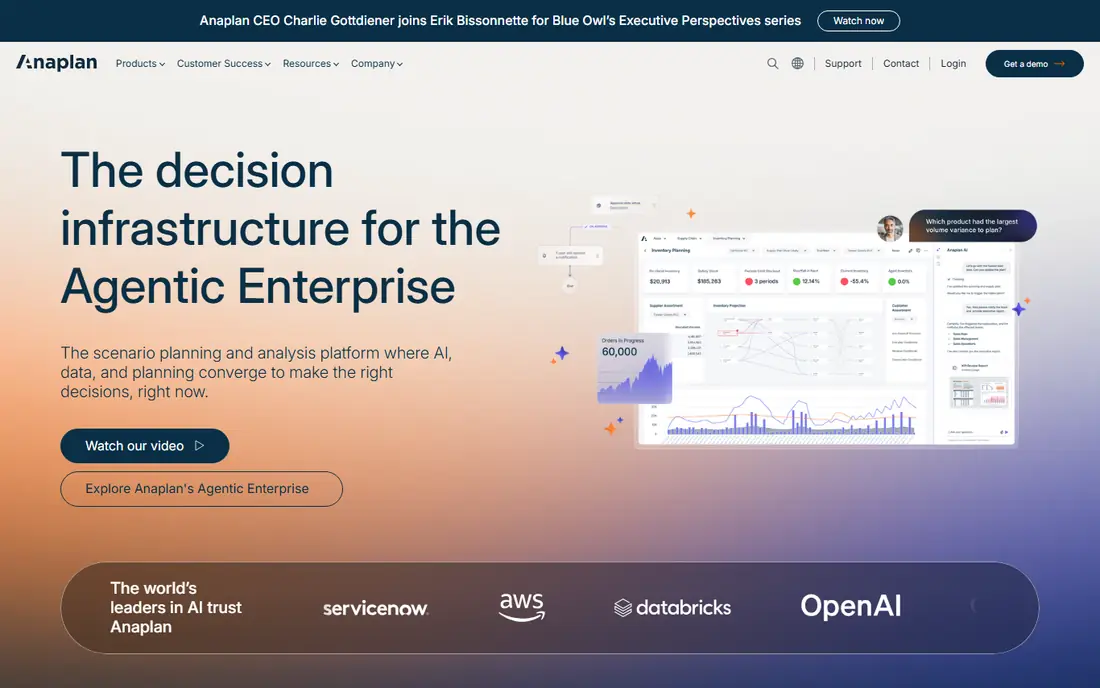
Anaplan suits a large company that plans across departments and needs one model to link headcount, revenue, supply and finance. Its strength is connected planning: change a sales assumption and the effects flow through related plans, rather than sitting in separate files that someone must reconcile by hand. That matters most when several teams own parts of the same forecast and the finance team must defend one set of numbers.
The catch is scale and cost. Anaplan is not a quick purchase for a small team, and the work to design the model, clean the data and train users takes real time. If your planning is mainly one annual budget plus a monthly forecast in Excel, a lighter tool will get you there faster and for less money. Choose Anaplan when complexity and cross-department planning justify the project behind it.
- Connected planning across finance, sales and operations
- Strong scenario modelling
- Handles large, multi-entity models
- Pricing is quoted, not published
- Implementation can be long and often needs specialist help

Workday Adaptive Planning fits best where headcount is the largest cost line and the company already runs Workday for HR or finance. Workforce data does not need a separate import project, and managers can plan hiring, attrition and compensation in the same place as the financial forecast. Dashboards, version control and what-if scenarios help finance teams answer board questions without rebuilding a spreadsheet each time.
The limit is fit. Outside the Workday world, you pay for integration value you may not use, and the platform still needs a careful rollout. Small teams can find the setup heavier than they expected. If Workday is already your system of record, though, this is often the shortest path to credible workforce-driven forecasts.
- Strong workforce and headcount planning
- Native fit with Workday HCM and finance
- Dashboards and what-if versions
- Pricing is quoted, not published
- Less appealing if you do not already use Workday

Planful appeals to mid-market finance teams that want budgeting, forecasting and close management in one place. Instead of moving numbers between a planning tool and a separate reporting tool, teams can run the plan, track actuals and produce reports from a shared data set. Collaboration features let budget owners enter their own numbers while finance keeps control of versions and approvals.
That breadth is also the trade-off. Planful is a substantial platform, not a light add-on to Excel, so expect a structured implementation and time for training. Teams with simple needs may find some features unused in the first year. For a growing company that is outgrowing spreadsheets and wants planning and close work to stay in step, it is a solid middle ground between light tools and enterprise suites.
- Combines planning with close and reporting work
- Collaborative workflows
- AI-assisted trend and anomaly checks
- Pricing is quoted, not published
- Some industry-specific needs may need extra configuration
Vena is built for finance teams that refuse to give up Excel, and that is a feature rather than a compromise. Users keep the formulas, formatting and keyboard habits they know, while Vena adds central data, version control, workflows and audit trails behind the scenes. That combination lowers training time and reduces the risk of a team quietly reverting to stray spreadsheet copies.
The honest catch is that Vena is still an enterprise-style purchase, with quoted pricing and an implementation project. Very large, highly complex global models may suit Anaplan better. For a midsize team that lives in Microsoft 365 and wants control without retraining everyone, Vena removes one of the biggest barriers to adopting FP&A software: the interface itself.
- Full Excel interface that finance teams already know
- Workflow automation and audit trails
- Strong Microsoft 365 fit
- Pricing is quoted, not published
- Excel-first design may feel less modern to teams that want a web-native planner
Datarails targets the same Excel loyalty as Vena, with a focus on automating the repetitive work around month-end close and reporting. Data from accounting, payroll and other systems flows into a central set of numbers, so finance teams spend less time copying figures between files and more time explaining variances. Dashboards and drill-down views help managers see the detail behind a headline number without asking finance for a fresh export.
As with other mid-market platforms, pricing is quoted and the first-year total depends on users, data sources and implementation help. Datarails also keeps Excel at the centre, which is a strength for adoption but a limit for teams that want a fully web-based planning experience. If your models already live in Excel and you want them automated rather than replaced, this is a natural shortlist pick.
- Keeps existing Excel models while automating data consolidation
- Visual dashboards and drill-down reporting
- AI-assisted insights
- Pricing is quoted, not published
- Teams that want to leave Excel behind may prefer a web-native tool
Cube stands out in this list because a buyer can see a starting price without booking a sales call. Its spreadsheet-native design means finance teams plan in Excel or Google Sheets, while Cube handles the central data, dimensions and version control that spreadsheets alone cannot. For a team of a few people who need structure this month rather than a platform project this year, that speed matters.
The trade is ceiling. Cube is lighter than the enterprise suites, and a company with deep multi-entity consolidation or complex operational planning may outgrow it. Paid plans also rise with scope, so model the price at your real user count, not just the entry tier. For startups and mid-market teams that want credible planning without a six-month rollout, Cube is the most transparent place to start.
- Published pricing for its entry plan
- Works natively in Excel and Google Sheets
- Faster setup than enterprise platforms
- Less depth than Anaplan or Workday for very complex models
- Higher plans add cost as needs grow
Pigment is the pick for teams that plan together and want scenarios they can see and change in a meeting, rather than a model only one specialist understands. Its visual boards and collaborative editing make it easier for department heads to test assumptions and see the result at once. Built-in checks for anomalies and trends help finance teams spot a number that looks wrong before it reaches a board pack.
Pigment is still a quoted-price platform, and implementation time varies with data sources and model complexity. It is less Excel-centric than Vena, Datarails or Cube, which suits teams ready for a web-based planner but may slow adoption for teams attached to spreadsheets. If collaboration and scenario work are your main pain, Pigment deserves a demo alongside Planful.
- Visual, collaborative scenario modelling
- Anomaly and trend checks
- Connectors and API access for common systems
- Pricing is quoted, not published
- Finance teams that want a pure Excel interface may prefer Vena or Datarails
Jirav suits small companies, startups and fractional CFOs who need reporting and forecasting together without enterprise cost or complexity. Historical financials, key metrics, budget versus actuals and rolling forecasts sit in one place, with dashboards and report templates that save setup time. Integrations with accounting and payroll systems keep the data current without manual imports each month.
The pricing needs a careful read, since firm and direct pricing pages differ, so ask Jirav for a direct quote for your company size before you budget. Driver-based planning is powerful, but it asks someone on your team to own the model and keep drivers honest. For a small team that wants monthly statements, forecasts and board-ready views in one tool, Jirav offers a practical step up from spreadsheets.
- Budgets, forecasts and workforce planning beside dashboards
- Templates for common reports
- Accounting and payroll integrations
- Direct business pricing is not published in a simple list
- Driver-based planning needs a named owner to stay accurate
Mosaic is built around the way software and subscription companies actually plan: recurring revenue, headcount, cash runway and board metrics, updated on a rolling basis rather than once a year. Automation pulls data from accounting, HR and CRM systems, and anomaly checks flag the drivers behind a variance. That focus makes board reporting faster, since the metrics investors ask about are already modelled rather than assembled in slides.
The fit is narrower than a general FP&A suite. A manufacturer or services firm with complex operational planning may find Mosaic less complete than Planful or Anaplan. Pricing is also quoted, so the total depends on scope. For a SaaS finance team that lives by monthly recurring revenue, burn and hiring plans, Mosaic lines up well with the questions that matter each month.
- Automation-first forecasting and rolling forecasts
- SaaS metrics and root-cause checks
- Board-ready reporting views
- Pricing is quoted, not published
- Less suited to non-SaaS companies with heavy operational planning needs
How we picked these
We compared official feature pages, pricing pages and public documentation for each tool, and we kept only tools that cover budgeting, forecasting and reporting as a core job in October 2026. We favoured a mix of enterprise platforms, mid-market tools and lighter options, so a small team and a large company can both find a realistic shortlist here. Where a vendor does not publish a price, we wrote See website rather than repeating a third-party estimate as fact.
What to check before you buy FP&A software
Start with your data, not the demo. List the systems that must feed the plan, such as accounting, payroll, HR and CRM, and ask each vendor to show a live connection to the systems you actually use. A polished demo on sample data hides the hardest part of any rollout, which is cleaning and mapping your own numbers. Ask who owns the model after go-live, and what happens when that person leaves.
Next, model the full first-year cost. Licence fees are only part of it. Add implementation help, training, data work and any extra modules for consolidation, close management or advanced AI features. Ask for the price at your real user count and data volume, and ask what triggers a price rise. A tool that looks cheap at ten users can change quickly at fifty.
Finally, test the planning workflow your team will repeat each month. Build one forecast, change one driver, produce one variance report and share it with a budget owner who was not in the demo. If that loop feels slow or confusing, it will feel worse under month-end pressure. The best FP&A software for your team is the one your finance team will still use willingly in month six, not just the one with the longest feature list.
Frequently asked questions
What is the best FP&A software for a small business?
Jirav and Cube are the most practical starting points for small teams, since they are built for lean finance work and faster setup than enterprise suites. Jirav pairs reporting with forecasting, while Cube keeps planning inside Excel or Google Sheets. Start with a demo on your own chart of accounts, and move up only when headcount planning or multi-entity work demands a larger platform.
What are the best FP&A software tools for Excel users?
Vena, Datarails and Cube are the strongest Excel-native options in this list. Vena and Datarails keep the Excel interface while adding central data and version control, and Cube works in both Excel and Google Sheets. If your team will not leave spreadsheets, shortlist these three first and test them on a real model, not a vendor sample.
How much does FP&A software cost?
It varies widely. Light tools can cost tens to low hundreds of dollars per month, mid-market platforms often run several thousand per month for a midsize team, and enterprise platforms can be six-figure annual commitments once implementation is included. Cube publishes an entry price from $1,500 per month, while most others in this list use quoted pricing. Always ask for a written quote that includes implementation.
Do I need to abandon Excel to use FP&A software?
No. Several leading tools are designed to work inside Excel, keeping the interface finance teams know while adding central data, version control and automation. If your team resists leaving spreadsheets, that design choice matters more than a long feature list. Test how a tool handles your existing formulas and formatting before you commit.
What is the difference between FP&A software and a business intelligence tool?
FP&A software plans the future: budgets, forecasts, scenarios and variance analysis, with write-back so budget owners can enter numbers. A business intelligence tool mainly reports the past, with dashboards built from data that is already final. Many companies use both, with FP&A software owning the plan and a reporting tool presenting results more widely.
How long does FP&A software take to implement?
Light tools can be running in days to weeks, mid-market platforms often take one to three months, and enterprise suites can take three to nine months with consulting help. The biggest variable is usually the state of your source data, not the software itself. Clean your chart of accounts and agree on drivers before you sign, and the rollout will go faster.
Sources
- https://www.anaplan.com
- https://www.workday.com
- https://planful.com
- https://www.venasolutions.com
- https://www.datarails.com
- https://www.cubesoftware.com
- https://www.pigment.com
- https://jirav.com
- https://www.mosaic.tech
- https://rankite.com/blog/best-fp-a-software
- https://coefficient.io/finance-automation/fpa-software-tools
See where you really rank - block by block
ProMapRanker scans Google Maps across a grid of your service area. Simple monthly plans from $19, white-label on every plan.
Start freeKeep reading
 best tour operator software
Best Tour Operator Software in 2026
Compare the best tour operator software for bookings, channel management, waivers and payments, with pricing models for day tours and multi-day trips.
Read → best time clock app for small business
Best Time Clock App for Small Business in 2026
We compare the best time clock app for small business options, with free plans, GPS clock ins, scheduling and payroll links for hourly teams and payroll help.
Read → best test automation tools
Best Test Automation Tools in 2026
Compare the best test automation tools, from Playwright and Selenium to Cypress, Katalon and BrowserStack, with prices, languages and best uses explained.
Read →