 ProMapRanker
Best Financial Software in 2026

Key takeaways
- YNAB is our pick for people who want a hands-on budgeting method that changes spending habits, not just a spending chart.
- Monarch Money is the best all-round household dashboard, with budgeting, net worth and investment views in one place.
- Empower offers a genuinely free dashboard for net worth and investment tracking, though its budgeting tools are lighter.
- Simplifi by Quicken is a strong low-cost choice for automatic tracking with a simple spending plan.
- This is not financial advice. Prices, bank connections and features change, so check the vendor site before you subscribe.
Quick comparison
| Pick | Great for | Pricing starts at | Free tier | |
|---|---|---|---|---|
 YNAB YNAB | Hands-on zero-based budgeting | See website | Free trial | Visit |
 Monarch Money Monarch Money | Household money dashboard | See website | Free trial | Visit |
 Simplifi by Quicken Simplifi by Quicken | Low-cost automatic tracking | See website | Free trial | Visit |
 Empower Empower | Free net worth tracking | Free | Yes | Visit |
 Copilot Copilot | Apple users who want clean tracking | See website | Free trial | Visit |
 Tiller Tiller | Spreadsheet-based money tracking | See website | Free trial | Visit |
 Rocket Money Rocket Money | Subscriptions and bill tracking | Free | Yes | Visit |
 Goodbudget Goodbudget | Envelope budgeting | Free | Yes | Visit |
 EveryDollar EveryDollar | Simple zero-based budgeting | Free | Yes | Visit |
The best financial software
The best financial software depends on how much work you want to do. Some tools ask you to assign every dollar a job. Others connect to your accounts and sort spending for you. All nine below are still available in October 2026, but they are not the same kind of tool, so match the method to your habits.
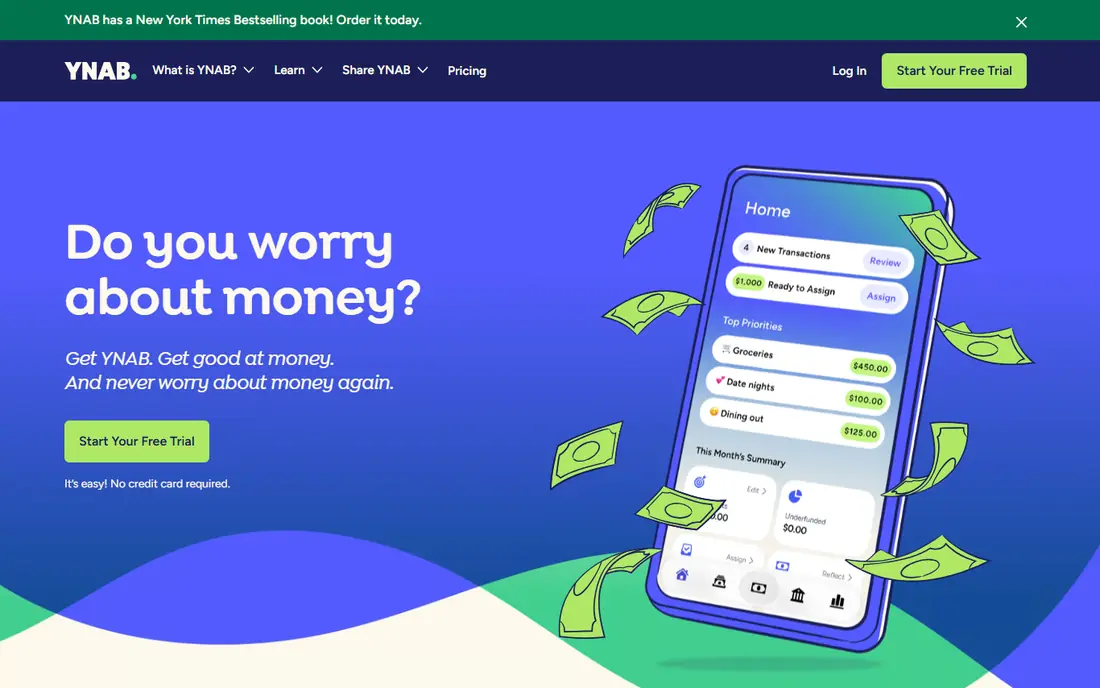
YNAB, short for You Need A Budget, is built around one idea. Every dollar you have gets a job before you spend it, and you adjust the plan when life changes. That discipline is the whole appeal. People who stick with it often say it changes how they think about money, because the plan forces a choice instead of just reporting what already happened.
The cost is effort as well as money. You need to check in often, assign new income and move money between categories when plans shift. If you want a tool that quietly tracks spending in the background, YNAB will feel like work. If past passive trackers never stuck, that work may be exactly what you need.
- Clear budgeting method with strong learning resources
- Good goal and debt tools
- Works on web and phones
- Needs regular attention
- Higher price than most rivals
- No permanent free plan
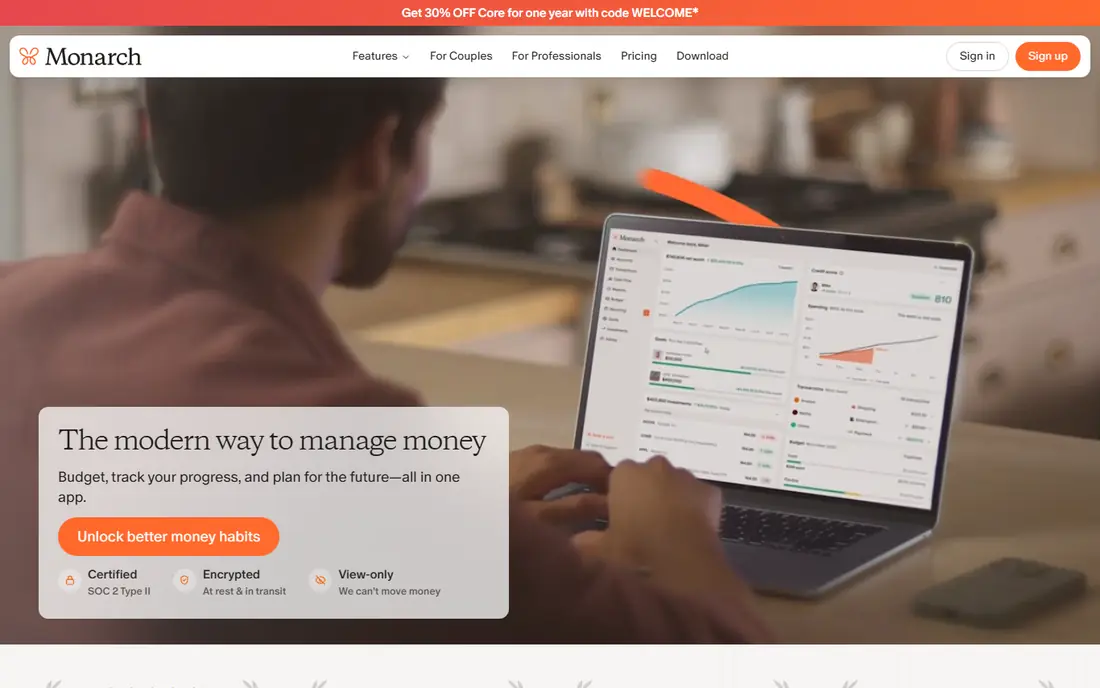
Monarch Money is the closest thing on this list to a complete household money home page. Connect your accounts and you get budgets, cash flow, net worth and investment views in one calm dashboard. It suits couples well, since both partners can see the same plan and track shared goals without passing spreadsheets back and forth.
The main drawback is price. There is no permanent free tier, so you need to be sure the dashboard earns its subscription. Bank connections also vary, and a flaky link to one key account can sour the whole experience. Use the trial with your real accounts before you commit for a year.
- Clean combined view of budgets, accounts and net worth
- Good for couples and shared finances
- Flexible budgeting
- Paid only after the trial
- Bank sync quality can vary by institution

Simplifi is Quicken's simpler, modern tracker, and it fills a useful middle gap. It connects to your accounts, sorts spending automatically and shows a spending plan with what is left to spend. It is less demanding than YNAB and less sprawling than full Quicken desktop software, which makes it a good first paid tracker for many households.
It will not force the same discipline as a zero-based method, and people who want deep investment planning may need another tool beside it. For day-to-day awareness, upcoming bills and a realistic view of cash flow, Simplifi gives a lot for a modest price. Check the current monthly or annual price on the vendor site, since promotions change.
- Automatic categorization
- Clear spending plan view
- Low price for a full tracker
- Less strict than YNAB for behavior change
- Some advanced planning features are limited
Empower, formerly Personal Capital, offers a free Personal Dashboard that pulls accounts together and shows net worth, spending and investment allocation. For people who mainly want the big picture, it is hard to argue with free. The retirement planner and cash flow views add useful context without a monthly fee.
The trade-off is focus. Empower tracks well but does not guide daily budgeting the way YNAB or Monarch do. It is also a lead-in to paid wealth management, so expect occasional offers for advisory services. You can ignore those offers and keep using the free dashboard, but the pitch is part of the deal.
- Free dashboard for accounts, net worth and investments
- Useful retirement and cash flow views
- No subscription needed for tracking
- Budgeting is lighter than dedicated budget apps
- Expect offers for paid wealth management
Copilot is the design-led choice for Apple households. The iPhone and Mac apps are clean, fast and pleasant to check each morning, with automatic categorization and clear views of spending, net worth and investments. If you already live in the Apple world, the fit feels natural.
The limit is platform. There is no Android app, so mixed-device households will struggle. It is also a paid product after the trial, which puts it in direct competition with Monarch and Simplifi. Choose Copilot if design and Apple integration matter most to you, and choose a rival if you need Android support.
- Polished design on iPhone and Mac
- Automatic tracking with smart categories
- Good investment views
- No Android app
- Paid only after the trial
- Web version is less complete than the apps
Tiller is for people who like spreadsheets and want bank feeds without giving up control. It pulls transactions into Google Sheets or Excel, where you can build your own budget, reports and charts. That freedom is powerful for households with unusual income, rental properties or detailed tracking needs.
It is also the least hand-holding tool here. You need to set up templates, check categories and maintain the sheet yourself. If spreadsheets feel like a chore, Tiller will not change that feeling. If they feel like home, few tools match its flexibility.
- Bank feeds into Google Sheets or Excel
- Full control over categories and reports
- Good for custom budgets
- Still a spreadsheet at heart
- Needs comfort with formulas and setup
- No free tier after trial
Rocket Money starts from a different question. Instead of asking how to budget better, it asks what you are paying for without noticing. It finds recurring charges, tracks spending and helps you cancel subscriptions you no longer use. That makes it a good first step for people who suspect leaks in their monthly bills.
Budgeting tools exist, but they are lighter than YNAB or Monarch. The paid negotiation service can also take a share of first-year savings, so read the terms before you use it. As a free tracker and subscription cleaner, though, Rocket Money is genuinely useful.
- Free spending tracking
- Subscription detection
- Bill negotiation service on paid plans
- Budgeting is thinner than dedicated budget apps
- Negotiation fees apply if it saves you money
Goodbudget turns the old cash envelope method into an app. You divide money into envelopes for groceries, rent, transport and fun, then record spending against each envelope. It is simple to explain, easy to share with a partner, and it works fine without linking a bank account, which some people prefer for privacy.
The free plan is limited to a set number of envelopes, accounts and devices, and bank sync requires a paid plan. If you want full automation, look elsewhere. If you want a calm, manual method that makes overspending visible before it happens, Goodbudget remains one of the best envelope tools available.
- Clear digital envelope method
- Free plan for basic use
- Works well without bank links
- Free plan limits envelopes and accounts
- Bank sync needs a paid plan in the US
EveryDollar offers a straightforward version of zero-based budgeting. You set income, assign every dollar to a category, and track spending against the plan. The free version uses manual entry, which keeps costs at zero and forces a little daily attention, though it takes more time than automatic sync.
Paid Premium adds bank connections and faster tracking, but the price is higher than Simplifi for a narrower tool. EveryDollar is best for beginners who want a simple plan and do not yet need investment tracking or a full net worth dashboard. It is a clean starting point, not a complete money platform.
- Simple zero-based budget
- Free manual version
- Clear and beginner-friendly layout
- Bank sync needs a paid plan
- Fewer investment and net worth tools than rivals
How we picked these
We compared official pricing pages, feature pages and app store listings for personal finance tools still available in October 2026, and we favored tools with clear bank sync, budgeting or tracking methods rather than vague promises. We included free, mid-priced and premium options, and we noted where a tool is strong on tracking but light on budgeting, since that difference matters more than any single feature list. This is not financial advice, and no tool here can replace professional advice for tax, debt or investment decisions.
How to choose the best financial software for you
Start with the method, not the brand. If you overspend without noticing, a hands-on method like YNAB or EveryDollar may help more than a passive dashboard. If you already save well and mainly want a clear view of accounts and net worth, Empower or Monarch may be enough. If you love spreadsheets, Tiller will feel natural, while most other readers will prefer an app that does the sorting for them.
Check bank connections first
Before you pay for a year, connect your main bank, credit cards and investment accounts during the trial. A tool is only useful if it sees the accounts that matter. Also check how it handles joint accounts, business accounts and manual accounts, since those details vary and can break an otherwise good setup.
Think about household use and privacy
If you share finances, look for shared budgets, clear permission controls and a view both partners will actually open. If privacy matters more, a manual tool like Goodbudget or a spreadsheet tool like Tiller may suit you better than a fully connected dashboard. Read the privacy policy and check how to disconnect accounts and delete data.
Cost and commitment
Free tools are a good test of whether you will check a budget at all. Paid tools earn their price only if you use them weekly. Watch for annual billing, renewal prices and what happens to your data if you cancel. A cheaper tool you open every week beats an expensive dashboard you ignore.
Frequently asked questions
What is the best personal accounting software?
For most households, Monarch Money gives the best combined view of budgets, accounts and net worth, while YNAB is stronger for hands-on budgeting. Simplifi is a good low-cost middle option, and Empower is the best free starting point for tracking.
What is the best software for personal finances if I do not want to pay?
Empower offers a free dashboard for net worth and investment tracking. Goodbudget and EveryDollar both offer free plans for envelope and zero-based budgeting, though bank sync is paid. Rocket Money also offers free spending and subscription tracking.
What is the best online personal finance software for couples?
Monarch Money is built for shared household views, with budgets and goals both partners can see. Goodbudget also works well for couples who like envelope budgeting, and Copilot suits Apple-only households that want clean shared tracking.
Are financial news apps part of financial software?
They can help you follow markets and personal finance topics, but they are not a substitute for budgeting or tracking software. Use news apps for context, and use a tool on this list for your own accounts, budgets and plans. This is not financial advice.
What is the best home bookkeeping software for simple household records?
Goodbudget and EveryDollar are good for simple household budgets, while Tiller suits people who want a custom spreadsheet record. For a fuller household dashboard with investments, Monarch Money or Empower may be a better fit.
Should I link my bank account to financial software?
Linking accounts makes tracking automatic and far more useful, but it also means trusting a third party with read access to transaction data. Use tools with clear security pages, strong authentication and easy disconnect options, and never share your bank login details outside the official connection flow.
Sources
See where you really rank - block by block
ProMapRanker scans Google Maps across a grid of your service area. Simple monthly plans from $19, white-label on every plan.
Start freeKeep reading
 zoominfo alternatives
ZoomInfo Alternatives in 2026
Compare the best ZoomInfo alternatives in 2026 for B2B contact data, enrichment, and prospecting, including Apollo, Lusha, and Clay tools, with pricing.
Read → best trip planning app
Best Trip Planning App in 2026
Compare the best trip planning apps in 2026 for itineraries, road trips, group travel, and bookings, from Wanderlog to TripIt and Roadtrippers, with pricing.
Read → best recruiting tools
Best Recruiting Tools in 2026
Compare the best recruiting tools in 2026, from Greenhouse and Lever to Workable and Ashby, for hiring, sourcing, and candidate tracking today, with pricing.
Read →