 ProMapRanker
Best Family Tree Software in 2026

Key takeaways
- Ancestry suits researchers who want the largest record collection and hints, while FamilySearch is the best free place to build and share a tree.
- MyHeritage suits international research and photo tools, especially for European records and DNA matching.
- Family Tree Maker and RootsMagic suit serious desktop researchers who want local files, strong charts, and sync with online trees.
- Gramps is the best free desktop option for skilled users who value privacy and control, while Legacy Family Tree suits Windows users on a budget.
- Start with a free tree to learn the basics, then pay for records only when you hit a gap that free sources cannot fill.
Quick comparison
| Pick | Great for | Pricing starts at | Free tier | |
|---|---|---|---|---|
 Ancestry | Largest record collection | See website | Yes | Visit |
 MyHeritage | International research and photos | See website | Yes | Visit |
 FamilySearch | Free shared tree and records | Free | Yes | Visit |
 Family Tree Maker | Desktop tree with Ancestry sync | See website | Free trial | Visit |
 RootsMagic | Powerful desktop research | See website | Yes | Visit |
 Legacy Family Tree | Windows desktop on a budget | See website | Yes | Visit |
 Gramps | Free open source desktop | Free | Yes | Visit |
 Reunion | Mac-native family tree app | See website | Free trial | Visit |
The best family tree software
Family tree software falls into two kinds: online services with record collections, and desktop programs that store your tree on your own computer. The best choice depends on whether you need records, DNA matching, charts, or privacy most. We compared official product pages and genealogy guides to put this list together, covering both online and desktop options.
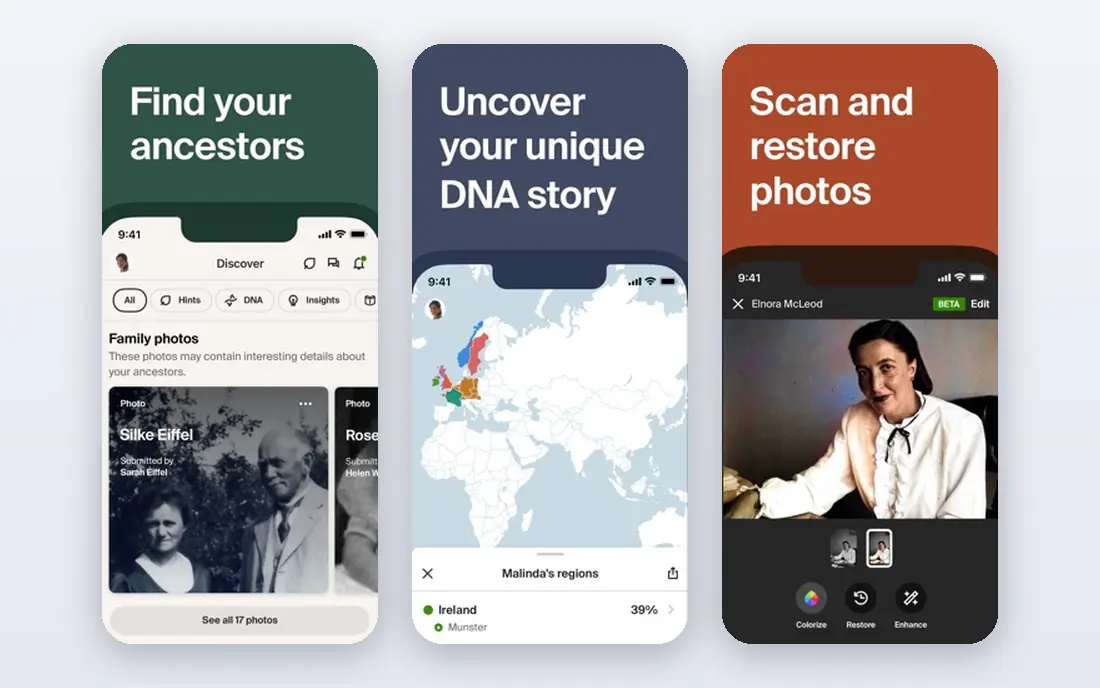
Ancestry is the default starting point for many researchers, because its record collection and hint system do so much of the early work. As you add names, dates, and places, Ancestry suggests census records, birth and death records, military records, and other documents that may match your ancestors. That hint flow helps beginners move past the first few generations without knowing where to search next.
AncestryDNA adds another route, by matching you with relatives who have also tested, which can open branches you would not find in records alone. The trade-off is subscription cost. Building a basic tree is free, but full record access requires a paid plan, and the bill adds up over a long project. If records are your main need, Ancestry is still the strongest single subscription.
- Very large historical record collection
- Automatic hints as you build
- AncestryDNA matching and collaborative trees
- Full record access requires a subscription
- Costs add up over time
- Offline access is limited
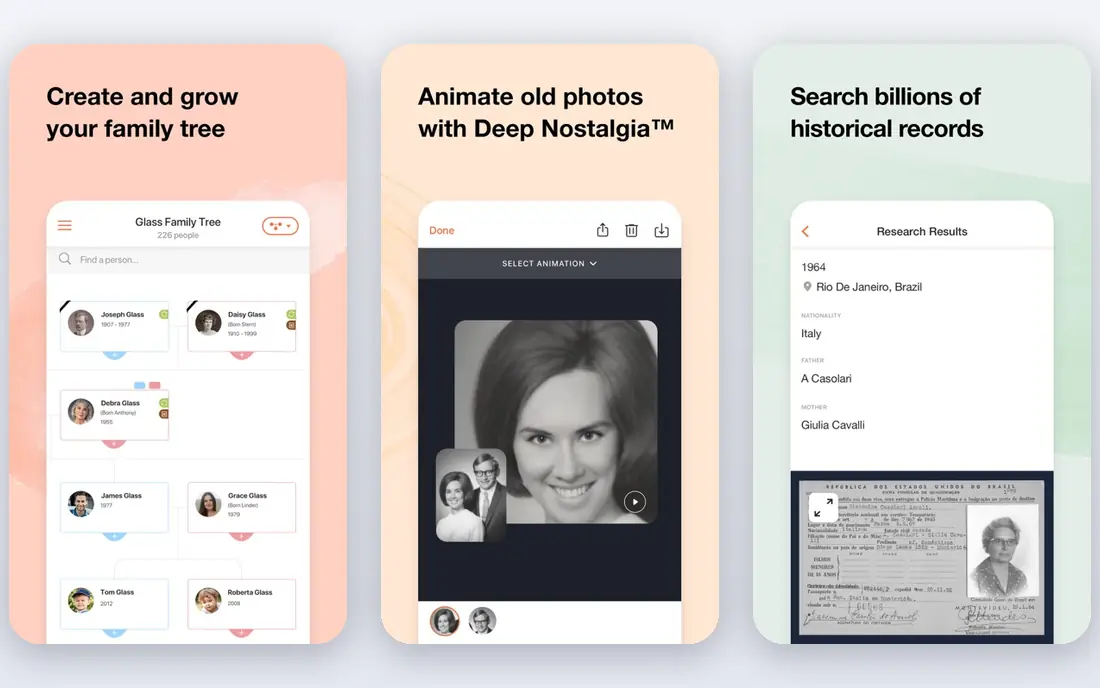
MyHeritage is a strong rival to Ancestry, especially for researchers with roots outside the United States. Its record collection leans international, with strength in European sources, and its DNA service matches users with relatives around the world. The tree builder works online and through a desktop companion, so you can work in the way that suits you.
Photo tools are a genuine bonus. MyHeritage can colorize and enhance old photos, which helps when you want to share findings with family or present a tree at a gathering. The free tier covers a basic tree, but full records and larger trees need a subscription. If your research crosses borders, MyHeritage deserves a place on your shortlist beside Ancestry.
- Strong international and European records
- DNA matching
- Photo colorization and enhancement tools
- Subscription needed for full records and larger trees
- Some features overlap with Ancestry

FamilySearch is run as a nonprofit, and it is free, which makes it the best place to start for anyone unsure about genealogy. You can build a tree, search a large record collection, and connect with a shared world tree that other researchers also build. For many common research tasks, FamilySearch covers the same ground as a paid service at no cost.
The shared tree is both the strength and the catch. Because many people can edit the same profiles, you may find changes you disagree with, and you need to check sources carefully before accepting a connection. Treat FamilySearch as your free research base, and use it alongside a private tree in a desktop program when you want full control over your own work.
- Free to use
- Large record collection
- Shared world tree that many researchers contribute to
- Shared tree means others can edit profiles you work on
- Record depth varies by region
Family Tree Maker is the leading desktop program for Ancestry users. It stores your tree on your own computer, syncs with Ancestry, and offers strong charting and reporting for printing or sharing a finished tree. That local-first design appeals to serious researchers who want a backup they control, rather than a tree that lives only on a website.
The current version, Family Tree Maker 2024, adds collaboration tools and improved mobile access, but it is a paid one-time purchase, and there is no permanent free version. Some users have also reported support and Mac issues, so check current reviews for your platform before buying. If you use Ancestry heavily and want a desktop home for your research, Family Tree Maker is the natural pick.
- Strong Ancestry sync
- Excellent charts and reports
- Local file gives you control over your data
- One-time purchase cost
- No permanent free version
- Support and Mac issues have been reported by some users
RootsMagic is the power-user desktop choice, and it is often the program serious genealogists settle on after trying simpler tools. Source citations are handled well, which matters when you need to prove a connection rather than just record it, and sync with Ancestry and FamilySearch keeps your desktop tree connected to online records. A free Essentials version lets you test the core workflow before buying.
The interface is denser than Family Tree Maker, and beginners may need tutorials to get comfortable. RootsMagic 12, released in 2026, adds a new Tree View that shows ancestors above and descendants below a person, which helps with complex families. If you plan to research for years, RootsMagic rewards the learning time.
- Strong source citation tools
- Sync with Ancestry and FamilySearch
- Free Essentials version
- One-time purchase
- Interface can feel complex for beginners
- Advanced features take time to learn
Legacy Family Tree is a long-running Windows program that suits budget-conscious researchers who want solid desktop tools. The free Standard version covers core tree building, while the paid Deluxe version adds more reports, charts, and research tools. Source citations and printing are strengths, which matters when you want to share a well-documented tree with family.
The limits are platform and looks. Legacy is Windows only, so Mac users should look at Reunion, RootsMagic, or Family Tree Maker instead, and the interface feels dated beside newer apps. If you work on Windows and want a capable free starting point, Legacy is a fair choice.
- Free Standard version
- Strong reports and printing
- Good source citation support
- Windows only
- Interface looks dated next to newer programs
Gramps is the best free desktop program for skilled users who value privacy and control. It is open source, runs on Windows, Mac, and Linux, and stores your data locally in a format you can export as GEDCOM for use elsewhere. Research reports, charts, and data tools are deep, and add-ons extend the program for specialized needs.
The learning curve is real. Gramps has no built-in record collection, no DNA matching, and no online sync, so you must find records on sites such as FamilySearch or Ancestry and enter them yourself. If you are comfortable with that workflow and want a free tool you fully control, Gramps is hard to beat.
- Free and open source
- Very flexible and extensible
- Runs on Windows, Mac, and Linux
- Strong privacy control
- Steeper learning curve
- No built-in record collection or online sync
Reunion is the Mac-native choice in this list, built specifically for macOS rather than adapted from Windows. The interface feels at home on a Mac, and charting and publishing tools make it easy to turn research into a book, a chart, or a web page for family. That publishing strength suits researchers who want to share finished work, not just store it.
Reunion is Mac only, so Windows users need another option, and it has no built-in record collection, so you will still use Ancestry, MyHeritage, or FamilySearch for records. For a Mac user who wants a polished desktop tree app, Reunion is the most natural fit.
- Native Mac design
- Strong charts and publishing tools
- Good for sharing trees as books or web pages
- Mac only
- One-time purchase cost
- No built-in record collection
How we picked these
We compared official product pages and genealogy guides, and kept only software and services that work now, in October 2026, and that cover real family tree building, not just DNA testing alone. We favored a mix of online record services, desktop programs, free options, and platform-specific apps, so researchers at different levels and on different computers can find a fit. Where pricing varied or was sale-based, we wrote See website rather than guess a figure.
How to choose family tree software
Start with records, then decide where your tree should live.
Decide online, desktop, or both
Online services give you records and hints, while desktop programs give you control and better charts. Many serious researchers use both: an online service for records, and a desktop program such as RootsMagic or Family Tree Maker as the master copy, synced where possible.
Check GEDCOM import and export
GEDCOM is the standard file format for moving a tree between programs. Before you commit to a tool, confirm that you can export your full tree, including sources and media, and import it elsewhere. That freedom matters if a service changes price or closes.
Handle living people and privacy with care
Keep details about living relatives private unless they agree to share them, and be careful with DNA matching and shared trees. Use privacy settings on online services, and avoid publishing full birth dates or addresses for living people in shared trees or printed charts.
Frequently asked questions
What is the best family tree software for beginners?
FamilySearch is the best free starting point, since it costs nothing and includes records and a shared tree. Ancestry is the best paid starting point for beginners who want hints and a large record collection, while Family Tree Maker suits beginners who already use Ancestry and want a desktop program.
Is there free family tree software?
Yes. FamilySearch is free online, Gramps is free on desktop, and RootsMagic and Legacy Family Tree both offer free versions. Free tools cover tree building well, but record access and DNA matching usually require a paid service.
Do I need a DNA test to build a family tree?
No. A tree is built from names, dates, places, and records, and DNA is optional. A DNA test can help when records run out, by matching you with relatives, but it is not required to start or to build a useful tree.
Can I move my tree from one program to another?
In most cases, yes, using GEDCOM export and import. Check that sources, notes, and media carry over cleanly, since some programs handle media or custom fields differently. Always keep a backup of your original tree file before a move.
What is the best family tree app for Mac?
Reunion is the best Mac-native app, with strong charts and publishing tools. RootsMagic, Family Tree Maker, and Gramps also run on Mac, so Mac users have several good desktop options beside the online services.
How do I share a family tree with relatives?
Most online services let you invite family to view or edit a tree, while desktop programs let you print charts or export a tree as a file or web page. Agree on privacy rules first, especially for living relatives, and share a read-only version if you want to keep your master tree unchanged.
Sources
- https://www.ancestry.com
- https://www.myheritage.com
- https://www.familysearch.org
- https://www.familytreemaker.com
- https://www.rootsmagic.com
- https://www.legacyfamilytree.com
- https://gramps-project.org
- https://www.leisterpro.com
- https://martinroe.com/blog/best-genealogy-software-in-2025-a-practical-comparison/
- https://venngage.com/blog/best-family-tree-software/
See where you really rank - block by block
ProMapRanker scans Google Maps across a grid of your service area. Simple monthly plans from $19, white-label on every plan.
Start freeKeep reading
 best tour operator software
Best Tour Operator Software in 2026
Compare the best tour operator software for bookings, channel management, waivers and payments, with pricing models for day tours and multi-day trips.
Read → best time clock app for small business
Best Time Clock App for Small Business in 2026
We compare the best time clock app for small business options, with free plans, GPS clock ins, scheduling and payroll links for hourly teams and payroll help.
Read → best test automation tools
Best Test Automation Tools in 2026
Compare the best test automation tools, from Playwright and Selenium to Cypress, Katalon and BrowserStack, with prices, languages and best uses explained.
Read →