 ProMapRanker
Best Customizable Ecommerce Platform in 2026

Key takeaways
- Shopify and BigCommerce suit most sellers who want hosted ease with strong theme and app options, while WooCommerce and Adobe Commerce suit teams that want full code control.
- Customization has a cost beyond the monthly fee, including themes, apps, payment fees, and developer time, so compare total cost, not just the headline price.
- Checkout control varies widely, with hosted platforms limiting checkout changes and open platforms giving you the code but also the maintenance job.
- Start with your catalog size, sales channels, and technical help, since those three factors narrow this list faster than any feature table.
Quick comparison
| Pick | Great for | Pricing starts at | Free tier | |
|---|---|---|---|---|
 Shopify | Growing brands and app choice | $39 per month | Free trial | Visit |
 WooCommerce | Full code ownership | Free | Yes | Visit |
 BigCommerce | High-volume hosted stores | $39 per month | Free trial | Visit |
 Adobe Commerce | Complex enterprise catalogs | See website | No | Visit |
 Wix | Simple drag-and-drop stores | $17 per month | Free trial | Visit |
 Squarespace | Design-led small catalogs | $25 per month | Free trial | Visit |
 PrestaShop | Open-source store control | Free | Yes | Visit |
 Ecwid | Adding a store to an existing site | Free | Yes | Visit |
 Shift4Shop | Free hosted store option | Free | Yes | Visit |
The best customizable ecommerce platform
We compared official feature pages, pricing pages, and app store listings for nine ecommerce platforms. Prices below are starting monthly figures where vendors publish them, and hosted open-source options still need hosting, security, and maintenance.

Shopify is the default pick for most sellers because it balances ease with a huge range of themes and apps. You can change the look, add reviews, subscriptions, or bundles, and sell on social channels and in person without building each link yourself. Support and hosting are included, which keeps day-to-day running simple.
The limit shows up when you want deep checkout or catalog changes. Lower plans restrict checkout editing, and some advanced features need apps or a higher plan. Still, for a brand that wants to launch fast and customize steadily, Shopify is hard to beat.
- Large app store and theme range
- Built-in payments and POS
- Strong multi-channel selling
- Checkout customization is limited on lower plans
- Transaction fees apply without Shopify Payments
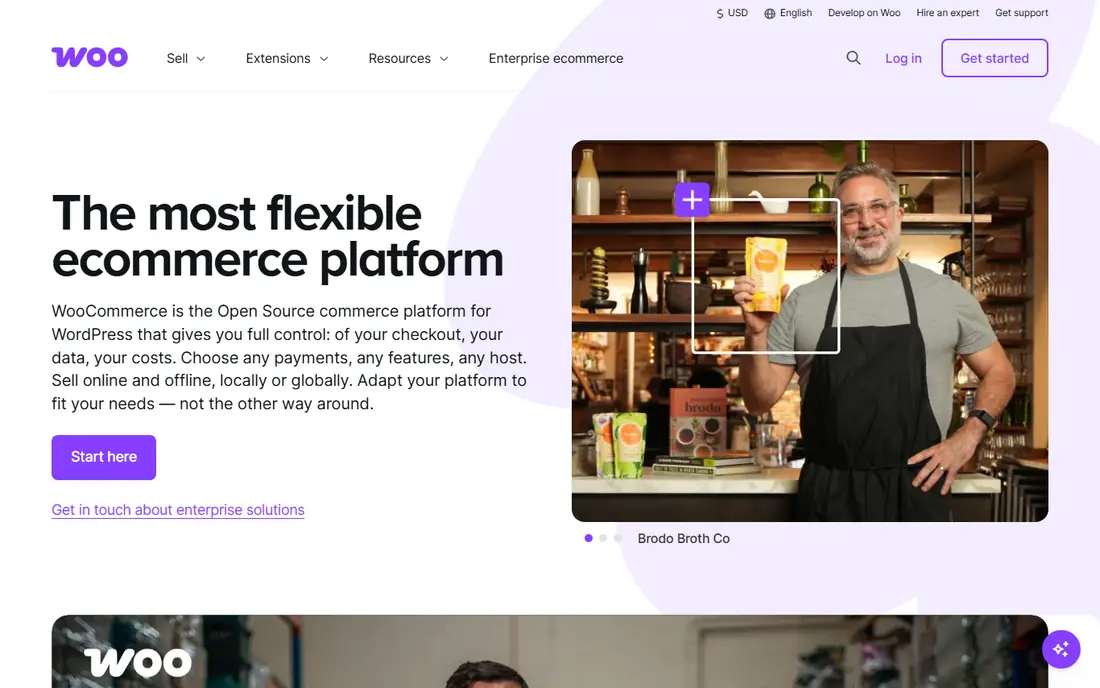
WooCommerce turns a WordPress site into a store, and it gives you the code, the data, and the design freedom that hosted platforms limit. Developers can change product pages, checkout, and pricing logic in detail, and the plugin range covers payments, shipping, memberships, and bookings. There is no platform transaction fee on top of payment gateway fees.
The catch is responsibility. You arrange hosting, security, backups, and updates, and a poorly chosen plugin can slow the store or break after an update. WooCommerce fits sellers with WordPress skills or a developer, not sellers who want a fully managed store.
- Open-source code and data control
- Huge plugin range
- No platform transaction fee
- You pay for hosting and maintenance
- Plugin costs and updates add up

BigCommerce suits sellers who want hosted ease but also want checkout control and room to grow. Built-in features cover more ground than many rivals, including multi-storefront selling and B2B tools on higher plans, so you may need fewer paid apps. No platform transaction fee helps high-volume sellers keep more of each sale.
The trade-off is ecosystem size. The app store is smaller than Shopify, so a niche feature may need custom work. If your store is large, sells across channels, and values built-in depth over app count, BigCommerce deserves a trial.
- No platform transaction fees
- Customizable checkout
- Strong built-in B2B and multi-storefront tools
- Smaller app store than Shopify
- Theme and app costs still apply
Adobe Commerce, formerly Magento, is the pick for large stores with complex catalogs, pricing rules, and workflows. Developers can change almost every part of the store, from product types to checkout logic, and multi-store setups handle regions and brands from one backend. The extension range supports unusual B2B and marketplace needs.
The cost is the catch. Licensing is quoted, hosting and development add more, and maintenance is an ongoing job. Shortlist Adobe Commerce only when your catalog or workflow truly needs that depth, since smaller stores will move faster on Shopify or BigCommerce.
- Deep code-level customization
- Strong multi-store and catalog tools
- Large extension range
- Quote-only pricing
- Needs experienced developers and ongoing maintenance
Wix fits a solo seller or small brand that wants a good-looking store without code. The drag-and-drop builder makes layout changes fast, templates cover many niches, and ecommerce plans add payments, shipping, and product options. A small catalog can look polished within days.
The limit is scale. Large catalogs, complex variants, and heavy traffic expose weaker depth than Shopify or BigCommerce, and design freedom has practical limits. Use Wix when simplicity and design matter more than deep catalog control.
- Easy visual builder
- Many templates
- Simple setup for small stores
- Weaker for very large catalogs
- Switching templates later can be awkward
Squarespace suits a brand where design and content lead the sale. Templates look refined with little effort, blogging and pages sit beside the store, and product management stays simple for a small catalog. For artists, makers, and service sellers with a shop on the side, that balance works well.
The weakness is ecommerce depth. Payment options, app choices, and advanced selling features are narrower than Shopify or BigCommerce, and transaction fees vary by plan. Pick Squarespace for a beautiful small store, not for a large multi-channel operation.
- Polished templates
- Integrated blogging and content tools
- Simple store management
- Fewer payment and app options
- Limited ecommerce depth for large stores
PrestaShop gives open-source sellers a dedicated ecommerce codebase without the WordPress layer that WooCommerce needs. Catalog tools, pricing rules, and multi-language selling suit international stores, and modules extend payments, shipping, and marketing. You own the code and the data.
The catch matches WooCommerce: hosting, security, updates, and support fall to you or your developer. Module prices can also lift total cost well above free. PrestaShop fits teams that want open-source control and have technical help on hand.
- Open-source code
- Strong product and catalog tools
- Large module range
- Hosting and maintenance are your job
- Module costs add up
Ecwid is different from most picks here, since it adds a store to a site you already have. You can embed products on a website, blog, or social page, manage them from one dashboard, and sell across channels without rebuilding your site. The free plan lets a tiny seller test online selling with a small product count.
The limit is depth and design. Lower plans cap products and design options, and a full standalone store may suit Shopify better. Ecwid shines when you already have traffic on a site and want to add selling without a rebuild.
- Free starter plan
- Embeds into websites, blogs, and social pages
- Simple product management
- Limited design control on lower plans
- Advanced features need paid plans
Shift4Shop offers a hosted store with a free plan option, which makes it worth a look for budget-conscious sellers. Themes can be customized, built-in tools cover SEO, discounts, and email, and you avoid separate hosting bills. That package suits a new store testing demand before committing to a monthly fee.
The catch is terms and ecosystem. Free plan eligibility and features depend on your payment setup, and the app range is smaller than Shopify. Read the current plan terms carefully, and trial the theme editor with your real products before launching.
- Free hosted plan option
- Built-in marketing and SEO tools
- Theme customization
- Free plan terms depend on payment setup
- Smaller app ecosystem than Shopify
How we picked these
We compared official feature and pricing pages, theme and app listings, and public reviews for ecommerce platforms that still operate in October 2026. We kept platforms that allow real theme, layout, or code customization, not just color changes, and we noted where hosting or developer help adds cost. We did not claim hands-on testing, and we wrote See website where a vendor does not publish a starting price.
What to check before you buy
Start with a short list based on catalog size and technical help, then build a test store with your real products. Check product variants, discount rules, shipping options, and checkout on mobile, since those details decide daily sales. Also check payment fees, because a low monthly fee can still cost more once transaction and gateway fees are added.
Next, test customization where it matters to you. Change a product template, add a custom field, or adjust checkout wording, and see how much help you need. A platform that needs a developer for every small change will slow a small team, while a platform that hides the code will frustrate a team with developers.
A practical way to compare total cost
Add the monthly plan, paid themes, essential apps, payment fees at your expected sales volume, and any developer or hosting cost. Compare that total across two or three finalists over twelve months, not just month one. That simple sum often changes the ranking, and it keeps a cheap headline price from hiding a costly setup.
Frequently asked questions
What is the best platform to build an ecommerce website?
Shopify suits most sellers for speed and app choice, WooCommerce suits sellers who want full code control, and BigCommerce suits high-volume hosted stores. The best website platform for ecommerce depends on catalog size, sales channels, and technical help.
What is the best website platform for ecommerce with no coding?
Wix and Squarespace are the easiest no-code options here, with visual builders and polished templates. Shopify also works without code for most stores, though advanced changes may need apps or developer help.
Is WooCommerce really free?
The WooCommerce plugin is free, but hosting, a domain, security, and paid plugins usually cost money. Budget for hosting and maintenance, and compare that total with a hosted plan before deciding.
Which platform has the lowest transaction fees?
BigCommerce charges no platform transaction fee, and WooCommerce charges no platform fee either, though payment gateway fees still apply on both. Shopify waives its transaction fee when you use Shopify Payments, but adds a fee with other gateways.
Can I move my store to another platform later?
Yes, but moving products, customers, orders, and design takes work, and some data may not transfer cleanly. Export your data regularly, keep your domain in your own account, and test migration tools before you commit to a large catalog.
Sources
See where you really rank - block by block
ProMapRanker scans Google Maps across a grid of your service area. Simple monthly plans from $19, white-label on every plan.
Start freeKeep reading
 who has best internet service
Who Has the Best Internet Service in 2026
Who has best internet service for US homes? We compare fiber, cable, fixed wireless and satellite providers on speed, price, availability and terms today.
Read → which survey tool has the best analytics
Which Survey Tool Has the Best Analytics in 2026
Find which survey tool has the best analytics in 2026, comparing Qualtrics, SurveyMonkey, Typeform, Alchemer, and more on reports, text, and stats today.
Read → which streaming service has the best movies
Which Streaming Service Has the Best Movies in 2026
Answering which streaming service has the best movies, with Netflix, Max, Criterion and more compared on libraries, prices and free options in this guide.
Read →