 ProMapRanker
Best Countdown Apps in 2026: 7 Apps Compared

Key takeaways
- Countdown Star is our pick for most people, with widgets, repeating events, custom wallpapers, and count-up support in one simple app.
- TickCounter is the best free option for a shareable web countdown, since it needs no signup and works in a browser.
- Until Zero suits people who want one calm, days-only countdown without accounts or tracking.
- The best free countdown app depends on the device: phone widgets matter more than web embeds for most personal events.
Quick comparison
| Pick | Great for | Pricing starts at | Free tier | |
|---|---|---|---|---|
 Countdown Star | All-round personal countdowns | Free | Yes | Visit |
 TickCounter | Free shareable web countdowns | Free | Yes | Visit |
 Until Zero | Minimal days-only countdowns | Free | Yes | Visit |
 Countdate | Clean open source countdowns | Free | Yes | Visit |
 Wedding Countdown | Wedding planning countdowns | Free | Yes | Visit |
 YourCountdown.to | Public event countdown pages | Free | Yes | Visit |
 Days.to | Simple days-until answers | Free | Yes | Visit |
The best countdown apps
We compared these apps on widgets, repeating events, customisation, reminders, and whether they also count up from past dates. A good countdown app should make the next event visible at a glance, not buried behind menus. All seven below are live in October 2026, and all offer a free way to start.
Countdown Star does the core job with unusual polish. You can add birthdays, holidays, trips, weddings, and exams, then watch them count down in days, hours, minutes, or seconds, or count up from past events such as anniversaries. Repeating events advance to the next year on their own, which removes the annual chore of recreating birthdays. Widgets put the next event on the home screen, and celebration animations mark the moment a countdown reaches zero.
The free version contains ads, and an ad-free option is available as a purchase, which is a fair trade for an app this complete. Platform differences also exist, since the iOS version leans on iCloud sync while Android leans on its own backup and restore. For most people, though, Countdown Star is the best countdown app to install first, because it covers personal events, widgets, and repeat dates without asking for a subscription up front.
- Resizable home screen widgets
- Repeating annual events
- Custom wallpapers and celebration animations
- Contains ads in the free version
- Some features differ between iOS and Android
- Backup setup takes a moment
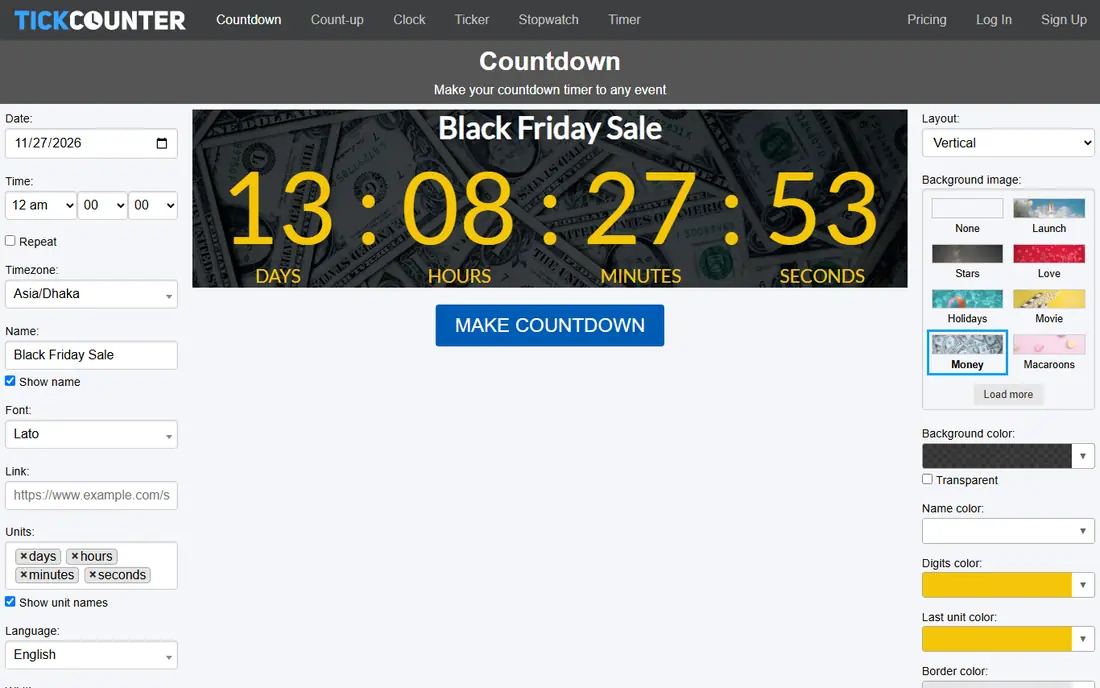
TickCounter is a web countdown maker rather than a phone app, and that distinction is its strength. You pick a date, time zone, and style, then share a link or embed the timer on a website, which suits product launches, school events, and club pages. There is no signup for a basic timer and no view limit on the free plan, so a shared countdown keeps working even if a page gets busy.
The design tools are simpler than a phone app's themes, and the free version carries a small watermark, with a one-time paid option to remove it. TickCounter also lacks the phone widgets and push reminders that make a personal app useful day to day. Use it when the countdown needs to live on a web page or be shared by link, and use a phone app alongside it for personal reminders.
- No signup needed for a basic timer
- Embeddable on websites
- Unlimited counters and views on the free plan
- Design options are basic
- Free version includes a watermark
- No native phone app widgets
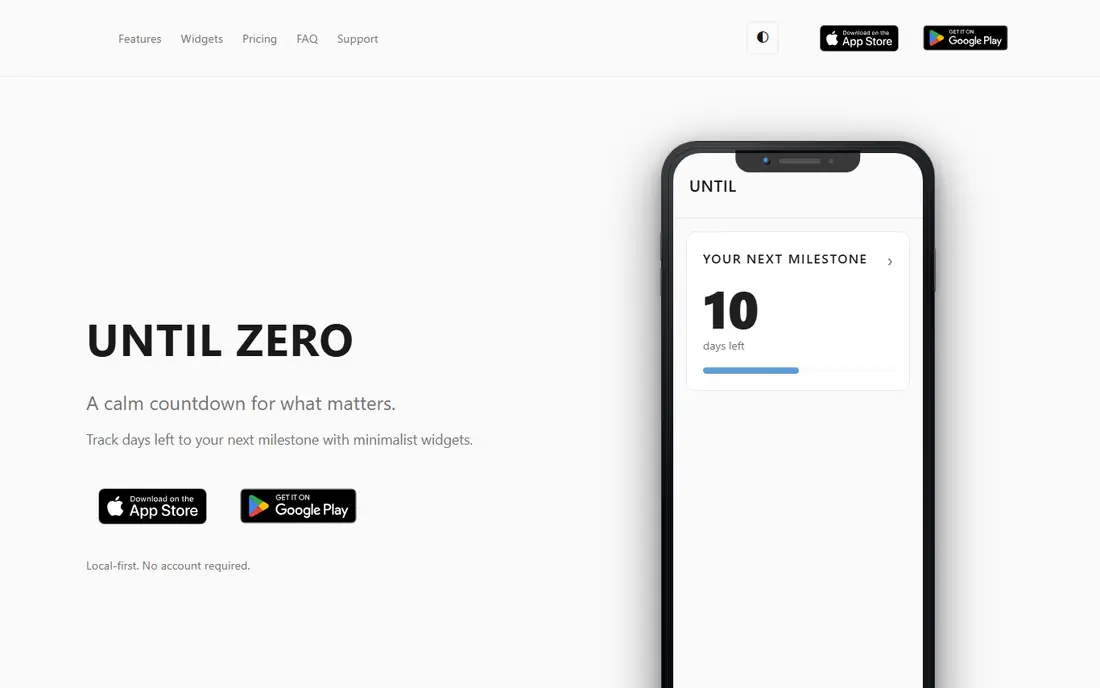
Until Zero is the calm option in a category full of busy themes. It shows days left to one milestone, with a progress bar and light or dark mode, and it stores countdowns on the device with no account, analytics, or tracking. That local-first approach will appeal to anyone who dislikes signing up for a simple timer. The design stays out of the way, which is the point.
The limits are deliberate but real. Until Zero counts days only, so it cannot show hours and minutes ticking down to a launch or a flight. The free plan covers one countdown without a widget, while Pro, at $0.99 per month, adds unlimited countdowns and widgets. If you want one visible number for one big date, Until Zero is excellent. If you track many events, a fuller app fits better.
- Local-first with no account required
- Clean days-only display
- Progress bar shows how close the date is
- Days only, no hours or minutes
- Widgets need the Pro plan
- Single countdown on the free plan
Countdate keeps the job simple: enter a date, see how many days are left, or see how many days have passed since it. That two-way counting makes it useful for anniversaries, sobriety milestones, and project anniversaries as well as future events. Being open source and free, with no subscription, also means there is no paywall waiting behind a basic feature.
The trade is polish. Countdate does not offer the rich wallpaper and theme libraries of Countdown Star, and its widget options are plainer. Support comes from a smaller community rather than a large company help desk. For a reader who wants a free countdown app that does the maths correctly and stays out of the way, Countdate is a solid and honest choice.
- Free and open source
- Works on Android and iOS
- Counts up as well as down
- Simple design with fewer themes
- Smaller support community
- Widget depth varies by platform
Wedding Countdown is built for one occasion, and it shows in the details. Couples can customise a countdown with their own photo, music, and theme, then share the design as an image or video for invitations and social posts. A simple to-do list helps with planning tasks, and daily quotes add a light touch for couples who enjoy that style. For a wedding, that focus beats a generic timer.
The narrow focus is also the limit. Wedding Countdown is not the app to pick for exams, trips, and birthdays all at once, and some of the nicer themes sit behind payment. A couple planning a wedding will likely enjoy it alongside a general countdown app for everything else. For the wedding itself, though, the themed designs and sharing options make it the best fit on this list.
- Wedding themes and photo customisation
- Shareable designs as image or video
- Simple to-do list included
- Narrow focus on weddings
- Some themes need payment
- Less useful for non-wedding events
YourCountdown.to answers a different question from a phone app: how long until a public event, such as Christmas, a sports final, or a show release. The site offers ready-made countdown pages that are easy to share by link, with no install and no account for basic use. That makes it handy for a group chat, a classroom screen, or a quick check before an event.
It is not a personal planner. There are no phone reminders, no private event list, and less customisation than a dedicated app. A countdown that lives only on a website also depends on that site being available when the event arrives. Use YourCountdown.to for public dates and shared excitement, and keep a phone app for the private dates you must not miss.
- Quick countdown pages for popular events
- Easy to share by link
- No app install needed
- Less personal customisation
- No phone reminders
- Depends on the site staying live for the event
Days.to does one thing and does it fast: it tells you how many days until a date. Open the site, pick a date, and the answer is there, with a shareable page for the result. That simplicity suits a quick question in a conversation, a lesson plan, or a social post, where a full app would be overkill.
The feature set ends there. Days.to does not send reminders, does not offer widgets, and does not manage a list of events. Anyone tracking several dates will outgrow it quickly. Keep it bookmarked for fast answers, and pair it with Countdown Star or TickCounter when the date needs a reminder or a place on your home screen.
- Instant answer to how many days until a date
- No install or signup
- Easy to share
- Very basic feature set
- No reminders or widgets
- Not a full event planner
How we picked these
We compared official app listings, developer pages, and product sites for countdown tools live in October 2026, and we favoured tools with a clear free starting point and a working widget, web embed, or reminder flow. We included phone apps and web timers because readers search for a countdown timer app for both personal reminders and shared web pages. We left out apps that were still in pre-launch review, and we did not pad the list with apps whose only feature is a single static timer.
What to look for in a countdown app
Start with where you will see the countdown. If the answer is your phone home screen, widgets and repeating events matter most, and Countdown Star leads there. If the answer is a web page or a shared link, TickCounter or YourCountdown.to fits better, since no one needs to install an app to see the timer.
Next, check count-up support and reminders. Anniversaries and milestones need count-up, while exams and trips need alerts before the day arrives. An app that only counts down will miss half the job for many families.
Finally, check the cost of the features you will actually use. Many countdown apps are free to download, with payment only for ad removal, extra themes, or widgets. Confirm which side of that line your must-have feature sits on before you build a habit around the app.
Frequently asked questions
What is the best countdown app for iPhone and Android?
Countdown Star is the strongest cross-platform pick, with widgets, repeating events, and count-up support on both iPhone and Android. Until Zero suits minimalists, while TickCounter suits web sharing. The best free countdown app for a single phone is usually the one whose widget you will actually glance at each day.
Is there a best free countdown app with no subscription?
Yes, several. Countdown Star, TickCounter, Countdate, and Days.to all offer a free way to count down, with payment only for extras such as ad removal, watermark removal, or widgets. Countdate is fully free and open source, while TickCounter needs no signup for a basic web timer.
What is the best countdown timer app for a wedding?
Wedding Countdown is the best themed pick, with photo customisation, shareable designs, and a planning to-do list. For the practical side, pair it with Countdown Star, which adds widgets and reminders so the date stays visible in the weeks before the wedding.
Can a countdown app also count up from a past date?
Yes, most good ones can. Countdown Star, Countdate, and TickCounter all support count-up timers, which suit anniversaries, milestones, and time since an event. Check that feature before choosing, since the simplest web timers only count down.
Do countdown apps work without an internet connection?
Phone apps such as Countdown Star, Until Zero, and Countdate work offline for viewing and counting, since the maths runs on the device. Web timers such as TickCounter, YourCountdown.to, and Days.to need a connection to load the page, though the timer then runs in the browser. For travel or patchy signal, a phone app is the safer choice.
Sources
- https://www.joemerrill.com
- https://tickcounter.com
- https://www.untilzero.app
- https://countdate.sk5s.com
- https://weddingcountdown.app
- https://yourcountdown.to
- https://days.to
- https://copyprogramming.com/howto/customisable-countdown-app
- https://www.igeeksblog.com/best-countdown-apps-for-iphone-ipad/
- https://www.jotform.com/blog/best-countdown-widget/
See where you really rank - block by block
ProMapRanker scans Google Maps across a grid of your service area. Simple monthly plans from $19, white-label on every plan.
Start freeKeep reading
 best freelance platforms for beginners
Best Freelance Platforms for Beginners in 2026
Best freelance platforms for beginners compared, with fees, job types, and first-gig tips to help new freelancers pick a strong starting place in our guide.
Read → best foreign language apps
Best Foreign Language Apps in 2026
Best foreign language apps compared in 2026: Duolingo, Babbel, Rosetta Stone, Pimsleur and more, with prices, free plans and honest trade-offs for learners.
Read → best foraging apps for plant identification
Best Foraging Apps for Plant Identification in 2026
These 8 best foraging apps for plant identification help you name wild plants, but never eat a plant based on an app alone. Check our safety notes first.
Read →