 ProMapRanker
Best Content Calendar Apps in 2026


Purpose built marketing calendar · Pricing starts at: $29 per month
Key takeaways
- CoSchedule is the most purpose built marketing calendar here, while Notion and Airtable are the most flexible bases for a custom calendar.
- Trello is the simplest visual calendar for small teams, and Asana and Monday.com suit teams that also manage wider project work.
- Later and Planable are best when social publishing and client approvals matter more than long form editorial planning.
- Free tiers are genuinely useful for solo creators, but record limits, guest limits, and publishing limits decide whether a free plan lasts.
- Pick the calendar your team will actually update daily, since a perfect template that no one opens helps no one.
Quick comparison
| Pick | Great for | Pricing starts at | Free tier | |
|---|---|---|---|---|
| CoSchedule | Purpose built marketing calendar | $29 per month | Yes | Visit |
 Notion | Flexible docs and calendar | $10 per seat per month | Yes | Visit |
 Airtable | Structured database calendar | $20 per user per month | Yes | Visit |
 Asana | Team work and editorial dates | $10.99 per user per month | Yes | Visit |
 Trello | Simple visual boards | $5 per user per month | Yes | Visit |
 Monday.com | Visual project calendar | $9 per seat per month | Yes | Visit |
 Later | Social scheduling calendar | See website | Yes | Visit |
 Planable | Social approvals | $33 per workspace per month | Yes | Visit |
The best content calendar apps
A content calendar should show what is due, who owns it, where it will publish, and what stage it is in, all in one view. These eight do that job, from purpose built marketing calendars to flexible work tools you shape yourself.
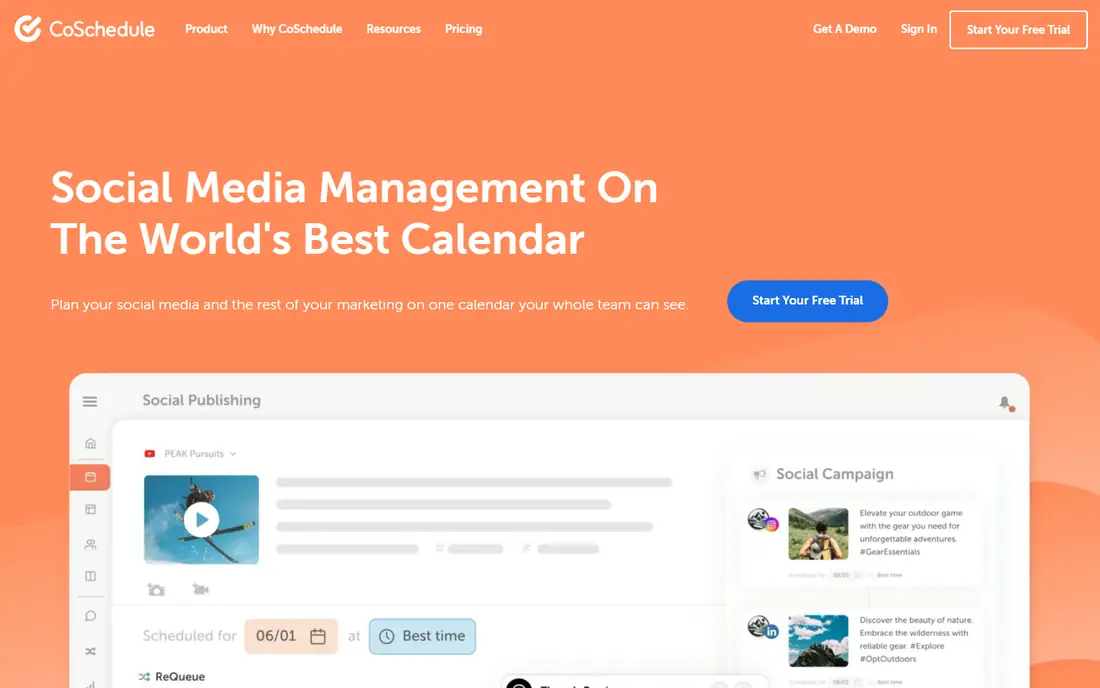
CoSchedule is the closest thing on this list to a calendar built only for content. The marketing calendar shows blog posts, social posts, and campaigns in one view, with workflow steps, assignments, and social scheduling attached to each item. That structure suits a marketing team that plans weeks ahead and needs to see gaps, clashes, and campaign themes at a glance.
The free calendar covers basic planning, while paid plans, starting around 29 dollars per month on annual billing for Starter in recent comparisons, add more users, profiles, and features. Social publishing is useful but not as deep as a dedicated social suite, so teams with heavy social approval needs should also look at Planable or Later. For editorial planning first and social second, CoSchedule leads.
- Calendar built for marketing teams
- Social scheduling included
- Workflow and headline tools
- Social features are less deep than dedicated social tools
- Paid plans can feel costly for solo users
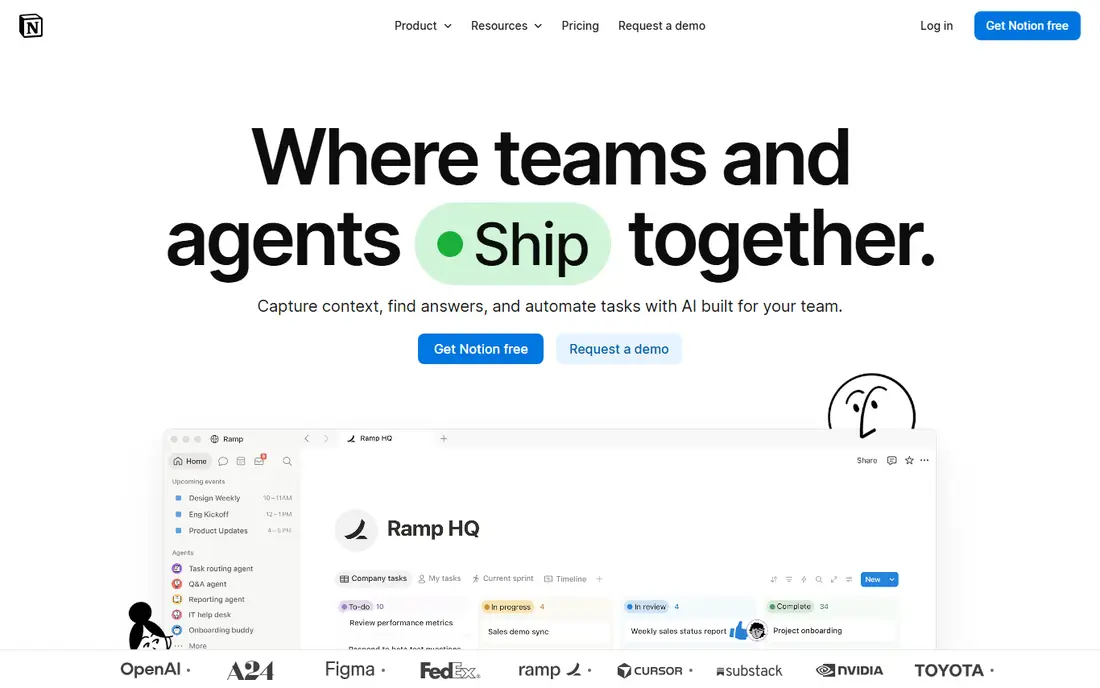
Notion suits creators who want their calendar, drafts, briefs, and research in one place. A database can show the same content as a calendar, board, timeline, or table, and each card can hold the full draft, links, images, and comments. Templates for editorial calendars are easy to copy, and the free tier covers individual use well.
The flexibility is also the work. Notion does not arrive as a ready made marketing calendar, so someone must design fields for owner, stage, channel, and publish date, and keep that structure tidy as the team grows. It also has no native social publishing, so you will still need a scheduler for posting. If your team lives in docs and wants one workspace, Notion is hard to beat.
- Docs, databases, and calendar views in one workspace
- Very flexible templates
- Generous free tier for individuals
- Needs setup before it feels like a calendar
- No native social publishing
- Performance can dip on very large databases
Airtable is best when your calendar is really a database. You can link a post to a campaign, an author, an asset, and a channel, then view the same data as a calendar, grid, kanban, or timeline. Filters and grouped views make it easy to see, for example, every video due next week or every post still waiting on review. That structure suits teams with many recurring content types.
Record limits are the main watch point. The free plan allows 1,000 records per base, Team allows 50,000, and Business allows 125,000 in recent pricing reports, so a busy team can outgrow the free tier within months. Long form writing is also weaker than in Notion, so many teams draft in docs and track in Airtable. If structure and reporting matter most, Airtable is the pick.
- Strong structured data and calendar views
- Linked records for campaigns and assets
- Automations on paid plans
- Record limits on free and lower tiers
- Per seat cost rises fast for large teams
- Less suited to long form writing
Asana works well when content production has many steps. A blog post can move from brief to draft to edit to design to publish, with owners and due dates at each step, and the calendar view shows deadlines across projects. Dependencies help when design cannot start until copy is approved, and timeline view helps managers spot overloaded weeks.
For a solo creator, Asana can feel like too much structure for a simple posting schedule, and social publishing still needs a separate tool or integration. Entry paid pricing is listed around 10.99 dollars per user per month in recent comparisons, with a free tier for basic work. Teams that already manage projects in Asana should keep their calendar there rather than adding another tool.
- Clear tasks, dates, and dependencies
- Calendar and timeline views
- Strong for multi step production
- Can feel heavy for solo creators
- Social publishing needs an integration
- Paid features add up
Trello is the simplest calendar on this list, and for many small teams that is enough. Cards move across lists such as Ideas, Drafting, Review, and Published, due dates show on the calendar view, and checklists cover the steps inside each card. A new team member can understand the whole system in minutes, which means the calendar actually gets updated.
Scale is the limit. Trello lacks the linked records of Airtable and the doc depth of Notion, and large volumes of cards can become hard to search and report on. Paid plans, starting around 5 dollars per user per month, add automation and more views. If your team is small and visual, start with Trello and move only when its limits start to bite.
- Very easy to learn
- Drag and drop boards
- Calendar view for due dates
- Limited structure for large editorial operations
- Automation and advanced views need paid plans
Monday.com suits teams that want a visual, colorful workspace for content plus wider project work. Boards can track blog posts, videos, and social campaigns with status columns, owners, and dates, while calendar and timeline views show the schedule and dashboards summarize progress. Automations can move items, notify owners, and set dates when a status changes.
Pricing needs care for larger teams, since the entry paid plan is listed around 9 dollars per seat per month and costs scale with headcount. The free tier is also limited in reports to two seats, so it works as a trial rather than a long term team plan. If your team already uses Monday.com for projects, adding the content calendar there keeps work in one place.
- Colorful visual boards
- Calendar and timeline views
- Automations and dashboards
- Per seat cost grows with team size
- Setup takes time to tune
- Free tier is limited to two seats in reports
Later is built around social content first. The visual calendar lets you drag posts into place, preview how a feed will look, store media in a library, and schedule across major social platforms. For creators and small brands whose content is mainly social posts, reels, and stories, that visual planning is more useful than a generic project board.
Long form editorial work is weaker here. Blog drafts, SEO briefs, and multi step review chains fit better in Notion, Airtable, or CoSchedule, so many teams pair Later for social with another tool for editorial. Check current Later pricing on its site, since plans and limits change, and test the free tier with your real posting volume before you commit.
- Visual social calendar
- Media library
- Scheduling for major social platforms
- Less suited to long form editorial planning
- Fuller analytics and team features need paid plans
Planable is the pick when approvals are the bottleneck. Clients and teammates can comment on exact posts, approve or request changes, and see a visual calendar of what will publish and when. That approval flow saves the messy email and screenshot chains that slow down agencies and social teams, and it keeps a clear record of who approved what.
The focus is social, so long form editorial planning still needs another home. Pricing is listed around 33 dollars per workspace per month in recent comparisons, with a limited free allowance, so count workspaces and posts before you compare it with per seat tools. For agencies and teams with client sign off, Planable can pay for itself in saved revision rounds.
- Clear client and team approvals
- Visual social calendar
- Comment threads on each post
- Focused on social, not long form editorial
- Workspace pricing needs care for many clients
How we picked these
We compared official feature pages, pricing pages, and recent content calendar comparisons, and we kept only tools with a real calendar view and a usable free tier or trial in October 2026. We favored tools that show owner, stage, and publish date clearly, and we included both purpose built calendars and flexible work tools, since different teams need different levels of structure. We did not claim hands-on testing, and we noted where pricing was per seat, per user, or per workspace, since that changes total cost.
How to set up a calendar your team will use
Keep the fields small
Start with title, owner, stage, channel, and publish date, plus one link to the draft or asset. Extra fields for keywords, word count, and campaign tags can wait until the team updates the basic calendar reliably for a month. A calendar with five fields that gets updated beats a calendar with twenty fields that gets ignored.
Build the weekly rhythm around the calendar
Pick one weekly review, even if it is only fifteen minutes, to check next week items, move overdue work, and fill gaps. Assign one owner to keep the calendar tidy, and make the calendar the single source for what publishes next, not a side document that duplicates a chat thread.
Separate planning from publishing
Use the calendar for planning and approvals, and use a scheduler or your publishing platform for the actual post. Trying to force one tool to do both often leads to a calendar that is either too rigid for planning or too weak for publishing. CoSchedule and Later blur that line usefully for social, but editorial teams should still keep drafts in docs and tracking in the calendar.
Frequently asked questions
What is the best content calendar app?
CoSchedule is best for purpose built marketing calendars, Notion is best for flexible docs plus calendar views, and Airtable is best for structured data. Trello is best for simple visual planning, while Planable is best for social approvals.
What is the best editorial calendar tool for a small team?
Notion or Trello suit most small teams, since both have useful free tiers and a gentle learning curve. CoSchedule suits marketing teams that plan campaigns, while Asana suits teams that also manage wider project work in the same tool.
What is the best content calendar software for social media?
Later is best for visual social scheduling, and Planable is best when clients must approve posts before they publish. CoSchedule also covers social scheduling inside a wider marketing calendar, but dedicated social tools go deeper on approvals and previews.
Is there a free content calendar app?
Yes. CoSchedule, Notion, Airtable, Asana, Trello, Monday.com, Later, and Planable all offer a free tier or limited free allowance. Free limits differ, so check record caps, guest caps, and publishing limits against your team size and posting volume.
Can I use Notion as a content calendar?
Yes. Create a database with calendar view, add fields for owner, stage, channel, and publish date, and use board or timeline views for the same data. Notion lacks native social publishing, so pair it with a scheduler if you post directly to social platforms.
Sources
See where you really rank - block by block
ProMapRanker scans Google Maps across a grid of your service area. Simple monthly plans from $19, white-label on every plan.
Start freeKeep reading
 best user research tools
Best User Research Tools in 2026
Best user research tools compared for 2026: eight live platforms for testing, interviews, recruiting, and research synthesis to help your team choose wisely.
Read → best spa booking software
Best Spa Booking Software in 2026
Looking for the best spa booking software? We compare eight spa and salon booking tools on price, marketplace fees, and features for spas in 2026 today.
Read → best software for editing video podcasts
Best Software for Editing Video Podcasts in 2026
Best software for editing video podcasts compared for 2026: eight live editors for recording, transcript edits, and polished episodes for creators today.
Read →