 ProMapRanker
Best Container Security Tools in 2026


Full lifecycle container protection · Pricing starts at: See website
Key takeaways
- Start with a free scanner in your build pipeline, then add runtime or cloud context only when alert volume makes triage hard.
- Wiz and Prisma Cloud suit teams that want cloud and container risk in one view, while Sysdig and Aqua put more weight on what is running right now.
- Snyk, Trivy and Anchore fit developer-led teams that want fixes close to the code and the build.
- Quote-only enterprise platforms need a trial with your own images and clusters, since list prices rarely tell the full cost.
- Keep software bills of materials for every release, because they make later vulnerability reviews and audits far easier.
Quick comparison
| Pick | Great for | Pricing starts at | Free tier | |
|---|---|---|---|---|
| Aqua Security | Full lifecycle container protection | See website | No | Visit |
 Sysdig Secure | Runtime detection and prioritization | See website | Free trial | Visit |
 Wiz | Cloud and container exposure in one graph | See website | Free trial | Visit |
 Prisma Cloud | Multi-cloud code to cloud protection | See website | Free trial | Visit |
 Snyk Container | Developer-led fixing | Free | Yes | Visit |
 Anchore | SBOM-first scanning and policy | Free | Yes | Visit |
 Trivy | Fast open source scanning | Free | Yes | Visit |
 Falco | Open source runtime threat detection | Free | Yes | Visit |
 JFrog Xray | Artifact and registry scanning | See website | Free trial | Visit |
The best container security tools
Container security covers more than one job, from scanning an image before it ships to watching a workload while it runs. We compared official feature pages, pricing pages and public documentation for the platforms below, and we grouped them by the job each one does best.
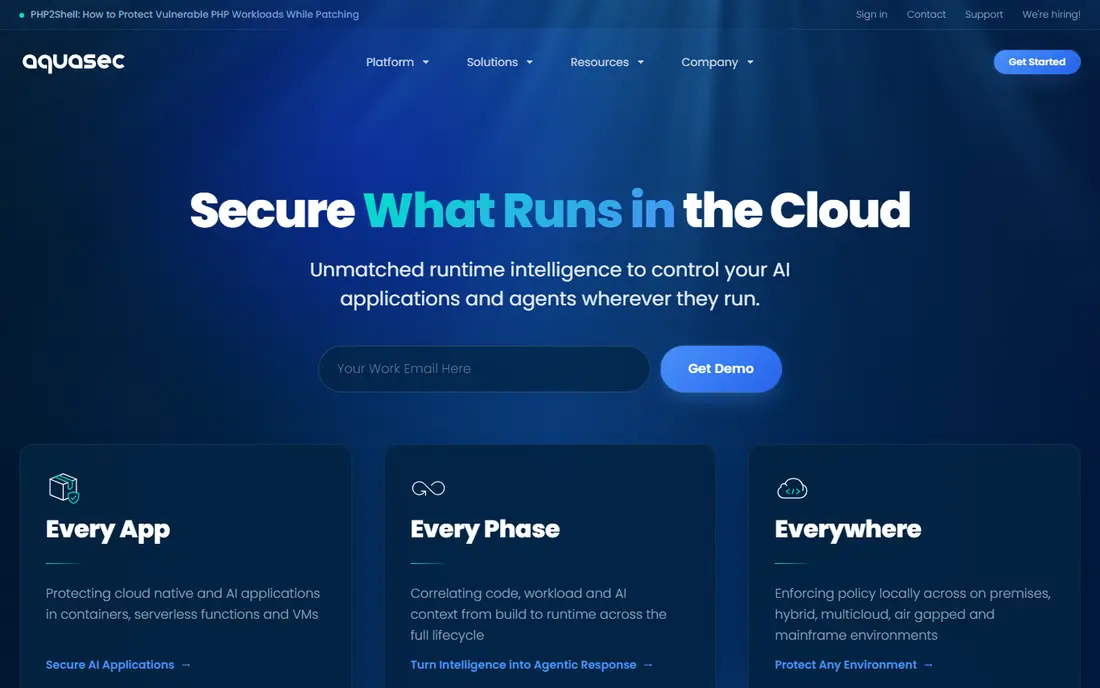
Aqua Security is the pick for teams that want one vendor across the container lifecycle rather than several point tools. Its image scanning, admission controls and runtime enforcement sit in a shared console, so a finding found at build time can be tied to the workload that later runs it. That connection matters when a team must decide which vulnerability to fix first.
The honest catch is scope. Aqua does a lot, and a small team that only needs image scanning may find the full platform more than it needs. Start with Trivy in your pipeline if you want to test the scanning quality first, then judge whether the paid runtime controls earn their place in your budget.
- Covers build, registry and runtime
- Trivy gives a strong open source entry point
- Drift prevention can stop unexpected processes
- Platform breadth can feel complex at first
- Enterprise pricing is quote based
- Smaller teams may use only part of the suite
Sysdig Secure stands out when your main problem is too many vulnerability alerts and too little time. It checks which vulnerable packages are actually loaded and running, so teams can fix live exposure first and defer findings that sit unused in an image. That single filter often changes a weekly triage meeting from a long list into a short, defensible plan.
Runtime detection is the other reason to shortlist Sysdig. It watches system calls and container behavior, which helps catch activity that a static scan cannot see. The trade-off is that you need to run its agents in your clusters and tune the rules, so plan a pilot in one cluster before rolling it out everywhere.
- In-use filtering cuts noisy findings
- Runtime detection is built on Falco roots
- Strong Kubernetes and cloud context
- Pricing is quote based
- Best value comes with runtime deployment, not scanning alone
- Setup needs cluster access and planning
Wiz is a strong choice for teams whose containers live inside larger cloud accounts, because it maps a container finding to the network path, identity and data that surround it. A critical vulnerability in an isolated workload looks different from the same flaw in a workload exposed to the internet, and Wiz helps make that distinction visible. That context is useful for security teams that report risk to leadership.
For a pure container shop with no wider cloud estate, Wiz may feel broad. Its value grows as your cloud footprint grows, and a trial should focus on whether its exposure graph changes your fix order in practice. Check how it handles your registries and clusters before committing.
- Graph view links containers to cloud exposure
- Agentless scanning lowers deployment friction
- Broad cloud posture coverage
- Pricing is quote based
- Teams that only run containers may pay for wider cloud features
- Prioritization still needs human review
Prisma Cloud, from Palo Alto Networks, suits organizations that already standardize on that vendor or need one policy view from code through to running cloud resources. It scans container images and infrastructure code, checks cloud posture, and adds runtime protection, which reduces the number of separate consoles a security team must watch. For regulated or multi-cloud estates, that single policy layer is a real benefit.
The catch is weight. Prisma Cloud rewards teams that invest time in policy design and in connecting code repositories, registries and cloud accounts. If you only need fast image scanning, a lighter tool will get you moving sooner, while Prisma Cloud fits better as a longer term platform decision.
- Covers code, images, hosts and cloud posture
- Policy controls span build and runtime
- Deep Palo Alto Networks integration
- Pricing is quote based
- Platform can be complex to configure well
- Smaller teams may find it heavier than a focused scanner
Snyk Container is our pick for teams that want developers to fix container problems without leaving their normal workflow. It scans images, flags vulnerabilities, and often suggests a base image upgrade that clears several findings at once. That fix-first approach is more useful than a long report with no clear next step, especially for teams shipping often.
Snyk is not a full runtime platform, so pair it with runtime detection if live threat detection matters to you. The free tier is a fair way to test it on real repositories, and the per-developer pricing means you should count active contributors, not total staff, when you estimate cost.
- Free tier for getting started
- Fix advice includes base image upgrades
- Fits developer workflows and pull requests
- Paid plans are priced per developer
- Runtime coverage is thinner than dedicated runtime tools
- Large estates need careful plan sizing
Anchore earns its place for teams that treat the software bill of materials as a first-class artifact, not an afterthought. Syft generates detailed SBOMs and Grype scans them, which gives compliance and procurement teams a clear record of what shipped. Policy gates can then block images that break your rules before they reach a cluster.
The trade-off is effort. Anchore rewards teams that are comfortable with pipeline tooling and policy writing, and it is less of a turnkey runtime product. If your audit or customer contracts ask for SBOMs on a regular basis, that effort pays off quickly. If not, a simpler scanner may serve you better.
- Strong SBOM generation with Syft
- Policy gates fit regulated pipelines
- Open source tools lower the entry cost
- Enterprise pricing is quote based
- Interface and setup need more effort than some rivals
- Runtime detection is not the focus
Trivy is the tool we would install first in almost any container pipeline, because it is free, fast and easy to run in continuous integration. It scans images for vulnerabilities and misconfigurations, and it also produces SBOMs, which makes it a practical floor for teams with no container security yet. Many commercial platforms use or complement tools like Trivy, which says a lot about its quality.
Trivy alone does not give you a managed dashboard, runtime detection or enterprise policy reporting, so larger teams usually pair it with a paid platform later. That is fine. Its job is to stop obvious problems early and cheaply, and it does that job well.
- Free and open source
- Fast scans for images, filesystems and code
- Easy to add to continuous integration
- No managed console or runtime product on its own
- Triage and policy work falls to your team
- Support depends on community and vendor options
Falco watches runtime behavior in containers and Kubernetes, using rules to flag actions such as unexpected shell access or sensitive file reads. It is the open source foundation behind several commercial runtime products, and it suits teams that want detection without a vendor contract. For a team already running Kubernetes, Falco can add a useful safety net quickly.
The catch is tuning. Out of the box rules need adjustment for your workloads, or alerts will pile up and get ignored. Treat Falco as a detection project with an owner, not a install-and-forget tool, and pair it with image scanning so you cover both build and runtime.
- Free and open source
- Detects suspicious runtime behavior in Kubernetes
- Large rule set and community
- Needs tuning to reduce noise
- No managed scanning console on its own
- Operations effort sits with your team
JFrog Xray is the natural pick for teams that already store binaries and images in JFrog Artifactory. It scans artifacts and dependencies in place, so policy can block a risky package before it is promoted or deployed. That repository-level gate is convenient, because developers do not need a separate scanning step in every pipeline.
Outside the JFrog ecosystem, Xray is less compelling as a standalone buy, since its strength comes from that integration. If your team uses Artifactory already, ask for a trial on your real repositories and check how its findings line up with your existing pipeline scans.
- Scans artifacts where developers store them
- Strong fit for JFrog Artifactory users
- Policy gates at the repository level
- Best value inside the JFrog platform
- Pricing depends on your JFrog tier
- Less of a standalone cloud posture tool
How we picked these
We compared official product pages, pricing pages and public documentation for container scanning, runtime detection and cloud-native application protection, and we kept only products that exist and work in October 2026. We favored tools that cover a distinct job, from free open source scanning to full platform protection, and we avoided listing the same capability under two names. Where a vendor does not publish a price, we wrote See website rather than guessing a number.
What to check before you buy
Start by mapping your estate: registries, clusters, cloud accounts and the pipelines that feed them. A tool that scans images well but cannot see your registry will leave gaps, and a runtime tool that cannot run in your clusters will never deliver its main benefit. List those systems before any demo, and use them as the test cases.
Next, run a pilot on real images, not sample data. Measure how many findings are actionable, how clear the fix advice is, and how long it takes a developer to close a typical issue. Also check SBOM output, policy controls and export options, since you may need that evidence for customers or auditors later. Finally, confirm the total cost, including agents, cloud accounts and per-developer or per-workload charges, before you sign.
Frequently asked questions
Which container security platform is best?
There is no single best platform, because the right choice depends on your main gap. Pick Snyk or Trivy for developer-led scanning, Sysdig or Falco for runtime detection, and Wiz or Prisma Cloud when cloud exposure and posture matter as much as container findings.
What are the best container scanning tools?
Trivy, Snyk Container, Anchore and JFrog Xray are strong scanning options, each with a different strength. Trivy is the fastest free start, Snyk gives fix advice in developer workflows, Anchore centers on SBOMs and policy, and Xray fits teams already using JFrog Artifactory.
What is the best container security software for Kubernetes?
Sysdig Secure and Falco are strong Kubernetes-focused choices for runtime detection, while Aqua and Prisma Cloud add admission and runtime policy for larger estates. Check agent support for your Kubernetes distribution and whether you need a managed console or are happy running open source tooling.
Do I need both scanning and runtime protection?
Scanning stops known flaws before deployment, while runtime protection catches misuse and new behavior after deployment. Most production estates need both, but a small team can start with scanning and add runtime detection when live workloads become a real risk.
How much do container security platforms cost?
Free open source tools cost nothing for software, though your team pays in setup and tuning time. Paid platforms are often quote based or priced per developer, per workload or per cloud account, so ask for a quote based on your actual images, clusters and users.
Sources
See where you really rank - block by block
ProMapRanker scans Google Maps across a grid of your service area. Simple monthly plans from $19, white-label on every plan.
Start freeKeep reading
 top custom software development company
Top Custom Software Development Company in 2026
Looking for a top custom software development company? We compare 9 firms for web, mobile, and enterprise software, covering strengths and fit for 2026.
Read → tableau alternatives
Tableau Alternatives in 2026
Compare the best Tableau alternatives for 2026, from Power BI to Metabase, with prices, hosting options, and picks for small teams and enterprises today.
Read → microsoft teams alternatives
Best Microsoft Teams Alternatives in 2026
Looking for microsoft teams alternatives? We compare 9 chat and video tools for 2026, covering free plans, pricing, meetings, and integrations for teams.
Read →