 ProMapRanker
Best Constellation App in 2026

Key takeaways
- Stellarium is our overall pick, with accurate sky simulation, constellation art, and free desktop, web, and mobile versions.
- Sky Tonight is the best free pick for answering what is visible tonight, with a clear daily sky guide.
- Star Walk 2 and Sky Guide suit families and beginners who want a beautiful point-at-the-sky view.
- SkySafari suits observers who plan sessions, track deep-sky objects, or control a telescope.
- Sky Map remains the simplest fully free option on Android, with no ads and a plain point-and-identify view.
Quick comparison
| Pick | Great for | Pricing starts at | Free tier | |
|---|---|---|---|---|
 Stellarium | Accurate planetarium simulation | Free | Yes | Visit |
 Sky Tonight | What is visible tonight | Free | Yes | Visit |
 Star Walk 2 | Beautiful AR stargazing | Free | Yes | Visit |
 SkySafari | Session planning and deep-sky work | Free | Yes | Visit |
 Sky Guide | Clean AR sky guide | Free | Yes | Visit |
 Night Sky | AR sky view on Apple devices | Free | Yes | Visit |
 Sky Map | Simple free Android sky map | Free | Yes | Visit |
 Star Chart | Free point-and-identify stargazing | Free | Yes | Visit |
 NASA App | NASA images and ISS sightings | Free | Yes | Visit |
The best constellation apps
These nine apps help users find constellations, stars, planets, and satellites. We compared official app listings, sky catalog depth, AR quality, offline support, and pricing, and we focused on apps that are actively maintained in October 2026.
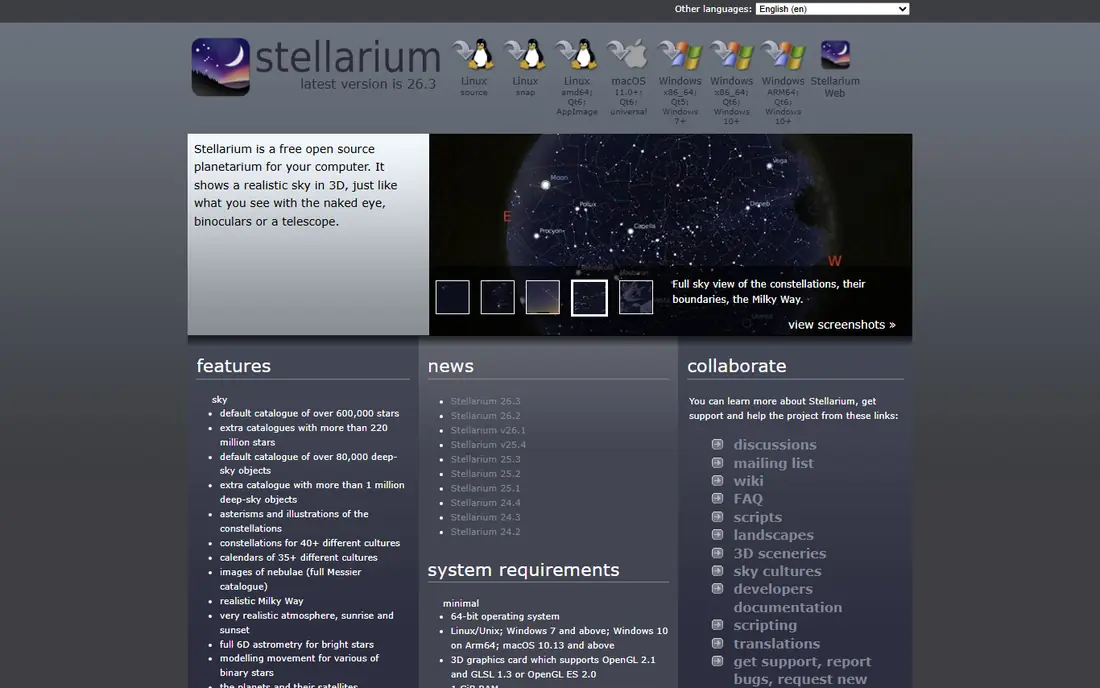
Stellarium turns a phone, browser, or computer into a planetarium. Point the device at the sky to identify stars and constellations, or explore any date and location to plan a night out. Constellation artwork, multiple sky cultures, and realistic horizons make it both accurate and pleasant to learn from.
The free mobile app covers most stargazing needs, while the optional Plus upgrade adds a deeper catalog and telescope control. Desktop and web versions are free and excellent for planning at home. For a single app that grows from first constellation to serious observing, Stellarium is our pick.
- Accurate sky rendering
- Constellation art and cultures
- Free desktop and web versions
- Depth of data can overwhelm new users
- Paid Plus upgrade adds larger catalogs
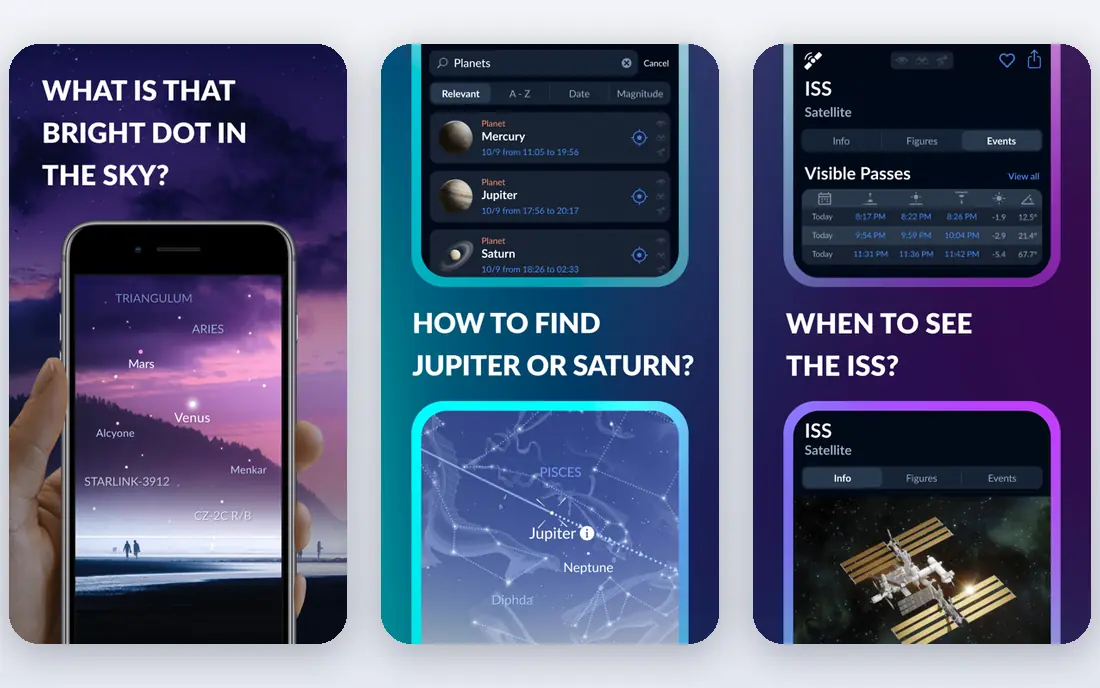
Sky Tonight answers the most common stargazing question: what can I see tonight. Its daily view lists visible planets, bright stars, constellations, and special events, with rise and set times and AR identification when pointed at the sky. That focus makes it ideal for a quick evening walk or a first night out.
Serious planners may want SkySafari for deeper catalogs and observing lists. For casual stargazers, families, and beginners, Sky Tonight gives the right information fast, without a crowded interface or a steep learning curve.
- Clear tonight view
- AR sky identification
- Daily sky events and visibility times
- Less deep-sky planning depth than SkySafari
- Some features sit behind paid upgrades
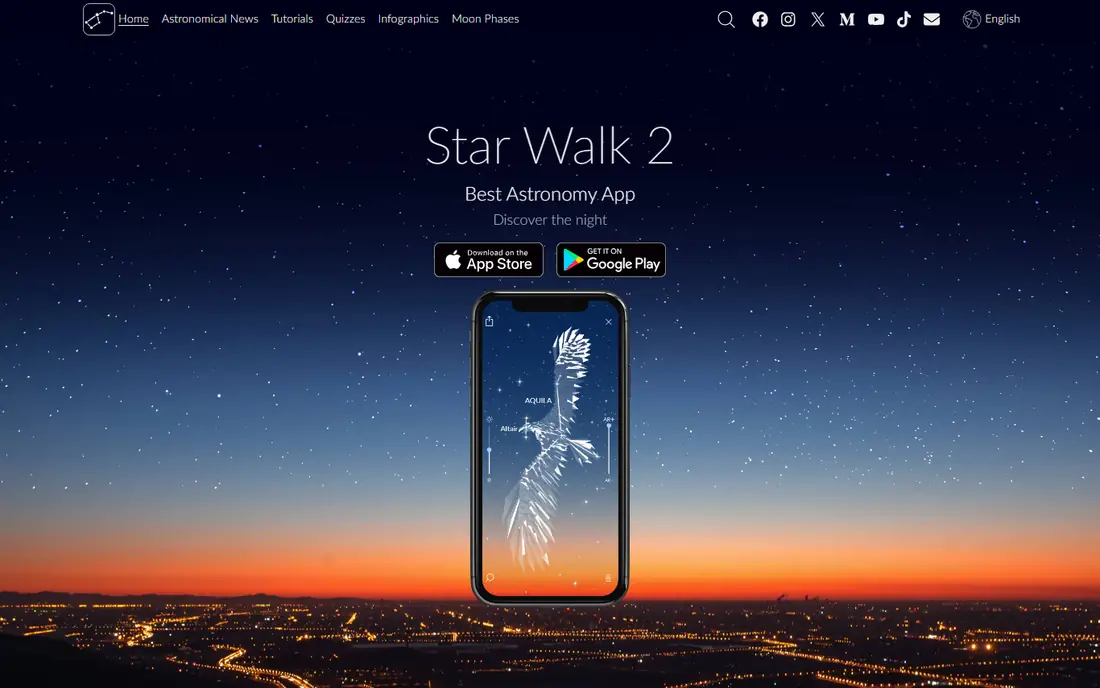
Star Walk 2 prioritizes beauty and simplicity. Point a phone at the sky and tap any bright object for a clear identification card with images and facts. The interface is clean, the constellation art is appealing, and children often enjoy it more than denser atlas apps.
The free version is limited, and the full version is a paid upgrade, listed around $4.99 in recent material. For showing friends and family what is overhead, Star Walk 2 is excellent. For deep planning or telescope work, pair it with Stellarium or SkySafari.
- Attractive AR view
- Clear object cards
- Good for families and beginners
- Free version is limited
- Full version needs a paid upgrade
SkySafari is the app many amateur astronomers use for planning. The free Basic version includes a large star catalog, all 88 constellations, planets, and major satellites, plus time travel to preview the sky on any date. Paid Plus and Pro tiers add millions more objects and telescope control.
The density can feel like a lot for a first night out, but it pays off for regular observers. Build an observing list at home, check visibility times, then use the app in the field with night mode on. SkySafari suits stargazers who plan sessions rather than just glancing upward.
- Large star catalog
- Observing lists and planning tools
- Telescope control on paid tiers
- Interface is denser than Star Walk 2
- Paid tiers add the deepest catalogs
Sky Guide offers a refined AR experience that overlays constellation lines and labels on the live sky. It suits users who want a calm, readable view without the dense menus of a full atlas. Object information is clear, and the design works well for evening walks and family nights.
Platform history matters. Sky Guide began as an Apple-focused app, so Android users should check current availability and features on their device. For Apple users who want beauty plus clarity, Sky Guide remains a strong pick.
- Elegant AR view
- Clear constellation lines
- Good for quick identification
- Apple-focused history
- Feature depth varies by platform and tier
Night Sky is a polished AR stargazing app for iPhone and iPad, with constellation identification, planet views, and satellite tracking including ISS passes. Its design suits Apple users who want a beautiful, quick answer to what is overhead, with extra tours and sky events on paid tiers.
The free version covers basic identification, while deeper features need a subscription or purchase. Android users should look at Stellarium or Sky Tonight instead. Apple users who already enjoy Night Sky for casual viewing will find it dependable.
- Strong AR view on Apple devices
- Satellite and ISS tracking
- Night mode support
- Full features need a paid plan
- Best experience is on Apple hardware
Sky Map is the simplest free option on this list, and it is Android only. Point the phone at the sky to see labeled stars, constellations, and planets, with no ads and no paid tier. Its open-source roots keep it light and focused on identification alone.
The plain design is both strength and limit. There are no guided tours, deep catalogs, or planning tools like SkySafari. For a free, no-fuss sky map on Android, Sky Map is hard to beat, and it pairs well with Sky Tonight for daily event info.
- Completely free with no ads
- Simple point-and-identify view
- Open source
- Android only
- Interface looks plain next to paid rivals
Star Chart offers a free AR sky view on both major mobile platforms, with time travel to see the sky at other dates and times. Point the device upward, tap an object, and read a short guide to what you are seeing. That simplicity suits beginners and families.
Extra content and features sit behind in-app purchases, and catalog depth does not match Stellarium or SkySafari. As a free first app for children or casual stargazers, Star Chart is a friendly choice. Serious observers will likely move to Stellarium for planning.
- Free core stargazing
- AR view with time travel
- Works on iOS and Android
- Some content sits behind purchases
- Catalog depth is lower than Stellarium
NASA App is not a constellation atlas, but it earns a place here for context and sightings. It offers NASA images, video, missions, and news, plus ISS sighting information for the user location. That context helps families connect a bright moving light in the sky to a real spacecraft and mission.
For constellation lines and star identification, use Stellarium or Sky Tonight alongside it. For inspiration, images, and ISS passes, NASA App is free, authoritative, and easy to enjoy. It rounds out a stargazing phone better than a second atlas app would.
- Free NASA images, video, and news
- ISS sighting alerts
- Educational content for families
- Not a full constellation atlas
- Weaker for detailed constellation identification
How we picked these
We compared official app listings, catalog depth, AR quality, offline support, night mode, and pricing, and we favored apps that are actively maintained in October 2026. We included planetarium apps, AR guides, planning atlases, and one NASA companion app so different stargazing styles are covered. We left out discontinued apps, desktop-only planetarium tools without a mobile app, and apps focused only on astrology.
How to get the most from a constellation app
Start in a dark place away from bright lights, and let your eyes adjust for ten to twenty minutes before judging what you can see. Use night mode in the app to protect dark adaptation, and hold the phone steady when using AR, since shaky pointing makes labels jump. Learn a few anchor constellations first, such as Orion in winter or the Summer Triangle in summer, then branch outward.
Planning a good night out
Check Sky Tonight or SkySafari for visible planets and events, check a clear-sky forecast, and pick a site away from city lights. Charge the phone fully, download any offline catalogs in advance, and bring a red flashlight if you have one. A short planned list of five targets beats an hour of random pointing.
Phones, telescopes, and learning
A phone app is a finder and a teacher, not a replacement for binoculars or a telescope. Start with naked-eye constellations, add binoculars for star clusters, and only then consider telescope control features in SkySafari or Stellarium Plus. Learning the sky by constellation first makes every later tool more useful.
Frequently asked questions
What is the best constellation app overall?
Stellarium is our overall pick for accuracy, constellation art, and free desktop, web, and mobile versions. Sky Tonight is the best free pick for daily visibility, while SkySafari leads for planning and deep-sky work. Try Stellarium first, then add a second app for daily events or planning.
What is the best night sky app for beginners?
Star Walk 2 and Sky Tonight are the friendliest for beginners, with clear AR views and simple object cards. Sky Map is the simplest free option on Android. Start with one AR app, learn a few constellations, and add Stellarium when you want deeper sky simulation.
What is the best stargazing app for families?
Star Walk 2 suits families with its attractive visuals and simple explanations, while NASA App adds images and ISS excitement. Sky Tonight helps parents answer what is visible tonight without fuss. Use night mode and keep sessions short for younger children.
Can constellation apps work offline?
Many can, once catalogs are downloaded. Stellarium, SkySafari, and Sky Map support offline sky views, which helps at dark sites without signal. Download charts and catalogs at home, test offline mode before leaving, and keep a printed star chart as a backup.
Do I need a paid app to see constellations?
No. Stellarium, Sky Tonight, Sky Map, and Star Chart all offer free core stargazing, including constellation identification. Paid upgrades mainly add deeper catalogs, telescope control, or extra tours. Start free, then pay only when a specific feature, such as telescope control, becomes useful.
Sources
See where you really rank - block by block
ProMapRanker scans Google Maps across a grid of your service area. Simple monthly plans from $19, white-label on every plan.
Start freeKeep reading
 twitch alternatives
Twitch Alternatives in 2026
Explore the best Twitch alternatives in 2026 for live streaming, with free platforms, monetisation options, audiences, chat tools, and tips for new streamers.
Read → firebase alternatives
Best Firebase Alternatives in 2026
Looking for Firebase alternatives? We compare 9 backend platforms for auth, databases, realtime, storage, functions, self-hosting, and pricing for your app.
Read → companies with best work life balance
Companies With Best Work Life Balance in 2026
See companies with best work life balance in 2026, ranked by employee ratings, with flexible work options, benefits, and what to check before applying.
Read →