 ProMapRanker
Best Collage App in 2026: 9 Apps Compared

Key takeaways
- Canva is the best all-round collage maker, with the largest template library and a free plan that covers most casual needs.
- PicCollage is the fastest phone-first option for a quick grid, story, or scrapbook-style layout.
- Free exports are not equal, so check for watermarks and resolution limits before you spend time on a design.
- Adobe Express suits branded collages that need clean type and consistent colors, while Picsart suits playful, creative edits.
- Google Photos is the simplest free grid maker, but it offers far less creative control than the dedicated apps.
Quick comparison
| Pick | Great for | Pricing starts at | Free tier | |
|---|---|---|---|---|
 Canva | All-round collage design | Free | Yes | Visit |
 PicCollage | Fast phone collages | Free | Yes | Visit |
 Adobe Express | Branded collages | Free | Yes | Visit |
 Picsart | Creative and AI-assisted collages | Free | Yes | Visit |
 Fotor | Template-heavy quick collages | See website | Yes | Visit |
 BeFunky | Simple browser collages | See website | Yes | Visit |
 PhotoGrid | Video and photo collages | Free | Yes | Visit |
 Google Photos | Fast free photo grids | Free | Yes | Visit |
 MOLDIV | Layout variety on mobile | Free | Yes | Visit |
The best collage apps
A good collage app should get photos into a layout fast, then get out of the way. The apps below range from full design tools to simple grid makers, so the right pick depends on whether you want a quick social post, a printable layout, or a branded design.
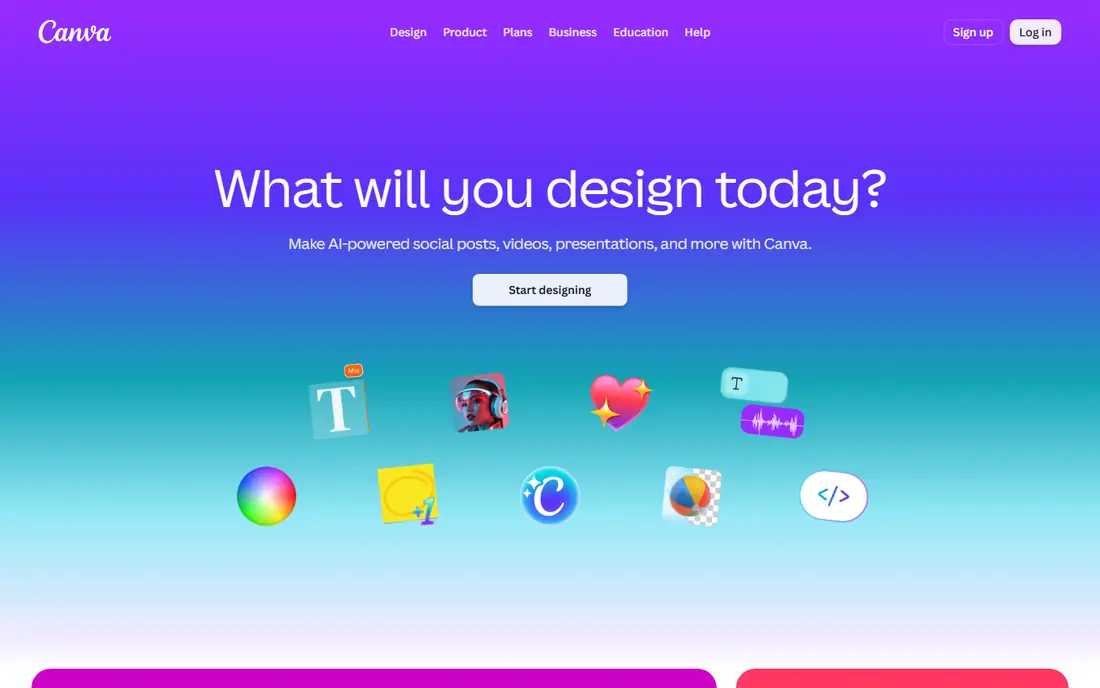
Canva is the safest first pick for most people. It offers grids, social layouts, cards, and posters in set sizes, so a collage for Instagram, a story, or a print can start from a template instead of a blank page. Type tools are stronger here than in most collage apps, with font pairing and spacing controls that keep text readable. The free plan covers a large share of templates and photos, which is enough for casual use.
The size of the library is also the drawback. Browsing templates can take longer than making a simple two-photo grid, and some premium items need Canva Pro, which is listed around 14.99 dollars per month in recent guides. For a quick grid, a phone-first app may be faster. For anything that needs text, branding, or print quality, Canva is hard to beat.
- Huge template library
- Strong type tools
- Works on web, phone, and tablet
- Template browsing can feel large for a quick grid
- Some premium templates need a paid plan
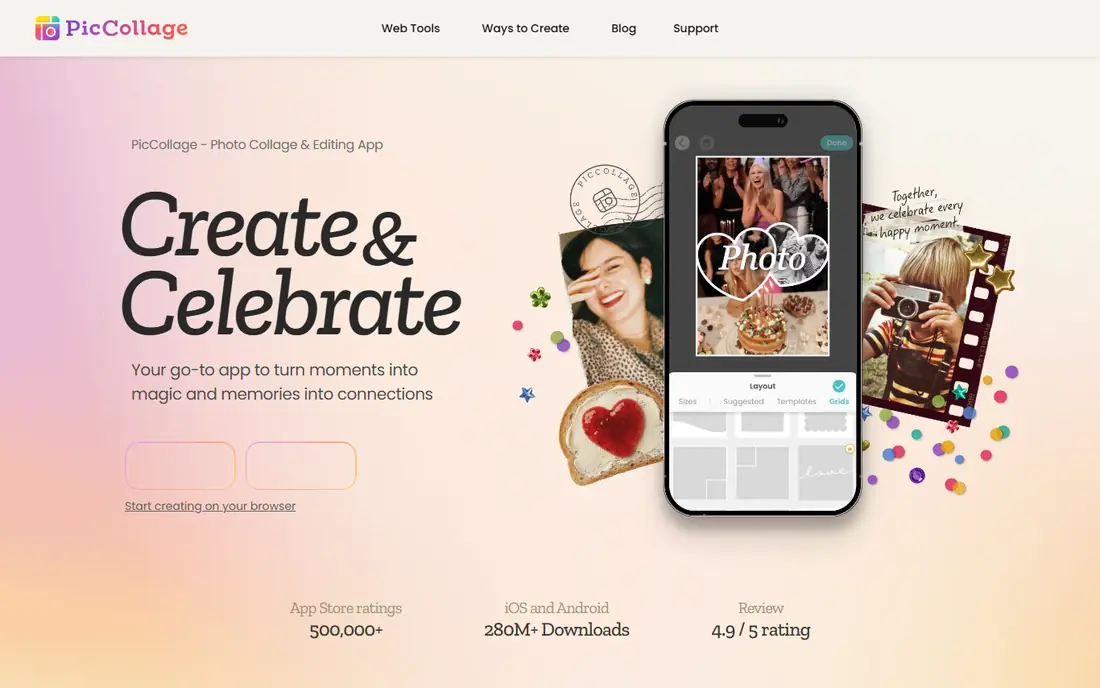
PicCollage is built for speed on a phone. Drop in photos, pick a grid, and the app arranges them in seconds, with story, feed, and reel sizes ready to use. Freeform mode lets you scatter photos, stickers, and text like a scrapbook page, which suits birthday posts, travel recaps, and family collages. Seasonal templates and sticker packs keep casual designs fresh without much effort.
The free tier includes ads, and the VIP subscription removes them and adds premium content, with pricing shown in app stores rather than on a single public page, so we list it as See website for paid details. Type control is also more limited than in Canva. For a fast social collage, though, PicCollage remains one of the easiest apps to open and finish in minutes.
- Very fast grid creation
- Grid and freeform modes
- Strong stickers and story sizes
- Free tier includes ads
- Type tools are weaker than Canva or Adobe Express
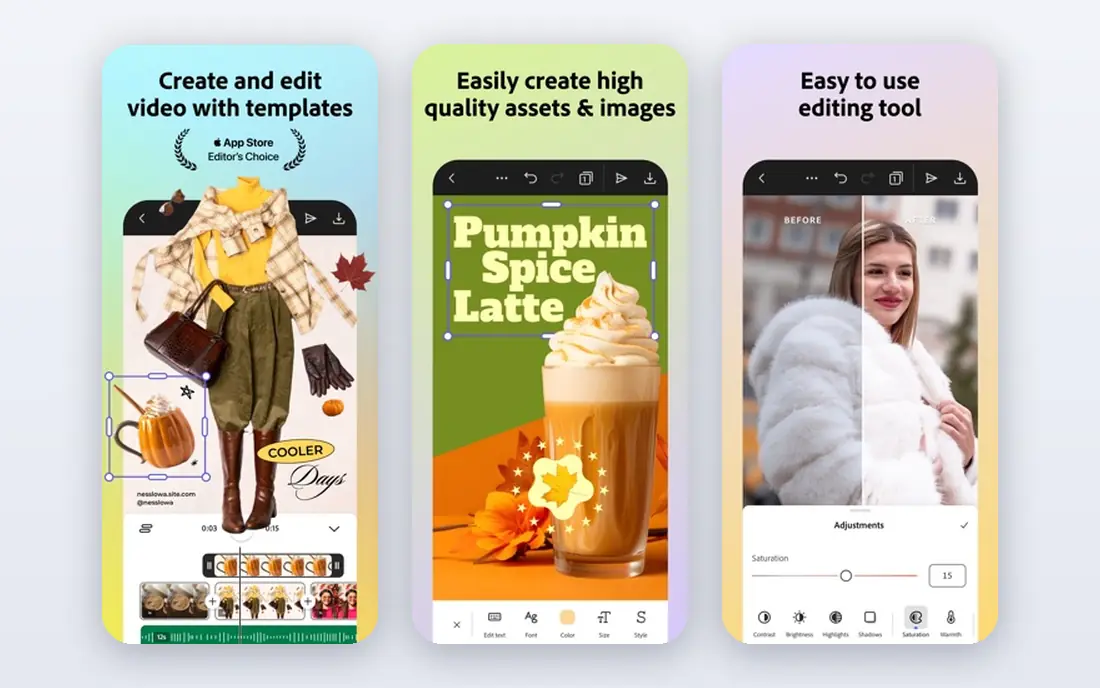
Adobe Express suits collages that need to look consistent, such as a small business post, a team recap, or a series of social graphics. Templates are polished, type stays clean, and brand colors and fonts can be reused across designs on paid plans. The browser editor is strong, so a collage started on a laptop can be finished on a phone without losing layout quality.
The main friction is sign-in. Adobe Express asks for an account before editing, which slows a quick one-off collage. Some premium templates, stock items, and brand tools also need a paid plan. For a single fast grid, Canva or PicCollage may be quicker. For repeated branded work, Adobe Express earns its place.
- Clean typography and brand tools
- Good stock photos
- Works in a browser and on mobile
- Needs an account to start
- Some features sit behind a paid plan
Picsart is more than a grid maker. It pairs collage layouts with photo editing, stickers, filters, and AI-assisted tools, so a photo can be cleaned up, cut out, or restyled before it goes into a collage. That makes it a good pick for playful designs, mood boards, and social posts where the photos themselves need work. The community and remix options also give beginners ideas to copy and adapt.
The busy interface is the trade-off. New users may need a few sessions to find the collage tools among the editing features, and several popular tools sit behind a subscription. Paid pricing varies by store and region, so check the app listing before subscribing. For creative collages that start with editing, Picsart is a strong choice.
- Deep photo editing plus collages
- Stickers, filters, and AI tools
- Large creative community
- Interface can feel busy
- Many strong features need a paid plan
Fotor works in a browser, which suits people who do not want another app on their phone. Templates cover grids, cards, and social posts, and the built-in editor handles basic fixes such as brightness, cropping, and filters. That combination makes it useful for a quick desktop collage, especially for a blog post or a printable card.
Free exports are the point to check. Recent guides report that Fotor watermarks free exports or limits resolution, with Pro listed around 39.99 dollars per year in some comparisons, but pricing varies, so we list paid details as See website. If a clean, high-resolution export matters, test the free export first before spending time on a detailed design.
- Browser editor with many templates
- Photo editing built in
- Quick export options
- Free exports can carry watermarks or limits
- Paid plan needed for full resolution
BeFunky is a calm browser option for people who want a collage without an account or a download. The collage maker is simple to learn, layouts are easy to adjust, and the photo editor covers common fixes in the same window. Recent comparisons note that BeFunky exports cleanly on its free plan in many cases, which is a real advantage over tools that watermark free work.
The template range is smaller than Canva, and the most advanced editing tools need a paid plan. BeFunky suits a straightforward collage with a few photos and a short caption, rather than a complex branded design. For a quick, clean browser collage, it is a dependable pick.
- Easy browser editor
- Clean free exports in many cases
- Photo editing included
- Smaller template range than Canva
- Advanced tools need a paid plan
PhotoGrid stands out for video collages. It can mix clips and photos in one layout, which suits TikTok, Reels, and Shorts, where a static grid may feel flat. Photo grids are fast too, with social sizes and stickers ready to use. The mobile workflow is simple, and most users can finish a collage in a few minutes.
Free use includes ads, and premium features and watermark removal sit behind in-app purchases, with prices shown in the app stores. Editing depth is also lower than Picsart, so heavy photo fixes are better done elsewhere first. For video-heavy social collages, PhotoGrid is the most direct option in this list.
- Video collages plus photo grids
- Social sizes built in
- Fast mobile workflow
- Free tier has ads and limits
- Editing depth is lower than Picsart
Google Photos is the simplest collage maker here, and for many people that is enough. Select photos, choose the collage option, and the app builds a grid that can be shared or saved. It is free, it is already installed on many Android phones and available on iOS, and it needs no learning curve. For a quick family grid or a trip recap, it is hard to argue with that speed.
Creative control is the limit. Layouts are basic, text and stickers are minimal, and there is no freeform mode for scrapbook-style designs. Google Photos is best seen as a fast utility, not a design tool. If a collage needs type, branding, or a specific layout, move to Canva, PicCollage, or Adobe Express.
- Already on many phones
- Very fast collage creation
- No extra app needed
- Very limited layouts and creative control
- No freeform scrapbook mode
MOLDIV is known for layout variety. It offers a large set of grids and magazine-style templates, which suits users who want a collage that does not look like every other grid on social media. The built-in camera and editing tools also help, because photos can be shot, filtered, and placed in one app. That range makes it a good second app for people who have tried the larger names and want fresh layouts.
The community is smaller than Canva or Picsart, so there are fewer shared templates to copy. Some sticker and template packs need in-app purchases, with prices shown in the app stores. For layout choice alone, though, MOLDIV earns a place, especially for mobile users who make collages often.
- Very wide layout range
- Magazine-style templates
- Good camera and editing tools
- Smaller community than larger apps
- Some packs need in-app purchases
How we picked these
We compared official product pages, app store listings, and recent collage guides, then kept apps that still work in 2026 and offer a real collage mode, not just photo editing. We favored a mix of web and mobile tools, free and paid options, and simple and creative editors, so readers can match the app to the job. We checked free-plan limits and export quality where guides reported them, and we used See website where pricing varied by store or region.
How to pick the right collage app
Start with where the collage will live. A social post needs the right size and a fast export, a printed collage needs high resolution, and a business post needs clean type and consistent colors. Test the free export before you commit time to a design, and check for watermarks, resolution caps, and ads. A free app that watermarks a print is not really free for that job.
Next, match the editor to your patience. A grid maker suits a two-minute post, while a full design tool suits a card or poster you will reuse. If you make collages weekly, a paid plan that removes watermarks and adds templates may save time. If you make one collage a year, a free browser tool or Google Photos is enough, and there is no need to pay for features you will not use.
Frequently asked questions
What is the best free collage app?
Canva has the strongest free plan for most people, with many templates and clean exports on many designs. Google Photos is the simplest free grid maker, and BeFunky is a good free browser option. The best free pick depends on whether you need templates, type tools, or just a fast grid.
Which collage app is best for Instagram?
PicCollage and PhotoGrid are built for Instagram sizes, with feed, story, and reel layouts ready to use. Canva also offers Instagram-sized templates plus stronger type tools, which helps when a collage needs a caption or a title. For video collages, PhotoGrid is the more direct choice.
Can I make a collage without downloading an app?
Yes. Canva, Fotor, BeFunky, and Adobe Express all run in a browser with free tiers. Upload photos, arrange them, and download the result without installing anything. Browser tools suit desktop work and printing, while phone apps suit quick social posts.
Do free collage apps add watermarks?
Some do, and the rules vary by app and template. Canva is clean on many free templates, while Fotor and some other tools watermark free exports or limit resolution. Paid plans usually remove watermarks, so test a free export before you build a detailed design.
What is the best collage app for printing?
Canva and Adobe Express are strong for printing, because they offer set sizes, higher-resolution exports, and better type control. Check the export resolution before sending a file to a print shop, and export at the largest size offered. Phone-only apps can work for small prints, but they may cap resolution on free plans.
Which collage app is best for beginners?
PicCollage is the easiest phone option for a first collage, because grids are fast and the steps are few. Canva is the best beginner option for a design that needs text or a template. Start with one, learn its export limits, and switch only if you hit a limit that matters.
Sources
See where you really rank - block by block
ProMapRanker scans Google Maps across a grid of your service area. Simple monthly plans from $19, white-label on every plan.
Start freeKeep reading
 best freelance platforms for beginners
Best Freelance Platforms for Beginners in 2026
Best freelance platforms for beginners compared, with fees, job types, and first-gig tips to help new freelancers pick a strong starting place in our guide.
Read → best foreign language apps
Best Foreign Language Apps in 2026
Best foreign language apps compared in 2026: Duolingo, Babbel, Rosetta Stone, Pimsleur and more, with prices, free plans and honest trade-offs for learners.
Read → best foraging apps for plant identification
Best Foraging Apps for Plant Identification in 2026
These 8 best foraging apps for plant identification help you name wild plants, but never eat a plant based on an app alone. Check our safety notes first.
Read →