 ProMapRanker
Best Charting Platform in 2026

Key takeaways
- TradingView is our pick for most traders because it covers many markets, works in a browser and offers a usable free plan.
- thinkorswim and Webull suit traders who want charting included with a brokerage account at no extra platform cost.
- TC2000 and TrendSpider suit traders who need scanning, custom formulas or automated pattern tools.
- This is not financial advice, and trading carries risk, so test any platform with paper trading before risking real money.
Quick comparison
| Pick | Great for | Pricing starts at | Free tier | |
|---|---|---|---|---|
 TradingView | All-round global charting | Free | Yes | Visit |
 thinkorswim | Broker-included desktop charting | Free | Yes | Visit |
 TC2000 | Scanning plus charting value | Free | Yes | Visit |
 TrendSpider | Automated trendlines and backtesting | See website | No | Visit |
 StockCharts | Clean technical analysis charts | See website | Yes | Visit |
 MetaTrader 5 | Forex and multi-asset charting | Free | Yes | Visit |
 NinjaTrader | Futures charting and execution | Free | Yes | Visit |
 Webull | Mobile charting with a brokerage account | Free | Yes | Visit |
 eSignal | Professional real-time data and charting | See website | No | Visit |
The best charting platform
These are the best charting software picks we found for 2026, from free browser charts to professional desktop platforms. Start with the markets you trade and the analysis style you use, then pick the platform that covers those needs without paying for data you will never open.
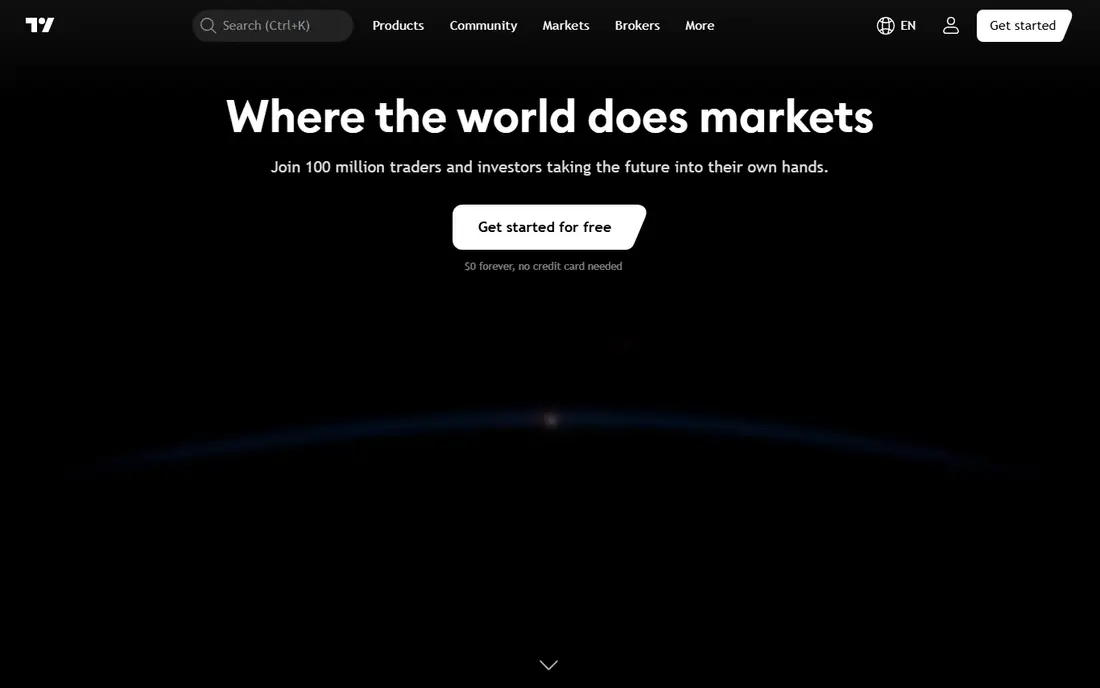
TradingView is the default charting choice for many retail traders because it covers stocks, forex, futures, crypto and commodities in one browser-based platform. Charts are fast, drawing tools are extensive, and the indicator library includes hundreds of built-in studies plus a large community library of Pine Script scripts. Multi-timeframe layouts, alerts and paper trading make it useful for both learning and active trading.
The free plan is usable but limited, with ads, fewer charts per layout and fewer indicators per chart. Paid plans remove ads and raise those limits, and some real-time US exchange data may need an extra data add-on depending on your plan. For most traders, the free plan is enough to learn the platform, and a paid plan is worth it only when limits start slowing your workflow. TradingView is the best charting platform for most people on balance.
- Huge indicator library
- Pine Script for custom studies
- Works on web, desktop and mobile
- Free plan has ads and limits
- Some real-time exchange data costs extra
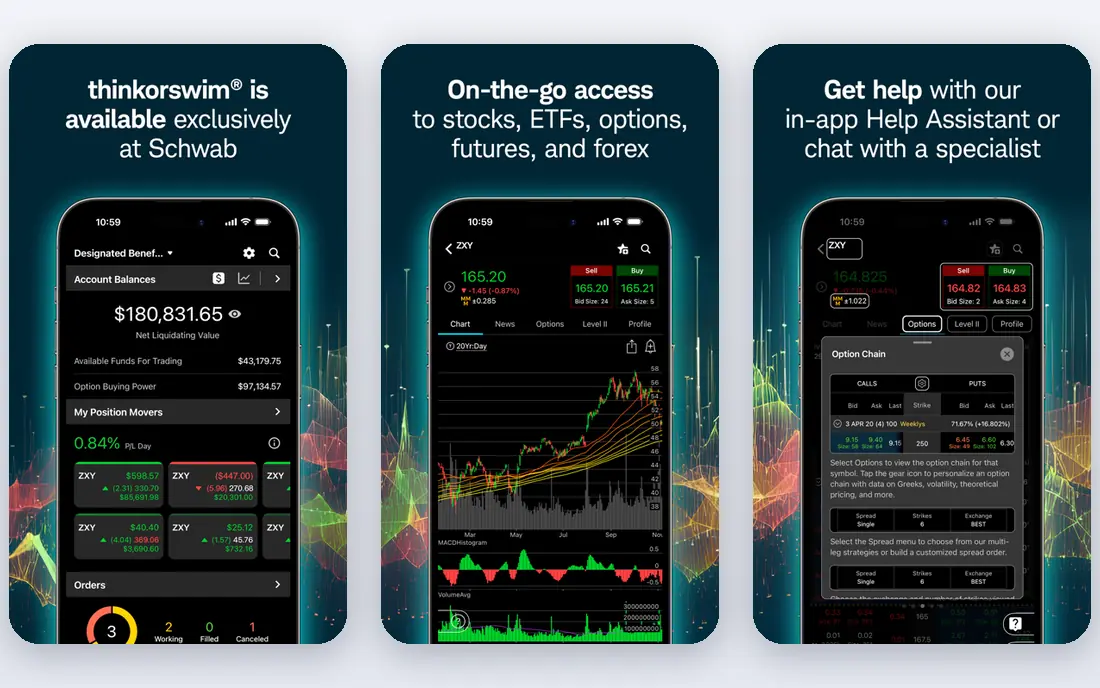
thinkorswim, from Schwab, gives traders a full desktop platform without a separate charting subscription. Charts, studies, scanning, options analysis and the paperMoney simulator sit in one place, and orders can be placed from the chart. For traders who already use Schwab, that integration removes the need to pay for a separate charting tool while keeping professional depth.
The platform is powerful and, at first, complex. New traders should spend time in paperMoney before trading live, and should learn one workspace layout well rather than opening every tool at once. thinkorswim is a strong choice for US stock and options traders who want broker-included charting, and a weaker fit for traders who need a simple browser chart on a phone.
- Professional desktop platform
- PaperMoney simulator
- Deep studies and scanning
- Needs a Schwab account
- Desktop learning curve is steep for beginners
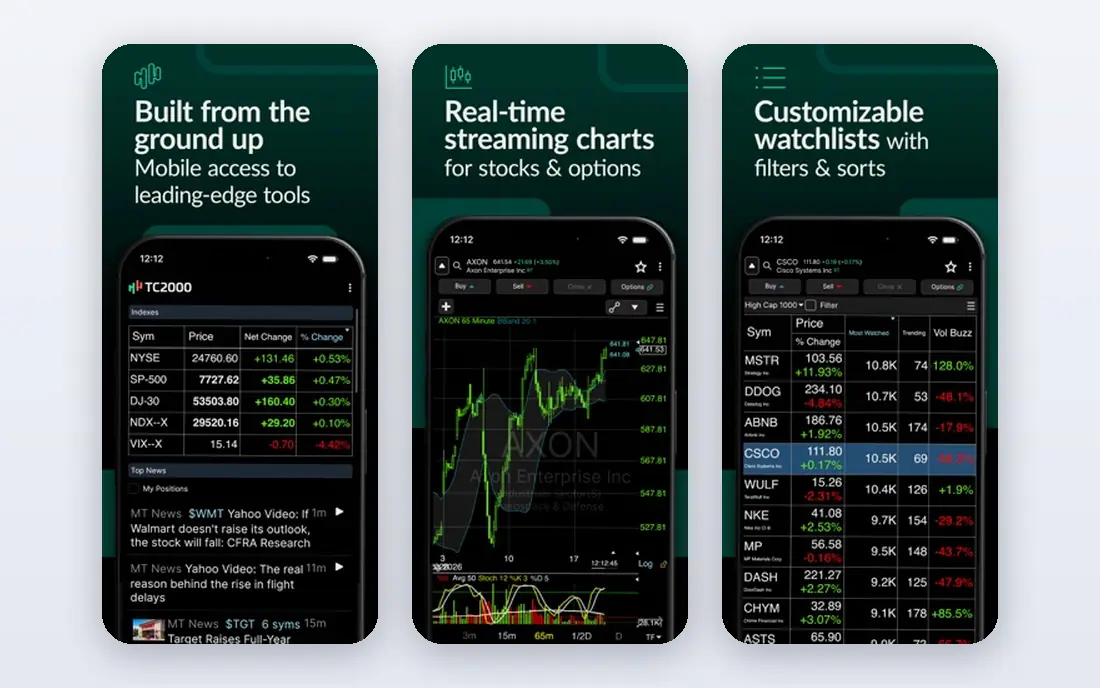
TC2000 combines charting with fast stock scanning, which suits traders who find setups by screening rather than by watching a fixed watchlist. EasyScan lets you build scans from price, volume and indicator conditions, and custom formulas extend that logic further. Charts themselves are clean and flexible, with a large indicator set for technical analysis.
The desktop experience is strongest on Windows, and traders who want full broker execution from the chart may prefer thinkorswim or TradingView broker links. For a trader whose edge comes from scanning many stocks quickly and then charting the shortlist, TC2000 offers strong value, especially on its free and lower paid tiers. It is one of the best charting software options for scan-first traders.
- Strong EasyScan screening
- Many indicators and custom formulas
- Good value at paid tiers
- Windows-focused desktop experience
- Broker execution is more limited than some rivals
TrendSpider automates parts of technical analysis that other platforms leave manual. It can draw trendlines, flag patterns and run strategy tests without code, which suits systematic traders who want to test an idea before trading it. Multi-timeframe analysis and alerts help traders watch the same setup across timeframes without rebuilding charts by hand.
The platform is paid only, so there is no free tier to learn on long term, and the automation features take time to learn well. Discretionary traders who just want a clean chart may not need that depth. For traders who backtest and automate analysis, TrendSpider is one of the best technical analysis software tools, and the trial period is worth using to test its automation on your own setups.
- Automated trendlines and pattern tools
- No-code backtesting
- Multi-timeframe analysis
- Paid only, with no permanent free plan
- Learning curve for automation features
StockCharts has long been a favorite for traders who value readable charts over flashy features. Chart styles, overlays and annotation tools are straightforward, and the platform works well for daily and swing analysis where clarity matters more than intraday speed. Educational content and chart lists also help newer traders learn technical analysis in context.
Broker integration and automation are thinner than on TradingView or TrendSpider, so active intraday traders may need a second tool for execution or scanning. For a trader who analyses charts each evening, builds watchlists and wants a clean, reliable charting service, StockCharts remains a solid choice among the best charting platforms for stocks.
- Clear, readable charts
- Strong chart annotation
- Good for education and daily analysis
- Less broker integration than rivals
- Advanced automation is limited
MetaTrader 5 is the standard charting and trading terminal for many forex and CFD brokers. The platform itself is free through a broker, offers many timeframes, indicators and drawing tools, and supports automated trading through Expert Advisors. For forex traders, that broker integration and automation support are hard to match in a general charting app.
The interface looks dated next to TradingView, and the stocks and futures you can chart depend on what your broker offers through the platform. US stock traders who want broad exchange coverage will usually prefer TradingView or thinkorswim. For forex and multi-asset CFD trading through a broker, MetaTrader 5 is a practical, no-extra-cost charting platform.
- Free with many brokers
- Strong forex and CFD charting
- Automated trading support
- Interface feels dated
- Stock coverage depends on your broker
NinjaTrader is built for futures traders who need fast charts, advanced order types and a simulator to practice before trading live. Chart types, indicators and strategy tools cover futures analysis well, and the platform connects to futures brokers for execution from the chart. The simulator is a genuine benefit for new futures traders, since futures trading can magnify both gains and losses.
Stock and options traders will find the platform less complete than thinkorswim or TradingView, and some advanced features need a paid license. For futures-focused traders, NinjaTrader is one of the best charting platforms for that market. For general stock charting, start with a broader platform first.
- Strong futures charting and order tools
- Simulator for practice
- Advanced chart types
- Futures focus means stock features are thinner
- Advanced features need paid tiers
Webull suits traders who mainly analyse and trade on a phone. Charts are clear, indicators cover the common technical tools, and paper trading lets new traders practice without risk. Because charting comes with a brokerage account, there is no separate platform fee for basic use, which makes Webull a low-cost entry point for mobile stock and options traders.
Desktop traders who need multi-chart layouts, Pine Script style custom studies or deep scanning will hit limits sooner than on TradingView or TC2000. Webull is best as a mobile-first brokerage charting app, not as a replacement for a dedicated desktop analysis platform. For checking charts on the go and placing trades from a phone, it is one of the best free stock charting software options.
- Free charting with a brokerage account
- Strong mobile app
- Paper trading available
- Desktop charting depth is below TradingView
- Advanced screening is limited
eSignal is a professional-grade charting and data platform used by active traders who need reliable real-time quotes, deep market coverage and fast charts. Data quality and uptime are its main selling points, and the platform supports advanced charting, scanning and custom studies for traders who trade intraday and need data they can trust under load.
Casual traders will find the price hard to justify when free and low-cost platforms cover their needs. eSignal earns its place for professionals and serious intraday traders who treat data reliability as a cost of doing business. If you trade occasionally or mainly on daily charts, start with a free platform and only consider eSignal when data limits become a real problem.
- Reliable real-time data
- Professional charting and scanning
- Deep market coverage
- Paid only and priced for professionals
- Overkill for casual traders
How we picked these
We compared official pricing pages, feature pages and broker information for charting platforms live in 2026. We kept only platforms that offer real charting with indicators and drawing tools, not just a price quote page, and that cover at least one major market in depth. We did not claim hands-on testing. Where a price depended on data add-ons or broker terms, we wrote See website rather than a single figure that would mislead.
How to choose a charting platform without overpaying
Start with your market and timeframe, not with feature count. A day trader needs fast intraday data and alerts, a swing trader needs clean daily charts and scanning, and a long-term investor needs readable charts and fundamentals beside price. Pay for data and tools that match that job, and skip the rest.
Test with paper trading first
Use a simulator or paper account to learn the platform before risking money. Test alerts, order entry from the chart if you use it, and multi-timeframe layouts on your real setups. Paper trading will not remove risk, but it will reveal whether the platform fits your workflow before any capital is at stake.
Check data costs separately
Platform price and data price are often separate. Some platforms include delayed data free and charge for real-time exchange data, while broker platforms may include data with an account. List the exchanges you trade, check whether real-time data for those exchanges is included, and add any data fee to the platform price before comparing.
Keep your indicator set small
A platform with 400 indicators is only useful if you use a few of them well. Pick a small set you understand, learn how they behave in different markets, and avoid adding indicators to fix a losing setup. The best charting app is the one you can read quickly under pressure, not the one with the longest feature list.
Frequently asked questions
What is the best charting platform for day trading?
TradingView is the best all-round day trading charting pick for most traders, thanks to speed, indicators and broker links. thinkorswim and eSignal suit traders who need broker-included or professional data depth, while TrendSpider suits traders who automate analysis.
What is the best free stock charting software?
TradingView, TC2000 and Webull all offer usable free charting, with different strengths. TradingView is best for global browser charting, TC2000 for scanning, and Webull for mobile trading with a brokerage account.
What is the best charting software for stocks versus forex?
TradingView and thinkorswim cover US stocks well, while MetaTrader 5 is the standard for many forex brokers. Choose by market first, since data coverage and broker links differ sharply between stock and forex platforms.
What is the best technical analysis software for beginners?
TradingView free plan and StockCharts are good beginner starting points because charts are readable and the learning curve is manageable. Start with a few indicators, use paper trading, and add complexity only after you can read basic price action clearly.
Do I need to pay for real-time data?
It depends on your platform and exchanges. Some platforms include real-time data for many exchanges free, while others charge for real-time US stock data as an add-on. Check data coverage for the exchanges you trade before you pay for a plan.
Is charting software enough to trade profitably?
No. Charts help you analyse price, but they do not guarantee profits, and trading carries risk of loss. Risk management, position sizing, a tested plan and discipline matter more than any indicator set, and no platform can remove market risk.
Sources
- https://www.tradingview.com
- https://www.thinkorswim.com
- https://www.tc2000.com
- https://www.trendspider.com
- https://www.stockcharts.com
- https://www.metatrader5.com
- https://www.ninjatrader.com
- https://www.webull.com
- https://www.esignal.com
- https://daytradingtoolkit.com/comparisons/best-charting-software-day-trading
See where you really rank - block by block
ProMapRanker scans Google Maps across a grid of your service area. Simple monthly plans from $19, white-label on every plan.
Start freeKeep reading
 top custom software development company
Top Custom Software Development Company in 2026
Looking for a top custom software development company? We compare 9 firms for web, mobile, and enterprise software, covering strengths and fit for 2026.
Read → tableau alternatives
Tableau Alternatives in 2026
Compare the best Tableau alternatives for 2026, from Power BI to Metabase, with prices, hosting options, and picks for small teams and enterprises today.
Read → microsoft teams alternatives
Best Microsoft Teams Alternatives in 2026
Looking for microsoft teams alternatives? We compare 9 chat and video tools for 2026, covering free plans, pricing, meetings, and integrations for teams.
Read →