 ProMapRanker
Best Case Management Software in 2026

Key takeaways
- Clio offers the largest integration range, while MyCase and PracticePanther suit smaller firms that want predictable pricing and clear workflows.
- Filevine and Actionstep suit firms with complex, high volume caseloads that need custom workflows and reporting.
- CosmoLex stands out where accounting and trust compliance must live inside the same system as case work.
- Smokeball suits document heavy firms, especially those working heavily in Microsoft Word and Outlook.
- Most tools in this list offer a free trial rather than a free plan, so use the trial with real matter types before committing a whole firm.
Quick comparison
| Pick | Great for | Pricing starts at | Free tier | |
|---|---|---|---|---|
 Clio | Firms that want the largest ecosystem | See website | Free trial | Visit |
 MyCase | Solo and small firms wanting clear communication | See website | Free trial | Visit |
 PracticePanther | Growing firms wanting automation | $49 per user per month | Free trial | Visit |
 Filevine | Litigation and high volume cases | See website | Free trial | Visit |
 Smokeball | Document heavy firms | See website | Free trial | Visit |
 CosmoLex | Accounting and trust compliance | $49 per user per month | Free trial | Visit |
 Rocket Matter | Firms wanting a short learning curve | See website | Free trial | Visit |
 Actionstep | Midsize firms needing custom workflows | See website | Free trial | Visit |
 Zola Suite | Firms wanting email inside case management | See website | Free trial | Visit |
 CARET Legal | Firms wanting matter email and billing together | See website | Free trial | Visit |
The best case management software
This article covers software for organizing cases, not legal advice. Firms should check bar rules, trust accounting rules, and data security duties in their own jurisdiction before choosing a tool. We compared official feature pages, pricing pages, and trial terms for tools available in October 2026.

Clio is the default shortlist choice for many firms because it covers matters, documents, time tracking, billing, and client communication in one system, with a large range of integrations around it. If your firm already uses a specialist intake, reporting, or document tool, there is a good chance it connects to Clio first. That breadth reduces the need for manual workarounds as a firm grows.
The catch is tiering. The entry plan covers core work, but the client portal, custom reporting, and advanced workflows live higher up, and intake tools can cost extra. Small firms should map must have features to tiers before signing, and test the trial with a real matter. For firms that value breadth and integration depth, Clio remains a safe bet.
- Very large integration library
- Matter, document, billing, and client tools
- Mobile apps
- Key features sit on higher tiers
- Add ons for intake and accounting cost extra
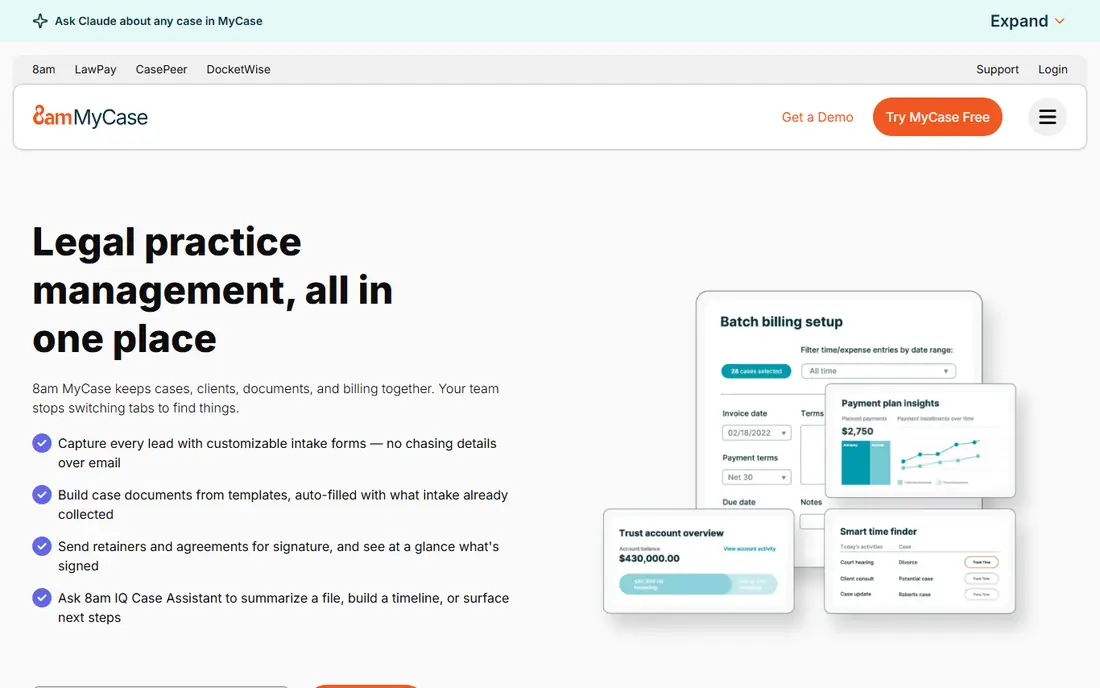
MyCase suits solo attorneys and small firms that want one predictable system for cases, clients, documents, and billing. The client portal is a strength, since clients can message, share documents, and pay in one place instead of through scattered email threads. That clarity saves staff time and reduces missed messages.
Customization is more limited than Filevine or Actionstep, so firms with unusual workflows may feel constrained. Pricing also rises sharply between tiers, so check which tier includes the portal, reporting, and payment features you need. For small firms that value ease of use and client communication, MyCase is a strong fit.
- Clear client portal and messaging
- Case, billing, and document tools in one place
- Easy to learn
- Less customization than larger platforms
- Higher tiers jump in price

PracticePanther appeals to growing firms that want to automate routine work without hiring a developer. Workflows can trigger tasks, reminders, and client updates, which helps when caseloads rise but headcount does not. Billing, payments, contacts, and matters sit together, so staff spend less time switching systems.
Costs grow with seats and tiers, so a firm should model the total for its full team, not just one user. Some deeper customization also sits on higher plans. For firms that want practical automation with a clear interface, PracticePanther balances power and usability well.
- Code free automation for tasks and workflows
- Billing and payment tools
- Contact and matter management
- Higher plans can get expensive across many seats
- Some advanced customization needs higher tiers
Filevine is built for firms that handle many cases with repeated steps, deadlines, and documents, such as personal injury and mass tort practices. Workflows can be shaped around each case type, with custom fields, task chains, and reporting that show where cases stand. That structure helps managers spot bottlenecks before deadlines slip.
The trade off is effort and opacity. Pricing is quote based, and implementation needs planning, training, and clean data migration. Small firms with simple caseloads may find Filevine more system than they need. For high volume litigation work, its workflow depth is the reason to choose it.
- Highly customizable workflows
- Strong tools for personal injury and mass tort work
- Reporting and collaboration
- Pricing is quote based
- Setup and training take time
Smokeball suits firms that live in documents, forms, and precedents. Document automation speeds up routine drafting, and automatic time capture records work done in Word, Outlook, and related tools, which helps billing accuracy. The Microsoft integration is a real advantage for firms already built around Office.
Pricing clarity is weaker than rivals that publish entry rates, so firms should request a full quote that includes seats and add ons. The feature set can also feel large for a solo practice with light document needs. For document heavy firms, Smokeball can recover hours that manual drafting and time entry would otherwise consume.
- Strong document automation
- Automatic time capture from documents and email
- Microsoft Office integration
- Pricing is not always published clearly
- May be more than simple firms need
CosmoLex is the pick when accounting accuracy matters as much as case tracking. Built in accounting and trust accounting remove the need to sync a separate bookkeeping system, which reduces reconciliation errors and trust compliance risk. Billing, payments, and matter work share the same data, so reports reflect one source of truth.
The interface can feel accounting led, and some firms may find practice management features less expansive than Clio or Filevine. Firms that already use QuickBooks happily may not need this all in one approach. Firms that want accounting and case work in one login, with trust rules built in, will find CosmoLex compelling.
- Built in accounting and trust accounting
- Billing and payments in the same system
- Matter management
- Interface can feel accounting first
- Some practice tools are less deep than Clio
Rocket Matter suits firms that want to move to case management software without a long training project. The interface is direct, core features are easy to find, and small teams can start managing matters, time, and billing quickly. That simplicity helps firms that have delayed adoption because larger tools felt overwhelming.
Depth is the limit. Firms with complex workflows, heavy reporting needs, or many specialist integrations may outgrow Rocket Matter sooner. For solo and small firms that want a calm, usable system for everyday case work, it is a practical and lower stress choice.
- Straightforward interface
- Matter, billing, and document tools
- Quick onboarding for small teams
- Less workflow depth than Filevine or Actionstep
- Integration range is smaller than Clio
Actionstep gives midsize firms room to shape workflows around how they actually work, rather than forcing every case type into one template. Custom steps, fields, and documents support varied practice areas, and accounting and reporting tools help managers track work and revenue. That flexibility suits firms that have outgrown a simple system but do not want an enterprise platform.
Flexibility needs design work. Firms should plan workflows, test them with real cases, and train staff before go live, or the system can become messy. Pricing is also quote based in many cases, so get a written total. For midsize firms with distinct workflows, Actionstep offers control that simpler tools lack.
- Flexible workflow builder
- Matter, document, and billing tools
- Accounting and reporting options
- Setup needs planning
- Pricing is quote based for many firms
Zola Suite stands out for email handling, since messages can live inside the matter rather than in separate inboxes. That structure helps when several staff touch one case, because the full thread stays visible in context. Billing, accounting, and client portal tools round out a system aimed at firms that want email discipline without extra software.
The integration range is smaller than Clio, so firms with specialist tools should check compatibility early. Pricing also needs a quote for a complete view. For firms where email chaos is the main pain, Zola Suite addresses that problem directly.
- Built in email management tied to matters
- Billing and accounting tools
- Client portal
- Smaller integration range than Clio
- Pricing needs a vendor quote for a full picture
CARET Legal, formerly known under the Zola related family of products, offers a combined system for matters, email, documents, billing, and client communication. The appeal is consolidation: fewer separate tools, one login for daily work, and reporting that draws on matter and billing data together. Workflow tools help firms standardize routine steps.
Buyers should confirm exactly which product and tier they are evaluating, since brand history can cause confusion in older reviews. Advanced features also vary by tier, so map needs to the current pricing page or quote. For firms that want email and billing together in one modern system, CARET Legal is worth a trial.
- Email, matter, document, and billing tools in one system
- Workflow and reporting features
- Client portal
- Newer brand identity can confuse comparison shoppers
- Advanced features vary by tier
How we picked these
We compared official feature pages, pricing pages, and trial terms for case management tools available in October 2026. We favored tools with matter management, documents, time and billing, and client communication, plus a clear fit for small to midsize firms. We did not claim hands on testing we did not do. This article is about software selection, not legal advice, and firms should confirm trust accounting and security duties with their own counsel and bar guidance.
How to choose without disrupting your firm
Start with your most painful workflow, not a feature list. If missed deadlines are the problem, prioritize calendaring and workflow alerts. If billing leakage is the problem, prioritize time capture and payment tools. If trust errors are the problem, prioritize built in accounting. Run the trial with two or three real matter types, including a messy one, and ask staff who will use the tool daily to test it.
Also plan migration and training. Export clean contact and matter data, decide what history to move, and set a cutover date with support from the vendor. Check security features, data export options, and contract terms, including what happens if you leave. A tool that staff actually use, with clean data, will beat a more powerful tool that sits half adopted.
Frequently asked questions
What is the best case management software for small firms?
MyCase, PracticePanther, and Rocket Matter are strong small firm choices, with clear interfaces and core matter, billing, and client tools. Clio suits small firms that expect to grow into many integrations. Choose based on your must have features and total seat cost, not on brand size alone.
What are the top case management software options for litigation?
Filevine and Actionstep suit litigation and high volume work because workflows, custom fields, and reporting can match complex case types. Clio also works for litigation, especially where integrations matter. Test the tool with a real litigation workflow before committing.
What is the best legal software for small firms that need accounting?
CosmoLex is a strong choice when accounting and trust compliance must sit inside case management. PracticePanther and CARET Legal also include accounting related tools, but the depth varies by plan. Firms with a dedicated bookkeeper using QuickBooks may prefer a case tool that integrates with that system instead.
What are the best case management tools for client communication?
MyCase, Zola Suite, and CARET Legal emphasize client portals, messaging, and email tied to matters. A portal reduces scattered email and gives clients a clear place to share documents and pay. Check whether the portal is included on your tier, since some vendors reserve it for higher plans.
What is the best platform for case management when cases are complex?
Actionstep and Filevine offer the deepest workflow customization for complex, multi step cases. Clio can also handle complex work through integrations and higher tiers. Complex firms should budget time for setup and training, since a flexible tool needs careful design to stay usable.
How much does case management software cost?
Most tools in this list charge per user per month, with entry rates around $49 per user per month where published, and quote based pricing for larger or custom setups. Add payment processing fees, add ons, and migration costs to the total. Use free trials to confirm the tier you need before signing for a full team.
Sources
See where you really rank - block by block
ProMapRanker scans Google Maps across a grid of your service area. Simple monthly plans from $19, white-label on every plan.
Start freeKeep reading
 top custom software development company
Top Custom Software Development Company in 2026
Looking for a top custom software development company? We compare 9 firms for web, mobile, and enterprise software, covering strengths and fit for 2026.
Read → tableau alternatives
Tableau Alternatives in 2026
Compare the best Tableau alternatives for 2026, from Power BI to Metabase, with prices, hosting options, and picks for small teams and enterprises today.
Read → microsoft teams alternatives
Best Microsoft Teams Alternatives in 2026
Looking for microsoft teams alternatives? We compare 9 chat and video tools for 2026, covering free plans, pricing, meetings, and integrations for teams.
Read →