 ProMapRanker
Best Call Tracking Software for Computer Repair Shops in 2026

Overall call attribution and recordings · Pricing starts at: See website
Direct answer
CallRail is my top pick for computer repair shops because it ties each inbound call to the ad, page, or listing that produced it and keeps recordings and form leads in one place. It offers a free trial, so check its pricing page for current terms. If you want a lighter, lower-cost option, WhatConverts is worth a look, and CallTrackingMetrics fits shops that need more routing control for multiple locations.
I compared these tools using vendor documentation and public sources rather than hands-on testing. I looked at how each one handles call attribution, recordings, routing, and the follow-up a repair shop needs after a customer calls about a broken laptop or a slow desktop.
Key takeaways
- Computer repair shops live on phone calls, so tracking which ad or listing produced each call matters more than tracking page views.
- A good tool records calls, tags the source, and pushes the lead into your CRM or job system so nothing gets lost.
- Dynamic number insertion shows a tracking number to visitors from ads while keeping your main business number on Google Business Profile.
- Call routing and whisper messages help a small front desk sort repair intake calls from parts suppliers and warranty lines.
- Check how each tool handles local numbers, since a repair shop's customers usually call from the same area code.
Quick comparison
| Pick | Great for | Pricing starts at | Free tier | |
|---|---|---|---|---|
| CallRail | Overall call attribution and recordings | See website | Free trial | Visit |
 WhatConverts | Lead tracking across calls and forms | See website | Free trial | Visit |
 CallTrackingMetrics | Multi-location routing control | See website | Free trial | Visit |
 Local Viking | Tying calls to Google Business Profile activity | See website | Free trial | Visit |
 GatherUp | Turning repair calls into reviews | See website | Free trial | Visit |
 NiceJob | Follow-up and reputation after a repair | See website | Free trial | Visit |
 Yext | Managing listings and call buttons at scale | See website | No free plan | Visit |
The best call tracking software for computer repair shops compared
CallRail is a call tracking platform built around showing you which marketing produced each phone call. For a computer repair shop, that means you can see whether a repair inquiry came from your Google Business Profile, a local services ad, or an organic search for "laptop repair near me."
In practice, you assign a tracking number to a campaign or listing, and CallRail records the call, tags the source, and can send the lead to your CRM. A whisper message can tell your technician whether the caller is a new repair customer or a warranty line before they pick up. That saves time on intake.
The limits show up as you scale. Each tracking number and each pool of minutes adds cost, and the deeper attribution features sit on higher plans. A one-person shop that only wants basic recording may find it more than needed.
- Clear source attribution for each call
- call recordings and transcripts
- Form tracking alongside calls
- Costs rise with numbers and minutes
- Some features sit on higher tiers
WhatConverts focuses on leads rather than just calls. It captures phone calls, web forms, and chat, then shows each as a lead with the source attached. For a repair shop that gets some customers calling and others filling out a contact form, that single view helps you judge which channel actually brings in repair jobs.
The workflow suits a shop that wants to know the value of each lead. You can mark a call as a booked repair or a junk call, and the reporting reflects that. It connects to common CRM and job tools so a lead can move into your intake process.
The trade-off is setup. Mapping your forms, numbers, and sources takes some planning, and a solo technician may not want that overhead. It fits better once you have steady call and form volume to compare.
- Combines calls, forms, and chat in one lead view
- Lead-level reporting
- Works with common CRM tools
- Setup requires planning
- Can feel complex for a single technician
CallTrackingMetrics is a fuller call management platform with routing, interactive voice menus, and reporting. A computer repair business with more than one location, or a shop that wants calls routed to the right technician by service type, can use those controls to send data-recovery calls to one person and screen-repair calls to another.
The routing rules and queue options go well beyond simple attribution. You can build menus, set business hours routing, and report on how each location or team handles calls. That is useful if you run a front desk plus a bench team.
For a single small shop, though, the interface and configuration can be more than you need. It rewards businesses that will actually use the routing and reporting depth.
- Detailed call routing and IVR options
- Contact-center style features
- Reporting across teams and locations
- Interface can feel heavy
- More configuration than a small shop needs
Local Viking is a local listings tool with call tracking built around Google Business Profile. For a repair shop, the appeal is seeing how calls relate to your listing activity, posts, and local rankings, since many repair customers find a shop through Maps and then call.
You can track calls against your listing work and watch how changes to your profile line up with call volume. That helps you decide whether a new set of photos or a fresh post is worth doing.
It is not a deep call analytics or contact-center tool. If you mainly need recordings, routing, and CRM handoff, a dedicated call platform fits better. Local Viking makes sense when listing management is your main job.
- Built around Google Business Profile management
- Call tracking tied to listing activity
- Useful local rank tracking
- Narrower than a full call platform
- Best value only if you actively manage listings
GatherUp is a customer feedback and review platform. For a computer repair shop, its value is following up after a repair to ask for a review, which supports the local reputation that drives more calls in the first place.
You can connect a completed repair to an automated review request, and route unhappy feedback to your team before it becomes a public review. That fits a shop that fixes machines and wants happy customers to say so online.
It is not a call tracking system at its core. If your main need is attributing calls to ads and listings, pair it with a call platform or choose a tool built for that.
- Review requests after a service
- Feedback capture
- Simple customer follow-up
- Call tracking is not the core focus
- Limited deep call analytics
NiceJob is a reputation and customer experience platform aimed at local service businesses. A repair shop can use it to request reviews after a fix, run referral campaigns, and keep in touch with repeat customers.
The fit for call tracking is indirect. It helps you build the review base that makes your listing and ads more effective, and it can support follow-up after a phone inquiry turns into a repair.
If you need to know which ad produced a call, NiceJob is not the tool for that. It works best alongside a call tracking platform rather than instead of one.
- Automated review and referral requests
- Simple campaign setup
- Good for local service businesses
- Call tracking is a smaller piece
- Not built for heavy call routing
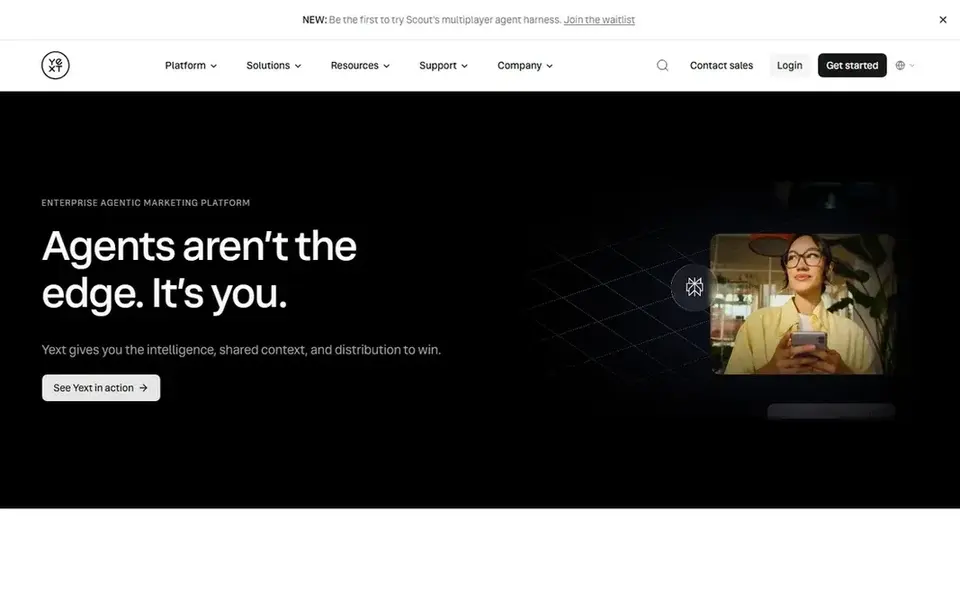
Yext manages business listings and related data across many sites. For a computer repair business with several locations, it keeps hours, phone numbers, and call buttons consistent wherever customers find you.
That consistency matters because a wrong number on a directory sends a repair call to the wrong place. Yext helps keep the number and listing details aligned across the web.
It is priced by quote and built for larger operations. A single-location shop will usually get more value from a focused call tracking tool and free listing management.
- Central control of business listings
- Consistent call buttons across sites
- Good for multi-location brands
- Quote-based pricing
- More than a small shop usually needs
How I chose
I picked these tools by reading vendor documentation and public sources, then judging each against how a computer repair shop actually works. I did not run hands-on tests, so treat the notes as a starting point for your own trial. I weighted call attribution, recordings, routing, and how easily a lead moves into a repair intake process.
I also weighed the limits. Some tools are deep call platforms, others are review or listing tools with call features attached, and a few are priced for larger operations. I left out anything I could not confirm as a real, operating product, and I avoided stating prices because vendor terms change. The goal is to help you shortlist tools that fit a shop's real workflow, then check current details on each vendor's site.
What to check before you buy
- Confirm the tool offers local numbers in your area code, since repair customers expect to call a nearby shop.
- Check whether dynamic number insertion works with your website and your Google Business Profile setup.
- Ask how call recordings and transcripts are stored and whether you can tag a call as a booked repair or a junk call.
- Confirm the tool can push leads into your CRM or job management system without manual copying.
- Test call routing and whisper messages so your front desk can tell repair intake from supplier and warranty calls.
- Review the contract length and overage terms for numbers and minutes before you commit.
Frequently asked questions
Do computer repair shops really need call tracking software?
Yes, if you spend on ads or listings. Most repair jobs start with a phone call, and call tracking shows which channel produced it. It also records calls and helps you follow up, so you can judge what is working instead of guessing.
Will a tracking number hurt my Google Business Profile ranking?
Using a tracking number as your primary listing number can cause problems. A common approach is to keep your main business number on your Google Business Profile and use tracking numbers on ads and website pages, following Google's guidelines.
Can call tracking help me get more reviews?
Indirectly. Tools like GatherUp and NiceJob automate review requests after a repair, and call tracking shows which calls turned into jobs. Together they help you build the reputation that brings in more local calls.
What is the difference between call tracking and call routing?
Call tracking records and attributes calls to a source. Call routing sends the call to the right person or team. Some platforms, like CallTrackingMetrics, do both, while simpler tools focus mainly on attribution and recordings.
How many tracking numbers does a small repair shop need?
Start small. One number for your website and one per major ad campaign is often enough to see what is working. Add numbers only when you have a clear question you want the data to answer.
Sources
See where you really rank - block by block
ProMapRanker scans Google Maps across a grid of your service area. Simple monthly plans from $19, white-label on every plan.
Start freeBrowse all guides
← Best Review Request Software for Plumbers in 2026Best Call Tracking Software for Daycares in 2026 →
 best review request software for law firms
Best Review Request Software for Law Firms in 2026
A practical guide to review request software for law firms, comparing how each tool handles client outreach, intake timing and Google review links in 2026.
Read → best review request software for landscapers
Best Review Request Software for Landscapers in 2026
A landscaper's guide to review request software in 2026. Compare seven real tools for timing, job-based requests and Google review growth.
Read → best review request software for contractors
Best Review Request Software for Contractors in 2026
A contractor-focused comparison of review request software for 2026, covering SMS and email invites, follow-ups, review monitoring and Google policy limits.
Read → accuranker alternatives
AccuRanker Alternatives in 2026
Compare the best AccuRanker alternatives for 2026, from full SEO suites to focused rank trackers, with pricing, keyword limits, and team fit for small teams.
Read → local seo for driving schools
Local SEO for Driving Schools
A local SEO guide for driving schools: Google Business Profile setup, reviews, and teen-driver and adult-student local SEO.
Read → backlink audit local business
How to Run a Backlink Audit for a Local Business
A step-by-step backlink audit process for local businesses, using free and low-cost tools.
Read →More in Local SEO & Google Maps · All guides A to Z by date · Latest guides