 ProMapRanker
Best Business Plan Software in 2026

Key takeaways
- LivePlan is our pick for most founders, because it pairs guided writing with lender-ready financial statements and a large sample plan library.
- Upmetrics is the budget pick, with AI writing help and forecasting from a lower starting price than most rivals.
- PlanGuru suits founders who need deeper financial modeling, while IdeaBuddy and Cuttles suit early-stage idea work.
- A plan is only as good as its numbers, so check that forecasts, cash flow and assumptions stay consistent across sections.
- Most tools export to PDF or Word, so confirm the export format your bank or investor expects before you commit.
Quick comparison
| Pick | Great for | Pricing starts at | Free tier | |
|---|---|---|---|---|
 LivePlan | Lender-ready plans with forecasts | $20 per month | No | Visit |
 Upmetrics | Budget AI-assisted planning | $7 per month | Free trial | Visit |
 Bizplan | Visual drag-and-drop planning | $29 per month | No | Visit |
 PlanGuru | Deep financial modeling | $99 per month | Free trial | Visit |
 IdeaBuddy | Early idea validation | See website | Free trial | Visit |
 Cuttles | Visual idea-to-plan canvas | See website | Free trial | Visit |
 StratPad | Guided planning for small firms | See website | Free trial | Visit |
 VentureKit | Fast AI-generated plans | See website | Free trial | Visit |
 Bizplanr | Free AI plan generator | Free | Yes | Visit |
The best business plan software
A good plan tool does three things: it guides your writing, it keeps your financials consistent, and it produces a document a bank or investor will take seriously. The tools below differ in how much help they give on each part, and in price.

LivePlan is the planning tool that takes financials seriously. The guided builder walks you through each section, while the connected forecast keeps profit and loss, balance sheet and cash flow consistent. An AI assistant helps draft and rewrite sections, and plan-versus-actual dashboards connect to QuickBooks and Xero so you can track performance after the plan is written.
The commercial terms are simple: Standard at $20 per month, or $15 per month billed annually, with Premium at $40 per month, or $30 annually. There is no free trial, but a money-back guarantee covers the first weeks. For founders who need a credible plan with real numbers fast, this is the purpose-built answer.
- Step-by-step guided builder
- Full financial forecasting
- Large sample plan library
- No free trial, money-back guarantee instead
- Less suited to complex multi-entity modeling
Upmetrics offers similar AI-assisted planning to LivePlan at a lower entry price. The Starter plan starts at $7 per month billed annually, Premium at $14 per month, and Professional at $37 per month, with a seven-year forecast on Premium and multiple workspaces on Professional. Sample plans cover many industries, and a pitch deck creator helps you turn the plan into a presentation.
The trade is polish and depth. Some users find the financial sections take a little learning, and very complex modeling still belongs in a dedicated tool. For a founder on a budget who wants AI help and a solid forecast, the value is hard to beat.
- AI writing assistance
- 400-plus sample plans
- Pitch deck creator included
- Interface can feel busy for first-time users
- Financial depth below PlanGuru
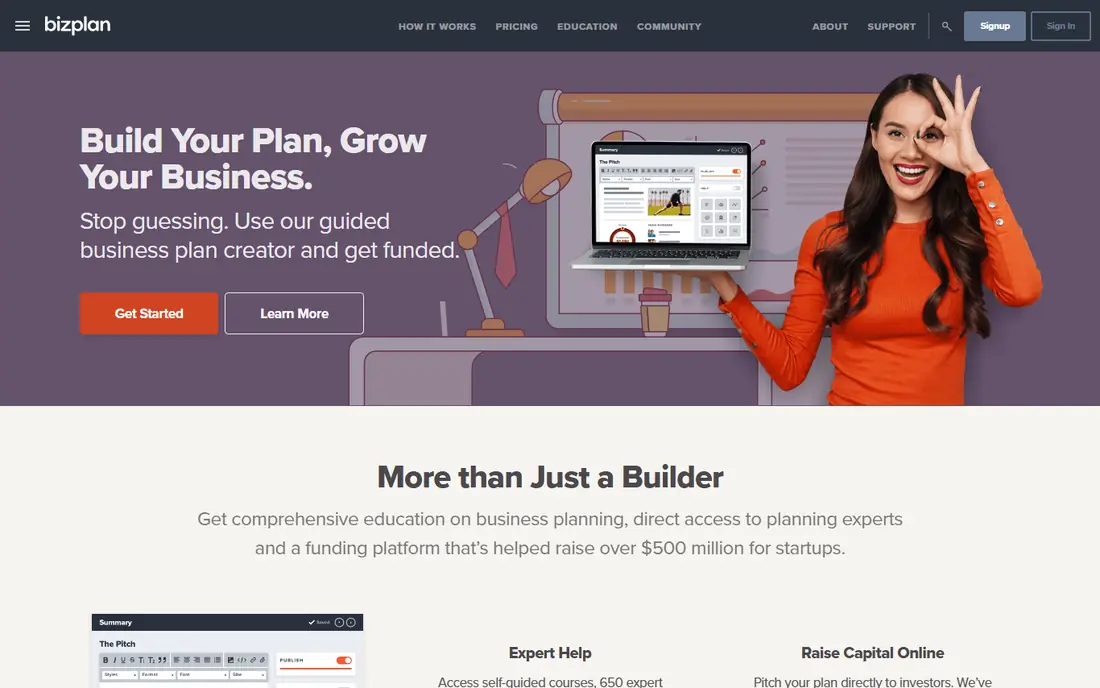
Bizplan suits founders who like a visual builder. Sections arrive as drag-and-drop modules with short prompts, so you can assemble a plan without staring at a blank page. A monthly plan costs $29, an annual plan about $20.75 per month, and a lifetime option is also offered, with unlimited plans and collaborators on all options.
The limit shows up when your idea is still forming. Core sections cannot be removed or renamed, and there is no business model canvas to map ideas before locking them into paragraphs. If you already know your direction and need to write it down cleanly, Bizplan works well.
- Drag-and-drop builder
- Fundraising tools included
- Unlimited plans and collaborators
- Core sections cannot be renamed or removed
- Less flexible for early-stage thinking
PlanGuru is the serious modeling option. It builds detailed budgets and forecasts, supports scenario work, and produces reports that finance-minded readers trust. A founder preparing for a larger raise, or a small firm that needs rolling forecasts beyond a simple plan, will use depth that lighter tools do not offer.
That depth costs money and time. At $99 per month, it is the priciest starting point on this list, and a founder with no finance background may need help to use it well. Pick it when the numbers are the point of the plan, not when you only need a clean narrative for a small loan.
- Detailed forecasting and budgeting
- Scenario modeling
- Strong reporting
- Highest starting price here
- Learning curve for non-finance founders
IdeaBuddy starts earlier than most plan tools: it helps you test an idea before you write a full plan. A canvas maps your model, guided steps shape the concept, and the tool moves you toward a plan once the idea holds up. That early-stage focus makes it a good first tool for a founder who is still choosing between ideas.
The honest limit is forecasting depth. Once your idea is set and a lender wants detailed statements, you may outgrow IdeaBuddy and move to LivePlan or Upmetrics. Used as a starting tool, though, it stops you writing a long plan for an idea that has not been tested.
- Idea validation and business model canvas
- Guided steps from idea to plan
- Simple interface
- Financial forecasting is lighter than LivePlan or PlanGuru
- Fewer sample plans
Cuttles turns planning into a visual canvas, which suits founders who think in maps and diagrams rather than long documents. You can lay out your model, market and milestones on one view, collaborate with a team, and build toward a written plan from that canvas. Its startup templates keep early-stage work structured without forcing a formal document too soon.
The catch is scale. Its sample library is smaller than the leaders, and its forecasting is lighter than a dedicated finance tool. For a small team shaping an idea together, the visual approach is a genuine advantage, and you can export or move to a fuller tool when the plan needs formal financials.
- Visual canvas for ideas and plans
- Team collaboration
- Startup-focused templates
- Smaller sample library than LivePlan
- Pricing varies by region and plan
StratPad is a steady, guided planner for small business owners who want structure without a steep learning curve. It walks you through strategy, market and financial sections, tracks your progress, and produces a plan you can share. That guidance helps owners who know their business but have never written a formal plan.
It shows its age next to AI-first tools. Writing help is thinner, and the design is plain. If you want AI drafting, pick Upmetrics or LivePlan. If you want a calm, guided process and a solid finished document, StratPad still does the job.
- Step-by-step guided planning
- Strategy and financial sections
- Progress tracking
- Less AI assistance than newer tools
- Interface feels plain next to rivals
VentureKit is an AI-native generator: answer a questionnaire, and it drafts a full plan quickly. For a founder who needs a first draft fast, or who wants to test how an idea reads on paper, that speed is useful. The entry price is low, which makes it easy to try without a large commitment.
The draft is a starting point, not a finished plan. AI text can sound confident while missing your real costs, market facts or assumptions, so every section needs checking against your own numbers. Use it to get moving, then refine the financials in a stronger tool or with an accountant.
- AI-generated plan drafts in minutes
- Low entry cost
- Simple questionnaire start
- Drafts need careful editing and fact-checking
- Less forecasting depth than leaders
Bizplanr is the strongest free AI generator on this list, with a free workspace and a one-time lifetime option for paid features. It builds a plan from your answers in minutes, which makes it a good way to see your idea structured before you spend money on a paid tool.
Free speed comes with limits. The generated text and forecasts need careful review, and the forecasting tools are thinner than LivePlan or Upmetrics. Treat Bizplanr as a free first draft, then move to a paid tool when a bank or investor will read the final version.
- Free AI-generated plans
- Lifetime workspace option
- Quick start for new founders
- Generated plans need heavy review
- Fewer forecasting features than paid leaders
How we picked these
We compared official feature and pricing pages, plus public reviews, for business plan tools still sold and supported in October 2026. We kept tools that cover real plan writing and forecasting, not generic document apps. Where a vendor did not publish a clear starting price, we wrote See website rather than repeating an unverified figure. We did not claim hands-on testing, and we excluded a formerly popular tool that is no longer working.
How to pick the right plan tool
Start with who will read the plan
A bank loan needs consistent financial statements, so pick LivePlan or Upmetrics. An investor pitch needs a strong narrative plus a deck, so check the pitch export. An internal plan for your own team can be lighter, and IdeaBuddy or Cuttles may be enough.
Check the forecast, not just the writing
AI writing is easy to demo and hard to trust. Open the forecast section, change a sales assumption, and see whether profit, cash flow and balance sheet move together. If they do not, the plan will fall apart under a lender's questions.
Confirm export and sharing
Confirm you can export to PDF or Word in a format your reader expects, and that collaborators can comment without breaking the document. A plan that cannot leave the app cleanly is a plan you will rewrite later.
Budget for one month of real use
Most plans take weeks, not hours. A $7 or $20 monthly plan is cheap compared with the time you spend writing, so pick the tool that keeps you writing rather than the cheapest one you abandon. Cancel after the plan is done if you do not need ongoing tracking.
Frequently asked questions
What is the best business plan app for beginners?
LivePlan is the best business plan app for most beginners, because its guided builder and sample plans explain each section as you write. Upmetrics is a strong budget alternative with AI help. If your idea is still untested, start with IdeaBuddy to validate it before writing a full plan.
Is there free business plan software?
Yes. Bizplanr offers a free AI-generated plan workspace, and several paid tools offer free trials. Free plans work well for a first draft, but a plan for a bank or investor usually benefits from a paid tool with stronger forecasting and export options. Check what the free tier actually includes before you rely on it.
How much does business plan software cost?
Starting prices on this list range from free for Bizplanr to $7 per month billed annually for Upmetrics Starter, $20 per month for LivePlan Standard, and $99 per month for PlanGuru. Several tools price by quote or vary by region, so confirm the current price on the vendor site before you buy.
Do banks accept plans made with this software?
Banks judge the plan, not the software brand. A plan with clear sections, realistic assumptions and consistent financial statements is accepted in the format banks expect, usually PDF. LivePlan and Upmetrics both produce lender-ready statements, but you should still have an accountant review the numbers for a large loan.
Can AI write my whole business plan?
AI can draft sections quickly, but it cannot know your real costs, customers or market without your input. Treat AI output as a first draft: check every fact, replace generic claims with your own research, and rebuild the forecast from your own assumptions. A plan full of AI guesses will not survive a lender or investor review.
Sources
See where you really rank - block by block
ProMapRanker scans Google Maps across a grid of your service area. Simple monthly plans from $19, white-label on every plan.
Start freeKeep reading
 who has best internet service
Who Has the Best Internet Service in 2026
Who has best internet service for US homes? We compare fiber, cable, fixed wireless and satellite providers on speed, price, availability and terms today.
Read → which survey tool has the best analytics
Which Survey Tool Has the Best Analytics in 2026
Find which survey tool has the best analytics in 2026, comparing Qualtrics, SurveyMonkey, Typeform, Alchemer, and more on reports, text, and stats today.
Read → which streaming service has the best movies
Which Streaming Service Has the Best Movies in 2026
Answering which streaming service has the best movies, with Netflix, Max, Criterion and more compared on libraries, prices and free options in this guide.
Read →