 ProMapRanker
Best Business Card Scanner App in 2026

Key takeaways
- CamCard and Covve lead for dedicated scanning, while HiHello and Blinq suit people who also want a digital card to share.
- Batch scanning matters after events, so check how many cards an app can scan in one session.
- Export quality matters as much as scan accuracy, because a contact trapped in one app is of limited use.
- Free plans vary a lot, from a few scans a month to unlimited scanning, so match the plan to how often you network.
Quick comparison
| Pick | Great for | Pricing starts at | Free tier | |
|---|---|---|---|---|
 CamCard | Multi-language scanning | See website | Yes | Visit |
 Covve Scan | Contact management after scanning | $119 per year | Yes | Visit |
 HiHello | Digital cards plus scanning | $6 per month | Yes | Visit |
 Blinq | Sharing a digital card fast | $9.99 per month | Yes | Visit |
 ScanBizCards | Batch scanning for sales teams | $100 per user per year | Yes | Visit |
 ABBYY Business Card Reader | Accurate reading on iPhone | $7.99 per month | Yes | Visit |
 Habsy | Unlimited free scanning on Android | Free | Yes | Visit |
 Sansan | Large company card management | See website | No | Visit |
 Popl | Digital cards with lead capture | See website | Yes | Visit |
The best business card scanner apps
A good scanner does more than read text. It puts the name, title, company, email, and phone numbers in the right fields, lets you fix errors fast, and exports cleanly to your contacts or CRM. These apps cover that full job.
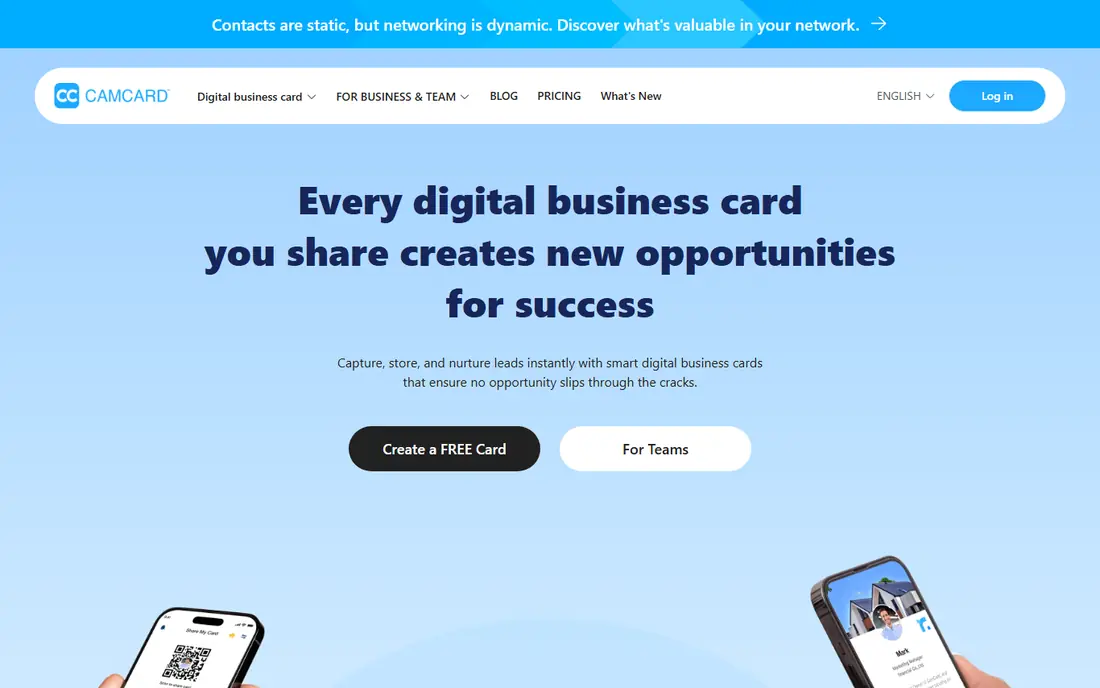
CamCard has been a dedicated scanner for years, and its strength is reading cards in many languages, including Chinese, Japanese, and Korean, as well as Roman scripts. That matters for international conferences and trade shows, where a card in another script can defeat simpler scanners. The app reads both sides of a card, sorts fields into contacts, and syncs with CRM tools such as Salesforce. In early 2026 CamCard rebranded toward digital business cards for teams, adding email signatures, virtual backgrounds, and team management.
The change brings a trade-off. The scanner itself remains solid, but the newer team features are less mature than those from platforms that started as digital card tools. Pricing for business plans is also less clear in recent comparisons, so confirm the current plan before buying for a team. For solo users who need reliable multi-language scanning, CamCard is still a strong first pick.
- Strong multi-language OCR
- Long track record as a scanner
- Team and digital card features added in 2026
- Pricing is now quote-based for business plans in some comparisons
- New team features are still maturing
- Free tier has limits
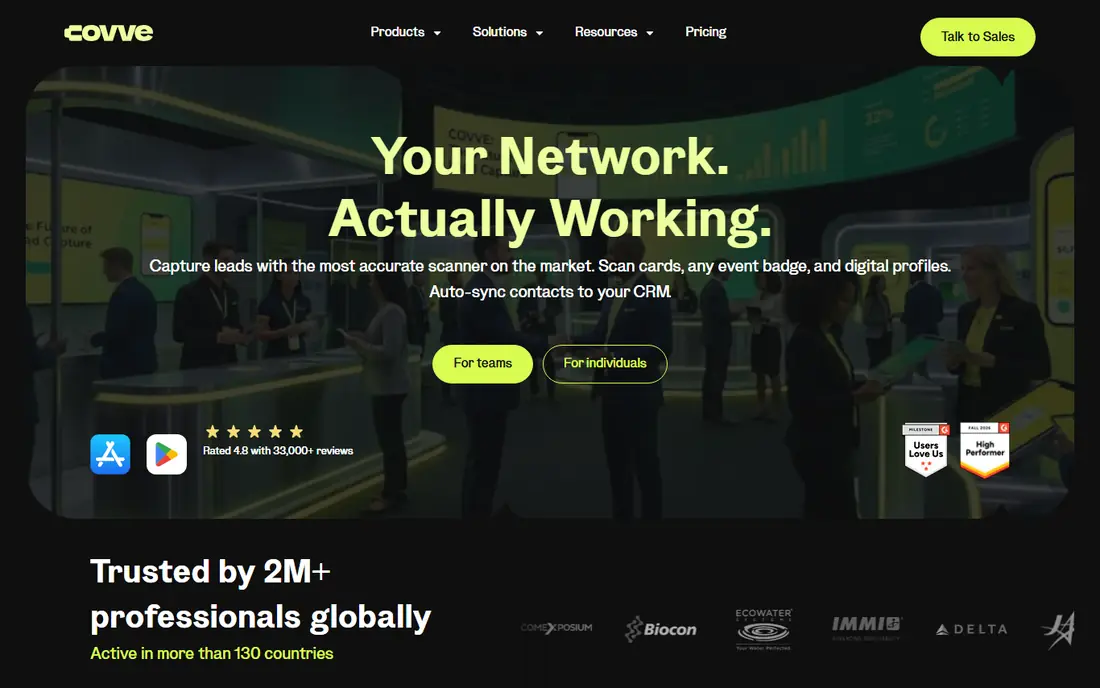
Covve Scan pairs scanning with a personal CRM, which is useful after a busy event. You scan a card, add notes about where you met, and set reminders to follow up. Covve also surfaces news about your contacts, so you have a reason to reach out again. Pro plans cost around $119 per year in recent comparisons, with a higher Pro tier at $199 per year, and a CRM add-on at $60 per year. The free plan gives you a taste, but it caps contacts at a low number.
The main limits are platform and sync. Covve is mobile only, so there is no web or desktop app for desk work, and it lacks native LinkedIn sync. If you work across devices or live in LinkedIn, HiHello or another cross-platform tool may fit better. If you network heavily on your phone and want reminders that actually prompt follow-up, Covve is a strong pick.
- Fast scanning with contact reminders
- News updates about contacts
- Export to contacts and CRM tools
- Mobile only, with no desktop app
- Free plan caps contacts
- No native LinkedIn sync
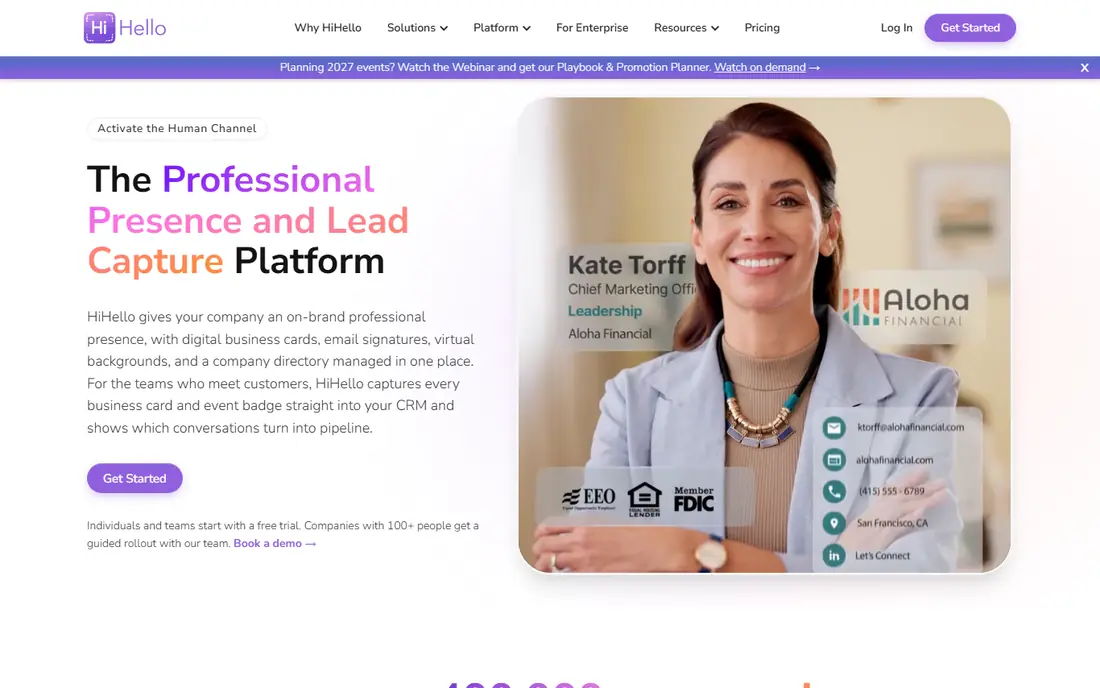
HiHello starts as a digital business card platform and adds scanning on top, which suits people who want to both share and collect contacts. You can create a digital card, share it by QR code or link, and scan paper cards into the same contact list. The free plan allows 5 scans a month, Pro costs $6 per month, and Business costs $5 per user per month in recent comparisons. Batch scanning helps after events, with support for scanning around 100 cards in a session on business plans.
The free scan limit is the main catch. Five scans a month is fine for occasional networking, but anyone returning from a conference with a stack of cards will need a paid plan. HiHello also spreads its effort across digital cards, so pure scanning fans may prefer CamCard or Covve. For professionals who want one app for sharing and collecting, HiHello balances both jobs well.
- Digital cards and scanning in one app
- Batch scanning support
- Business plan for teams
- Free plan allows only 5 scans a month
- Paid plans needed for full use
- Scanning is one part of a wider platform
Blinq is best known for digital cards, but it also handles paper card capture for teams that meet people in person. You share your card by QR code, link, or NFC tap, and recipients save your details without an app. Premium costs $9.99 per month, Business costs $6.99 per user per month, and event capture is priced per lead in recent comparisons. That makes Blinq useful for sales teams at trade shows, where speed of sharing matters as much as scanning.
The trade-off is focus. Blinq leads on sharing, while dedicated scanners lead on reading difficult cards and managing large contact lists. If your main goal is to collect and clean hundreds of paper cards, Covve or ScanBizCards may do better. If your main goal is to leave every meeting with your details in the other person's phone, Blinq is hard to beat.
- Fast digital card sharing by QR, link, or NFC
- Clean card design
- Team and event lead capture options
- Scanning is secondary to digital cards
- Premium costs $9.99 per month
- Event lead capture costs extra per lead
ScanBizCards targets sales teams that return from events with stacks of cards. It scans cards in batches, cleans up fields, and exports to contacts and CRM systems, which saves hours of manual typing. Paid plans cost around $100 per user per year in recent comparisons, and a free plan with limits lets you test scanning before paying. For a sales team, that export step is the real value, because a scanned card only helps if it lands in the CRM with the right owner and follow-up task.
The app feels less modern than HiHello or Blinq, and its design shows its age in places. Per-user pricing also adds up for larger teams, so compare it with Covve and Sansan for team use. If your priority is reliable batch capture and CRM export, rather than a pretty digital card, ScanBizCards remains a practical choice.
- Batch scanning and CRM export
- Team features for sales
- Free plan with limits for testing
- Interface feels older than newer rivals
- Paid plan needed for full export
- Pricing per user adds up for large teams
ABBYY Business Card Reader does one job well: it reads cards accurately on iPhone and saves them as contacts. Plans are listed at $7.99 per month, $29.99 per year, or $59.99 once, with 10 free scans to start. That simplicity suits iPhone users who only want contacts, without a CRM, reminders, or digital card platform attached. ABBYY has a long history in OCR, and that shows in clean field placement on most cards.
The limits are clear. The Android app was discontinued in 2023, so Android users should look elsewhere. After the scan, ABBYY does little else, with no contact news, reminders, or team sharing. If you want a scanner only, and you use an iPhone, ABBYY is a good fit. If you want follow-up help, Covve or HiHello will serve you better.
- Accurate OCR on iPhone
- Simple export to contacts
- One-time purchase option in some listings
- Android app was discontinued in 2023
- Limited features after the scan
- No team or CRM depth
Habsy stands out for its free plan, which offers unlimited scanning with no monthly cap, including batch scanning of up to 150 cards in about five minutes. It reads cards from photos in your gallery, QR codes, LinkedIn QR codes, and event badges, and it translates cards in languages such as Hindi and Tamil into English. That makes it useful for Android users who network often and do not want to pay per scan. Paid Habsy Plus costs $99.99 per user per year in recent comparisons.
The catch is scale and track record. Habsy is a smaller brand than CamCard, and its team features are less proven for large companies. Free users should also check export options before relying on it for a whole sales team. For individuals and small teams on Android, though, unlimited free scanning is a strong offer that few rivals match.
- Unlimited free scanning with no monthly cap
- Batch scanning up to 150 cards
- Translation for cards in other languages
- Smaller brand than CamCard
- Paid Plus plan costs $99.99 per user per year
- Team features less proven at scale
Sansan is an enterprise tool, not a solo scanner. It digitises cards for a whole company, shares them across teams, and gives admins control over who sees what. Its scanner handles about 100 cards in five minutes, which suits events where many staff collect cards at once. Companies use Sansan to stop contacts living only in one person's phone, and to keep a shared record of clients and prospects.
The barriers are price and scale. Sansan does not publish prices, comparisons note a 10-user minimum and a one-year contract, and individuals will find it far too heavy. If you run a large sales organisation and need shared, governed contact data, Sansan is worth a quote. If you just need to scan your own cards, any other app here will be cheaper and faster to start.
- Built for company-wide card sharing
- Scanner handles about 100 cards in five minutes
- Strong compliance and admin controls
- No published prices
- 10-user minimum and one-year contract in comparisons
- Overkill for individuals
Popl blends digital cards with lead capture, which suits teams that work events and trade shows. Staff share a digital card by QR code or NFC tap, and captured leads flow into a shared list for follow-up. Team branding and analytics help managers see which events produced real contacts. A free tier exists for individuals, while team pricing is quote-based in recent comparisons, so larger teams need to talk to sales.
The main drawback is that Popl leads on sharing and lead capture, not on reading paper cards. If your events still produce many paper cards, pair Popl with a dedicated scanner, or choose Covve or ScanBizCards instead. If your team has moved mostly to digital sharing, Popl gives a polished, event-ready setup.
- Digital cards by QR and NFC
- Lead capture at events
- Team branding and analytics
- Pricing is quote-based in recent comparisons
- Scanning is secondary
- Hardware NFC products add cost
How we picked these
We compared official feature pages, October 2026 pricing comparisons, and app store listings for scanning accuracy, batch scanning, export options, and team features. We favoured apps with a working current offering on iOS or Android, a clear free or trial path where one exists, and real export to contacts or CRM tools. We left out Microsoft Lens, which was retired from iOS in early 2026.
How to test a scanner before you trust it
Scan your hardest cards first, not clean ones. Try foil logos, white text on dark card, small print, and cards with two phone numbers. Check the wrong fields, not just the missing ones, because a confidently wrong email is worse than a blank field you can fill in yourself. Then export a batch and check that names, companies, and emails land in the right columns in your contacts or CRM.
What matters after the scan
Ask what happens next. Does the app remind you to follow up, add notes about where you met, or push contacts to your CRM with the right owner? A scanner that only builds a list leaves the hardest part, follow-up, to you. The best app for your team is the one whose export and reminders fit how you actually work after an event.
Frequently asked questions
What is the best business card scanner app for iPhone?
CamCard and ABBYY Business Card Reader lead for iPhone scanning, with CamCard stronger for multi-language cards. HiHello and Blinq suit iPhone users who also want a digital card to share. Test each app on your own cards before choosing.
What is the best free business card scanner app?
Habsy offers unlimited free scanning on Android, which is the most generous free plan here. HiHello free allows 5 scans a month, and CamCard, Covve, and ABBYY offer limited free tiers. For occasional use, any free tier may be enough.
What is the best app for business cards and CRM export?
ScanBizCards, Covve Scan, and CamCard all export to contacts and CRM tools, with ScanBizCards strongest for sales team batch export. Check that your CRM is supported and that custom fields map correctly before buying for a team.
Can a business card scanner app scan cards in batches?
Yes, Habsy, ScanBizCards, HiHello business plans, and Sansan support batch scanning. Batch limits vary, from around 100 cards per session to 150 cards in about five minutes for Habsy. Confirm the batch limit on your plan if you attend large events.
Do business card scanner apps work with LinkedIn?
Some apps support LinkedIn QR codes, including Habsy, but native LinkedIn sync is not universal. Covve, for example, lacks native LinkedIn sync in recent reviews. If LinkedIn matters, check sync support on the app you choose.
What is the best business card organizer app after scanning?
Covve Scan is the strongest organiser here, thanks to reminders and contact news. HiHello and Sansan also organise contacts well, with Sansan built for company-wide sharing. Choose based on team size and on desktop access needs.
Sources
- https://www.camcard.com
- https://www.covve.com
- https://www.hihello.com
- https://www.blinq.me
- https://www.scanbizcards.com
- https://www.abbyy.com
- https://www.habsy.ai
- https://www.sansan.com
- https://www.popl.co
- https://meetdrop.ai/compare/business-card-scanner-app
- https://habsy.ai/blog/best-business-card-scanner-app-android
- https://wavecnct.com/blogs/best-business-card-scanner-app
See where you really rank - block by block
ProMapRanker scans Google Maps across a grid of your service area. Simple monthly plans from $19, white-label on every plan.
Start freeKeep reading
 vimeo alternatives
Best Vimeo Alternatives in 2026
Looking for Vimeo alternatives? We compare 9 video hosting platforms for reach, branded embeds, marketing, sales, live events, and pricing for your team.
Read → sendgrid alternatives
SendGrid Alternatives in 2026
Compare SendGrid alternatives for transactional email, from Resend and Postmark to Mailgun, Amazon SES, Brevo, Mailjet and other email APIs for developers.
Read → midjourney alternatives
Best Midjourney Alternatives in 2026
Looking for Midjourney alternatives? We compare 9 AI image tools for art, photos, text in images, game assets, and commercial use for projects in 2026.
Read →