 ProMapRanker
Best Apps to Track Your Steps in 2026

Key takeaways
- Apple Health and Google Fit are the best free step tracker starting points, since they are already on most phones.
- Pacer and StepsApp suit people who want challenges, history, and a clear daily view without buying a wearable.
- Pedometer++ suits iPhone users who want a simple, streak-based pedometer with no clutter.
- Fitbit and Samsung Health suit people who already own that brand's watch or tracker, since the app and hardware work together.
Quick comparison
| Pick | Great for | Pricing starts at | Free tier | |
|---|---|---|---|---|
 Pacer | Guided programs and challenges | Free | Yes | Visit |
 StepsApp | Clean step history and charts | Free | Yes | Visit |
 Pedometer++ | Simple iPhone pedometer | Free | Yes | Visit |
 Google Fit | Android users without extra apps | Free | Yes | Visit |
 Samsung Health | Samsung phone and watch owners | Free | Yes | Visit |
 Fitbit | Fitbit wearable owners | Free | Yes | Visit |
 Apple Health | iPhone users who want built-in tracking | Free | Yes | Visit |
 Sweatcoin | Rewards for walking | Free | Yes | Visit |
The best apps to track your steps
These eight apps cover phone-only tracking, wearable tracking, and reward-based walking. Step counts from a phone or watch are estimates, not medical measurements, and they vary with where you carry the device. This is general information only, not medical advice.

Pacer is a strong first pick for people who want more than a number. It counts steps from your phone, offers guided walking plans, and lets you join group challenges that make a daily goal feel social rather than lonely. Sync with Apple Health, Fitbit, and Garmin means it can also sit on top of a wearable you already own.
The free tier covers core counting and challenges, while Premium adds full plans and extra customisation. If you only want a step count, a simpler app may feel cleaner. If motivation and structure help you walk more, Pacer's plans and challenges are the reason to choose it.
- Phone-only step counting with no wearable required
- Group challenges and guided plans
- Syncs with Apple Health, Fitbit, and Garmin
- Changing a custom step goal requires Premium in some versions
- Free tier includes ads
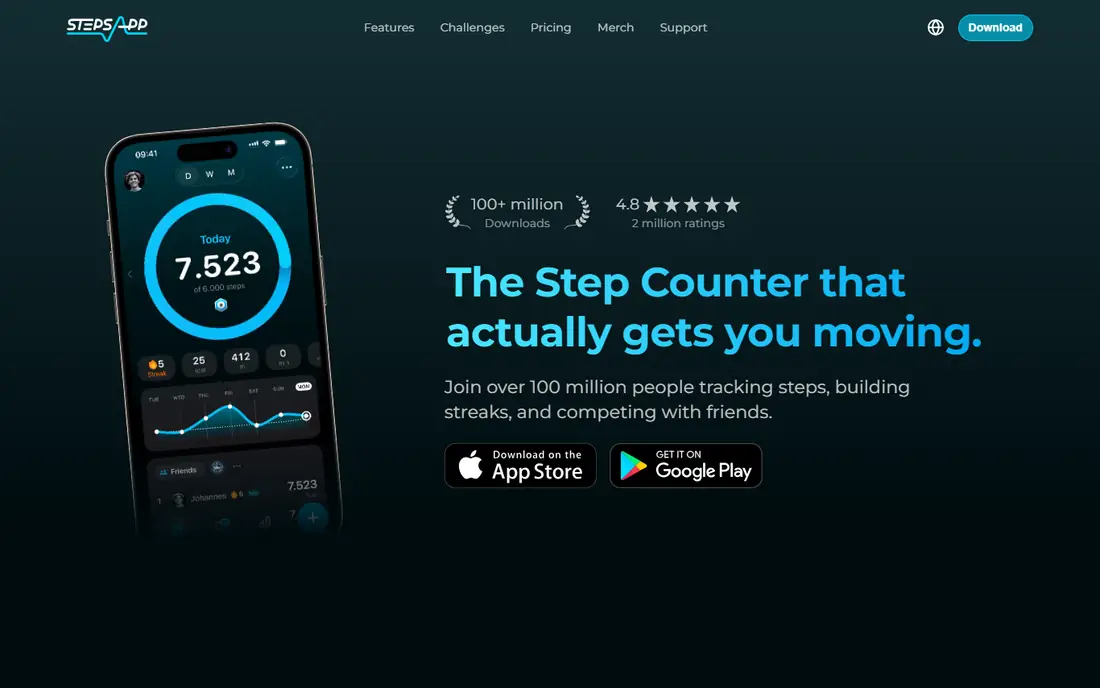
StepsApp suits people who like to see their walking at a glance. Daily totals, weekly trends, and monthly history are presented cleanly, without the social feed and extra health tools that clutter some rivals. That focus makes it easy to spot if you are walking more or less than last month.
Sync is broad, covering Apple Health, Google Fit, Garmin, and Fitbit, so it works whether you count with a phone or a wearable. Pro adds extra features and removes ads, but the free core is enough for most step tracking. Check the current store listing for Pro pricing in your region.
- Clear daily, weekly, and monthly views
- Syncs with Apple Health, Google Fit, Garmin, and Fitbit
- Attractive design
- Some features sit behind a Pro subscription
- Android free tier includes ads
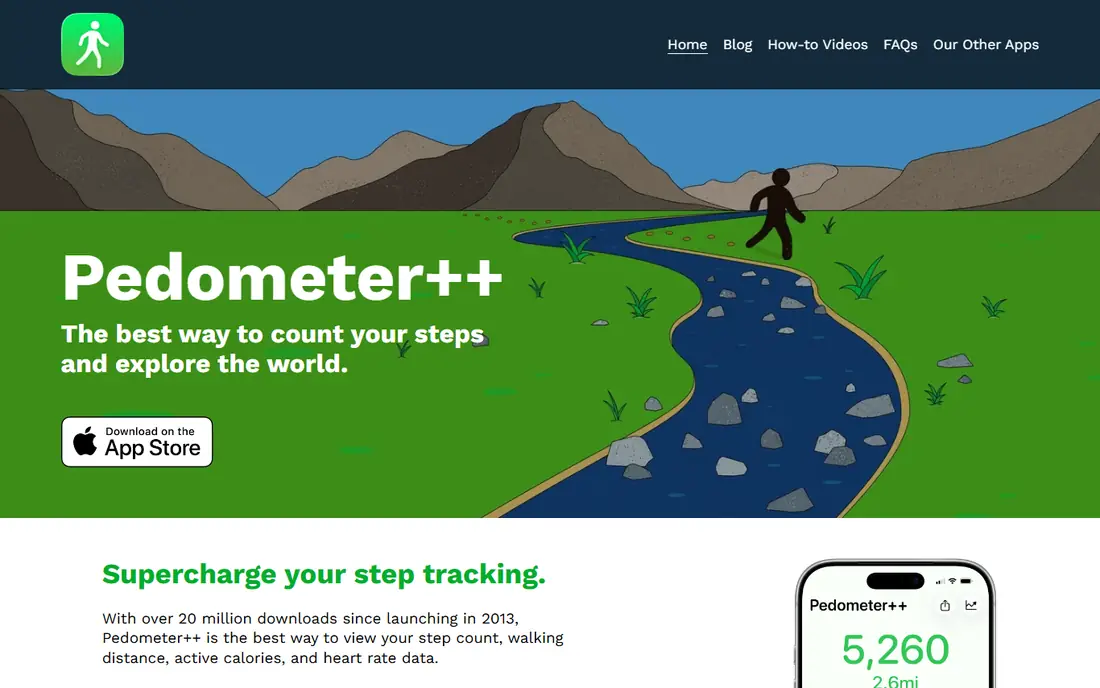
Pedometer++ is the minimalist of this list, and that is its charm. It reads step data from Apple Health, shows your daily count, streak, and lifetime distance, and stays out of the way. There is no social feed to manage and no plan to follow, which suits people who find larger fitness apps noisy.
The limit is platform and scope. It is iPhone only, and it does not offer the challenges or guided plans that Pacer provides. If you want a quiet, reliable pedometer app for iPhone, Pedometer++ is hard to beat. If you want community features, look at Pacer or StepsApp instead.
- Very simple iPhone interface
- Streaks for consecutive goal days
- Lifetime distance totals
- IPhone only
- Fewer social and challenge features than Pacer
Google Fit is the sensible default for Android users. It is free, it is already on many Android phones, and it tracks steps, distance, and active minutes without a subscription. Wear OS watches feed into the same account, so your phone and watch totals stay in one place.
It is not the most motivating app on this list. Challenges and guided plans are thinner than Pacer's, and the design is functional rather than inspiring. For straightforward, free step tracking on Android, though, it is difficult to argue against starting here before paying for anything else.
- Free and built into many Android phones
- Step, distance, and activity tracking
- Works with Wear OS watches
- Simpler social and challenge features than Pacer
- Step accuracy depends on phone placement
Samsung Health is the natural home for Samsung phone and Galaxy Watch owners. Step counting is just one part of a broader health dashboard that can include sleep, heart rate, and activity when paired with a compatible watch. Challenges and friend features add a social layer without needing a separate app.
Users on other Android phones can still use Samsung Health, but the experience is fullest inside the Samsung ecosystem. If you already wear a Galaxy Watch, starting here makes sense. If you use a phone from another brand, Google Fit or StepsApp may integrate more cleanly.
- Free for Samsung users
- Step tracking plus sleep, heart rate, and activity on supported devices
- Challenges and social features
- Fullest experience needs Samsung hardware
- Some features vary by device and region
Fitbit's app is built around its wearables, and that pairing is its strength. A Fitbit tracker or Pixel Watch counts steps through the day without needing your phone in your pocket, and the app turns that data into trends, challenges, and a broader health view. For all-day wearers, that automatic counting is more consistent than phone-only tracking.
Phone-only users will get less from it, since a phone left on a desk misses steps that a wrist device catches. Premium adds deeper insights, but core step tracking and the dashboard are free. If you already own Fitbit hardware, this is the obvious app. If not, Pacer or StepsApp gives you more for free.
- Automatic step tracking from Fitbit wearables
- Broad free health dashboard
- Challenges and friend features
- Best with Fitbit or Pixel Watch hardware
- Phone-only tracking is less accurate
- Premium subscription for some insights
Apple Health is the step tracker most iPhone users already have and may not have opened. It counts steps from your iPhone, and from an Apple Watch if you wear one, and stores the history on your device. There is nothing to install, nothing to pay, and no new account to create.
The views are basic compared with StepsApp, and you need to make sure motion and fitness tracking is enabled in your iPhone settings. For a free, private, built-in pedometer, though, it is the right starting point. Add Pedometer++ or StepsApp on top if you want streaks or prettier charts using the same underlying data.
- Free and preinstalled on iPhone
- Step data from iPhone and Apple Watch in one place
- No account or subscription needed
- Basic step views compared with StepsApp
- Needs motion tracking enabled in settings
Sweatcoin takes a different approach: it rewards walking with coins that can be spent on offers in its marketplace. For some people, that small reward is enough to turn a walk into a habit, especially when combined with a regular step goal. The app is free to start and works on both major phone platforms.
Be realistic about the rewards. They are offers and discounts, not cash wages, and the value depends on what is available in the marketplace at the time. Step counts here are estimates, and outdoor steps are the focus. If rewards motivate you, Sweatcoin is fun. If you want pure accuracy and history, StepsApp or your phone's built-in app is a better core tracker.
- Earns coins for outdoor steps that can be spent in its marketplace
- Free core app
- Works on iPhone and Android
- Rewards depend on marketplace offers and change over time
- Step counting focuses on outdoor steps
How we picked these
We compared official app pages and app store listings for step tracker apps that are available in 2026, work with a phone alone or with common wearables, and offer a usable free tier. We favoured apps with clear step history, broad device support, and a distinct strength, and we left out workplace-only challenge platforms. We did not claim hands-on testing, and we based the write-ups on published features, pricing, and public reviews.
How to get more accurate step counts
Carry your phone consistently, ideally in a pocket, since a phone left on a desk cannot count steps you take away from it. A wrist wearable counts more consistently through the day, but it can also add steps from arm movement, so no consumer device is exact. Compare your own trends week to week rather than comparing your total with someone else's.
Set a goal you can keep
A goal you clear most days beats a round number you miss and abandon. Start with your current average, add a small amount, and raise it only after two steady weeks. Streak features in Pedometer++ and challenges in Pacer can help, but a missed day is not a failure, and the trend over a month matters more than any single day.
Use one app as your record
Running three step apps at once creates three slightly different totals and no clear record. Pick one app as your main record, let it read from your phone or watch, and check the others only if you are comparing features. If you switch apps, expect a small change in totals, since each app reads and rounds sensor data slightly differently.
Frequently asked questions
What is the best app to track steps?
Pacer is a strong all-round pick for guided plans and challenges, while StepsApp suits clean history and charts. Apple Health is the best free step tracker app for iPhone users who want built-in tracking, and Google Fit plays the same role on Android. The best app to track your steps is the one you keep open and keep carrying.
What is the best free step tracker app?
Apple Health and Google Fit are the best free step tracker apps, since they are free and already on most phones. Pacer, StepsApp, and Pedometer++ also offer strong free tiers, with paid options for extra plans, features, or ad removal. Start free, and pay only if a paid feature solves a real problem for you.
What is the best pedometer app?
Pedometer++ is the best pedometer app for iPhone users who want simplicity and streaks, while Pacer is the best pedometer app for people who want challenges and guided plans on either platform. StepsApp sits between the two, with clean charts and broad wearable sync.
Do step tracker apps work without a wearable?
Yes, most step tracker apps here count steps from your phone's motion sensors, with no wearable required. A wearable counts more consistently when your phone is not on you, but phone-only tracking is enough for daily totals and trends for most people.
Are step counts accurate?
Step counts are estimates, and accuracy varies with device, placement, and walking style. Phones and watches typically get close on normal walking, but they can miss steps or add extra ones. Treat the number as a trend to guide activity, not as a precise medical measurement.
Sources
See where you really rank - block by block
ProMapRanker scans Google Maps across a grid of your service area. Simple monthly plans from $19, white-label on every plan.
Start freeKeep reading
 best chat tool for website
Best Chat Tool for Website in 2026
Best chat tool for website owners compared, with live chat, AI agents, free plans, and pricing for small stores, SaaS teams, and support teams of all sizes.
Read → best birdwatching app
Best Birdwatching App in 2026
Best birdwatching app picks for 2026: nine free and paid apps for bird ID by sight and sound, checklists, hotspots, and finding birds near you for all birders.
Read → best bird identification app
Best Bird Identification Apps in 2026
Find the best bird identification app for photos, songs and calls. We compare 9 bird apps, including Merlin, BirdNET and Audubon, to help you choose today.
Read →