 ProMapRanker
Best Apps for Reading Books in 2026

Key takeaways
- Libby is the best free starting point for US readers with a library card, because it lends ebooks, audiobooks and magazines with no subscription.
- Kindle has the largest store and the best sync across phone, tablet and e-reader, while Google Play Books is more flexible for readers who own EPUB files.
- Goodreads and The StoryGraph are tracking apps first, not bookstores, so pair one with a reading app rather than expecting it to sell or lend every book.
- A subscription such as Everand only pays off if you read several included titles each month, so check which books are included before you subscribe.
Quick comparison
| Pick | Great for | Pricing starts at | Free tier | |
|---|---|---|---|---|
 Libby | Free library borrowing | Free | Yes | Visit |
 Kindle | Largest ebook store and sync | Free | Yes | Visit |
 Apple Books | Apple device owners | Free | Yes | Visit |
 Google Play Books | Own EPUB files and Android | Free | Yes | Visit |
 Kobo Books | Custom reading and Kobo devices | Free | Yes | Visit |
 Goodreads | Tracking and community reviews | Free | Yes | Visit |
 The StoryGraph | Tracking with detailed stats | Free | Yes | Visit |
 Everand | Subscription ebook and audiobook library | See website | Free trial | Visit |
The best apps for reading books
We compared official app store listings, vendor pages and 2026 reading app comparisons, focusing on how you get books, how tracking works and what happens to your library if you stop paying. The list below mixes stores, libraries, subscription libraries and trackers.
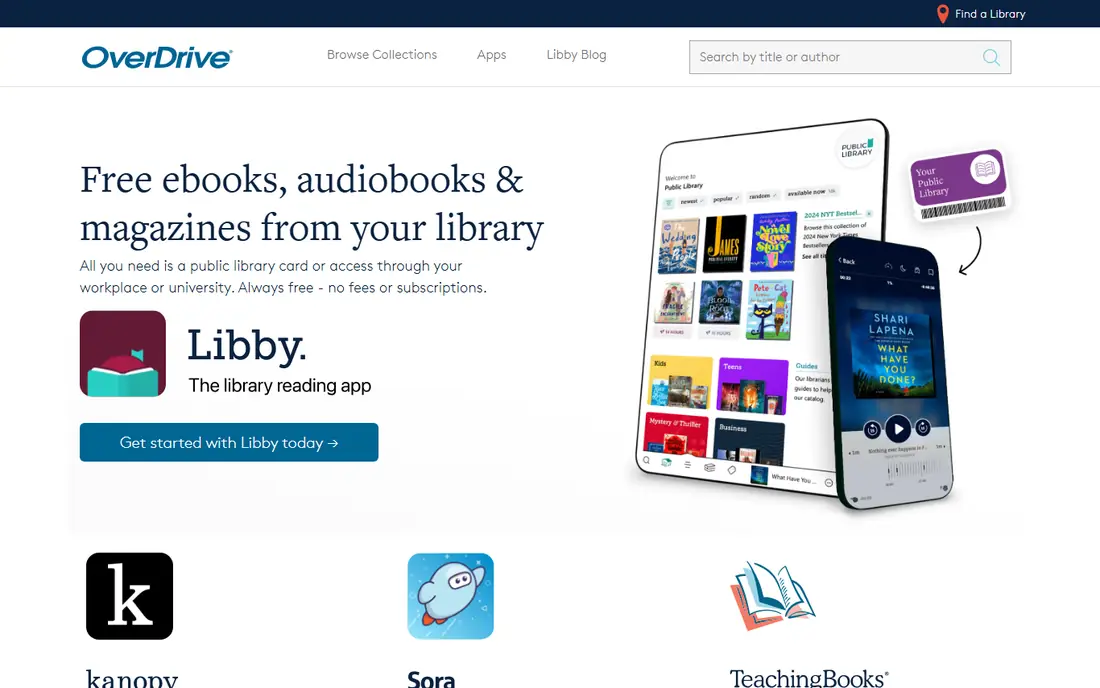
Libby, by OverDrive, turns a public library card into a phone library. You sign in with your library, search its digital collection, borrow an ebook or audiobook, and read or listen in the app. There are no late fees in the usual sense, because a loan returns itself at the end of the loan period, and you can place holds on titles that are checked out.
The limit is library supply, not the app itself. A new bestseller may have a long hold queue, and a small library may offer fewer titles than a large city system. Some readers hold cards at more than one library system where that is allowed, which widens choice. For cost, though, Libby is hard to beat: it is the first app we suggest to any reader who wants to read more without a monthly bill.
- Free with a library card
- Ebooks, audiobooks and magazines
- No ads or in-app purchases for borrowed titles
- Popular titles can have waitlists
- Loan periods and title choice depend on your library
The Kindle app is free, and its strength is the store behind it. Readers can buy new releases, find daily deals and free classics, and pick up reading on a phone, tablet or Kindle e-reader at the same page. The reading view offers adjustable fonts, a built-in dictionary, highlights and progress tracking, and Whispersync keeps audiobook and ebook progress aligned where both versions are owned.
The honest catch is ownership. A Kindle purchase is a licence to read that book in Amazon systems, not a portable file you can move freely to every other app. Readers who buy most of their books from Amazon will rarely notice this, but readers who want to own EPUB files and move them between apps should weigh Google Play Books or Kobo alongside Kindle.
- Huge store and frequent deals
- Sync across app and Kindle devices
- Built-in dictionary and reading progress tools
- You buy a licence, not a file you fully own
- EPUB support is less direct than Google Play Books
Apple Books is the default reading app for many iPhone and iPad owners, and that convenience is its main appeal. The app is already on the device, purchases sync across Apple devices, and the reading view is clean and easy to adjust. Audiobooks sit in the same app, so a reader can switch from reading to listening without a second purchase system for Apple audiobooks.
The limit is platform. Apple Books works best if you stay inside Apple hardware, and readers who switch between Android, Windows and Apple devices may prefer a cross-platform store. For a reader who already lives on iPhone and iPad, though, Apple Books is a simple, no-cost starting point that needs no extra account beyond an Apple ID.
- Built into iPhone, iPad and Mac
- Clean reading view
- Audiobooks and ebooks in one app
- Best experience stays inside Apple devices
- Store choice is smaller than Kindle for some genres
Google Play Books stands out for readers who already own ebook files. You can upload EPUB and PDF files to your library and read them across phone, tablet and web, which is useful for books bought from independent publishers, public domain collections or author-direct stores. The store itself sells ebooks and audiobooks without requiring a subscription, so you pay per book.
The trade-off is that Google Play Books is a general store and reader, not a tracker or a social reading community. It handles the reading well, but readers who want detailed stats, challenges or friend reviews will want to pair it with Goodreads or The StoryGraph. For file flexibility and cross-platform reading, it remains one of the best free options.
- Upload your own EPUB and PDF files
- Sync across Android, iOS and web
- Buy books without a subscription
- Store deals vary by title
- Reading features are solid but less specialised than a dedicated e-reader app
Kobo Books, from Rakuten Kobo, suits readers who like to shape the reading page and who may also own a Kobo e-reader. The app supports EPUB files, offers strong font and margin controls, and syncs reading progress with Kobo devices. Kobo Plus, where available, adds a subscription library on top of per-book purchases, which can suit readers who finish several books a month.
In the US, the Kobo store is smaller than Kindle, and some titles may be priced differently or arrive later. That matters less for readers who mainly read their own EPUB files or who value Kobo hardware. For a reader who wants an open, EPUB-friendly system and a dedicated e-reader option, Kobo is a strong alternative to Amazon.
- EPUB-friendly reading
- Sync with Kobo e-readers
- Adjustable reading settings and a subscription option
- Store is smaller than Kindle in the US
- Some readers will find fewer local deals
Goodreads is the tracker most readers already know. You log books you have read, are reading or want to read, rate and review them, follow friends and authors, and join a yearly reading challenge. Its size is the advantage: a popular book usually has thousands of reviews, and a niche title often has at least a few reader notes to help you decide.
Goodreads does not sell or lend most books itself, so it works best beside a store or library app. Its recommendations lean on ratings and similar readers, which can feel less precise than a tracker built around mood and pace. Still, for keeping track of books read, building a want-to-read list and finding what friends thought, Goodreads remains the default choice for many readers.
- Huge review and rating community
- Shelves for read, currently reading and want to read
- Reading challenges
- Not a bookstore or lending app
- Recommendations can feel broad rather than personal
The StoryGraph is a tracking app built for readers who want more than a star rating. It records pace, mood, genre and length, and it can suggest books by mood and pace rather than only by popularity. Content warnings help readers avoid topics they prefer to skip, and an import tool lets you bring in a Goodreads history instead of starting from zero.
The community is smaller than Goodreads, so a new or niche book may have fewer reviews. Some advanced stats and features require the paid Plus plan, though the free tier covers core tracking well. Readers who like data, who track reading habits closely, or who want better recommendations than a simple rating feed will likely prefer The StoryGraph as their main tracker.
- Detailed reading stats and mood filters
- Content warnings
- Goodreads import for past reads
- Smaller community than Goodreads
- Some advanced features sit on a paid Plus plan
Everand, from Scribd, is a subscription library rather than a per-book store. Subscribers can read included ebooks, listen to audiobooks and read magazines in one app, which suits readers who finish several books a month and who like to sample widely. The app works across phones, tablets and web, and it keeps reading progress in sync.
The catch is inclusion. A subscription library cannot include every new release on the same terms as a store, and some premium titles may require credits or sit outside the standard catalogue. Check the current price on the vendor site, and check whether the books you actually want are included, before you treat Everand as a replacement for buying or borrowing. For steady, high-volume readers, it can still be good value.
- Subscription access to ebooks, audiobooks and magazines
- Works across devices
- Good for readers who finish several books a month
- Not every title is included, and premium titles may use credits
- Subscription cost adds up if reading slows
How we picked these
We compared app store listings, vendor pages and October 2026 reading app comparisons, and we kept only apps that are still available in the US and that clearly fit reading, borrowing, buying or tracking. We favoured apps with a clear way to get books, offline reading where offered, and a library that survives across devices. Where a subscription price was not confirmed on the vendor page at the time of writing, we wrote See website.
How to build a reading setup that fits you
Start with how you get books. If you have a library card, start with Libby and add a tracker later. If you buy most books, pick the store that matches your devices: Kindle for the largest store, Apple Books for Apple-only reading, Google Play Books for EPUB files, or Kobo for EPUB reading plus a dedicated e-reader.
Next, decide if you need a tracker at all. Casual readers may be happy with the reading progress inside a store app. Readers who set goals, join challenges or want better recommendations should add Goodreads or The StoryGraph. One tracker is enough; running two trackers means logging every book twice, and most readers stop doing that within a month.
Finally, test a subscription before you pay for a year. Use a free trial to check whether your next five wanted books are included, whether the audiobook catalogue suits your taste, and whether you actually finish books faster with unlimited access. A subscription that encourages sampling is useful, but a library card plus a tracker is free and covers a large share of the same reading.
Frequently asked questions
What is the best app for keeping track of books read?
Goodreads is the simplest tracker for most readers, with shelves, ratings and challenges. The StoryGraph is better if you want detailed stats, mood filters and content warnings, and it can import a Goodreads history.
What is the best book subscription app?
Everand is a strong subscription choice for readers who finish several ebooks or audiobooks a month. Check the current price and whether your wanted titles are included, because not every new release sits in a subscription catalogue.
Are there free apps for book reading?
Yes. Libby is free with a library card, and Kindle, Apple Books, Google Play Books, Kobo Books and Goodreads are all free to download and use for reading or tracking. You pay only when you buy a book or add a paid subscription.
What is the best app for reading books on Android?
Google Play Books and Kindle are the strongest Android choices. Google Play Books is better for your own EPUB files, while Kindle offers the larger store and sync with Kindle e-readers.
Can I track books I read on paper with these apps?
Yes. Goodreads and The StoryGraph let you log paper books by searching the title and marking it as read, currently reading or want to read. You do not need to buy or borrow the digital version to track a paper book.
Sources
- https://www.overdrive.com
- https://www.amazon.com
- https://www.apple.com
- https://play.google.com
- https://www.kobo.com
- https://www.goodreads.com
- https://www.thestorygraph.com
- https://www.everand.com
- https://www.shortform.com/blog/hub/product/best-apps-for-readers/
- https://scoredapps.com/blog/best/best-reading-audiobook-apps-ranked/
- https://www.appworld.work/2026/07/7-best-reading-apps-for-book-lovers.html
See where you really rank - block by block
ProMapRanker scans Google Maps across a grid of your service area. Simple monthly plans from $19, white-label on every plan.
Start freeKeep reading
 best chat tool for website
Best Chat Tool for Website in 2026
Best chat tool for website owners compared, with live chat, AI agents, free plans, and pricing for small stores, SaaS teams, and support teams of all sizes.
Read → best birdwatching app
Best Birdwatching App in 2026
Best birdwatching app picks for 2026: nine free and paid apps for bird ID by sight and sound, checklists, hotspots, and finding birds near you for all birders.
Read → best bird identification app
Best Bird Identification Apps in 2026
Find the best bird identification app for photos, songs and calls. We compare 9 bird apps, including Merlin, BirdNET and Audubon, to help you choose today.
Read →