 ProMapRanker
Best Apps for Goal Setting in 2026


Measurable targets with pace charts · Pricing starts at: $4.99 per month
Key takeaways
- Strides suits measurable targets with charts, while Habitica suits people who stay motivated through game rewards.
- Goals on Track and Lifetick suit structured planning, with subgoals, journals and values-based views.
- ClickUp and Notion suit people who want goals next to tasks, projects and notes in one workspace.
- TickTick and Todoist suit task-led goal tracking, where a goal becomes a set of dated steps.
- Way of Life suits fast daily check-ins and trend spotting, without a heavy planning setup.
Quick comparison
| Pick | Great for | Pricing starts at | Free tier | |
|---|---|---|---|---|
| Strides | Measurable targets with pace charts | $4.99 per month | Yes | Visit |
 Habitica | People who stay motivated through game rewards | Free | Yes | Visit |
 Goals on Track | Structured planning with subgoals and journals | $68 per year | No | Visit |
 Lifetick | Values-based goals with a simple web view | $29 per year | Yes | Visit |
 Way of Life | Fast daily check-ins and trend spotting | See website | Yes | Visit |
 ClickUp | Goals inside a team or personal project workspace | $7 per month | Yes | Visit |
 Notion | Building a custom goal system from templates | Free | Yes | Visit |
 Todoist | Turning goals into dated tasks and projects | $5 per month | Yes | Visit |
The best apps for goal setting in 2026
A goal app only works if you open it. Some people need charts and pace lines, others need a game, and others need a simple daily check-in. These eight cover those styles, so you can pick the mechanism that fits your habits rather than the app with the longest feature list.
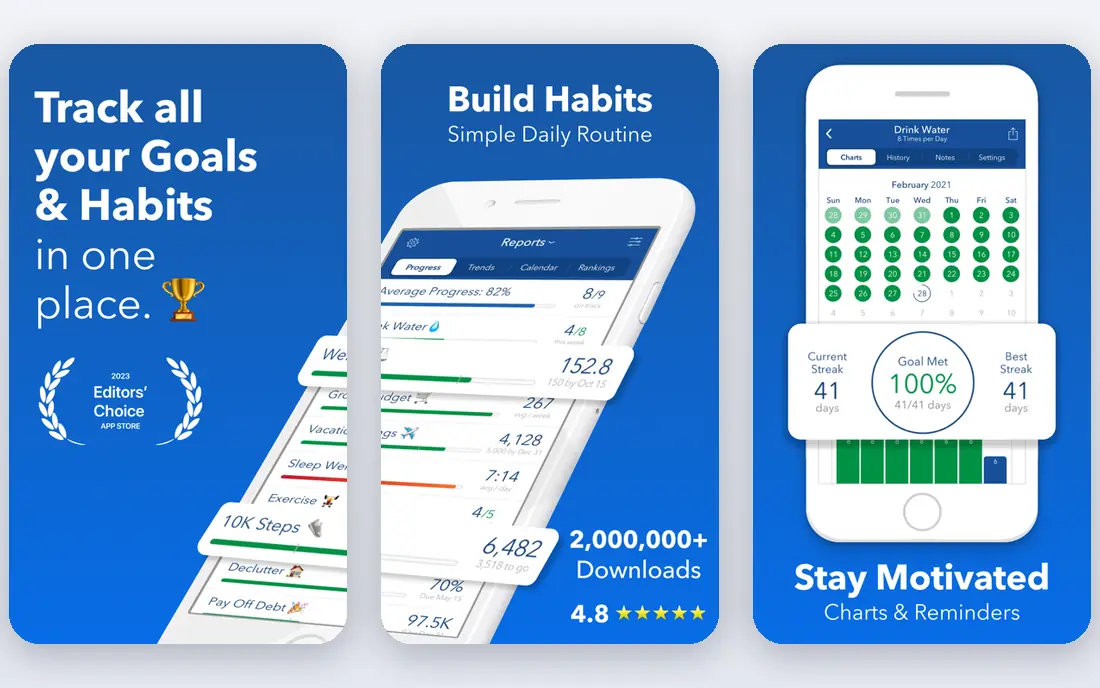
Strides is built for numbers. You set a target, such as reading 20 books or saving a set amount, and the app shows a pace line that tells you the daily rate needed to hit it. That visual check is useful because it turns a distant goal into a daily number you can act on. You can also track habits, averages and projects in the same app. The free plan covers three trackers, while Plus starts from $4.99 per month and adds unlimited trackers and more features. The weakness is tasks. Strides does not give you a full task list linked to a goal, so you may still need a separate to-do app for the steps. If your goal is measurable and you like charts, Strides is a strong first pick.
- Pace line shows whether you are on track
- Supports habits, targets, averages and projects
- Charts for Apple devices and Android
- No built-in task list for a goal
- Habit and target tracking are separate
- Best experience is on Apple devices
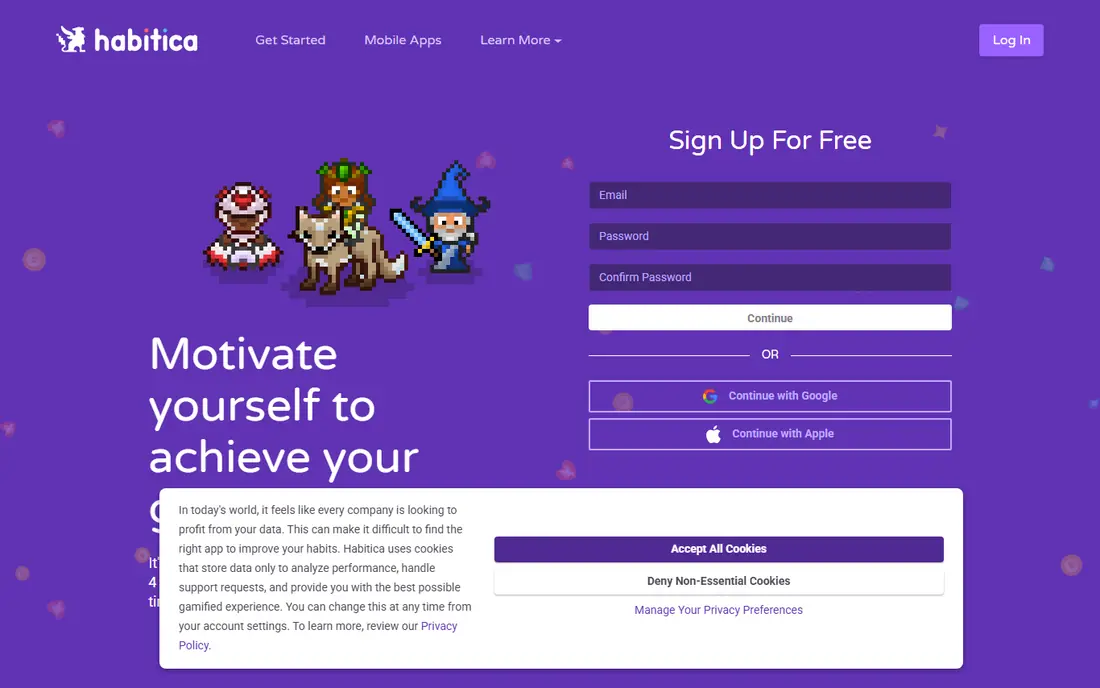
Habitica turns daily habits and to-dos into a role-playing game. Completing a task earns experience and gold, missing a daily task costs health, and you can join a party to tackle quests together. That loop helps people who know what to do but struggle to do it every day, because the reward is immediate and visible. The core app is free, with an optional subscription from $4.99 per month that mainly supports development and adds gems. The trade-off is focus. Habitica is fun, but it does not give you a pace chart for a savings target or a structured plan for a large goal. Use it when motivation is the gap, and pair it with a planner when you need detailed project steps.
- Full game is free, with habits, dailies and to-dos
- Parties and quests add social accountability
- Works on web, iOS and Android
- Game style can distract from serious planning
- No target chart for a measurable goal
- Rewards can lose appeal over time
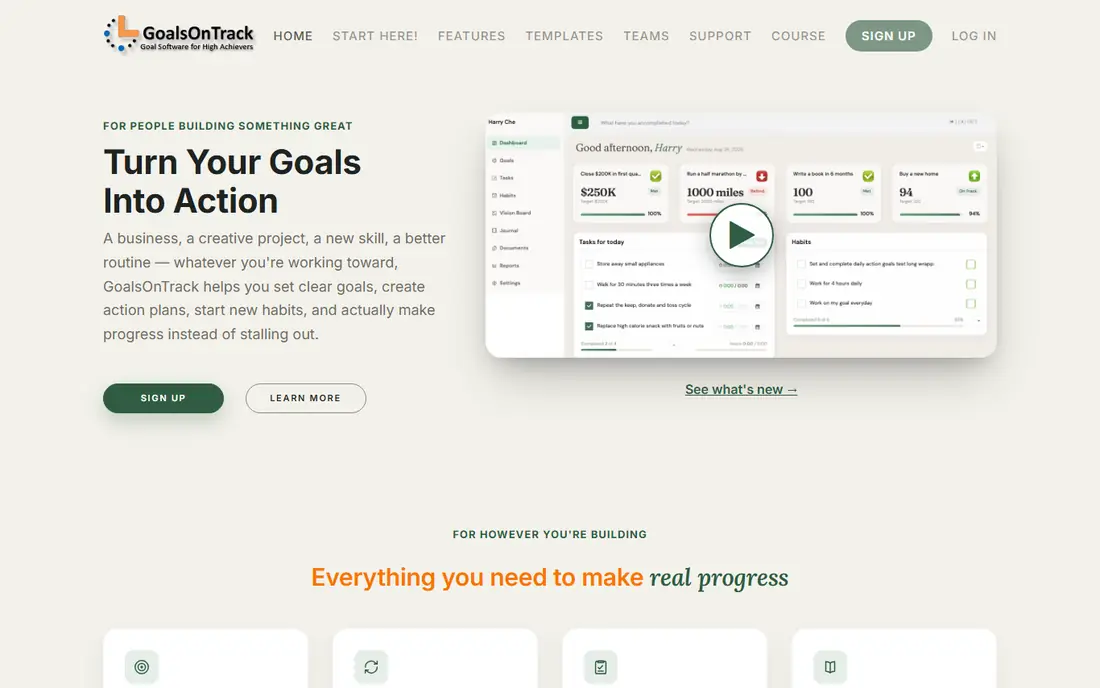
Goals on Track is for people who like a plan on paper, but want it in software. You break a large goal into subgoals, add action steps, set deadlines and track habits linked to the goal. A journal and vision board sit alongside the plan, which helps when the goal is personal, such as health, learning or career change, rather than a simple number. Pricing is $68 per year, with no free plan. That yearly model is the main barrier for a casual trial, though it can be cheaper than a monthly subscription over a year. The design is functional rather than modern, and the web-first approach may feel less smooth than a native app. If structure matters more than style, Goals on Track gives you a complete system in one place.
- SMART goal templates with subgoals and action plans
- Journal, vision board and habit tracker in one place
- Web-based with mobile-friendly design
- No permanent free plan
- Design feels older than newer apps
- No native mobile app in the same way as rivals
Lifetick starts from a different question: what matters to you, and which goals support that value. You set core values, add goals under each one, and track tasks and journal entries linked to them. That structure helps when you have several life areas, such as health, work and family, and want to see balance rather than a single target. The free plan covers two goals, while Premium is $29 per year on the website and higher through app stores. The weakness is scale. Lifetick is a focused goal tool, not a full project workspace, so it has fewer integrations and a smaller community than Notion or ClickUp. For personal goal setting with a values lens, that focus is a strength.
- Starts from values, then links goals and tasks
- Clean progress view
- Free plan for two goals
- Smaller app ecosystem than larger rivals
- Mobile experience is web-based
- Fewer integrations than ClickUp or Notion
Way of Life is the simplest app here, and that is why it works for many people. Each day you answer yes or no for each habit, add a note if you want, and the app shows trends over time. You can see at a glance whether a habit is slipping, improving or tied to a mood or event you noted. The free version covers a limited number of habits, with Premium opening unlimited habits at a price that varies by store. The limit is planning. Way of Life does not break a large goal into subgoals or tasks, so it suits daily habits and awareness more than a complex project. Use it when you want a two-minute daily check-in that actually sticks.
- Very fast yes or no daily entry
- Trend charts show patterns over weeks
- Simple setup with no heavy planning
- Limited planning features for large goals
- Paid upgrade needed for unlimited habits
- No full task or project system
ClickUp treats a goal as part of a workspace, not a separate app. You create a goal, add targets, link tasks and track progress in folders and dashboards. That structure suits work goals, team objectives and personal projects that already live in ClickUp, because the goal and the work stay in the same place. The free plan is useful for personal use, while paid plans start around $7 per user per month. The weakness is complexity. ClickUp has many views, automations and settings, and a single personal goal can feel buried in that system. If you already use ClickUp for tasks, adding goals is natural. If you only want a personal tracker, Strides or Lifetick will feel lighter.
- Native Goals feature with targets and folders
- Tasks, docs and time tracking in one place
- Free plan for personal use
- Can feel complex for a single personal goal
- Setup takes time
- Some goal features sit on paid plans
Notion is a blank workspace that you shape into a goal system. Templates for goal tracking, habit databases and yearly reviews give you a starting point, and databases let you link goals, tasks, notes and progress in one place. That flexibility suits people who want a system that matches their exact workflow. The free plan covers individuals, while Plus starts at $10 per member per month billed yearly. The risk is setup time. Notion does not give you a ready-made pace line or a game loop, so you need to build the views and habits yourself. If you enjoy building systems, that is a benefit. If you want an app that works out of the box, pick Strides or Goals on Track instead.
- Free for individuals
- Huge template library for goals and habits
- Databases, notes and calendars in one workspace
- You must build or adapt the system yourself
- No native pace chart for targets
- Can become a project in itself
Todoist works for goal setting when your goal is really a set of steps. You create a project for the goal, add tasks with dates and priorities, and use recurring tasks for daily or weekly actions. Karma points and streaks add a light layer of motivation without turning the app into a game. The free plan covers up to five projects, while Pro starts around $5 per month. The limit is measurement. Todoist does not show a pace line for a savings target or a chart for a reading goal in the way Strides does. It excels when the goal is action-based, such as launching a side project or completing a course, where progress is a list of finished steps.
- Clean task and project system with recurring tasks
- Karma streaks add light motivation
- Works on almost every platform
- No native goal chart or target pacing
- Goal tracking depends on how you structure projects
- Advanced filters sit on paid plans
How we picked these
We compared official feature pages, pricing pages and app store listings, plus public reviews, and kept only apps that still support goal or habit tracking in October 2026. We favoured a mix of measurable tracking, game motivation, structured planning, values-based planning and task-led systems, so readers can match the app to how they actually work. Where pricing varies by store or billing period, we note the most common published figure and advise checking in-app pricing before buying.
What to check before you choose
Start with the mechanism, not the feature list. Do you respond to charts, games, daily check-ins or task lists? Pick the app whose daily action you will actually do. Next, check the free limit. A free plan with three trackers or two goals is enough for a trial, but not for a full year of goals. Finally, check where you will use it. An Apple-only app is a poor fit if you also work on Android or the web, and a web-only tool may feel slow on a phone. Test one goal for two weeks before you move your whole system.
Frequently asked questions
What is the best app for goal setting for beginners?
Strides is a good beginner pick for measurable goals, because the pace line makes the daily target clear. Way of Life is even simpler if you only want a daily check-in. Habitica suits beginners who need motivation more than planning.
Can a goal app replace a planner?
It can for personal goals, but many people still need a calendar or task app for dates and meetings. ClickUp, Notion and Todoist blur that line by keeping goals next to tasks. A dedicated tracker such as Strides or Lifetick works best alongside a calendar, not instead of one.
Are free goal apps good enough?
Yes, for a small number of goals. Strides, Habitica, Lifetick, Notion and Todoist all offer free plans that cover basic tracking. Paid plans mainly add unlimited trackers, more projects or advanced features. Start free and pay only when you hit a limit that matters.
How do I set a goal that actually sticks?
Make it specific, measurable and tied to a daily or weekly action. Break it into subgoals, set a review day each week, and track the action, not just the outcome. An app helps with the tracking, but the review habit is what keeps the goal alive.
Which app is best for team goals?
ClickUp is the strongest pick here for team goals, with shared folders, targets and dashboards. Notion also works for teams that want a shared workspace. The personal trackers here are best for individual goals, not team reporting.
Do these apps work on both iPhone and Android?
Most do, with some limits. Habitica, ClickUp, Notion and Todoist work across web, iOS and Android. Strides works on Apple devices and Android, while Way of Life works on iOS and Android. Check the store listing for your device before you commit to a paid plan.
Sources
See where you really rank - block by block
ProMapRanker scans Google Maps across a grid of your service area. Simple monthly plans from $19, white-label on every plan.
Start freeKeep reading
 top custom software development company
Top Custom Software Development Company in 2026
Looking for a top custom software development company? We compare 9 firms for web, mobile, and enterprise software, covering strengths and fit for 2026.
Read → tableau alternatives
Tableau Alternatives in 2026
Compare the best Tableau alternatives for 2026, from Power BI to Metabase, with prices, hosting options, and picks for small teams and enterprises today.
Read → microsoft teams alternatives
Best Microsoft Teams Alternatives in 2026
Looking for microsoft teams alternatives? We compare 9 chat and video tools for 2026, covering free plans, pricing, meetings, and integrations for teams.
Read →