 ProMapRanker
Best Apps for Creating ML Accounts in 2026

Key takeaways
- We read ML in this article as machine learning, not as a game, so every platform below is a place to create an account and work on machine learning.
- Kaggle and Hugging Face are the best free starting points, one for competitions and notebooks, the other for models and datasets.
- Google Colab and Lightning AI give beginners a notebook in the browser with free GPU time, which removes the need for a powerful home computer.
- Paid GPU platforms such as RunPod and Modal make sense only after a project outgrows free notebook limits.
Quick comparison
| Pick | Great for | Pricing starts at | Free tier | |
|---|---|---|---|---|
 Kaggle | Competitions and free notebooks | Free | Yes | Visit |
 Hugging Face | Finding and sharing models | Free | Yes | Visit |
 Google Colab | Browser notebooks with free GPU access | Free | Yes | Visit |
 Microsoft Azure Machine Learning | Enterprise and team ML work | See website | Free trial | Visit |
 Paperspace | Guided notebooks and GPU machines | Free | Yes | Visit |
 Lightning AI | Persistent notebook studios | Free | Yes | Visit |
 RunPod | Low-cost GPU rental by the hour | See website | No | Visit |
 Modal | Serverless GPU code for developers | See website | No | Visit |
The best apps for creating ml accounts
A plain reading matters here. We take ML to mean machine learning, so this list covers platforms where you can create an account, learn the basics, run code and share models. If you were looking for a game account, this list will not help, and the platforms below are for learning and building machine learning work.
Kaggle is our pick for most people creating a first machine learning account. Signing up gives a free notebook environment with GPU and TPU time, plus access to datasets and public notebooks that show how other people solved the same problem. Beginners can copy a notebook, change one part, rerun it and see what happens, which is a faster way to learn than reading theory alone.
Competitions add structure, with a leaderboard and a clear task, but they can also pull a beginner toward chasing scores instead of understanding the model. The weekly quota is generous for learning and small projects, yet it will stop a long training run, so a user with a large dataset will need a paid cloud platform later. For a first account, Kaggle gives the most learning value for no money.
- Free account with GPU and TPU notebook time
- Large public dataset library
- Competitions with real problems and public notebooks to learn from
- Weekly compute quota limits long training runs
- Competition focus can distract from basics
- No paid tier to buy more quota
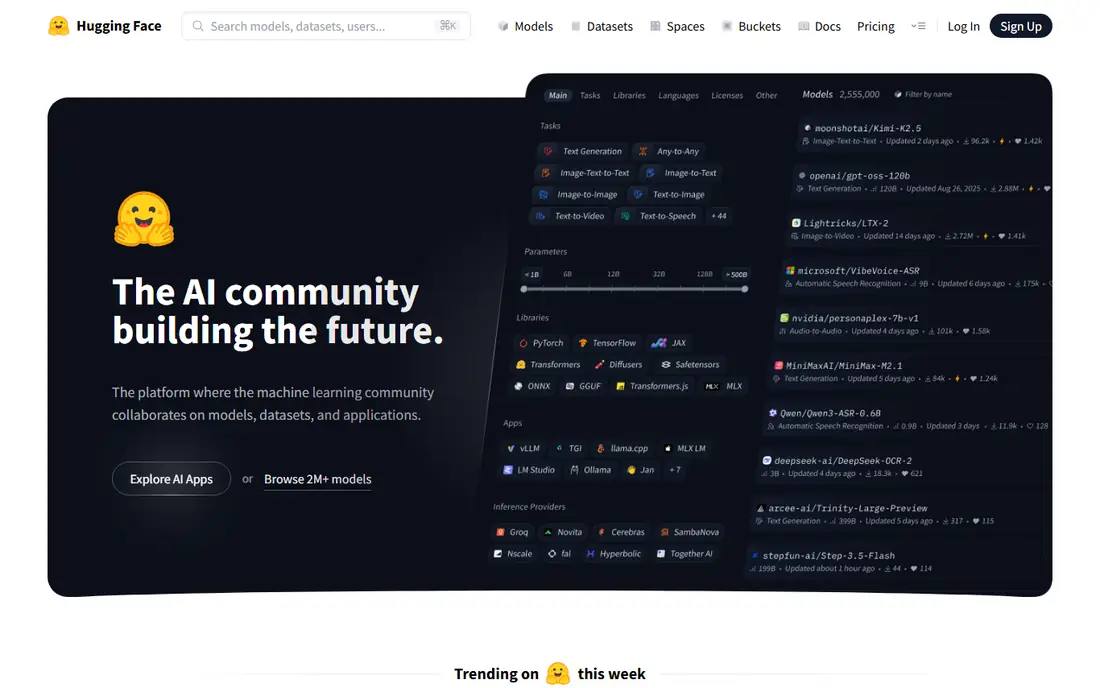
Hugging Face is the place most people go when they want an existing model rather than training one from scratch. A free account lets you browse and download models and datasets, publish your own work, and try small demos called Spaces in the browser. That makes it a natural second account after Kaggle, because Kaggle teaches you to build, while Hugging Face shows you what already exists.
The free tier is genuinely useful for learning, but hosted inference and GPU-backed Spaces need paid credits or a Pro plan once usage grows. Beginners should start by downloading a small model and reading its model card, which lists training data, limits and intended uses. We would pick Hugging Face for anyone who wants to work with modern language and image models without building the full pipeline first.
- Huge public hub of models and datasets
- Free account to browse, download and share work
- Spaces let you demo a model in the browser
- Free inference credits for hosted models are limited
- Paid compute is needed for larger hosted work
- The sheer size of the hub can overwhelm beginners
Google Colab is the simplest way to run Python machine learning code without installing anything. A Google account opens a notebook in the browser, and the free tier offers GPU access for learning projects and small experiments. Teachers use it for classes because every student gets the same setup, and sharing a notebook is as simple as sharing a link.
The limits are session-based. Free notebooks time out, GPU availability varies, and a long job may stop before it finishes. Saving work to Google Drive helps, but Colab is not a place to run a production model around the clock. We would pick Colab for coursework, tutorials and quick experiments, and move to Kaggle or a paid GPU platform for longer training.
- Notebook runs in the browser with no setup
- Free GPU access for learning projects
- Easy sharing through a Google account
- Free sessions time out and resources vary
- Paid Pro is needed for longer runs and better GPUs
- Work is lost if a session ends before saving
Azure Machine Learning is a managed workspace for building, training and deploying models as a team. It covers data, notebooks, automated training, experiment tracking and deployment endpoints in one service, and it connects to other Microsoft cloud tools that many companies already use. A team that needs access controls, audit trails and repeatable pipelines will value that structure.
The cost and complexity are the trade-offs. Pricing depends on the compute chosen and how long it runs, so a beginner should use the free trial and free tier carefully and shut down compute when it is not needed. For a solo learner, Kaggle or Colab will be faster and cheaper. We would pick Azure Machine Learning when the goal is team work or a production deployment inside a Microsoft environment.
- Full managed ML workspace for teams
- Strong tools for pipelines, tracking and deployment
- Fits organisations already using Microsoft cloud services
- Pricing is complex and usage-based
- Setup takes longer than a notebook platform
- Small learners may find it more than they need
Paperspace, now part of DigitalOcean, offers a notebook platform called Gradient alongside GPU machines. The appeal is a guided start: pick a template, open a notebook, and run code on a GPU without setting up drivers or a server. That polish helps a learner who found raw cloud setup off-putting, and it helps a small team that wants a shared workspace.
The cost of that polish is real. On-demand GPU prices sit above the cheapest rental marketplaces, so a user who only needs raw compute will pay more for the same hardware. Paperspace still earns a place here because the account is easy to create and the notebook experience is clear. We would pick it for a learner or small team that values a smooth setup over the lowest hourly rate.
- Notebook platform with templates for common frameworks
- GPU machines without managing servers
- Persistent storage for projects
- Paid GPU time can cost more than bare-bones rental rivals
- Free tier limits apply
- Some plans need a card and checks at signup
Lightning AI offers cloud studios that stay in place between sessions, so code, dependencies and model files do not vanish when a notebook closes. That persistence is the main difference from Colab, where sessions are temporary. A free account includes monthly GPU hours, which is enough for coursework and small projects, and a studio can also host a small app or API built from the same code.
The free hours are a monthly budget, not an unlimited supply, so a user who trains often will hit the limit and need a paid plan. The studio model also has more moving parts than a single notebook, which takes a short while to learn. We would pick Lightning AI for a learner who wants work to persist and who plans to turn a notebook into a small demo.
- Free tier with monthly GPU hours
- Code and files persist between sessions
- Studios can run apps and APIs from the same workspace
- Free monthly hours run out on larger projects
- Paid plans needed for always-on work
- Interface has more concepts to learn than Colab
RunPod rents GPU machines by the hour, with per-second billing and templates for popular frameworks. A user picks a GPU, starts a pod, works in a notebook or terminal, and stops the pod when done. That model suits a project that has outgrown free notebook quotas, because the user pays only for the time used and can pick a larger GPU for a short, heavy job.
There is no free plan in the same sense as Kaggle or Colab, so a new account needs payment details and a budget. RunPod also assumes more technical comfort than a guided notebook platform, since the user manages the pod and storage. We would pick RunPod for a builder who knows what GPU is needed and wants a low hourly rate, and we would warn any beginner to set a spending limit and stop idle pods.
- Wide choice of GPUs with per-second billing
- Templates for common ML frameworks
- Network storage keeps data between pods
- No permanent free plan
- Setup assumes comfort with containers and servers
- Costs rise quickly if a pod is left running
Modal takes a different approach from a notebook platform. A developer writes Python functions, marks which ones need a GPU, and Modal runs them in the cloud and scales down to zero when idle. That makes it a strong choice for serving a model or running batch jobs, because there is no server to keep running and pay for between requests.
It is not a beginner learning platform. There is no guided notebook course, and the account is aimed at people who already write Python and want to deploy code. Pricing is usage-based, so a user should read the pricing page and watch early bills. We would pick Modal for a developer who wants to move a working model into a service, rather than for a first machine learning account.
- Python code runs on GPUs without managing servers
- Automatic scaling down to zero when idle
- Good fit for inference and batch jobs
- No free notebook-style plan for beginners
- Aimed at developers, not first-time learners
- Billing depends on compute and data transfer
How we picked these
We compared official feature and pricing pages for platforms where a person can create an account and do machine learning work, and we kept only platforms that are available now and offer a clear path from signup to running code or sharing a model. We checked free tiers against vendor pages and recent pricing guides, and we used See website where pricing is usage-based or quoted. We did not claim hands-on testing, and we favoured platforms with a free or trial start, clear documentation, and a real community of users.
How to choose the right ML account for your goal
Match the platform to the next project, not to a vague plan to learn machine learning one day. A learner who wants courses and competitions should start with Kaggle, a builder who wants existing models should start with Hugging Face, and a student with a class notebook should start with Colab. One account is enough at first, and adding a second account later is easy once the first project is finished.
Watch two limits before committing time to a platform: free compute hours and what happens when a session ends. Free hours decide how much training is possible each week, and session persistence decides if work survives a break. Read the pricing page, save code to a repository or drive, and shut down paid compute when it is not in use. That habit matters more than picking the perfect platform at the start.
Frequently asked questions
What does ML mean in this article?
ML means machine learning. This article covers platforms where you create an account to learn, build or share machine learning work. It does not cover game accounts or other uses of the letters ML.
Can I learn machine learning for free?
Yes. Kaggle, Hugging Face, Google Colab and Lightning AI all offer free accounts with enough access for coursework and small projects. Paid plans become useful for longer training runs, larger models and always-on services, but they are not needed to start.
Which platform is best for a complete beginner?
Kaggle is our pick for a complete beginner, because it combines free notebooks, datasets and public examples in one free account. Google Colab is a close second for class work, since it needs no setup beyond a Google account.
Do I need a powerful computer to use these platforms?
No. Kaggle, Colab, Lightning AI and Paperspace run code in the cloud, so a basic laptop with a browser and a stable connection is enough for learning projects. A powerful local computer helps only for work done entirely offline.
How do free GPU limits work?
Free platforms give a limited amount of GPU time per week or month, and sessions may time out. When the limit is reached, work pauses until the quota resets or the user pays for more compute. Save notebooks often and keep training runs short while learning.
When should I move to a paid GPU platform?
Move when free quotas regularly stop a project, when a model needs a larger GPU, or when a service must stay online for other people to use. RunPod suits short, heavy training jobs, while Modal suits serving a finished model, and both need a budget and careful monitoring.
Sources
See where you really rank - block by block
ProMapRanker scans Google Maps across a grid of your service area. Simple monthly plans from $19, white-label on every plan.
Start freeKeep reading
 best chat tool for website
Best Chat Tool for Website in 2026
Best chat tool for website owners compared, with live chat, AI agents, free plans, and pricing for small stores, SaaS teams, and support teams of all sizes.
Read → best birdwatching app
Best Birdwatching App in 2026
Best birdwatching app picks for 2026: nine free and paid apps for bird ID by sight and sound, checklists, hotspots, and finding birds near you for all birders.
Read → best bird identification app
Best Bird Identification Apps in 2026
Find the best bird identification app for photos, songs and calls. We compare 9 bird apps, including Merlin, BirdNET and Audubon, to help you choose today.
Read →