 ProMapRanker
Best Apps for Creating Animation Memes in 2026

Key takeaways
- Imgflip and Ezgif are the fastest routes to a classic animated meme, with no design skills needed.
- Kapwing, Canva and Adobe Express suit video and GIF memes that need captions, branding or team edits.
- VEED is a strong browser option for captioned video memes, while Animaker and VistaCreate suit longer animated clips.
- Free plans usually add a watermark or limit exports, so check export rules before you build a meme for a client or brand.
- Our pick for most people is Kapwing for video memes, with Imgflip as the quick backup for classic formats.
Quick comparison
| Pick | Great for | Pricing starts at | Free tier | |
|---|---|---|---|---|
 Imgflip | Classic animated memes, fast | $9.95 per month | Yes | Visit |
 Kapwing | Video and GIF memes | $16 per month | Yes | Visit |
 Canva | Branded animated posts | See website | Yes | Visit |
 Adobe Express | Polished social animations | See website | Yes | Visit |
 VEED | Captioned video memes in a browser | See website | Yes | Visit |
 Ezgif | Quick GIF edits in a browser | Free | Yes | Visit |
 Animaker | Animated character clips | See website | Yes | Visit |
 VistaCreate | Animated social templates | See website | Yes | Visit |
The best apps for creating animation memes
These tools cover classic GIF memes, short video memes and animated social posts, with options for phones, browsers and desktops.
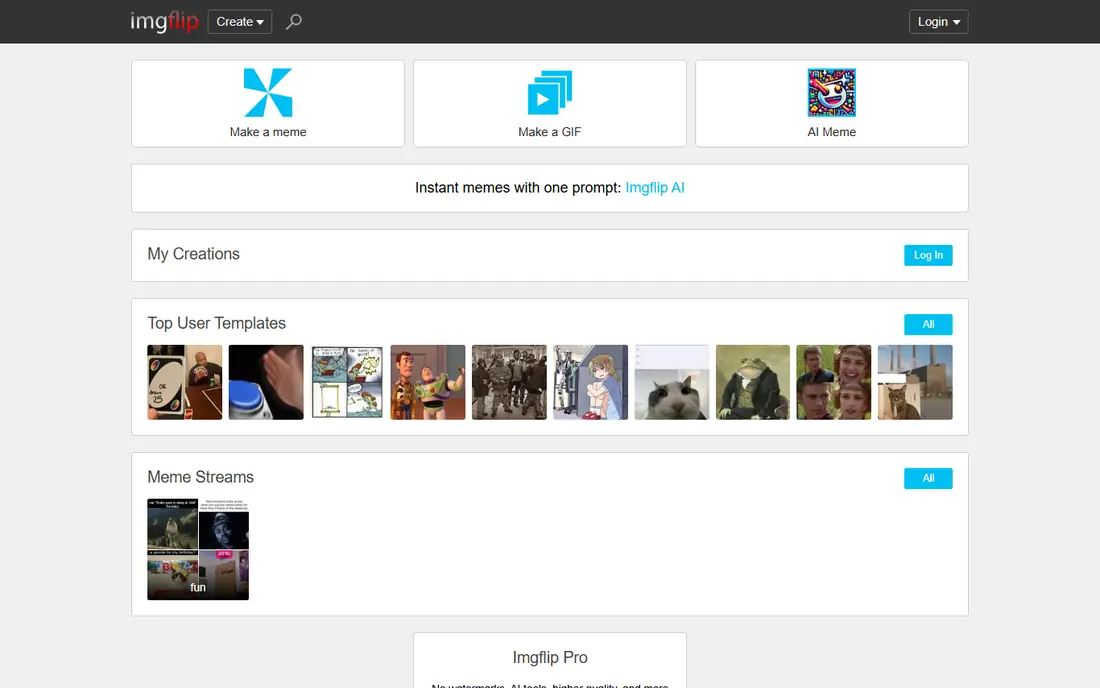
Imgflip is the fastest way to make a classic meme that people recognize at a glance. Pick a template, add top and bottom text, and export, with a GIF maker for animated templates and video-to-GIF work. The library includes long-running formats plus user uploads, so a trending format is usually already there.
Free exports carry a watermark, which is fine for group chats but less good for brand posts. The Pro plan removes it and adds more features. For speed and familiarity, nothing else here beats Imgflip for a meme in under a minute.
- Huge template library
- GIF maker included
- No install needed
- Watermark on free exports
- Pro needed to remove it
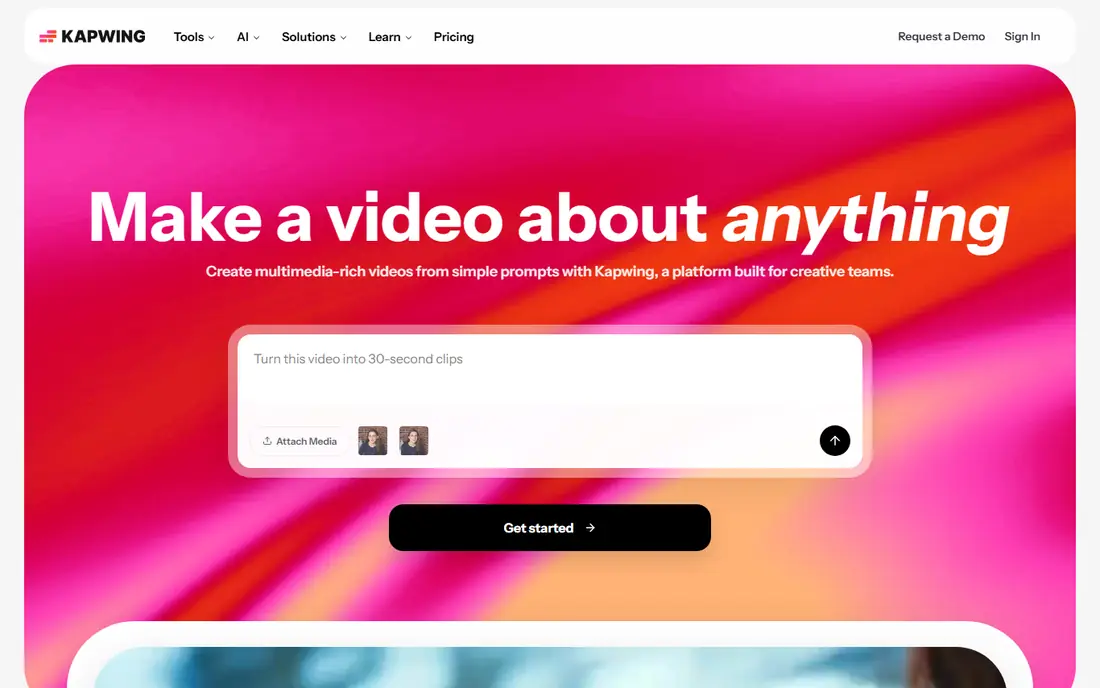
Kapwing suits memes built from video clips rather than still images. You can trim a clip, add captions, layer text and stickers, and export as MP4 for social feeds or GIF for chats. Templates cover common video meme styles, and collaboration features help small teams edit together.
The free plan adds a watermark, so paid plans matter for public posts. Kapwing also takes longer to learn than Imgflip, since it is a real video editor. For creators who post video memes often, that extra control is worth the learning curve.
- Full video timeline
- Captions and subtitles
- Exports MP4 and GIF
- Watermark on free accounts
- Heavier than a simple meme generator
Canva is the practical choice when a meme needs to look on-brand rather than rough and fast. Animated templates, text effects and stock graphics let you build a polished looping post without touching a timeline editor. Teams can share brand colors, fonts and logos across templates.
Animation depth is the limit. You can animate text and elements and export video or GIF, but frame-by-frame control is thinner than in Kapwing. For social managers and small businesses, Canva's speed and consistency usually matter more than that depth.
- Drag-and-drop editor
- Large template and stock library
- No watermark on free exports per Canva
- Animation options are simpler than a video editor
- Best features sit behind Pro
Adobe Express brings a design-led approach to animated memes, with templates that look clean on brand accounts and easy resizing for different social formats. You can animate text, add stock images and video, and export for feeds and stories. The interface stays friendly for non-designers.
Premium templates, stock assets and some features require a paid plan, so free users will hit limits on certain designs. If your team already uses Adobe tools, Express fits that workflow well. If not, Canva may feel simpler for the same job.
- Professional templates
- Adobe stock and fonts
- Easy resizing for platforms
- Free plan limits some premium assets
- Adobe account needed
VEED is a browser video editor that suits captioned video memes without a desktop install. Upload a clip, trim it, add captions and text, and export as video or GIF for sharing. Its caption tools save time on the most tedious part of video meme work, and templates help new users start fast.
Free exports carry a watermark, so paid plans matter for public brand posts. Because editing runs in a browser, a slow connection can make longer clips frustrating. For short social memes, VEED is a capable alternative to Kapwing.
- Browser editor
- Auto captions
- GIF and video export
- Watermark on free exports
- Internet connection needed for editing
Ezgif is a workhorse for anyone who already has a clip and just needs a clean GIF. Upload a video, trim it, set the frame rate, resize and optimize for size, all in the browser without an account. It handles the technical steps that make a GIF load fast in chats and feeds.
There are no meme templates, caption styles or stock graphics here, so you bring your own text and images. That plain approach is a strength for quick edits and a weakness for creative work. Keep Ezgif bookmarked for conversion and cleanup, even if you design elsewhere.
- Free browser tool
- Video-to-GIF, resize, crop and optimize
- No account needed
- Plain interface
- No templates or meme text library
Animaker fits memes that need a character, a scene or a short explainer-style clip rather than a single reaction image. Build a character, pick a template, add movement and voice, and export a short animated video. That format works well for recurring series and brand characters.
The trade is time. Character animation takes longer than a caption on a GIF, and the free plan limits exports and features. Animaker suits creators who post animated series regularly, not someone who wants one quick joke in a chat.
- Character builder
- Animated templates
- Voice and scene tools
- Free plan is limited
- Animated character work takes more time
VistaCreate, formerly Crello, offers animated templates sized for common social formats, with a simple editor that keeps production fast. Pick a template, swap the text and images, animate the elements, and export a looping post. Its stock library covers many everyday topics.
Its community and template depth are smaller than Canva's, so niche formats may be missing. Paid plans open more assets and features. For social posts that need motion without a full video editor, VistaCreate is a solid, low-friction option.
- Animated templates for social formats
- Stock library
- Simple editor
- Smaller community than Canva
- Some features need a paid plan
How we picked these
We compared official feature pages, pricing pages, app store listings and public reviews for meme and animation tools available in October 2026. We kept tools that can actually produce animated output, whether GIF or short video, and we favored tools with a working free tier or trial. Prices we could not verify on the vendor's own page are listed as "See website" rather than guessed.
How to choose the right meme tool
Match the tool to the meme format, not to a brand name. A still-image caption, a looping GIF and a captioned video clip are different jobs, and the best tool changes with each one. Start with the format your audience already shares.
For quick GIF jokes
Imgflip and Ezgif cover most quick GIF work. Imgflip gives you templates and captions, while Ezgif cleans up a clip you already have. VEED covers captioned clips when you do not need to make anything from a template.
For video memes and brands
Kapwing is the stronger pick for captioned video memes, and Canva or Adobe Express suit branded animated posts. Check watermark rules on free plans before posting for a client, since a watermark can undercut an otherwise clean post.
For animated series
Animaker and VistaCreate suit recurring animated content, where templates and characters save time across episodes. Budget extra time for character work, and test export quality at the size your platform compresses to, since small text can blur.
Frequently asked questions
What is the best app for creating animation memes?
Kapwing is our pick for most creators because it handles video and GIF memes with captions and a real timeline. Imgflip is the better pick for a classic meme in under a minute. Choose by format: video memes favor Kapwing, classic image macros favor Imgflip, and branded posts favor Canva.
Can I make animated memes for free?
Yes, several tools here offer free plans, including Imgflip, Kapwing, Canva, Ezgif and VEED. Free plans often add a watermark or limit export quality, so check those rules before using a meme for a brand or client. Ezgif is the most free-friendly for simple GIF work.
What is the difference between a GIF and a video meme?
A GIF loops silently and plays almost everywhere, including chats, which makes it ideal for reactions. A video meme can include sound, captions and longer scenes, and it usually looks better on social feeds. Export both when you can, and use the GIF for chats and the video for feeds.
Do I need design skills to make animation memes?
No. Template tools such as Imgflip, Canva and VistaCreate let you swap text and images without design training. Video editors such as Kapwing take a little longer to learn, but their templates cover most common meme styles. Start with a template, then learn one new feature per post.
Which app is best on mobile?
Canva works well on phones for quick creation and sharing, and Kapwing and VEED run in a mobile browser. For precise trimming and captions, a larger screen helps, so many creators draft on a phone and polish on a desktop. Check the app store listing for your device before committing to a paid plan.
Can I use any image or clip in a meme?
Not always. Use your own photos and clips, licensed stock, or templates provided by the tool, and be careful with copyrighted films, shows and music. Short clips used for commentary may still raise claims on some platforms. When in doubt, use original material or a licensed library.
Sources
See where you really rank - block by block
ProMapRanker scans Google Maps across a grid of your service area. Simple monthly plans from $19, white-label on every plan.
Start freeKeep reading
 best subscription manager app
Best Subscription Manager App in 2026
Find the best subscription manager app for your budget with our 2026 comparison of 8 apps, covering automatic detection, renewal alerts and free plans.
Read → best stock picking service
Best Stock Picking Service in 2026
Compare the best stock picking service options for 2026, with 8 stock recommendation services for long-term, dividend, quant, growth and income investors.
Read → best software wallet
Best Software Wallet in 2026
Compare the best software wallet options for 2026, with 8 crypto wallets for desktop and mobile, covering self-custody, supported chains, fees and security.
Read →