 ProMapRanker
Best Apps for ADHD College Students in 2026

Key takeaways
- Tiimo and Structured suit visual planners, because they show the day as a timeline rather than a long task list.
- Todoist and TickTick suit students who want fast task capture plus calendars, habits, and timers in one place.
- Goblin.tools helps when a large assignment feels impossible to start, by breaking it into small, concrete steps.
- Forest and Focusmate help with focus in different ways, one through a phone free timer and one through shared accountability.
- MyStudyLife is the best free student planner for classes, exams, and rotating timetables.
- These apps are support tools for organization and study habits, not medical treatment, and they do not replace professional care or campus support.
Quick comparison
| Pick | Great for | Pricing starts at | Free tier | |
|---|---|---|---|---|
 Tiimo Tiimo | Visual daily planning | See website | Free trial | Visit |
 Todoist Todoist | Fast task capture | Free | Yes | Visit |
 TickTick TickTick | Tasks, calendar, and Pomodoro | Free | Yes | Visit |
 Structured Structured | Visual timeline planning | Free | Yes | Visit |
 Goblin.tools Goblin.tools | Breaking down large tasks | Free | Yes | Visit |
 Forest Forest | Phone free focus sessions | $3.99 one time | No | Visit |
 MyStudyLife MyStudyLife | Class and exam planning | Free | Yes | Visit |
The best apps for ADHD college students
College with ADHD often means juggling classes, deadlines, part time work, and social life with a brain that struggles with time, starting tasks, and working memory. The best apps here reduce decisions, make time visible, and lower the barrier to starting. We compared planning style, focus tools, task breakdown, student features, and pricing, and we kept only apps that are still active in 2026. A plain note: these apps are support tools for planning and study habits, not medical treatment, and students who need clinical help should use campus counseling or a healthcare professional alongside any app.
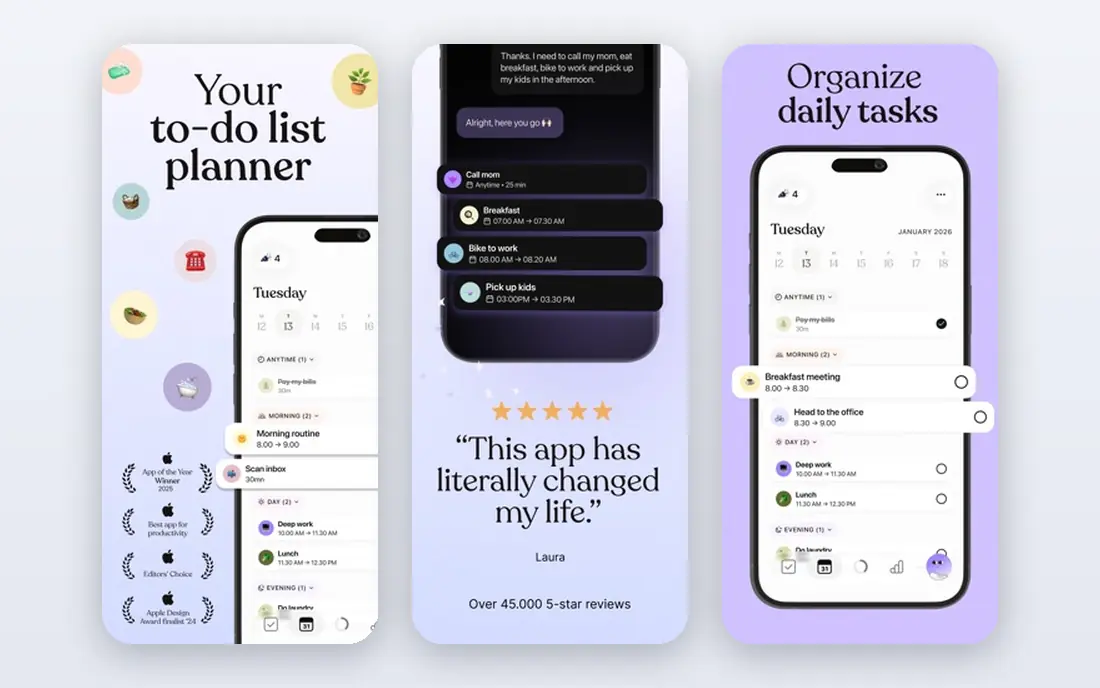
Tiimo shows your day as a visual timeline, with color coded blocks for classes, study, meals, and breaks. That picture helps when a list of tasks feels abstract and time slips away, because you can see how long each block lasts and what comes next. Routines let you reuse a morning or study setup without rebuilding it every day, and reminders are gentle rather than nagging.
The main drawback is price. Tiimo offers a trial and limited free use in some cases, but regular use usually requires a subscription, so check the current plan before you rely on it for a full semester. If visual planning clicks for you, Tiimo can be the central app for your day, with a simpler task app handling longer term assignments.
- Visual timeline makes time concrete
- Routines and gentle reminders
- Designed with neurodivergent users in mind
- Pricing varies by plan and platform
- Full features need a paid plan for many users
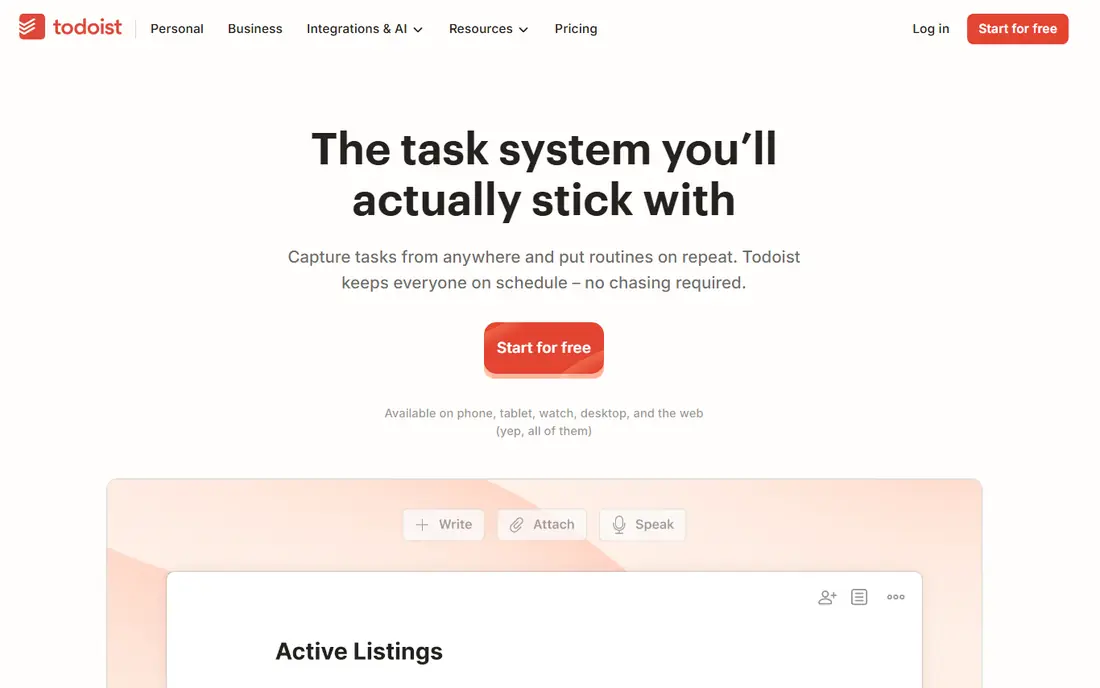
Todoist suits students who lose tasks because capture takes too long. Type a task in plain words, such as a paper due next Friday, and Todoist sets the date and project for you. That low friction matters for ADHD, because a task that takes five taps to enter often never gets entered at all. Projects keep courses separate, priorities flag urgent work, and recurring tasks handle weekly readings.
Todoist does not show your day as a visual timeline on its own, and it has no built in focus timer, so pair it with a calendar or a timer app if time blindness is your main problem. As a reliable capture and list system, though, it is one of the easiest apps to stick with, and the free plan covers most student needs.
- Natural language input for quick capture
- Works on almost every platform
- Projects, priorities, and recurring tasks
- No built in Pomodoro timer
- Visual time blocking needs a calendar integration
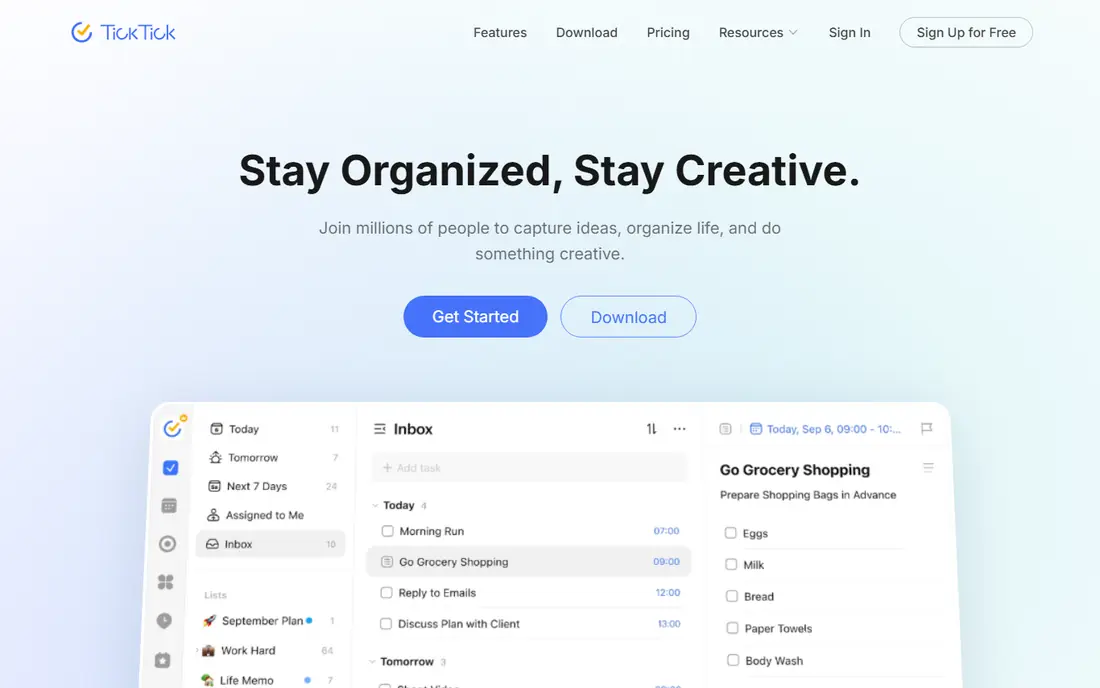
TickTick is the best all in one option for students who want fewer apps. It combines task lists, a calendar view, habit tracking, and a built in Pomodoro timer, so you can capture a task, schedule it, and start a timed focus session without switching tools. That matters when switching apps is itself a distraction, and the timer helps break study into short, manageable blocks with breaks.
The interface can feel busy at first, because so many features sit in one place. Start with tasks and the timer only, and add habits and calendar views once those habits feel stable. For students who want one subscription or free plan to cover planning and focus, TickTick is a strong pick.
- Tasks, calendar, habits, and Pomodoro timer in one app
- Many views for lists and timelines
- Free plan is generous
- Interface has many options at first
- Some advanced features need a paid plan
Structured turns a to do list into a day you can see. You add tasks with times, and the app shows them as a timeline from morning to night, with progress as the day moves on. That visual shape helps with time blindness, because an empty afternoon and a packed morning look different at a glance, and it is easier to spot when you have planned more than the day can hold.
Feature availability varies by platform, and the focus timer is strongest on Apple devices, so check your device before committing. Structured works best as a daily planner alongside a course planner such as MyStudyLife, with Structured handling today and MyStudyLife handling the semester. If a picture of the day works better for you than a list, start here.
- Whole day shown as a single timeline
- Simple task entry
- Focus timer on Apple devices
- Some features are Apple focused
- Android and web support varies by feature
Goblin.tools is the app to open when an assignment feels too large to start. Its Magic ToDo feature takes a task such as write a research paper and breaks it into smaller steps, which you can break down further until the first step feels doable. That first step might be open the document and write the title, which is often enough to break task paralysis.
It is not a planner, calendar, or focus timer, so use it alongside Todoist, TickTick, or Structured. Paste the broken down steps into your main task app, then start with the smallest step and set a short timer. For students whose main barrier is starting, Goblin.tools can be more useful than another full productivity system.
- Breaks large tasks into small steps with one click
- Simple, low clutter tools
- Free to use on the web
- Not a full planner or calendar
- Task breakdown quality varies by task type
Forest gamifies focus in a simple way. Plant a virtual tree, set a timer, and stay in the app while you study. If you leave to check your phone, the tree dies, which gives a clear, immediate consequence that many students find more motivating than a plain timer. Over time, you build a forest that shows your focused sessions.
Forest will not plan your day or break down assignments, so pair it with a planner. It also only works if you are willing to accept its rule, because you can still ignore the app and use your phone. For students whose phone is the main study blocker, Forest is a cheap, low friction way to protect study blocks, especially during Pomodoro style sessions.
- Visual focus timer that discourages phone use
- Simple and pleasant to use
- Real tree planting partnerships in the app
- Only helps if phone distraction is the main problem
- No task management or planning features
MyStudyLife is built for student life in a way general planners are not. It handles rotating timetables, term dates, classes, homework, and exams, and it shows what is due today and what is coming next. That structure helps ADHD students who lose track of which week they are in or which class meets on which day, because the timetable does the remembering.
It does not offer focus timers, habit tracking, or AI task breakdown, so use it as your semester planner and add TickTick, Forest, or Goblin.tools for daily execution. MyStudyLife is free, which makes it an easy first app for new college students, and it works well even if you later add a paid planner for daily routines.
- Built for school timetables, including rotating schedules
- Tracks classes, homework, and exams
- Free for students
- No focus timer or task breakdown tools
- Interface is functional rather than polished
How we picked these
We compared official feature pages, pricing, free plans, platform support, and student specific features, and we favored apps that reduce friction, make time visible, or help with starting tasks. We included visual planners, task managers, a breakdown tool, focus tools, and a student timetable app, because ADHD support in college needs more than one function. We treated medical claims carefully, and we did not include apps that promise to treat ADHD.
How to build a system that lasts
Pick two apps, not seven. Choose one planner for the day and semester, and one focus or breakdown tool for study sessions, then use them for two weeks before adding anything else. Too many productivity apps create a new job, which is managing the apps, instead of helping you study. Set up classes and recurring tasks once, use reminders for deadlines, and keep a simple daily check in: what is due today, what is the first step, and when will you start.
Use campus support alongside apps
Apps help with organization, but they do not replace academic support, counseling, or disability services. If you have an ADHD diagnosis, check what accommodations your college offers, such as extended time, note support, or coaching. Tell a tutor or advisor when a system is not working, because a small change in deadlines, study groups, or class load can matter more than a new app.
Frequently asked questions
What are the best ADHD productivity apps for college?
Tiimo and Structured suit visual daily planning, Todoist and TickTick suit task capture and study routines, and MyStudyLife suits class and exam planning. The best ADHD organization apps depend on whether your main problem is time blindness, starting tasks, phone distraction, or keeping track of classes. Start with two apps and test them for two weeks.
How can college students with ADHD stay organized?
Use one planner as a single source of truth for classes and deadlines, capture tasks the moment they appear, and break large assignments into small first steps. Visual timelines help with time blindness, timers help with focus, and a daily check in helps you notice overload before it becomes a crisis. Keep the system simple, because a complex system is easy to abandon.
Is there a free app for ADHD college students?
Yes, Todoist, TickTick, Structured, Goblin.tools, and MyStudyLife all offer free plans that cover core student needs. Forest is a low cost one time purchase, while Tiimo usually needs a paid plan for full use. Start free, and pay only for the app you actually open every day.
Do ADHD apps replace treatment?
No, these apps are support tools for planning, focus, and study habits, not medical treatment. They can help with routines and organization, but they do not diagnose or treat ADHD. Students who need clinical help should use campus counseling, disability services, or a healthcare professional, and use apps as a complement to that support.
What is the best app for task paralysis in college?
Goblin.tools is the most direct tool for task paralysis, because it breaks a large task into small steps until the first step feels possible. Pair it with a timer, such as Forest or TickTick Pomodoro, and start with the smallest step for just five minutes. If paralysis happens often, talk to a tutor or counselor about workload and support, because tools alone may not solve the underlying pattern.
How do I stop my phone distracting me while studying?
Forest helps by making phone use during a focus session visible, through a tree that fails if you leave the app. Other options include phone focus modes, app blockers, and studying with a partner through Focusmate style accountability. The most reliable method is often physical distance, such as leaving your phone in another room during a timed study block.
Sources
See where you really rank - block by block
ProMapRanker scans Google Maps across a grid of your service area. Simple monthly plans from $19, white-label on every plan.
Start freeKeep reading
 zoominfo alternatives
ZoomInfo Alternatives in 2026
Compare the best ZoomInfo alternatives in 2026 for B2B contact data, enrichment, and prospecting, including Apollo, Lusha, and Clay tools, with pricing.
Read → best trip planning app
Best Trip Planning App in 2026
Compare the best trip planning apps in 2026 for itineraries, road trips, group travel, and bookings, from Wanderlog to TripIt and Roadtrippers, with pricing.
Read → best recruiting tools
Best Recruiting Tools in 2026
Compare the best recruiting tools in 2026, from Greenhouse and Lever to Workable and Ashby, for hiring, sourcing, and candidate tracking today, with pricing.
Read →