 ProMapRanker
Best App for Calorie Counting in 2026

Key takeaways
- MyFitnessPal suits people who want a huge food database and broad device support, while Lose It suits beginners who want a simpler diary.
- Cronometer is our pick for detailed nutrient tracking, because it focuses on verified data and micronutrients as well as calories.
- Free plans vary a lot, especially for barcode scanning, photo logging, and voice logging, so check which tools are free before you commit.
- A calorie app gives estimates, not exact measurements, and food labels and portions affect accuracy more than the app brand.
- This article is general information only, not medical advice, and talk to a clinician before starting a weight loss or restricted eating plan.
Quick comparison
| Pick | Great for | Pricing starts at | Free tier | |
|---|---|---|---|---|
 MyFitnessPal | Largest database | Free | Yes | Visit |
 Lose It | Simple beginners diary | Free | Yes | Visit |
 Cronometer | Detailed nutrients | Free | Yes | Visit |
 MacroFactor | Adaptive macro targets | $11.99 per month | Free trial | Visit |
 Lifesum | Guided meal plans | Free | Yes | Visit |
 Yazio | Recipes and fasting tools | Free | Yes | Visit |
 FatSecret | Free barcode logging | Free | Yes | Visit |
 MyNetDiary | Feature-rich free tracking | Free | Yes | Visit |
 Noom | Behavior change coaching | See website | Free trial | Visit |
The best apps for calorie counting
We compared official pricing pages, feature pages, and app store listings for calorie counting apps available to US users. All of these apps log food and estimate calories, but they differ in database size, free features, and coaching style. Pick the one that makes logging fast enough to do every day, because a detailed app you abandon helps less than a simple app you keep.
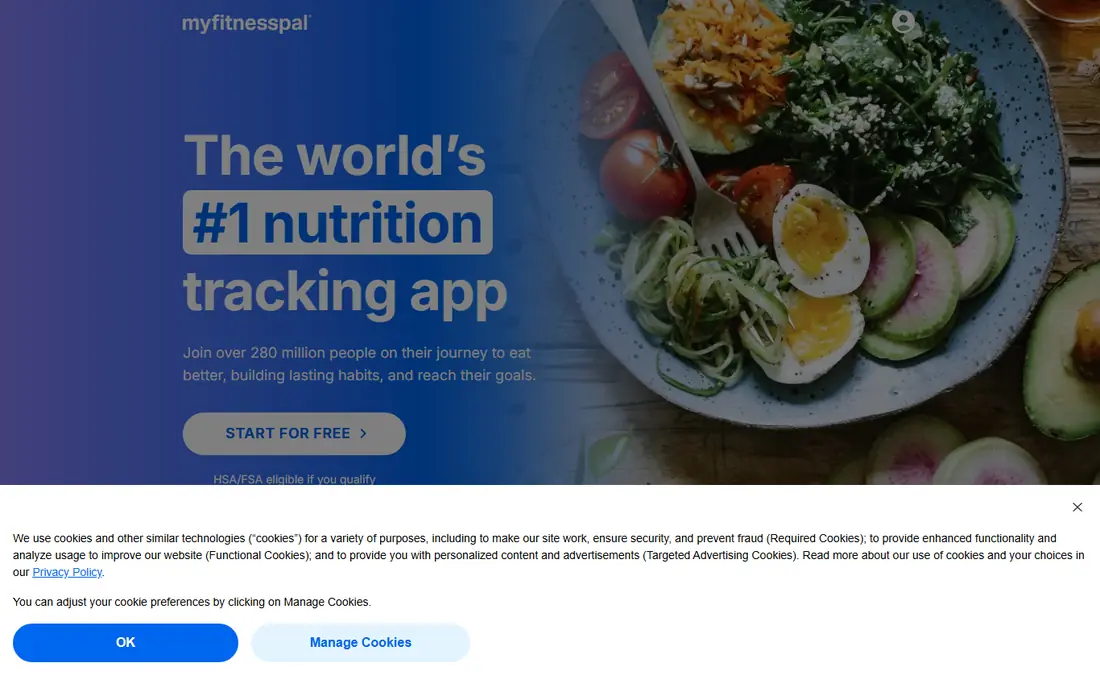
MyFitnessPal remains the most familiar calorie counter for a reason, which is that you can usually find a food, restaurant item, or recipe without typing it from scratch. The diary layout is simple, with meals split across the day and a running total for calories and macros. Device links and a long history also make it easy to keep going after a break.
The main change in recent years is that faster logging tools, including barcode scanning, photo scanning, and voice logging, now sit behind Premium in the US. The free plan still covers basic manual logging, but the experience is slower. If you value the biggest database and do not mind paying for faster tools, MyFitnessPal is still a strong choice.
- Very large food database
- Broad device and app links
- Familiar diary layout
- Barcode, photo, and voice logging need Premium in the US
- Free plan has ads
- Some entries are user-submitted
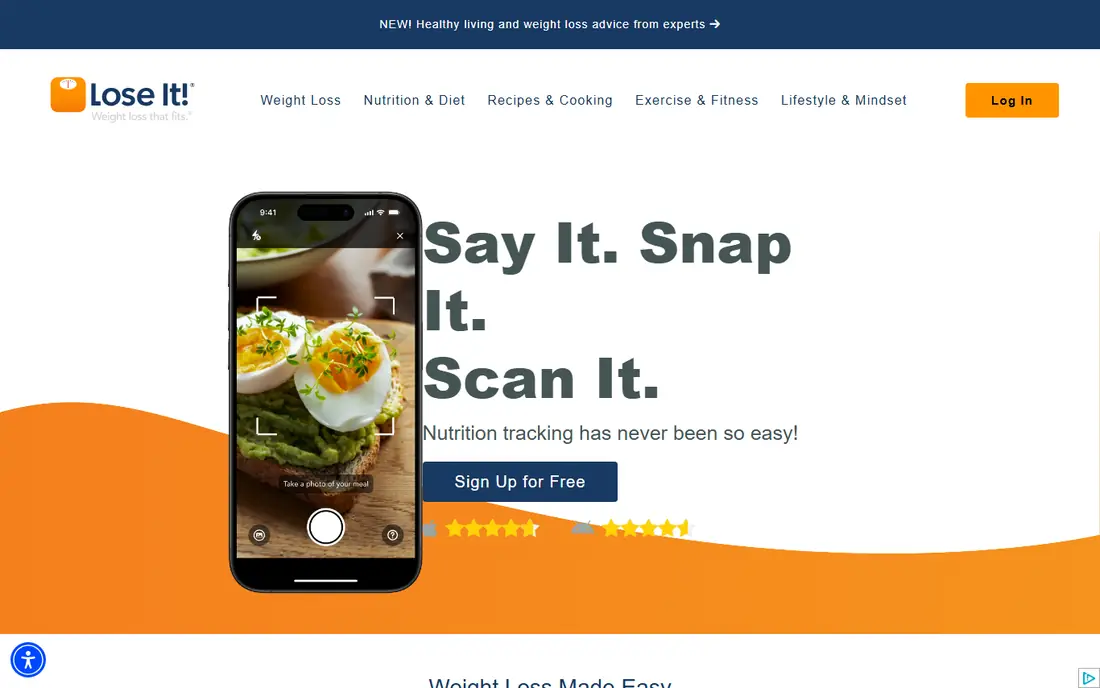
Lose It focuses on one clear job, which is staying within a daily calorie budget. You set a goal, log meals, and see how much budget remains, with streaks and badges that help some people stay consistent. The design is less crowded than MyFitnessPal, which makes it a good first calorie app for beginners.
Like MyFitnessPal, Lose It keeps barcode, photo, and voice logging behind Premium, so free users log more by hand. Nutrient detail is also lighter than Cronometer, which matters if you track vitamins and minerals closely. For a straightforward weight loss diary, though, Lose It is our pick for most beginners.
- Simple calorie budget view
- Friendly design
- Photo and barcode tools on Premium
- Barcode, photo, and voice logging need Premium
- Less nutrient depth than Cronometer
- Coaching is limited
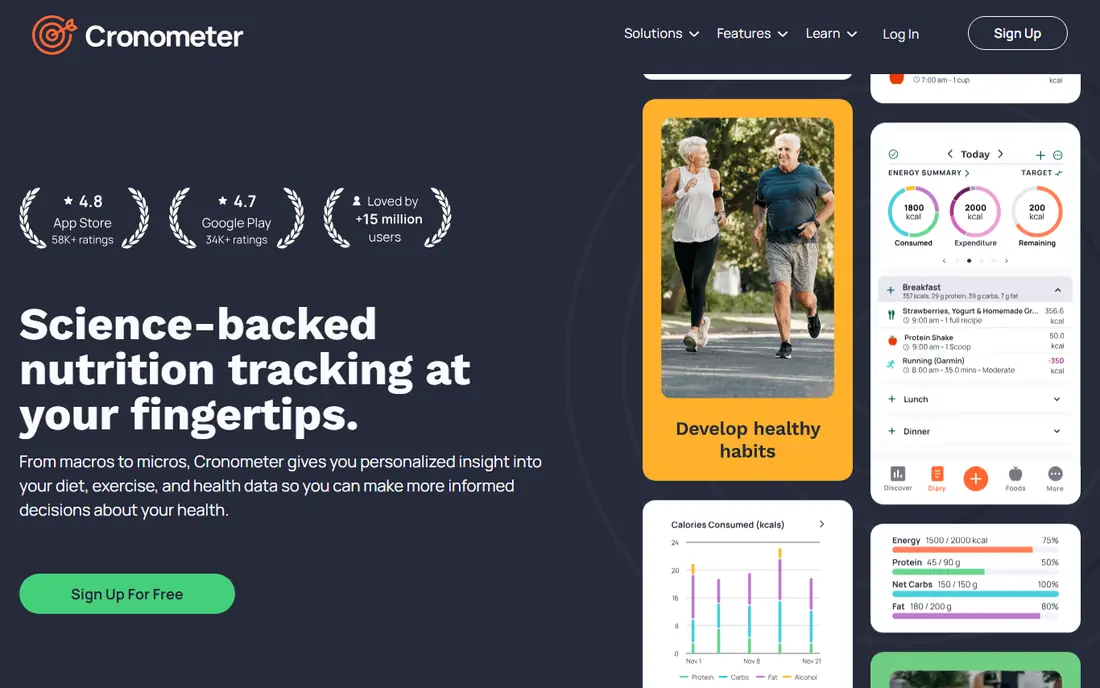
Cronometer takes a different approach from the big diary apps, by focusing on data quality and nutrient detail. It tracks calories alongside a wide range of vitamins, minerals, and other nutrients, using verified sources where possible. That depth suits people who want to know more than just calories, such as those tracking sodium, fiber, iron, or other nutrients for health reasons.
The interface shows a lot of information, which can feel like too much if you only want a quick calorie total. Some advanced tools also need the Gold plan. Still, for accuracy-minded users and for people who want a generous free plan that includes barcode scanning, Cronometer is our pick for detailed tracking.
- Verified food data focus
- Tracks many nutrients
- Barcode scanning on free plan
- Interface feels detailed
- Depth can overwhelm simple calorie counters
- Gold needed for some tools
MacroFactor is built for people who already know the basics and want targets that change with their results. Instead of a fixed calorie goal, it uses your logged food and weight trend to adjust calories and macros over time. That adaptive method suits lifters, athletes, and experienced trackers who want data-driven changes rather than a static plan.
It is not a good first app for casual users, because it needs consistent, complete logging to work well, and there is no free tier to stay on. If you log most days and want smarter targets, MacroFactor is worth the price. If you log only sometimes, a free diary will serve you better.
- Targets adapt from your trend data
- Strong macro focus
- Useful for athletes
- No permanent free plan
- Needs consistent logging to adapt well
- Less hand-holding for beginners
Lifesum combines calorie counting with meal plans, recipes, and diet preferences, which helps people who want ideas for what to eat, not just a place to record it. The design is polished, and plans for common eating styles make it easier to start without building every meal from scratch. That guidance is useful if you often stall at meal planning time.
The free plan covers basic logging, but many planning tools, recipes, and detailed insights need Premium. Nutrient detail is also lighter than Cronometer. If you want a calorie app that also suggests meals and keeps the look simple, Lifesum is a good middle option.
- Guided plans and recipes
- Clean design
- Diet preferences supported
- Many planning tools need Premium
- Free plan is limited
- Less nutrient depth than Cronometer
Yazio pairs calorie counting with recipes and intermittent fasting tools, which suits people who combine those habits. The daily overview shows calories, macros, water, and steps in one place, and the recipe section helps turn a calorie goal into actual meals. That combination saves switching between a diary, a recipe app, and a fasting timer.
Pro is needed for many planning tools, and some users will miss a full web app. The free plan still works for basic logging, so you can test the diary before paying. If recipes and fasting are part of your routine, Yazio is a strong fit.
- Recipe library
- Fasting tracker included
- Clear daily overview
- Many planning tools need Pro
- No web app in some listings
- Barcode and advanced tools are paid
FatSecret is notable because it keeps barcode scanning and its full food database on the free plan, while several rivals now charge for barcode tools. That makes it one of the best free calorie counters for people who want fast logging without a subscription. The diary is simple, and community features add accountability for some users.
The design is less polished than Lose It or Lifesum, and user-submitted foods still need checking, as with any large database. Premium exists, but many users will find the free plan sufficient. If free barcode logging is your priority, FatSecret is our pick.
- Barcode scanning and full database on free plan
- Simple diary
- Community features
- Design feels dated
- Premium adds limited value for some users
- Food data quality varies
MyNetDiary is a strong direct alternative for people leaving MyFitnessPal, because its free plan includes barcode scanning and a detailed diary. It also offers diet and health tools, including options that suit people tracking diabetes-related measures, though those tools do not replace medical advice. The food analysis goes deeper than a simple calorie total.
The interface packs in more than a beginner diary, so new users may need a few days to find their way around. Advanced plans and AI tools require paid tiers. If you want a rich free tracker with barcode support, MyNetDiary deserves a trial alongside Cronometer and FatSecret.
- Strong free plan including barcode scanning
- Detailed food analysis
- Diabetes and diet tools
- Advanced plans and AI tools are paid
- Interface is busy for beginners
- Some features need Premium
Noom is less of a simple diary and more of a structured program that teaches behavior change alongside food logging. Lessons cover habits, triggers, and mindset, and coaching options add accountability for people who struggle to stay consistent alone. That structure helps some users more than a bare calorie total ever could.
The price is higher than a standard diary app, and the exact cost depends on plan length and offers, so we list it as See website. Human one-to-one coaching can also cost extra. If you want a program with lessons and support, Noom is worth considering, but if you only want to log calories, a free diary is a better value.
- Structured behavior lessons
- Coaching options
- Focus on habits, not just calories
- Higher price than diary apps
- Coaching depth varies by plan
- Less suited to pure calorie logging
How we picked these
We compared official pricing pages, feature pages, and app store listings for calorie counting apps available to US users in October 2026. We included apps that are still operating, that truly log calories, and that cover different needs, from free barcode logging to adaptive macro targets and behavior coaching. We did not claim hands-on testing, and we did not invent prices, database sizes, or accuracy claims. Where a price varied by plan or offer, we wrote See website and advised readers to confirm the checkout total.
What to check before you choose a calorie counting app
Start with logging speed, because that decides whether you will still use the app in a month. Test barcode scanning, search, recent foods, and recipe saving with foods you actually eat, and check whether those tools are free or paid. A fast free tool beats a powerful paid tool you never open.
Next, check your goal. Simple calorie budgets suit Lose It and FatSecret, nutrient detail suits Cronometer and MyNetDiary, adaptive targets suit MacroFactor, and habit coaching suits Noom. Also check portion habits, because weighing food for a week teaches portion sizes better than any app feature. Finally, remember that calorie counts are estimates, and a single day over or under your target matters less than the trend over weeks. If tracking causes stress or disordered eating thoughts, stop and talk to a clinician.
Frequently asked questions
What is the best app for calorie counting?
The best calorie counting app depends on your goal. MyFitnessPal suits a large database, Lose It suits beginners, Cronometer suits nutrient detail, and FatSecret suits free barcode logging. Try the free plan first and keep the app that makes daily logging easiest.
What are the best calorie counting apps that are free?
Cronometer, FatSecret, and MyNetDiary offer strong free plans, with FatSecret and Cronometer including barcode scanning free. MyFitnessPal and Lose It are also free for basic manual logging, but faster tools need Premium.
Is MyFitnessPal or Lose It better for calorie counting?
MyFitnessPal has a larger database and broader device links, while Lose It has a simpler budget view that many beginners prefer. If you want depth and community, pick MyFitnessPal, and if you want simplicity, pick Lose It.
How accurate are calorie counting apps?
Calorie apps give estimates based on food databases, labels, and portion entries, so accuracy depends on correct portions and food choices. Weighing food and checking labels for a few weeks improves accuracy more than switching apps.
Do calorie counting apps work for weight loss?
They can help by making intake visible and supporting a consistent calorie budget, but they do not guarantee weight loss. Results depend on overall diet, activity, sleep, and health factors, and a clinician can help set a safe target.
What is the best calorie counting app for beginners?
Lose It is a strong beginner pick because its budget view is simple and its design is friendly. FatSecret is also good for beginners who want free barcode scanning, and Cronometer suits beginners who want nutrient detail from the start.
Sources
- https://www.myfitnesspal.com
- https://www.loseit.com
- https://www.cronometer.com
- https://www.macrofactorapp.com
- https://www.lifesum.com
- https://www.yazio.com
- https://www.fatsecret.com
- https://www.mynetdiary.com
- https://www.noom.com
- https://bodybuddy.app/blog/7-best-calorie-counter-apps-in-2026-tested-and-ranked
See where you really rank - block by block
ProMapRanker scans Google Maps across a grid of your service area. Simple monthly plans from $19, white-label on every plan.
Start freeKeep reading
 top custom software development company
Top Custom Software Development Company in 2026
Looking for a top custom software development company? We compare 9 firms for web, mobile, and enterprise software, covering strengths and fit for 2026.
Read → tableau alternatives
Tableau Alternatives in 2026
Compare the best Tableau alternatives for 2026, from Power BI to Metabase, with prices, hosting options, and picks for small teams and enterprises today.
Read → microsoft teams alternatives
Best Microsoft Teams Alternatives in 2026
Looking for microsoft teams alternatives? We compare 9 chat and video tools for 2026, covering free plans, pricing, meetings, and integrations for teams.
Read →