 ProMapRanker
Best Alarm App in 2026: 8 Apps Compared

Key takeaways
- Alarmy is our pick for heavy sleepers, because missions force you out of bed before the alarm stops.
- Sleep Cycle and Sleep as Android add smart wake windows and sleep tracking to the basic alarm.
- Alarm Clock Xtreme and AMdroid offer strong free alarms with math tasks, gradual volume, and snooze control.
- Built-in phone clocks are fine for light sleepers, but task-based alarms work better when snoozing is the problem.
Quick comparison
| Pick | Great for | Pricing starts at | Free tier | |
|---|---|---|---|---|
 Alarmy | heavy sleepers who keep snoozing | Free | Yes | Visit |
 Sleep Cycle | smart wake window and sleep tracking | $39.99 per year | Yes | Visit |
 Sleep as Android | Android users who want deep control | See website | Yes | Visit |
 Alarm Clock Xtreme | reliable free alarm on Android | Free | Yes | Visit |
 Alarm Clock for Me | bedside clock, weather, and alarm in one app | Free | Yes | Visit |
 AMdroid | heavy sleepers who want alarm profiles | Free | Yes | Visit |
 Alarm Clock HD | simple iPhone bedside alarm | Free | Yes | Visit |
 Pillow | iPhone users who want Apple Health sleep data | See website | Yes | Visit |
The best alarm apps
A good alarm app does more than ring at a set time. The picks below cover heavy sleepers, gentle wakers, and people who want sleep data with their morning alarm.
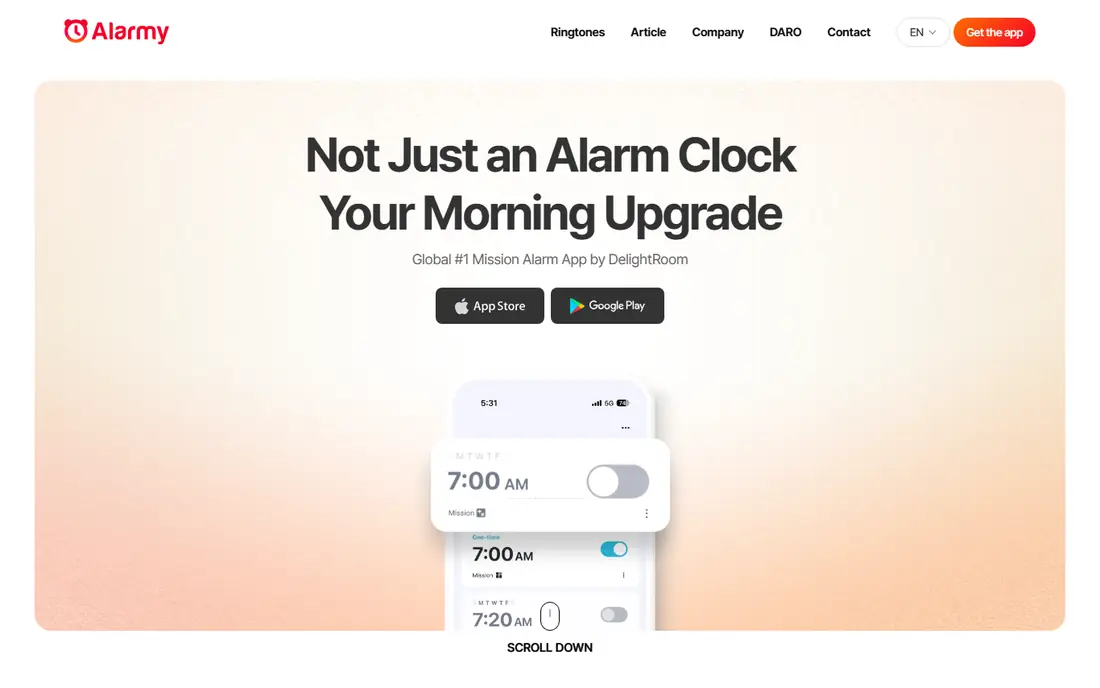
Alarmy is our pick for most people who sleep through normal alarms. Instead of a simple dismiss button, it asks you to complete a mission, such as taking a photo of a set object, scanning a barcode, solving math problems, or shaking the phone. That small task is enough to wake your brain up, which is the whole point for heavy sleepers.
The free version covers the core missions, while Premium adds a trial and fuller sleep tracking. Set the mission the night before, place the phone where the mission forces you to stand up, and keep a backup alarm for the first week while you learn how it fits your routine.
- Photo, barcode, math, and shake missions
- Sleep tracking
- Snore detection on Premium
- Missions can annoy light sleepers
- Premium needed for full features
- Setup takes a few minutes
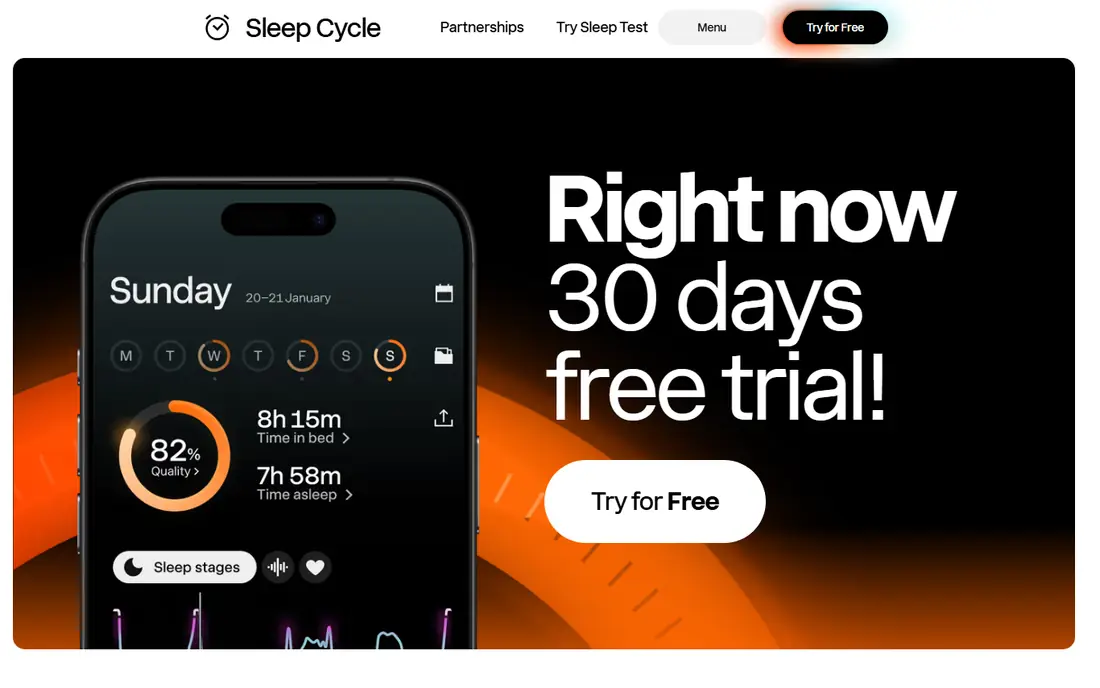
Sleep Cycle wakes you during light sleep inside a window you choose, rather than at one fixed second. Place the phone on your nightstand, and its sound analysis tracks sleep phases through the night. Many people find that gentler wake-up easier than a sudden loud alarm, even if the tracking itself is approximate.
The free version covers core tracking and the smart alarm, while Premium adds trends, comparative statistics, snore recording, and online backup. If you share a bed, note that the microphone hears everyone in the room, so your partner's movement can affect the data.
- Wake window of 10 to 30 minutes
- Sound-based sleep tracking
- Long-term trends on Premium
- Premium costs $39.99 per year
- Shared beds can muddy sound data
- Needs charging access overnight
Sleep as Android is the power-user pick on Android. It pairs sleep tracking with a smart alarm, sonar or motion tracking, wearable support, and a huge set of alarm options, including math tasks, QR codes, and gentle volume ramps. If you like tuning every setting, no other alarm app here gives you this much control.
That depth is also the drawback. New users can feel lost in the settings, so start with the defaults, add one dismissal task, and only adjust tracking options after a few nights. The app is free to try, with a one-time licence key for full use rather than a monthly subscription on most listings.
- Very deep customization
- Wearable and smartwatch support
- Smart wake-up and sleep tracking
- Android only
- Interface feels dense at first
- Licence terms vary by store listing
Alarm Clock Xtreme is a straightforward alarm that does its main job well. Math problems stop casual snoozing, the crescendo feature raises volume gradually instead of blasting at full volume, and the app also works as a stopwatch and countdown timer. In-app purchases go up to $4.99 to remove ads and add features.
It lacks sleep tracking and smart wake windows, but many people do not need those features. If you want a dependable alarm with a task to dismiss it, and you use Android, this is the simplest free pick after Alarmy.
- Math problems to dismiss
- Gradual volume increase
- Stopwatch and timer included
- Ads in the free version
- Interface looks dated
- Android only
Alarm Clock for Me suits people who want their phone to act as a bedside clock overnight. The large clock display, weather view, and sleep timer make it pleasant to glance at during the night, and alarms are easy to set for weekdays, weekends, or single days. It has been available since 2013 and remains widely used on Android.
The alarm itself is less forceful than task-based rivals, so it suits light and medium sleepers better than heavy sleepers. Pair it with a second alarm on workdays if you tend to snooze, and check the display brightness before bed so the screen does not disturb your sleep.
- Clear bedside clock display
- Weather at a glance
- Sleep timer and flashlight
- Ads in the free version
- In-app purchases at $2.99 per item
- Alarm tools are basic next to Alarmy
AMdroid, listed as Alarm Clock for Heavy Sleepers in app stores, is built around profiles. Each alarm can have its own sound, snooze rules, dismissal challenge, and location limits, so a work alarm, a weekend alarm, and a nap timer can all behave differently. It also skips alarms on public holidays and can restrict alarms to set locations.
The app is free and ad-supported, with a Premium upgrade to remove ads. It was updated in March 2026, so it remains actively maintained. Take time to set one profile well before you create five, since the depth of options is the main learning curve.
- Unlimited alarm profiles
- Math, captcha, Wi-Fi, and NFC challenges
- Holiday skipping and location limits
- Android only
- Ads in the free version
- Many settings can overwhelm new users
Alarm Clock HD is a clean iPhone option for people who want a bedside clock with alarms, themes, and weather, without sleep tracking complexity. It offers a Premium membership with ad-free use, news feeds, and support, and the free version covers basic alarms well enough to test it for a week.
Apple system limits mean no iPhone alarm app can fully match Android task alarms when the app is closed, so keep the built-in Clock app as a backup for critical mornings. Alarm Clock HD works best as a pleasant bedside display with a loud, customizable alarm on top.
- Free to download
- Bedside clock and weather
- Premium removes ads
- Premium subscription needed for full features
- IOS limits alarm behavior when the app is closed
- Fewer dismissal tasks than Android rivals
Pillow is the iPhone-first sleep tracker in this list, with an alarm built around sleep cycles rather than a single loud ring. It syncs with Apple Health, tracks sleep on iPhone or Apple Watch, and presents trends in a clean interface that fits well with other Apple health data.
The free version covers basic tracking and alarms, while paid tiers add fuller analysis. If you already wear an Apple Watch to bed, Pillow makes good use of it. If you do not, Sleep Cycle is the simpler cross-platform alternative.
- Deep Apple Health integration
- Sleep tracking and smart alarm
- Apple Watch support
- IPhone and Apple Watch only
- Best features need a paid tier
- Tracking needs the phone or watch nearby overnight
How we picked these
We compared official app store listings, vendor sites, and public reviews for alarm apps that still work in October 2026 on iOS, Android, or both. We favored apps with a free way to start, a clear dismissal method, and current updates, and we included both task-based alarms for heavy sleepers and gentler smart alarms for light sleepers.
Choosing an alarm that actually wakes you
Start with the reason you miss alarms. If snoozing is the problem, pick a task alarm like Alarmy or AMdroid and make the task require standing up, such as a photo mission in another room. If waking up groggy is the problem, try a smart wake window from Sleep Cycle, Sleep as Android, or Pillow for a week and compare how you feel at the same bedtime.
Phone settings matter as much as the app. Turn off battery optimization for your alarm app, keep the phone charging overnight, and test the alarm volume with your normal sleep setup before a critical morning. A second alarm five minutes after the first is a cheap safety net while you learn a new app.
Gentle mornings versus hard stops
Gentle alarms suit people who wake easily but hate being startled, while hard-stop alarms suit people who can sleep through a normal ring. Do not pick a gentle alarm because it sounds pleasant if you regularly miss work alarms, and do not pick a harsh task alarm if a soft ramp already gets you up. Match the force to the problem, then adjust volume, snooze length, and dismissal task one at a time.
Frequently asked questions
What is the best alarm app for heavy sleepers?
Alarmy is our pick for heavy sleepers, because missions like photo, barcode, and math tasks force you to wake up before the alarm stops. AMdroid is the closest Android alternative, with alarm profiles and several dismissal challenges.
What is the best alarm clock app for heavy sleepers on iPhone?
Alarmy and Sleep Cycle both work well on iPhone, with Alarmy offering the stronger anti-snooze missions. Keep the built-in Clock app as a backup, since iOS limits what third-party alarm apps can do when closed.
Are these alarm apps free?
Most are free to start, with ads or paid tiers for extra features. Sleep Cycle Premium costs $39.99 per year, Alarm Clock Xtreme offers purchases up to $4.99, and Alarm Clock for Me lists purchases at $2.99 per item. Check the store listing before you pay, since prices vary by region.
Do smart alarms really wake you at a better time?
Smart alarms wake you inside a light-sleep window rather than at one fixed moment, which many people find gentler. Tracking from a phone microphone or motion sensor is approximate, especially in a shared bed, so treat the sleep score as a guide, not a medical reading.
Can an alarm app replace my built-in clock app?
Yes, for most people, but keep the built-in alarm as a backup for the first week with any new app. Third-party apps add tasks, smart windows, and tracking, while the built-in clock is the most reliable fallback if a new app misses a setting.
Sources
- https://alar.my
- https://www.sleepcycle.com
- https://sleep.urbandroid.org
- https://www.avg.com/en-us/alarm-clock-xtreme
- https://apalon.com/alarm_clock.html
- https://amdroidapp.com
- https://www.impalastudios.com
- https://pillow.app
- https://jera.day/blog/best-gentle-alarm-apps-iphone
- https://rankite.com/blog/best-sleep-tracker-app-without-watch
See where you really rank - block by block
ProMapRanker scans Google Maps across a grid of your service area. Simple monthly plans from $19, white-label on every plan.
Start freeKeep reading
 best chat tool for website
Best Chat Tool for Website in 2026
Best chat tool for website owners compared, with live chat, AI agents, free plans, and pricing for small stores, SaaS teams, and support teams of all sizes.
Read → best birdwatching app
Best Birdwatching App in 2026
Best birdwatching app picks for 2026: nine free and paid apps for bird ID by sight and sound, checklists, hotspots, and finding birds near you for all birders.
Read → best bird identification app
Best Bird Identification Apps in 2026
Find the best bird identification app for photos, songs and calls. We compare 9 bird apps, including Merlin, BirdNET and Audubon, to help you choose today.
Read →