 ProMapRanker
Best AI Video Editing Software Comparison in 2026

Key takeaways
- Descript suits editors who think in words, while Runway suits creators who need generated footage and visual control.
- Synthesia and HeyGen suit training and explainer videos, while Pictory and InVideo suit turning scripts into social video.
- Credit and minute limits matter more than headline prices, so check how much finished video a plan actually allows.
- Only use footage, voices, and likenesses of real people with clear consent, and never use these tools to create non-consensual imagery.
- Browser tools such as VEED and Opus Clip suit fast social editing, while Premiere Pro suits long-form and professional timelines.
Quick comparison
| Pick | Great for | Pricing starts at | Free tier | |
|---|---|---|---|---|
 Descript | Editing video by editing text | See website | Yes | Visit |
 Runway | Generated footage and control | $15 per month | Yes | Visit |
 Synthesia | Training and explainer avatars | $29 per month | Yes | Visit |
 HeyGen | Avatar and translated video | $29 per month | Yes | Visit |
 Pictory | Script to social video | See website | Free trial | Visit |
 InVideo | Prompt to finished video | See website | Yes | Visit |
 VEED | Browser editing with AI help | See website | Yes | Visit |
 Opus Clip | Long video to short clips | $15 per month | Yes | Visit |
 Adobe Premiere Pro | Professional long-form editing | See website | Free trial | Visit |
The best ai video editing software comparison
We compared official feature pages, pricing pages, and editing workflows for legitimate creative tools that edit, assemble, or generate video for creators and teams. This list covers text-based editing, avatar video, script-to-video, clip creation, and professional timelines. A plain warning applies throughout: only use real people, voices, and likenesses with clear consent, and do not use these tools to make non-consensual imagery or to mislead viewers about a real person.
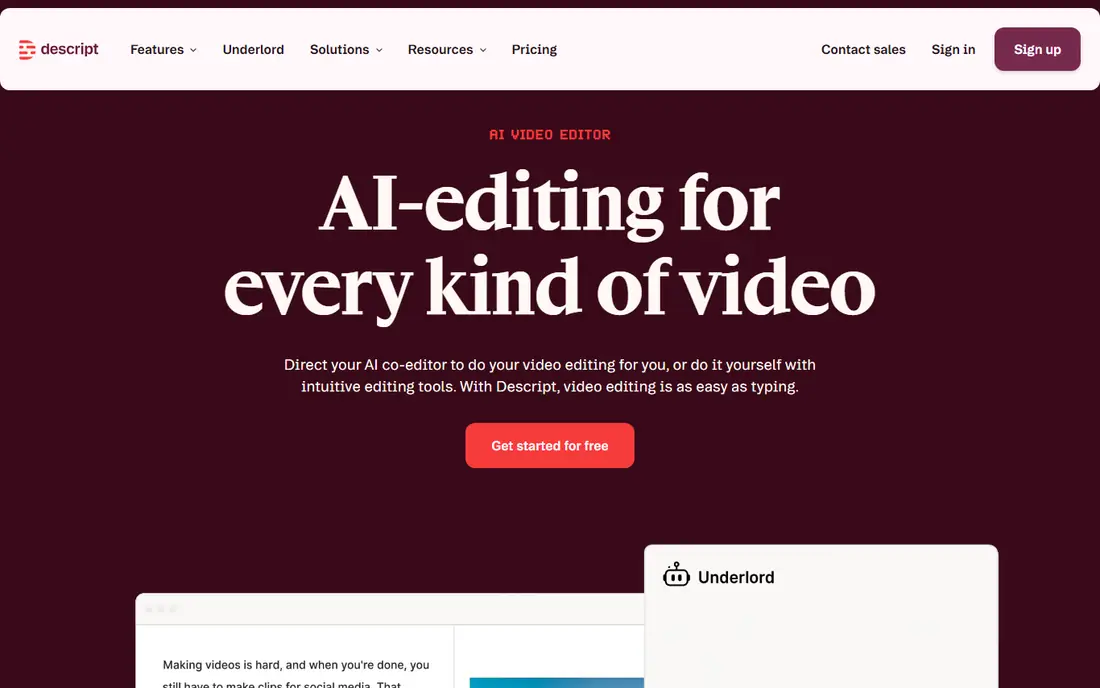
Descript changes how editing feels for talk-led video. You transcribe a recording, delete words from the transcript, and the video follows the text edit. That approach makes cutting a podcast, interview, or tutorial far faster than scrubbing a timeline for every pause. Tools for removing filler words, improving sound, and adding captions help a creator publish a clean episode without a full editing suite. The free plan lets a new user test the workflow with a limited transcription allowance.
The catch is scope. Descript is strongest for speech-led content and weaker for complex visual effects, motion graphics, or cinematic footage generation. Pricing and transcription limits vary by tier, so check the plan against your monthly recording hours. If your videos are mainly people talking, Descript is our first pick in this comparison.
- Edit video by editing a transcript
- Filler-word removal and studio sound tools
- Good for podcasts and talks
- Pricing and transcription limits need checking
- Less suited to complex visual effects
- Generated footage is limited
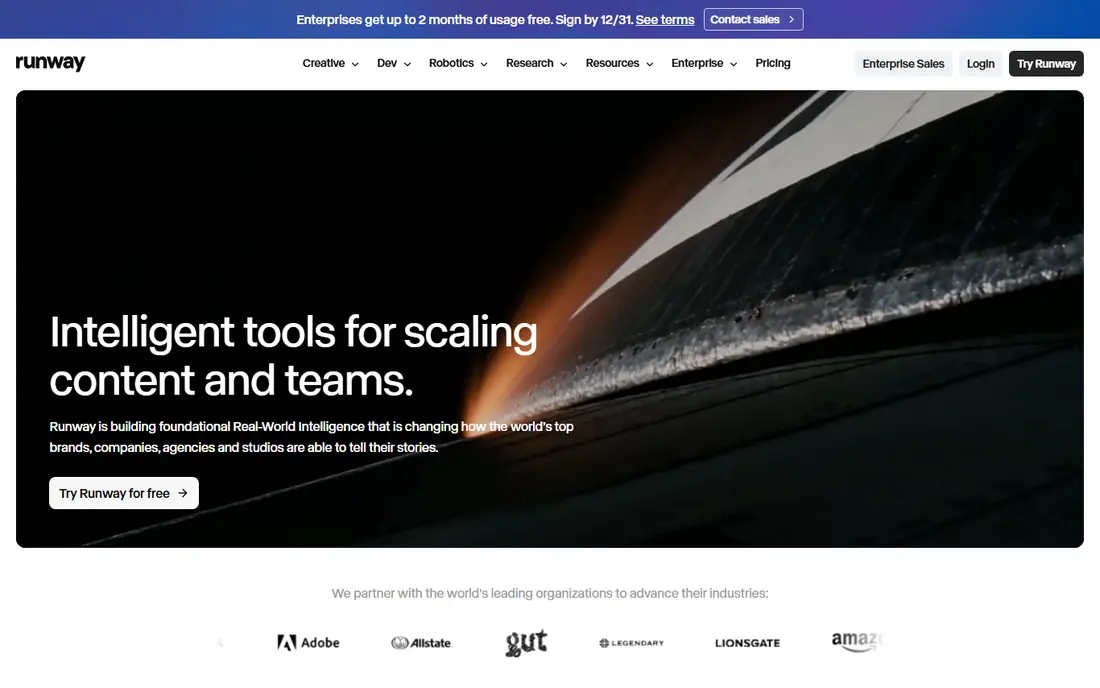
Runway suits creators who need original footage, B-roll, or visual ideas that stock libraries cannot provide. You can generate clips from text or images, change video style, extend scenes, and build shots that would be costly to film. The Standard plan starts at 15 dollars per month with a credit allowance, and a free tier offers a limited one-time credit amount for testing. For brand films, music visuals, and creative ads, that control over footage is the main draw.
The trade-off is cost per second. Credits run out fast on longer output, and a high-quality result often needs several tries. Runway also works best alongside a timeline editor for assembly, captions, and sound, rather than as the only tool. If generated footage is central to your work, Runway is a strong pick, but budget for credits, not just the monthly fee.
- Strong generative video models
- Video-to-video and editing tools
- Useful for B-roll and creative shots
- Credit costs rise with longer output
- Generation needs prompt skill
- Not a full replacement for a timeline editor
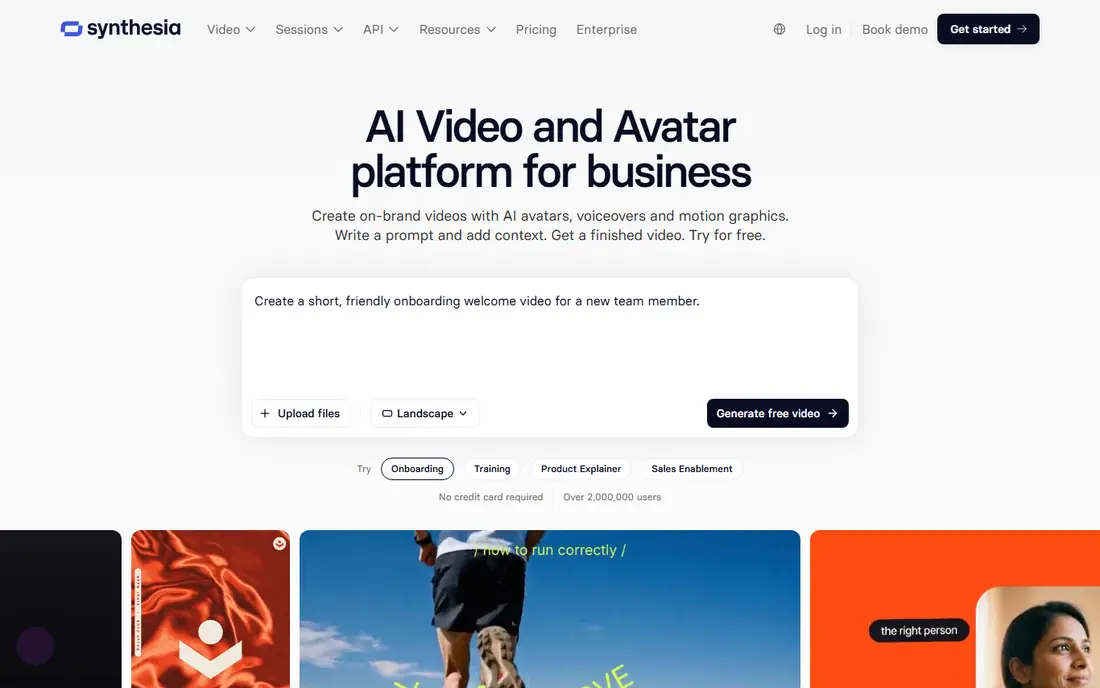
Synthesia lets teams turn a script into a presenter-led video using avatars, without booking a studio or a presenter for every update. That speed matters for training, onboarding, and product explainers that change often. You can update a script, change language, and publish a new version while keeping the same presenter style. The Starter plan starts at 29 dollars per month, with a free basic option that offers a limited monthly minute allowance.
The catch is authenticity and limits. Avatar video suits clear instruction, but it rarely replaces a real presenter for a personal message or a sales video. Stock avatar use also carries licence limits, including limits on paid advertising in some cases, so read the terms for your use. Only use avatars and voices with proper consent and licence rights. If you need many consistent training videos, Synthesia is a practical choice.
- Avatar-led training at scale
- Many languages and voices
- Consistent presenter style across videos
- Avatar video can feel less personal than a real presenter
- Stock avatars have usage limits
- Minute allowances cap output
HeyGen covers avatar video, translation, and voice options for marketing, onboarding, and product videos. You can create a presenter video, translate it, and publish versions for different regions without re-recording each time. The Creator plan starts at 29 dollars per month, and a free option offers a small number of videos per month for testing. For teams that need volume and multilingual output, the API and bulk options add value.
The drawback is credit management. Dubbing, avatars, and retries draw from the same credit pool, so a team must track use in the first weeks. Real-person voice or likeness cloning must only happen with clear consent and, for business use, proper contracts and controls. If translated avatar video is your main need, HeyGen is a strong rival to Synthesia.
- Avatar video with translation
- Good for marketing and onboarding
- API options for volume work
- Credit use needs tracking
- Avatar quality varies by plan
- Real-person cloning needs consent and controls
Pictory suits marketers who need to turn a blog post, script, or webinar into a short social video quickly. You paste text or a link, the tool assembles scenes with stock footage, captions, and voiceover, and you edit the result before publishing. That speed helps a small team repurpose one long piece into several clips. A 14-day trial lets you test the workflow, and paid plans are priced by video minutes.
The catch is control and minutes. Pictory is an assembly tool first, so editors who want frame-level timeline control will feel limited. Minute allowances also cap how much video you can create each month, and voice cloning starts on higher tiers. If repurposing content fast matters more than deep editing, Pictory is a good fit.
- Turns scripts, blogs, and recordings into video
- Stock footage and captions
- Fast for social repurposing
- Minute allowances limit output
- Less timeline control than a full editor
- Voice cloning sits on higher tiers
InVideo turns a prompt into a finished video using stock footage, templates, and generative models, depending on the plan. That approach suits social teams that need many short videos and do not want to start from a blank timeline each time. Templates, captions, and voice options speed up publishing, and a free plan lets a creator test the basic workflow. Paid plans add credits and model choices for higher-quality output.
The drawback is variable cost and control. Credits expire monthly on many plans, and model rates change, so the same video can cost different amounts over time. Prompt skill also matters, since a vague prompt produces generic footage. If you need fast social video from a prompt, InVideo is worth testing, but check credit use on a real project first.
- Prompt-to-video with stock and model options
- Templates for social video
- Free plan for testing
- Credit and model costs vary
- Output quality depends on prompt and model
- Long-form editing is limited
VEED is a browser-based editor that suits creators and small teams who want captions, subtitles, templates, and AI assists without installing software. You can upload a clip, add captions, cut silences, and export for social platforms from a browser. That simplicity helps a team where several people edit, review, and publish, and where a desktop editor would be overkill. A free plan lets you test the core workflow.
The catch is depth and connection. VEED needs a stable internet connection, and it will not match a professional desktop editor for complex effects or long-form projects. Export quality, AI minutes, and storage vary by tier, so check the plan against your publishing volume. For fast, browser-based social editing, VEED is a practical pick.
- Browser-based editing with captions and AI tools
- Easy for teams
- No install needed
- Needs a stable internet connection
- Advanced effects are limited
- Export and AI limits vary by tier
Opus Clip focuses on one job: turning a long video into short, social-ready clips. It finds highlights, adds captions, and formats clips for vertical platforms, which saves hours of manual scrubbing. That focus suits podcasters, streamers, and coaches who publish long episodes and need clips for social feeds. The paid plan starts at 15 dollars per month, and a free option offers limited, watermarked output for testing.
The drawback is judgement. Auto-selected clips still need a human review for context, accuracy, and tone, since a highlight taken out of context can mislead. Source quality also matters, since a poor recording will not become a strong clip through automation alone. If short-form repurposing is your main need, Opus Clip is a useful specialist tool.
- Turns long videos into short clips
- Auto captions and hooks
- Fast for social repurposing
- Clip quality varies by source video
- Free output is watermarked in many cases
- Needs review before publishing
Adobe Premiere Pro remains the professional choice for long-form video, documentaries, and client work. It offers a full timeline, colour tools, audio mixing, effects, and plugin support, plus AI features for transcription, captioning, and audio cleanup. That depth suits editors who need precise control over every cut, colour grade, and sound mix. A free trial lets you test it before subscribing, and it pairs with other Adobe tools for graphics and audio.
The catch is cost and learning time. Premiere Pro is a subscription product and needs a capable computer, and new editors face a steep learning curve. For a quick social clip, a browser tool will be faster. For a professional project where control and output quality matter most, Premiere Pro is still the benchmark in this list.
- Full professional timeline and effects
- AI tools for transcription and audio
- Wide format and plugin support
- Subscription cost is higher than social tools
- Learning curve is steep
- Needs a capable computer
How we picked these
We compared official feature pages, pricing pages, and editing workflows, and we kept only legitimate creative tools that exist and work in October 2026. We did not list tools marketed for undressing people or non-consensual imagery, and we did not list a closed standalone consumer product as live. Where a vendor did not publish a clear price, we wrote See website rather than guessing. We did not claim hands-on testing that did not happen. Only use real people with clear consent, and check licence terms before publishing avatar or generated video.
How to compare AI video tools fairly
Start with the same test project in each tool. Use a two-minute talk clip, a script, and a social clip, and judge the finished output, not the demo video on the vendor site. Track credits or minutes used, export time, caption accuracy, and how many retries were needed. A tool that looks cheap can become costly if every usable clip needs three generations.
Next, check rights and workflow. Confirm who owns the output, whether stock and avatar use allows your publishing channel, and how exports work with your main editor. Check caption language support, audio quality, and file formats. Finally, keep a human review step for every published video, especially for clips, translations, and avatar scripts, since automation can introduce errors in wording, context, or tone.
Frequently asked questions
What is the best AI video editing software comparison winner for beginners?
For beginners, VEED or Pictory often fit best, because both start from templates or scripts and publish quickly. Descript also suits beginners who edit talk-led video, since text editing feels familiar. Pick the tool that matches your main video type, not the tool with the longest feature list.
What is the best AI video editing tools comparison pick for training videos?
Synthesia and HeyGen suit training videos, because avatar presenters keep style consistent across updates and languages. Use them for clear instruction, and use a real presenter for personal or sensitive messages. Check minute and credit limits against how many videos you update each quarter.
How much finished video does a credit or minute plan actually allow?
It depends on the tool and the model. Avatar tools count minutes, while generative tools count credits per second or per generation. Test with a real project in week one and track use, since retries, dubbing, and longer clips can use far more allowance than the headline plan suggests.
Can AI video tools replace a human editor?
They can speed up cutting, captions, clips, and first drafts, but they do not replace judgement about story, context, and accuracy. Keep a human review step for every published video. For client or professional work, a human editor still makes the final decisions on cuts, sound, and tone.
Is it safe to use AI avatars of real people?
Only with clear consent, proper contracts, and licence rights for the intended use. Do not create video that misleads viewers about what a real person said or did. For business use, ask the vendor about consent controls and keep records of permission.
Which tool suits long-form professional editing?
Adobe Premiere Pro suits long-form professional work, because it offers full timeline control, colour, audio, and effects. AI tools can help with transcription and first cuts, but a professional timeline still gives the control a long project needs.
Sources
See where you really rank - block by block
ProMapRanker scans Google Maps across a grid of your service area. Simple monthly plans from $19, white-label on every plan.
Start freeKeep reading
 who has best internet service
Who Has the Best Internet Service in 2026
Who has best internet service for US homes? We compare fiber, cable, fixed wireless and satellite providers on speed, price, availability and terms today.
Read → which survey tool has the best analytics
Which Survey Tool Has the Best Analytics in 2026
Find which survey tool has the best analytics in 2026, comparing Qualtrics, SurveyMonkey, Typeform, Alchemer, and more on reports, text, and stats today.
Read → which streaming service has the best movies
Which Streaming Service Has the Best Movies in 2026
Answering which streaming service has the best movies, with Netflix, Max, Criterion and more compared on libraries, prices and free options in this guide.
Read →