 ProMapRanker
Best AI Tools to Restore Old Photos in 2026

Key takeaways
- Remini is best for quick mobile face restoration, while MyHeritage suits family historians with photo archives.
- VanceAI is best for one-click browser restoration, and Topaz Photo AI suits photographers who want full control.
- Free credits cover a few photos on most tools, so test one photo before paying for a large archive.
- Only use these tools on photos you own or have permission to restore, and get consent before restoring or sharing photos of other people.
Quick comparison
| Pick | Great for | Pricing starts at | Free tier | |
|---|---|---|---|---|
 Remini | Quick mobile face restoration | See website | Yes | Visit |
 VanceAI Photo Restorer | One-click browser restoration | $9 per month | Yes | Visit |
 MyHeritage Photo Enhancer | Family history archives | See website | Yes | Visit |
 Topaz Photo AI | Full control for photographers | See website | Free trial | Visit |
 Fotor | Budget all-in-one editing | $39.99 per year | Yes | Visit |
 Hotpot.ai | Cheap web restoration | See website | Yes | Visit |
 AKVIS Retoucher | Manual scratch repair | $87 one-time | Free trial (10 days) | Visit |
 Photomyne | Scanning whole albums | $59.99 per year | Free trial (3 days) | Visit |
 ImageColorizer | Low-cost colorization | $3.90 per month | Yes | Visit |
 PicWish | Batch enhancement | $6.99 per month | Yes | Visit |
The best AI tools to restore old photos
We compared official product and pricing pages, and we kept only legitimate creative tools live in October 2026 that repair, enhance or colorize old photos. AI restoration guesses at missing detail, so keep the original scan untouched and treat restored faces as an interpretation, not a recovered original.
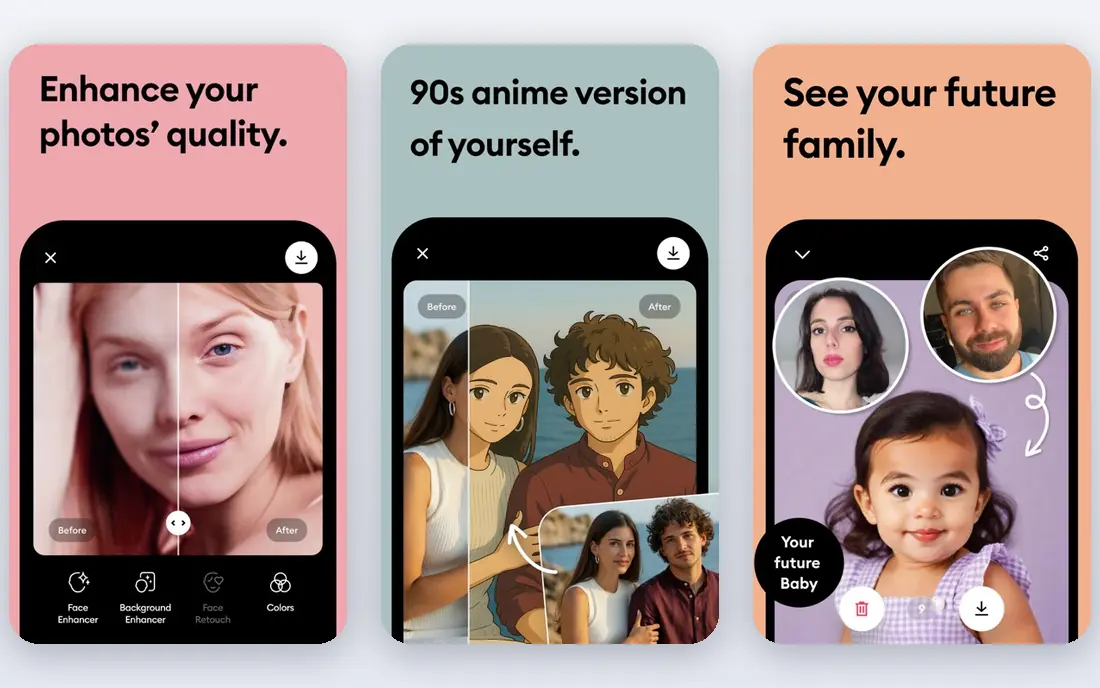
Remini built its name on one job: taking a blurry or faded face and rebuilding it in seconds on a phone. Upload a portrait, tap enhance, and the app sharpens eyes, skin texture and hair with a quality that still surprises first-time users. For a single family photo you want to share at a reunion, few tools get you there faster.
The catch is cost and control. Weekly subscriptions, listed by third-party reviews at about $6.99 per week for Personal plans, add up fast for a large archive, and the free tier brings ads, daily limits and possible watermarks. Faces can also look over-smoothed if the enhancement runs too strong. Use Remini for faces and single photos, not as the cheapest route for hundreds of prints.
- Excellent face enhancement
- Very fast results
- Simple mobile workflow
- Weekly pricing adds up
- Free tier has ads and daily limits
- Can over-smooth faces

VanceAI Photo Restorer runs in a browser and handles scratch removal, noise reduction, face refinement, colorization and upscaling in one upload. That simplicity suits people who do not want to install software or learn manual retouching. You upload a scan, pick the restorer, and download the result, with batch options for larger sets.
Pricing starts at $9 per month billed annually for the Starter plan based on vendor listings, with a small free credit allowance on signup. Cloud processing means photos leave your device, so avoid highly sensitive uploads. For heavily damaged prints that need one-click help, VanceAI is the most complete browser option here.
- One-click scratch and damage repair
- Face refinement and colorization
- No software install
- Free credits are limited
- Cloud processing needs an internet connection
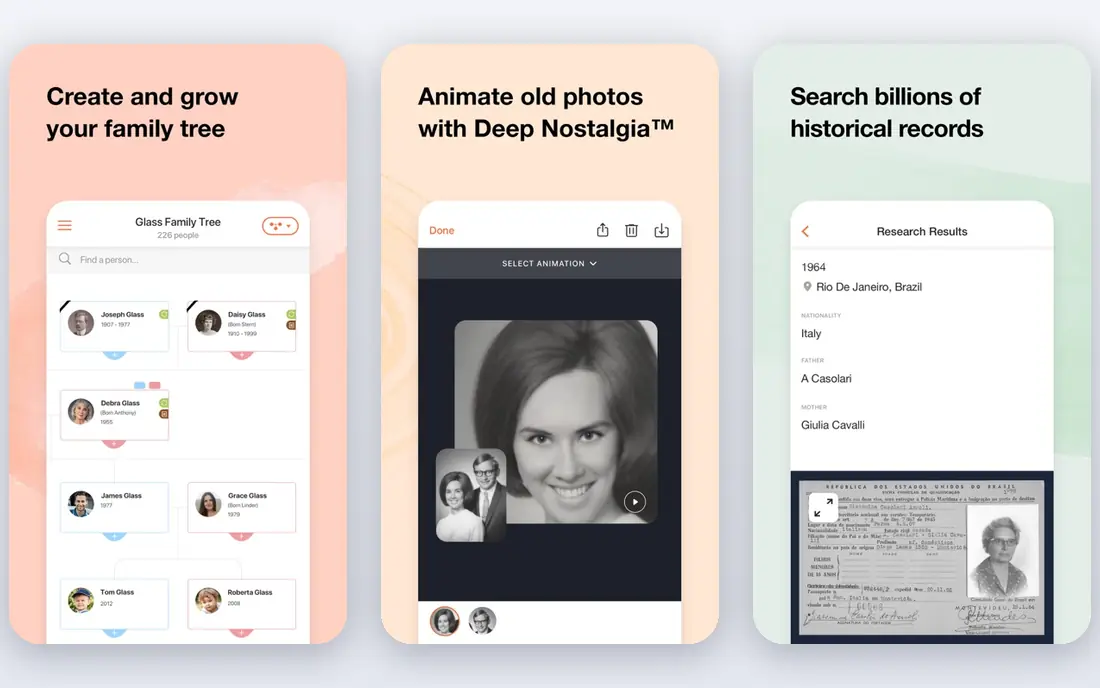
MyHeritage Photo Enhancer sits inside a family history platform, which is its main advantage. You can enhance and colorize old portraits, then attach them to a family tree, organize albums and share them with relatives in one place. That workflow suits historians who are restoring photos as part of a larger archive project, not just fixing one image.
The free tier covers a limited number of photos, and full access needs a subscription, with pricing that varies by plan. The enhancer is also face-focused, so heavy scratch or tear repair may need another tool. If your photos live inside a family history project, MyHeritage is the natural home for them.
- Face enhancement plus colorization
- Family tree integration
- Simple sharing
- Full features need a subscription
- Limited free enhancements
Topaz Photo AI is a desktop tool for photographers who want control over every step. It combines denoise, sharpening, face recovery, dust and scratch handling, lighting tools and upscaling, with local processing that keeps photos on your computer. Batch workflows help with larger archives, and settings let you dial back enhancement so faces keep natural texture.
Pricing for new buyers has moved to subscription, with third-party listings around $199 per year, so older one-time prices no longer apply. A free trial lets you test the full feature set, though saving is limited. If you already edit photos on a desktop and want the best quality control, Topaz is worth the trial.
- Denoise, sharpening, face recovery and upscaling
- Local processing
- Batch workflows
- Pricing changed to subscription for new buyers
- Needs a capable computer
Fotor is a browser and app editor that includes an old-photo repair tool alongside cropping, color correction, filters and design templates. That breadth suits people who want to repair a photo and then prepare it for print or sharing without switching apps. Pro costs $39.99 per year billed annually, which is low for an all-in-one editor.
Fotor does not match Topaz for fine control or Remini for face speed, and its free tier limits features. For light cleanup, colorization and general editing at a budget price, it is a practical middle ground. Start free, test one damaged photo, and upgrade only if the repair quality meets your standard.
- Old-photo repair plus full editing
- Colorization
- Low yearly price
- Less specialized than Topaz
- Free tier has limits and ads
Hotpot.ai offers simple web tools for photo restoration, enhancement and colorization, with basic use available without an account. Credits cost little, which makes it a good choice for a handful of photos where a monthly subscription would be wasteful. The workflow is plain: upload, process, download, with no learning curve.
The trade-off is depth. Hotpot lacks the album, family tree and batch archive features of MyHeritage and Photomyne, and its interface is basic. For a few quick restorations at low cost, it is hard to beat. For a full archive project, pair it with a scanning and organizing tool instead.
- No account needed for basic use
- Low credit costs
- Simple web tools
- Basic interface
- Fewer archive features than MyHeritage
AKVIS Retoucher suits people who want to fix damage by hand rather than trust full automation. You mark scratches, tears, dust and stains, and the tool fills those areas from surrounding texture. That control matters for valuable prints where an AI guess could change a face or a detail. A Home license costs $87 one-time, with a 10-day trial.
The cost is time. Manual repair takes longer than one-click AI, and large archives will feel slow. AKVIS also works best as part of a workflow with a scanner and an editor, not as a single-click solution. If precision matters more than speed, it is the best manual option here.
- Precise manual scratch and tear repair
- Works as standalone or plugin
- One-time license
- Needs manual work
- Less automatic than AI-first tools
Photomyne solves the step before restoration: getting paper photos into digital form. Its phone app scans multiple photos at once, crops them automatically, and organizes them into albums with captions and sharing. That speed matters when you face boxes of prints, since scanning one by one in a flatbed scanner takes far longer.
Restoration inside Photomyne is lighter than in Topaz or VanceAI, focused on enhancement and colorization rather than heavy damage repair. Plans cost $59.99 per year based on vendor listings, with a three-day trial. Use Photomyne to digitize the album, then send the worst photos to a specialist restorer.
- Fast multi-photo phone scanning
- Automatic cropping
- Album organization and sharing
- Subscription needed for full use
- Restoration is lighter than Topaz
ImageColorizer focuses on colorization and repair at a low price, with a Starter plan at $3.90 per month and 50 free credits per month on the free tier based on vendor listings. That makes it a cheap way to see old black-and-white photos in color, which can transform how a family views an archive. Repair tools handle fading and light damage alongside color work.
Color accuracy varies, since AI colorization guesses at colors that were never recorded, and results need a human eye before printing. The feature set is also smaller than VanceAI. For low-cost colorization and light repair, ImageColorizer is good value, provided you treat color as an interpretation.
- Low monthly price
- Colorization and repair
- Free monthly credits
- Smaller feature set than VanceAI
- Color accuracy varies by photo
PicWish is a web tool for batch enhancement, cleanup and upscaling, with five free enhancements per day on its free tier. That daily allowance suits steady work through an archive, a few photos at a time, without paying at once. Paid plans start at $6.99 per month and lift the limits for larger batches.
PicWish is less specialized for heavy scratch or tear damage than VanceAI or AKVIS, and it works best for enhancement, sharpening and cleanup. If your scans are faded or low-resolution rather than torn, PicWish handles the batch efficiently. For the worst prints, use a specialist restorer first, then PicWish for final cleanup.
- Batch enhancement and cleanup
- Five free enhancements per day
- Simple web workflow
- Less specialized for heavy damage
- Credits limit large batches
How we picked these
We compared official product and pricing pages, and we kept only legitimate creative tools live in October 2026 that repair, enhance, colorize or upscale old photos. We left out any tool marketed for undressing people or non-consensual imagery, since those are not restoration tools. Prices shown are vendor listings, and we wrote See website where pricing varies by plan or has changed recently, as with Topaz.
How to restore old photos well
Start with a good scan. Scan at 600 dots per inch or higher, save as TIFF if you can, and keep the original scan untouched in a separate folder. Work only on copies, so a bad enhancement never destroys the only digital version. Clean the scanner glass, handle prints by the edges, and scan the back too if it carries dates or notes.
Next, match the tool to the damage. Use Remini for faces, VanceAI for heavy one-click repair, AKVIS for precise manual work, and Topaz for final quality control. Run enhancement at low strength first, since strong settings can over-smooth faces and invent detail. Compare the result with the original side by side, and keep the version that looks most like the person, not the version that looks most polished.
Finally, respect consent and privacy. Only restore photos you own or have permission to restore, and get consent before restoring or sharing photos of other people, especially if you plan to post them online. For badly damaged or irreplaceable photos, consider a professional restorer, who can rebuild missing features from reference photos more reliably than AI.
Frequently asked questions
What is the best ai app to restore old photos?
Remini is best for quick mobile face restoration, MyHeritage is best for family archives, and VanceAI is best for one-click browser repair. Topaz Photo AI suits photographers who want full control. The best pick depends on whether your photos need faces, heavy repair, scanning or colorization.
Can AI restore badly damaged photos?
AI handles scratches, fading and mild blur well, but it guesses at missing detail rather than recovering it. For large tears, water damage or badly blurred faces, manual restoration by a professional is more reliable and preserves the person's actual likeness. Keep expectations realistic for severe damage.
Are there free AI tools to restore old photos?
Yes, with limits. Hotpot.ai offers basic use without an account, PicWish offers five free enhancements per day, and ImageColorizer offers monthly free credits. Remini, MyHeritage and Fotor also offer free tiers. Test one photo free before paying for a large archive.
How do I scan old photos before restoring them?
Scan at 600 dots per inch or higher, save as TIFF where possible, and keep the original scan untouched. Photomyne can scan multiple photos at once with a phone if you have whole albums. Clean prints gently, handle them by the edges, and scan backs that carry dates or notes.
Does AI colorization show true colors?
No, not exactly. AI colorization guesses at colors based on training data, since black-and-white photos record no color information. Results can look pleasing and plausible, but they are an interpretation, not a record. Treat colorized versions as creative views alongside the original, not as replacements for it.
Should I keep the original photo after restoration?
Yes, always. Keep the original print and the original scan, and store restored versions as separate files. AI can invent detail, over-smooth faces or shift colors, so the original remains the true record. That habit also lets you re-restore later when tools improve.
Sources
See where you really rank - block by block
ProMapRanker scans Google Maps across a grid of your service area. Simple monthly plans from $19, white-label on every plan.
Start freeKeep reading
 who has best internet service
Who Has the Best Internet Service in 2026
Who has best internet service for US homes? We compare fiber, cable, fixed wireless and satellite providers on speed, price, availability and terms today.
Read → which survey tool has the best analytics
Which Survey Tool Has the Best Analytics in 2026
Find which survey tool has the best analytics in 2026, comparing Qualtrics, SurveyMonkey, Typeform, Alchemer, and more on reports, text, and stats today.
Read → which streaming service has the best movies
Which Streaming Service Has the Best Movies in 2026
Answering which streaming service has the best movies, with Netflix, Max, Criterion and more compared on libraries, prices and free options in this guide.
Read →