 ProMapRanker
Best AI Tools for Teacher Productivity in 2026


Broad lesson and assessment toolkit · Pricing starts at: $12.99 per month
Key takeaways
- MagicSchool AI offers the widest teacher toolkit in this list, with a free plan for individual teachers and a Plus plan for heavier use.
- Brisk Teaching fits teachers who already live in Google Docs and Slides, since it works inside those documents rather than in a separate dashboard.
- Diffit is the strongest single-purpose pick when the main job is turning one text into several reading levels.
- Khanmigo stands out for verified teachers because its teacher tools are free, while learner and family access is paid.
- Every tool here still needs a teacher check before classroom use, since AI drafts can contain errors, wrong facts, or mismatched standards.
Quick comparison
| Pick | Great for | Pricing starts at | Free tier | |
|---|---|---|---|---|
| MagicSchool AI | Broad lesson and assessment toolkit | $12.99 per month | Yes | Visit |
 Brisk Teaching | Feedback inside Google Docs | $99.99 per year | Yes | Visit |
 Diffit | Leveled reading passages | $14.99 per month | Yes | Visit |
 Eduaide | Template-based lesson resources | $5.99 per month | Yes | Visit |
 Khanmigo | Guided tutoring and teacher planning | Free | Yes | Visit |
 Curipod | Live interactive lessons | See website | Yes | Visit |
 Education Copilot | Fast standards-based drafts | See website | Yes | Visit |
 Twee | Language teaching materials | See website | Yes | Visit |
The best ai tools for teacher productivity
These tools aim at the same plain problem: teachers spend a large share of the week on planning, marking, and rewriting materials. The picks below cover different parts of that work, so the right choice depends on where your time actually goes.

MagicSchool AI is the broadest starting point in this list. Teachers can draft lesson plans, quizzes, rubrics, parent messages, and differentiated activities from one dashboard, rather than opening a separate tool for each job. That breadth matters most for teachers who plan across several subjects or year groups in a single week.
The free plan gives individual teachers a way to test the core tools before paying. Plus, at $12.99 per month or $8.33 per user per month when billed annually, adds higher usage, output history, and editing features. Schools and districts use a custom Enterprise plan for admin dashboards, single sign-on, and integrations. The catch is scale: with so many tools on offer, it is easy to spend the first week exploring instead of settling on a small set that fits a regular routine.
- Large library of teacher tools
- Student tools with teacher controls
- District plans with admin controls
- Large library takes time to learn
- AI output still needs checking for facts and standards
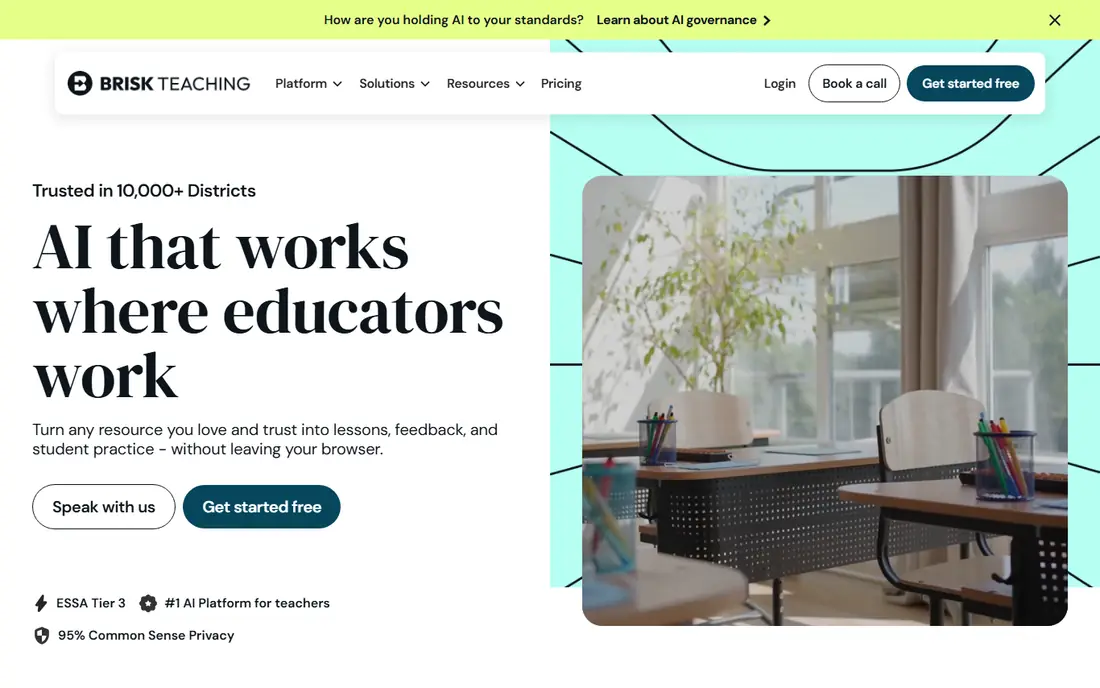
Brisk Teaching takes a different route from MagicSchool AI. It is a browser extension that appears inside the documents and pages a teacher already uses, so there is no new dashboard to learn and no copying and pasting between tabs. Highlighting a passage can produce quiz questions, a leveled version, or draft feedback tied to a rubric.
That in-document approach suits marking and revision work best. A teacher can leave targeted comments on student writing, adjust a reading level, or turn a video into comprehension questions without breaking the flow of the task. The free Educator plan includes more than 20 tools with usage limits, and Educator Pro costs $99.99 per year. The main limits are practical: it needs a desktop Chrome or Edge browser, and teachers who want the full school feature set will need a district plan.
- Works inside Docs, Slides, PDFs, and YouTube
- More than 20 tools on the free plan
- Targeted student feedback
- Built for Chrome and Edge, not mobile
- Free plan has usage limits
- Some advanced features sit in school plans
Diffit does one job and does it well. A teacher pastes a text, adds a link, or enters a topic, and Diffit returns a version written at a chosen reading level, with comprehension questions, a vocabulary list, and a summary. For mixed-ability classes, that turns a long rewriting task into a short editing task.
The free Basic plan is useful for occasional differentiation, though saved content has a limited window. The individual plan costs $14.99 per month or $149.99 per year and removes the main caps for regular users. Diffit is not a full planning suite, so teachers who also need unit plans, slides, and grading help will still need another tool alongside it. Its value is clearest when reading level is the recurring bottleneck.
- Fast reading-level adjustment
- Comprehension questions and vocabulary included
- No student data collection claimed
- Focused on text, not full lesson planning
- Paid plan needed for heavy weekly use
- Free plan has time limits on saved content
Eduaide suits teachers who prefer picking a template over writing a prompt. The library covers lesson plans, worksheets, graphic organizers, games, rubrics, and tiered questions, and materials can be built from a teacher's own documents, websites, and standards. That structure helps newer users get a usable draft quickly.
The free plan gives a limited number of generations each month, which is enough to test the workflow. Pro costs $5.99 per month or $49.99 per year and adds unlimited generations, the full generator library, and document chat for revisions. Eduaide is focused on teacher preparation rather than live student activities, so it pairs well with a classroom tool like Curipod rather than replacing one.
- More than 100 resource templates
- Guided setup without long prompts
- Affordable Pro plan
- Free plan has a monthly generation limit
- Image and document chat features are Pro only
- No student-facing activities
Khanmigo comes from Khan Academy and works in two directions. For learners, it acts as a tutor that asks guiding questions rather than handing over answers. For teachers, it offers lesson-planning help, learning objectives, rubrics, and exit tickets, plus summaries of what a class found difficult.
Teacher access is free for eligible teachers, which makes it an easy second tool to try. Learner and family plans cost $4 per month or $44 per year, and district access for students is arranged separately. Teachers should note the boundary: a free teacher account does not automatically give every student in a class tutor access. The strength here is pedagogy and the Khan Academy library, not the widest set of generators.
- Free for eligible teachers
- Guided, question-led tutoring style
- Tied to Khan Academy content
- Learner and family plans are paid
- Individual teacher access does not grant whole-class tutoring
- US eligibility rules apply to paid plans
Curipod turns a prompt into a full interactive slide lesson, with polls, drawings, and word clouds that students answer on their own devices. The point is not just the slides. It is the live response data, which shows a teacher where participation drops or where understanding breaks down during the lesson.
That live format fits whole-class teaching and revision sessions well. A teacher can run a lesson, collect responses, and adjust on the spot, rather than waiting for homework to reveal a gap. Curipod offers a free plan, while school and district pricing is custom, so a single teacher can test it but a school rollout needs a quote. The format also assumes devices are available, which rules it out for paper-only settings.
- Builds interactive slide lessons from a prompt
- Live polls, drawings, and word clouds
- Real-time student responses
- School and district pricing is custom
- Live format needs student devices
- Output still needs a teacher review
Education Copilot is a good fit for teachers who want a fast, tidy draft and then want to move on. It generates lesson plans, rubrics, worksheets, and other classroom documents from short inputs, with a focus on readable output that can be printed or shared without heavy reformatting.
That simplicity is both the appeal and the limit. It does not try to cover live lessons, student tutoring, or grading in depth, so it works best as a preparation tool. A free tier is available for testing, and paid pricing should be checked on the vendor site before budgeting, since published figures vary across third-party pages. For a teacher who mainly needs consistent documents, the narrow focus keeps the weekly routine short.
- Clean, print-ready document output
- Rubric and worksheet generators
- Simple setup
- Smaller feature set than the big toolkits
- Pricing is not always clearly published
- Fewer live classroom features
Twee is the specialist pick for English and foreign-language teaching. It creates reading, listening, speaking, and vocabulary activities from a text, a topic, or a video, with options tied to language levels. For language teachers, that subject focus saves the prompt work that a general tool would require.
The free plan lets a teacher test the core generators, and paid plans add more capacity and features. Twee will not cover science planning, math practice, or whole-school administration, and it should not be judged against those jobs. Its place in this list is for teachers whose weekly planning is dominated by language practice, where a focused generator beats a general one.
- Built for language teachers
- Reading, listening, and vocabulary activities
- Works from texts and videos
- Narrower subject fit than general toolkits
- Some features sit behind paid plans
- Pricing should be checked on the vendor site
How we picked these
We compared official feature pages, pricing pages, and app listings, plus recent published comparisons that checked vendor pages in 2026. We favored tools that are live now, that state a clear teacher use, and that offer a free plan or free teacher access so a teacher can test before paying. We left out tools that had closed, changed purpose, or no longer fit classroom teaching. We did not claim hands-on classroom testing, and prices here reflect published pages at the time of writing, so readers should confirm the checkout page before paying.
What to check before you pay
Start with the job, not the feature list. A teacher who loses time to marking needs in-document feedback, while a teacher who loses time to differentiation needs a leveler, and a teacher who runs live lessons needs student response tools. Buying the widest toolkit for a narrow job adds setup time without saving planning time.
Free plans and limits
Free plans differ in ways that matter. Some cap generations per month, some cap daily use with a wait, and some limit how long saved content stays available. Test a tool during a normal teaching week, not just once, and count how many full lessons it actually produces before hitting a limit.
Privacy and student data
Check whether students need accounts, what data the tool collects, and whether the school has a signed data agreement. Tools aimed at districts often publish privacy pages and offer admin controls, while a free individual account may not include the same protections. When in doubt, use the tool for teacher preparation only, and keep student names and sensitive details out of prompts.
Accuracy and academic integrity
AI drafts can invent facts, misstate standards, or produce work that looks polished but misses the point of a lesson. Review every draft against the curriculum, the reading level, and the class. For student use, set clear rules: AI tools may help with planning, drafting, and feedback, but submitted student work should reflect the student's own thinking, and school policy should be followed. Teachers should also check how each tool handles student-facing use, since some teacher tools do not grant whole-class access on a free account.
Frequently asked questions
What are the best ai tools for teacher productivity?
The best choice depends on the job. MagicSchool AI covers the widest range of planning and assessment tasks, Brisk Teaching fits feedback inside Google Docs, Diffit fits leveled reading, and Curipod fits live interactive lessons. Most teachers end up using two tools: one for preparation and one for live or marking work.
What are the best ai platforms for teacher productivity for schools?
For schools, the district plans matter as much as the generators. MagicSchool AI, Brisk Teaching, Curipod, and Eduaide all offer school or district options with admin controls, while Khanmigo offers district tools separately. Ask each vendor about single sign-on, rostering, data agreements, and training before a rollout.
Are these tools free for teachers?
Several offer free plans or free teacher access, but the limits differ. MagicSchool AI, Brisk Teaching, Diffit, Eduaide, Curipod, Education Copilot, and Twee all offer a free tier, and Khanmigo is free for eligible teachers. Paid plans add higher limits, more features, or school controls, so test the free tier during a normal week first.
Can AI tools replace lesson planning?
No. These tools draft, organize, and vary materials, but a teacher still needs to check facts, standards, reading level, and fit for the class. The time saved comes from faster first drafts and faster differentiation, not from handing planning over without review.
How do I keep student data safe with AI tools?
Use teacher preparation accounts where possible, avoid entering student names or sensitive details in prompts, and check the vendor privacy page and your school policy. For student-facing use, prefer tools with teacher controls, clear data terms, and a signed agreement where your school requires one.
Which tool is best for language teachers?
Twee is the most focused pick here for language teaching, since it builds reading, listening, and vocabulary work from texts and videos. General tools like MagicSchool AI and Eduaide can also help with language lessons, but they require more setup to match language levels.
Sources
- https://www.magicschool.ai
- https://www.briskteaching.com
- https://www.diffit.me
- https://www.eduaide.ai
- https://www.khanmigo.ai
- https://www.curipod.com
- https://www.educationcopilot.com
- https://www.twee.com
- https://www.theaitools.tech/2026/10/best-ai-tool-for-teachers-lesson-planning.html
- https://www.forasoft.com/blog/article/automated-lesson-plan-generation-software
See where you really rank - block by block
ProMapRanker scans Google Maps across a grid of your service area. Simple monthly plans from $19, white-label on every plan.
Start freeKeep reading
 who has best internet service
Who Has the Best Internet Service in 2026
Who has best internet service for US homes? We compare fiber, cable, fixed wireless and satellite providers on speed, price, availability and terms today.
Read → which survey tool has the best analytics
Which Survey Tool Has the Best Analytics in 2026
Find which survey tool has the best analytics in 2026, comparing Qualtrics, SurveyMonkey, Typeform, Alchemer, and more on reports, text, and stats today.
Read → which streaming service has the best movies
Which Streaming Service Has the Best Movies in 2026
Answering which streaming service has the best movies, with Netflix, Max, Criterion and more compared on libraries, prices and free options in this guide.
Read →