 ProMapRanker
Best AI Tools for Stock Market Analysis in 2026


Chart automation and multi-timeframe analysis · Pricing starts at: $59 per month
Key takeaways
- TrendSpider suits chart-focused traders who want automation, while Trade Ideas suits traders who need live scans and AI signals.
- Danelfin and Koyfin suit investors who want scores, fundamentals, and screening without building a charting workflow.
- TradingView remains the best charting base, and it pairs well with a dedicated AI scan or research tool.
- Credit and data limits decide the real cost, so check scan frequency, real-time data, and AI message limits before buying.
- This article is general information only, not financial advice, and trading carries risk of loss.
Quick comparison
| Pick | Great for | Pricing starts at | Free tier | |
|---|---|---|---|---|
| TrendSpider | Chart automation and multi-timeframe analysis | $59 per month | No | Visit |
 Trade Ideas | Real-time scanning and AI signals | $127 per month | No | Visit |
 Danelfin | AI stock scores without charting | See website | Yes | Visit |
 Tickeron | Pattern recognition and AI robots | $90 per month | Free trial | Visit |
 TradingView | Charting and community ideas | $12.95 per month | Yes | Visit |
 FinChat | Fundamental research with source links | $29.99 per month | Yes | Visit |
 Koyfin | Dashboards, screening, and charts | $9.99 per month | Yes | Visit |
 Stock Rover | Deep fundamental screening and research | $9.95 per month | Yes | Visit |
The best ai tools for stock market analysis
AI stock tools promise to shorten research, but they do very different jobs. Some automate charts, some scan the market live, and some score stocks from fundamentals. The best ai stock market analysis tools in this list are still sold and supported in October 2026, and we note where a tool is analysis software, not a broker, since none of these tools hold your money or guarantee a result. This article is general information only, not financial advice, and trading carries risk of loss.
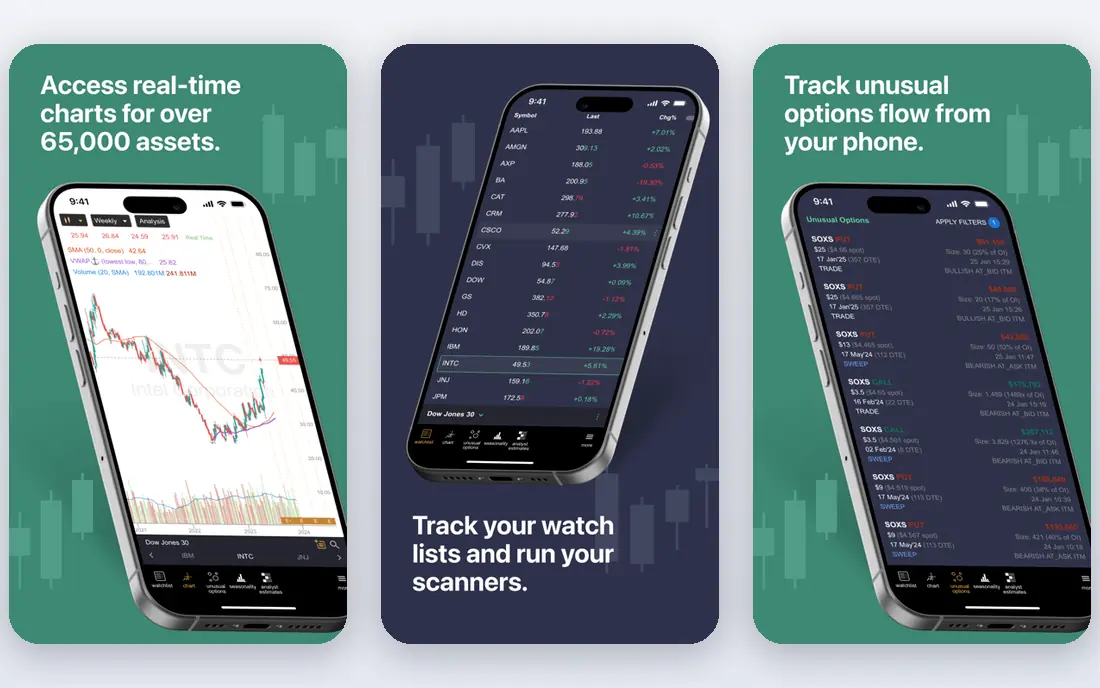
TrendSpider automates the chart work that active traders usually do by hand. It draws trendlines, detects patterns, and watches multiple timeframes at once, then alerts you when price interacts with a level you care about. The scanner lets you describe a setup in plain language, such as a stock near a multi-timeframe trendline with a weak momentum reading, rather than building a long filter chain. Backtesting and no-code bots are included, with bot slots and scan frequency rising on higher plans.
Pricing is the detail to check first. Published pricing checks in October 2026 put Standard at $59 to $89 per month depending on billing term, with Premium and higher tiers above that, and a paid intro period rather than a free trial. Real-time US stock data is included for non-professionals, but futures data and extra AI assistant messages cost more. TrendSpider fits technical traders who spend hours on charts each week. It is less useful for a long-term investor who mainly needs fundamentals and valuation, since it has no fundamental data of its own.
- Automated trendlines and pattern detection
- Multi-timeframe analysis and smart alerts
- Backtesting and no-code bots
- No free tier
- Price rises with plan and data add-ons
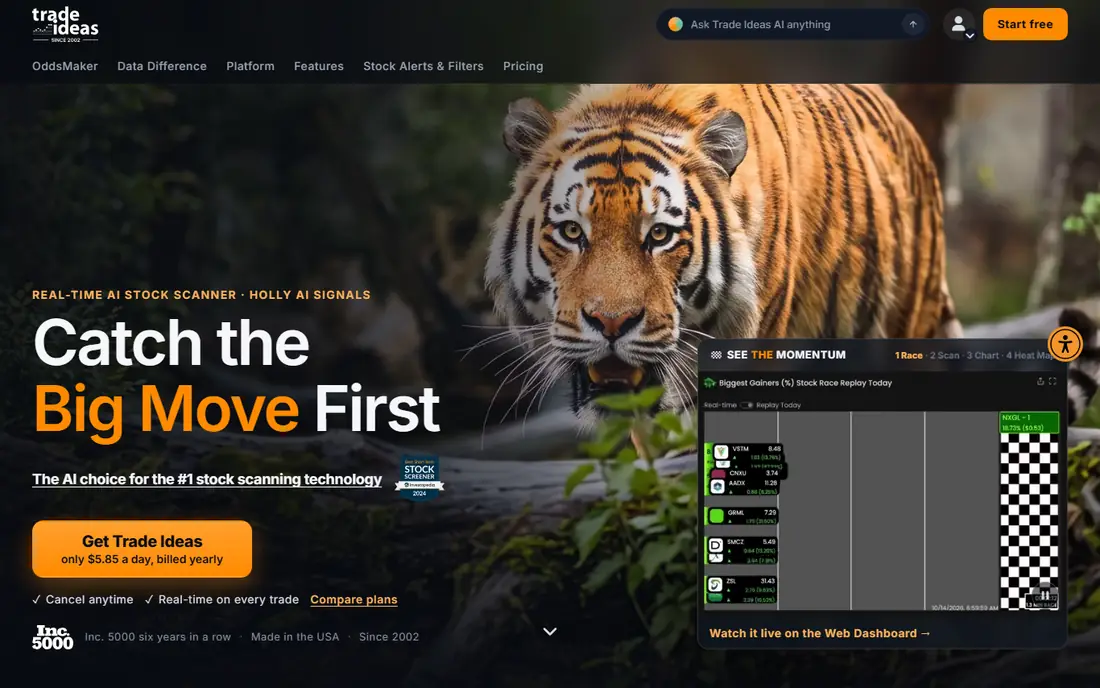
Trade Ideas is a live scanning platform for traders who want to find setups as the market moves, not after the close. Its scanner watches price, volume, and technical conditions in real time, and Premium adds Holly AI signals, which are generated from strategies tested against historical data. The OddsMaker tool on Premium lets traders backtest a strategy idea without code, and a trading room and AI assistant are part of the higher tiers.
Standard is listed at $127 per month, with Premium at $254 per month in October 2026 comparison material, which makes Trade Ideas one of the priciest tools here. There is no free tier, so a trial or demo is the way to test whether the live scans fit your style. Trade Ideas suits active day traders who act on intraday scans. Long-term investors will get more value from a fundamentals tool such as FinChat or Stock Rover.
- Live market scanning
- Holly AI signals on Premium
- OddsMaker backtesting on Premium
- High starting price
- Learning curve for the full scanning stack
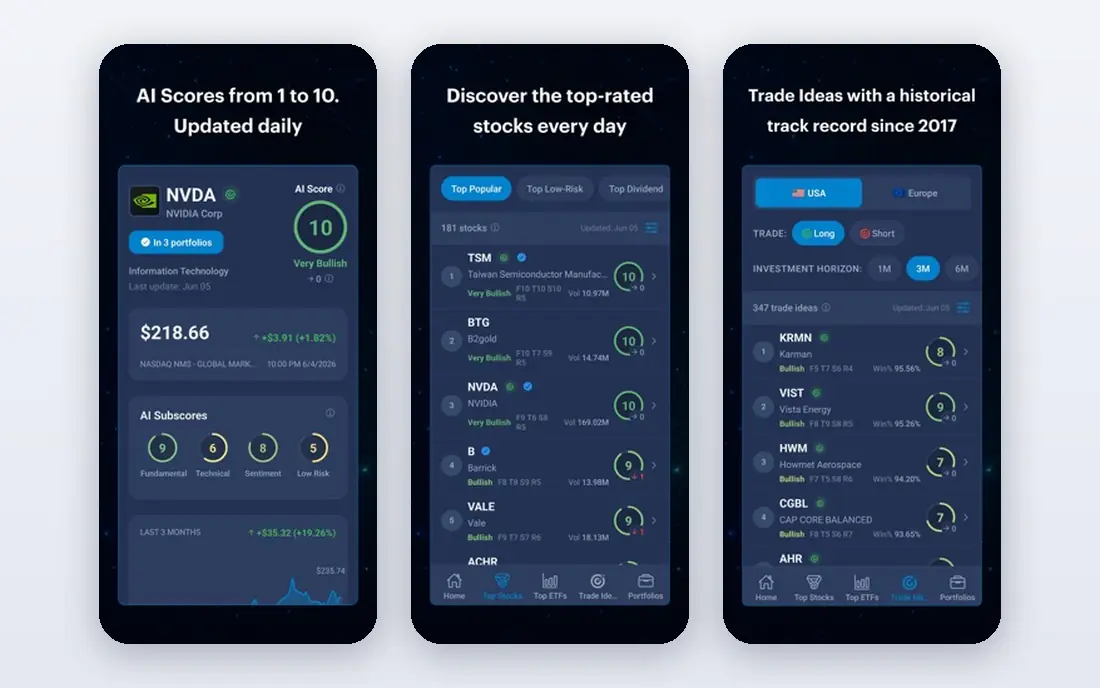
Danelfin gives each stock and ETF an AI score based on technical, fundamental, and sentiment signals, with an explanation of what drove the score. That approach suits investors who want a quick ranking to start research, rather than a chart to draw on. You can screen by score, compare stocks, and track how scores change over time, which helps when you need to narrow a long watchlist.
The limit is that a score is a model output, not a promise of future returns, and Danelfin does not replace charting or deep fundamental research. Pricing is listed as See website here, since plan details vary, while a free plan covers basic use. Use Danelfin as a research starting point, then check financials, valuation, and your own risk tolerance before any trade.
- AI scores for stocks and ETFs
- Clear explanations for each score
- Free plan for basic use
- Not a charting platform
- Scores are models, not predictions
Tickeron scans stocks, ETFs, and other markets for chart patterns, trends, and technical signals, and it offers AI robots that follow defined strategies. Each robot shows its past performance and trading logic, which helps traders judge whether a strategy fits their risk tolerance. The platform also covers trend prediction, screener tools, and portfolio style views for users who want a broad technical toolkit.
Pricing starts at $90 per month in published comparison material, with a free trial for evaluation. That price is high for a casual investor, and the robot track records should be read with care, since past results do not guarantee future returns. Tickeron fits technical traders who want pattern scans plus automated strategy ideas, and who will check the logic behind each robot rather than following it blindly.
- Pattern recognition across stocks and ETFs
- AI robots with published track records
- Trend and screener tools
- Higher starting price
- Robot performance in the past does not guarantee future results
TradingView is the charting standard that many traders use as a base, with clean charts, a large library of community indicators, and ideas shared by other traders. The free tier is genuinely usable for basic charting, while paid plans add more indicators, alerts, layouts, and data. The starting paid price is listed at $12.95 per month on annual billing in recent comparison material, with higher tiers above that.
TradingView is a canvas, not an analyst: it gives you strong tools to do the analysis yourself, which is precisely the work AI tools exist to shorten. Its own AI features are thinner than TrendSpider automation or Trade Ideas live signals, so many traders pair TradingView with a dedicated AI tool. For beginners and for traders who want reliable charts at a low price, TradingView remains the best base in this list.
- Strong charting and community indicators
- Usable free tier
- Broad market coverage
- AI features are limited compared with dedicated AI tools
- Paid plans rise with features
FinChat, formerly FinChat.io, is a fundamental research platform that lets investors ask questions about a company and see answers linked to filings and financial data. That source linking matters, since it lets you check an AI answer against the original document rather than trusting it alone. The platform covers financials, segments, KPIs, and screening, with watchlists and alerts for the companies you follow.
Pricing starts at $29.99 per month, with a free plan for basic use. FinChat is not a chart automation tool, and traders who need live scans or pattern bots should look at Trade Ideas or Tickeron instead. For long-term investors who research earnings, margins, and valuation before buying, FinChat gives a focused, source backed workflow that a general chatbot cannot match.
- Fundamental data with source links
- AI answers tied to company filings
- Clean screening and watchlists
- Less chart automation than TrendSpider
- Higher tiers needed for full data depth
Koyfin combines dashboards, screening, charts, and fundamental data in one workspace that investors can shape to their own workflow. You can build a dashboard for a watchlist, screen for valuation or growth criteria, and view financials, estimates, and market data without switching tools. The starting paid price is $9.99 per month, with a free plan for basic use, which makes it one of the cheapest paid options here.
Koyfin is not primarily an AI signal tool, so traders who want AI generated trade ideas should pair it with Danelfin or Tickeron, or choose a dedicated AI platform. For investors who want a solid research dashboard at a low price, with screening and fundamentals in one place, Koyfin is a strong value pick. Check which data sets sit on each tier before buying, since advanced estimates and data depth vary by plan.
- Flexible dashboards and screening
- Broad fundamental and market data
- Low starting price
- AI features are lighter than dedicated AI tools
- Advanced data sits on higher tiers
Stock Rover is a research platform built around deep fundamental screening, with hundreds of metrics, portfolio tools, and research reports for stocks and ETFs. Investors can build detailed screens, compare companies side by side, and track portfolios with dividend and valuation data. The starting paid price is $9.95 per month, with a free plan for basic use, which makes it a low cost route to serious fundamental research.
The interface is denser than newer, simpler tools, and Stock Rover does not focus on live AI trade signals in the way Trade Ideas or Tickeron do. That is fine for its audience: long-term investors who screen on fundamentals and want control over every metric. If you want a quick AI score or a live intraday scan, pair Stock Rover with Danelfin or Trade Ideas rather than expecting it to do both jobs.
- Deep fundamental screening
- Portfolio and research tools
- Low starting price
- Interface feels denser than newer tools
- Less focus on live AI trade signals
How we picked these
We compared vendor pricing pages, product documentation, and recent AI stock tool comparisons from October 2026, and we kept only tools that are still sold and that support stock research or trading analysis. We favoured a mix of chart automation, live scanning, AI scoring, and fundamental research, and we noted where pricing varies by billing term. We did not claim hands-on testing, and we did not treat any score, signal, or backtest as a promise of future returns.
What to check before you buy
Start with your investing style, not the AI label. A day trader needs live scans and fast alerts, a swing trader needs chart automation and backtesting, and a long-term investor needs fundamentals, valuation, and screening. Then check the data and limits: real-time versus delayed data, scan frequency, AI message limits, and which markets are covered on each plan.
Test any AI signal or score against your own rules before risking money. Check the source data, the time period behind a backtest, and how the tool handles losing periods, since marketing pages tend to show the best cases. Confirm whether the tool is analysis software or a broker, since analysis tools do not hold your money or place trades for you unless they connect to a broker you choose. Finally, set a risk limit, diversify, and remember that no AI tool removes market risk. This article is general information only, not financial advice.
Frequently asked questions
What are the best ai stock market analysis tools for beginners?
TradingView and Koyfin are good starting points for beginners, since both offer free plans, clear charts, and screening without a high price. Danelfin adds AI scores for investors who want a quick ranking to start research, but beginners should still learn the basics before trading.
Can AI tools predict stock prices?
No AI tool can reliably predict stock prices, and any tool that promises returns should be treated with caution. AI tools can surface patterns, scores, and signals from past data, but markets change, and past performance does not guarantee future results.
Do I need a broker to use these AI tools?
Most tools here are analysis software, not brokers, so you still need a broker account to place trades. Some tools connect to brokers or export signals, but the trade decision and the money remain with you and your broker.
How much do AI stock analysis tools cost?
Prices here range from free plans to $127 per month or more for live scanning platforms, with chart automation in the middle. Check data add-ons, AI message limits, and billing terms, since those can change the total well above the starting price.
What is the difference between TrendSpider and TradingView?
TrendSpider automates chart work, including trendlines, patterns, and backtesting, while TradingView gives you strong manual charting and community indicators. Many traders use TradingView as a base and add TrendSpider when automation and scanning save them real time each week.
Is it safe to follow AI trading robots?
AI robots follow defined strategies and show past performance, but they can lose money, especially in changing markets. Check the strategy logic, the risk controls, and the drawdowns, test with a small amount or paper trading first, and never invest money you cannot afford to lose.
Sources
- https://www.trendspider.com
- https://www.trade-ideas.com
- https://www.danelfin.com
- https://www.tickeron.com
- https://www.tradingview.com
- https://www.finchat.io
- https://www.koyfin.com
- https://www.stockrover.com
- https://rankite.com/blog/best-ai-tools-for-stock-market-analysis
- https://www.trade-ideas.com/alternatives/tradingview/
See where you really rank - block by block
ProMapRanker scans Google Maps across a grid of your service area. Simple monthly plans from $19, white-label on every plan.
Start freeKeep reading
 who has best internet service
Who Has the Best Internet Service in 2026
Who has best internet service for US homes? We compare fiber, cable, fixed wireless and satellite providers on speed, price, availability and terms today.
Read → which survey tool has the best analytics
Which Survey Tool Has the Best Analytics in 2026
Find which survey tool has the best analytics in 2026, comparing Qualtrics, SurveyMonkey, Typeform, Alchemer, and more on reports, text, and stats today.
Read → which streaming service has the best movies
Which Streaming Service Has the Best Movies in 2026
Answering which streaming service has the best movies, with Netflix, Max, Criterion and more compared on libraries, prices and free options in this guide.
Read →